Anki Fantasy
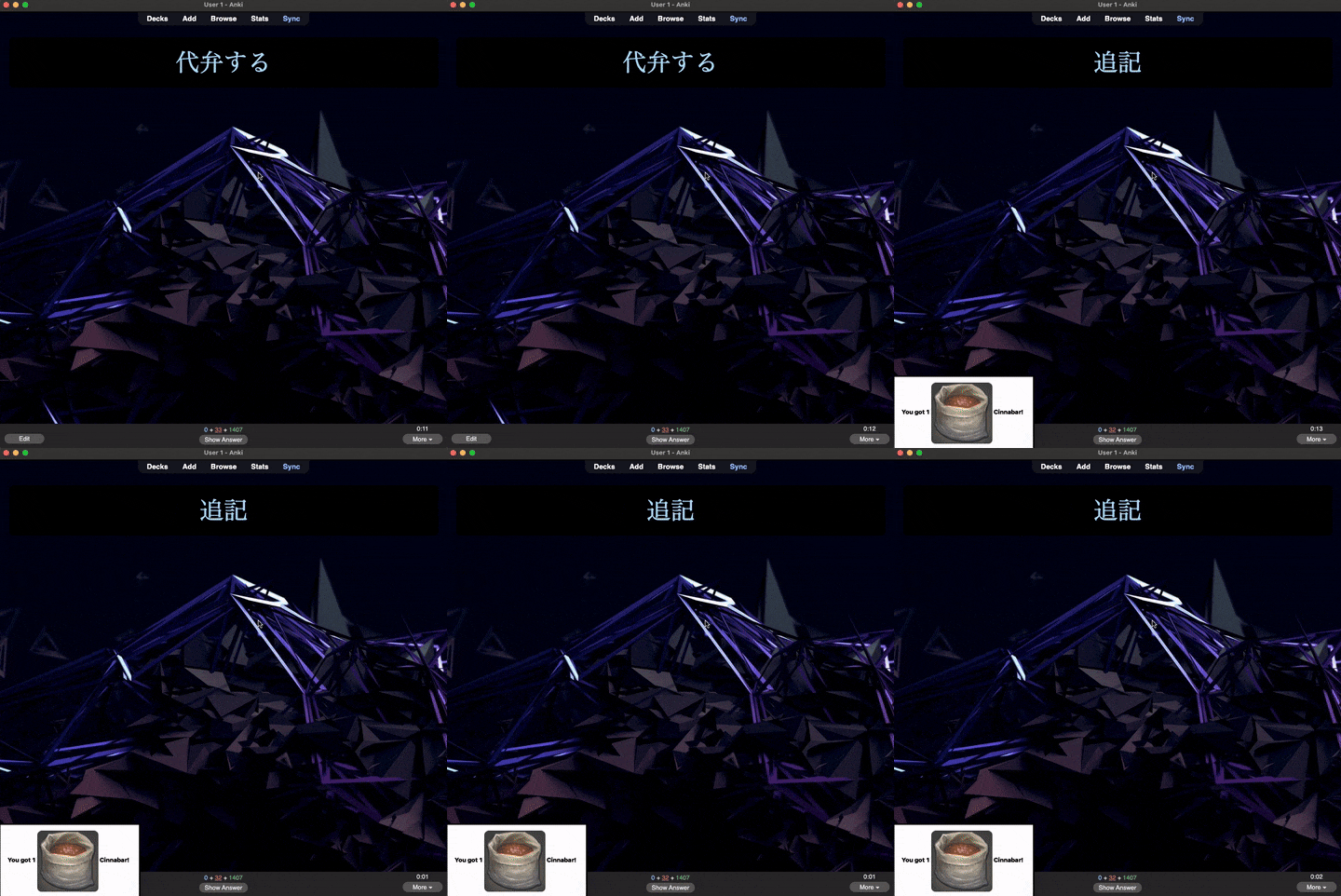
This add-on is inspired by Puppy Reinforcement, Anki Killstreaks, and AnkiCraft. Doing cards generates random item drops, which you can use to craft items from Final Fantasy XIV.
This add-on is intended to be used for a very long time. There are 98 levels, each with 100 items to craft. You must complete all the required items for a given level before you will be given the option to level up.
If you like this addon, Buy me a coffee?
See this project on GitHub.
Adding images (IMPORTANT!)
There are a lot of required images for this add-on. If you download and build from GitHub, this is not an issue, but the add-on is too large with images included to upload to AnkiWeb. Once you have installed the add-on, you can download the images separately as a .zip file here. You will need to unzip to the add-on folder to see the images: (example end result folder on a Mac: Application Support/Anki 2/User 1/addons21/This Add-on id/img).
If you’d like to skip all that headache, you can download the complete add-on from here, but you will not get automatic updates from AnkiWeb. You can just double-click the .ankiaddon file and it should load in Anki.
There are three menus:
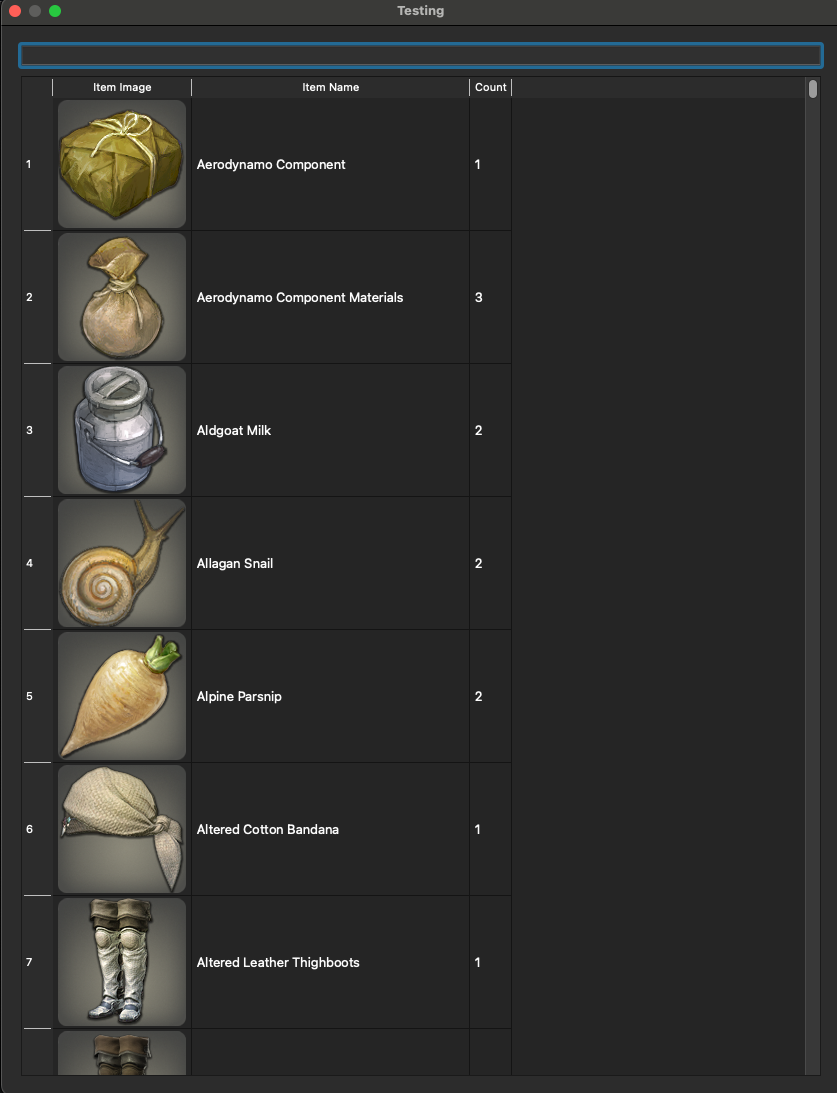
Inventory
View the items you have collected and crafted in the inventory. You can search via the top bar.
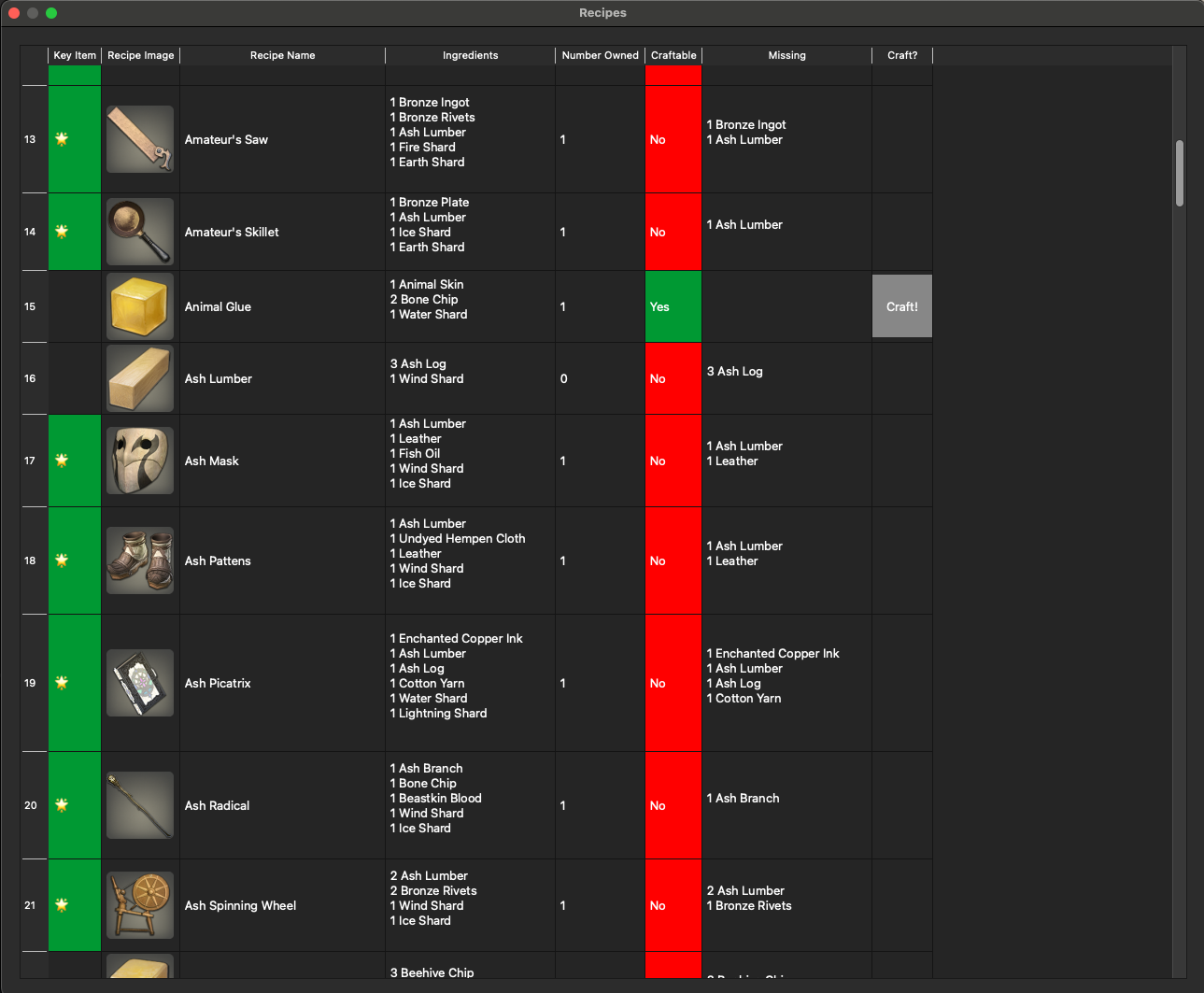
Craft
Craft items. Items required to level up are denoted with a star. These are called “Key Items.” Items you have at least one of in the inventory are highlighted in green.
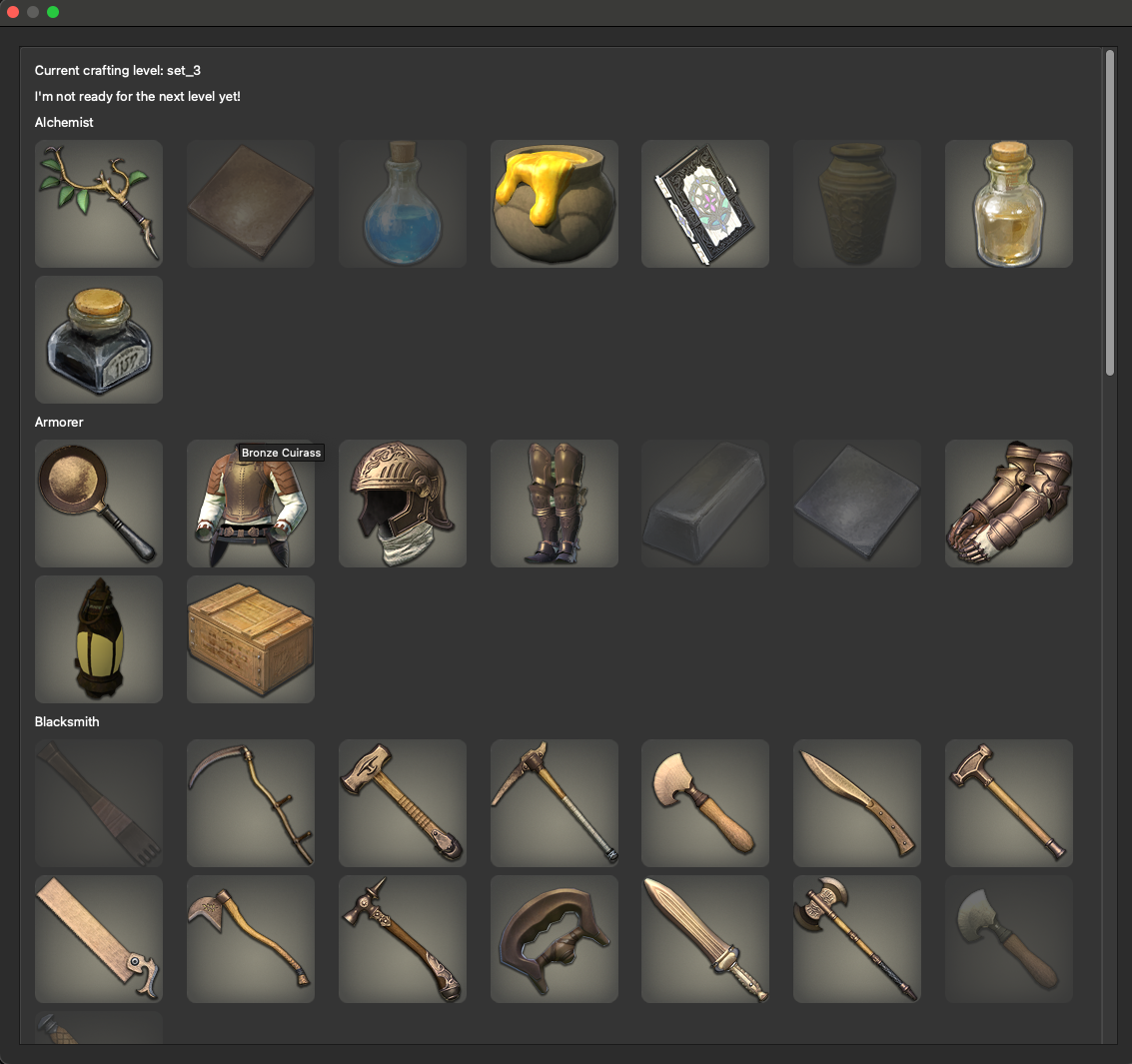
Crafting Progress
Items required for the current level are displayed here. Hover for the item name. Items that you have at least one of in the inventory are in full color, while those you have yet to craft are darkened in color. When you are ready to level up, a message will appear in this menu with a “Level Up” button.
Local Build
If you’d like to develop and then build locally, check out this repository, make any changes you’d like to make, cd into anki-fantasy/src/anki_fantasy and run the following command:
zip -r anki_fantasy.addon ./*.
You can then double click that archive and it will open and load in Anki. You should delete the add-on before installing a different or new version from local.
Miscellaneous Notes
This is a big add-on. There are a lot of images.
Many thanks to the authors of Puppy Reinforcement and Anki Killstreaks. I could not have figured out how to do this without your foundational effort (especially that little foible that the profile doesn’t load on program load!!).
Project contributions and bug reports are much appreciated. This is an active project.
Changelog 2024-10-22 - Fixed level up bug 2025-01-02 - Fixed bug where menus were not resizable 2025-02-25 - Fixed level up bug (string parsing bug) 2025-03-12 - Updated iniherit vendor package to support Python 3.12+ 2025-08-04 - Updated yoyo version and improved package import code cleanliness 2025-08-18 - Improve crafting menu speed and memory usage 2025-08-20 - Fixed bug that allowed for unlimited item drops on number press 2025-08-22 - Fixed missing recipe on Level 2 2025-09-17 - Fixed some items not updating count upon craft 2025-12-01 - Added missing rare rewards sets, added missing Quicksilver recipe to set 3 2026-01-05 - Added missing items to set 18
Screenshots
Liên kết hỗ trợ
Reviews (11)
👍 2026-01-26
Hey there!
Excited to try out this add-on more but I noticed a couple issues and had one request!
To start the GitHub version isn’t functional with the latest version of Anki (Version 25.09.2 (3890e12c) Python 3.13.5 Qt 6.9.1 Chromium 122)
And so I did the version where I use the add-on code on this site and downloaded and extracted the images to the end result folder (ending in “img”), however I still don’t have the images appearing.
Would you happen to know if I’m doing something wrong h
👍 2026-01-11
All the images disappeared after the latest update, I need to re-download them.
👍 2025-10-28
Update: The following vibe coding is done with the help of Google Gemini: Hello, I’ve been experiencing a couple of bugs with the add-on and managed to fix them. Here are the details:
Bug 1: TypeError Crash for High-Level Crafting Sets When a user reaches a crafting set (like “set_34”) that has no RARE_REWARDS_SET_XX list defined in rewards.py, the add-on crashes upon getting a correct answer.
Error: TypeError: object of type ‘NoneType’ has no len()
Cause: The function get_rare_rewards return
👍 2025-10-25
So much fun! This is everything I wanted!
Edit: I’m on crafting level set 3, and I need Quicksilver to craft Growth Alpha Formula, which is needed for the Budding Maple Wand. However, I don’t see Quicksilver as an item in the crafting menu at all. Comment from author I’ve added that item to set 3! Thanks for finding that issue!
👍 2025-08-22
Love the game. I know nothing about coding but can you somehow bind the buttons to the actual card flipping instead of the “number 2 key”. I enjoy doing anki cards on my PS4 controller and the game seems to not work with a controller. Besides, knowing that I can repeatedly press 2 to get materials when i need them kinda kill the fun of the game to some extent. Update: The bug is fixed in just 2days!! Really comes to show how much care the author give to this addon. I have tried so many gamify ad
👍 2025-08-18
Great work!!!
👍 2025-08-08
This is the most underrated gamify addon i have come across. Not as distracting as ankimon and much better for long term grind than anki farm tycoon. Plus the RNG item pick up make learning on anki addicting af. Highly recommend!!
👍 2024-10-27
there is a bug that dont let me scroll down all the way to the bottom when i have stuff require crafting to level up Comment from author Hello! This issue should be fixed in the latest update. (The window should be resizable now).
👍 2024-10-04
wow, but can you add the config option like puppy, duration and image size like that
👍 2024-10-02
Love this!
👍 2024-09-28
working fine
