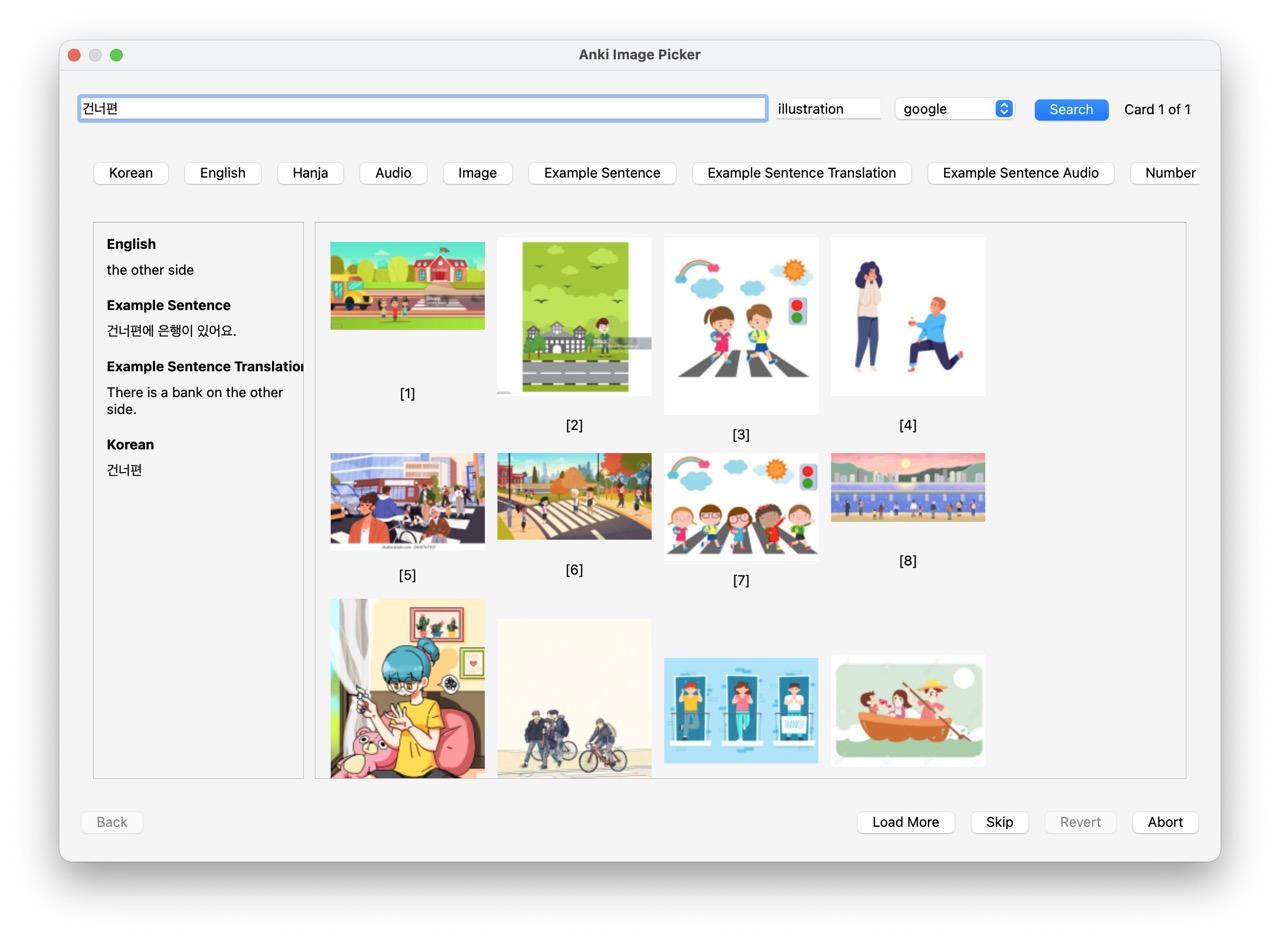
Quickly add images from web search to your Anki flashcards. Unlike batch downloaders, this add-on lets you see and choose from multiple image candidates before inserting.
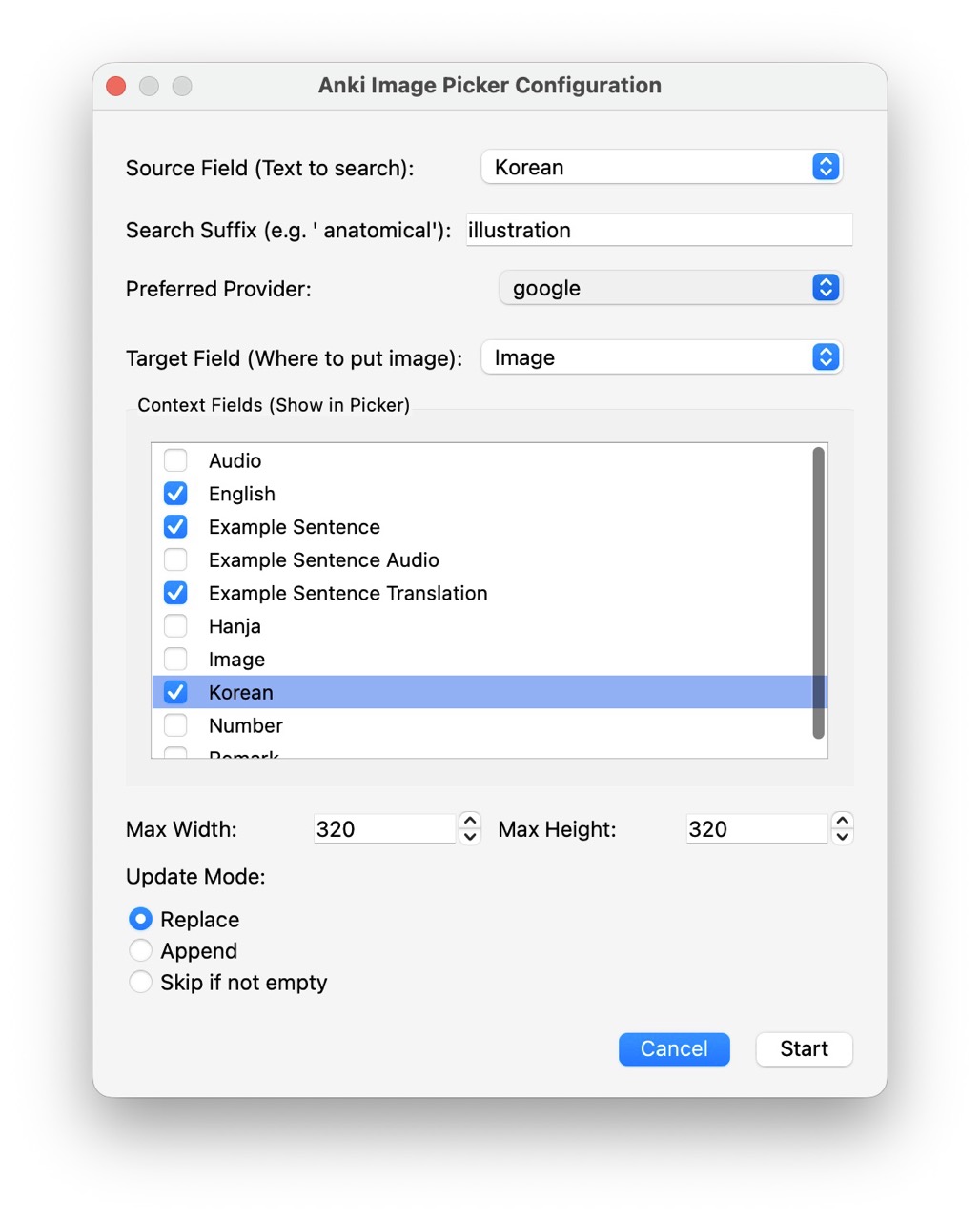
Features Interactive selection - See thumbnails before adding, pick with a click or keyboard (1-8) Batch processing - Select multiple notes, process them one by one Multiple search providers - Google, Bing, or DuckDuckGo Smart search - Auto-strips HTML and cloze markers from search terms Field context - Use other fields to refine searches on the fly Session control - Go back, skip, abort, or revert all changes Usage In the Browser, select one or more notes Right-click → “Anki Image Picker…” Configure source field (search term) and target field (image destination) Click an image or press 1-8 to select and advance
Settings are remembered per note type.
Requirements
Anki 2.1.54+ (Qt6)
Source Code
https://github.com/liyb-gz/anki-image-picker
Screenshots
Liên kết hỗ trợ
Reviews (1)
👍 2026-02-01
Great add-on!
