🚀 Anki Planner Pro
Stop guessing when you will finish your deck!
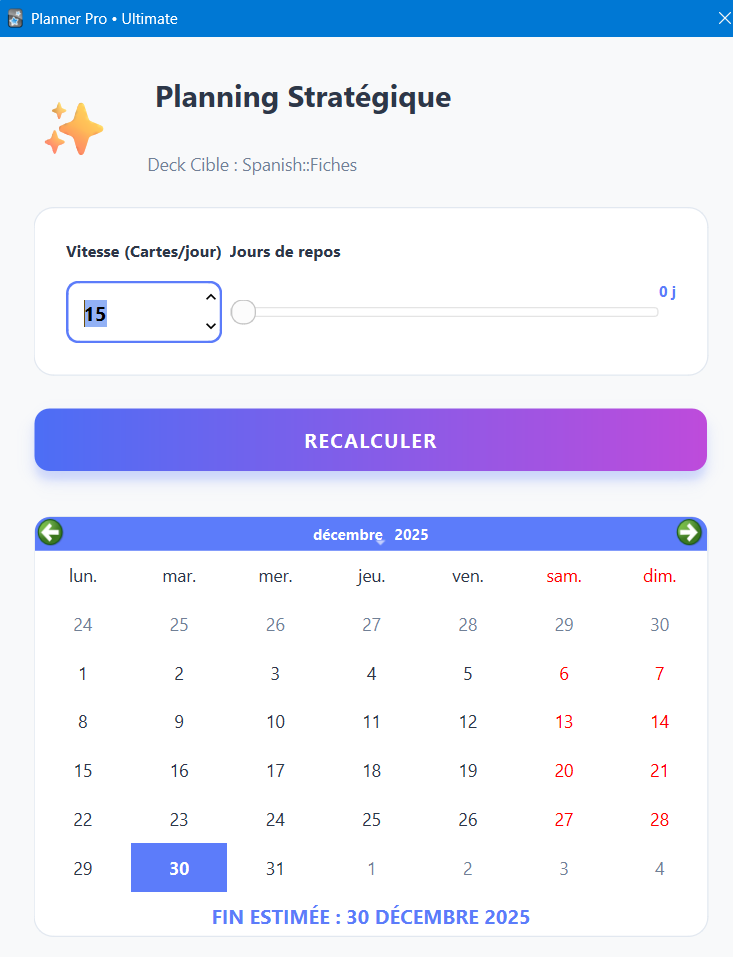
This add-on adds a beautiful, modern dashboard to calculate exactly when you will finish learning your new cards based on your daily limit and days off.
✨ Features 📊 Visual Progress Bar: See exactly where you are (Studied cards vs Remaining cards). 📅 Smart Calculation: Takes into account your “Days Off” (e.g., if you don’t study on weekends). ⚖️ Workload Estimator: warns you about the future daily review load (e.g., “~140 reviews/day”). 🌗 Dark Mode Friendly: Automatically adapts colors to Anki’s Night Mode. 🎨 Modern UI: A clean interface that looks great on Windows, Mac, and Linux. 🛠 How to use Open a Deck. Go to Tools -> 📊 Planificateur Avancé (or “Advanced Planner”). Adjust the New Cards/Day and Days Off slider. See the estimated finish date instantly!
*Created by Ouattara Habib Lamine
Screenshots