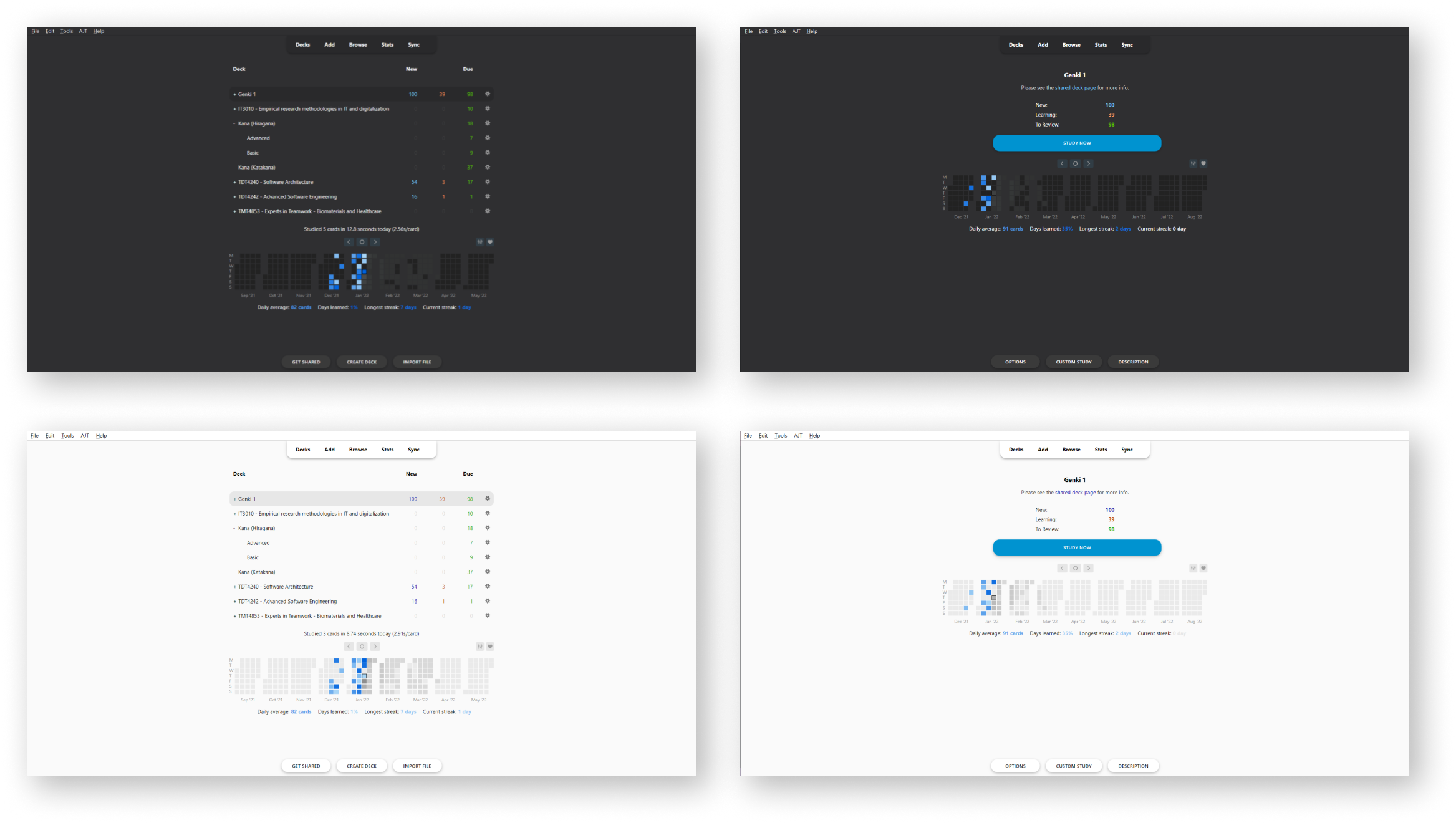
A new lightweight look for Anki compatible with most (if not all) versions of Anki 2.1.X running QT5 and QT6. - Specifically tested on Anki 2.1.54
Note: This add-on uses hooks and doesn’t overwrite the original Anki code views that much, meaning that most add-ons should properly work with Anki-redesign enabled. However, if there is any add-on found to not be working properly, feel free to make an issue and I’ll try to add support for it! (List of tested addons and manual fixes for them to work can be seen on the project github wiki.)
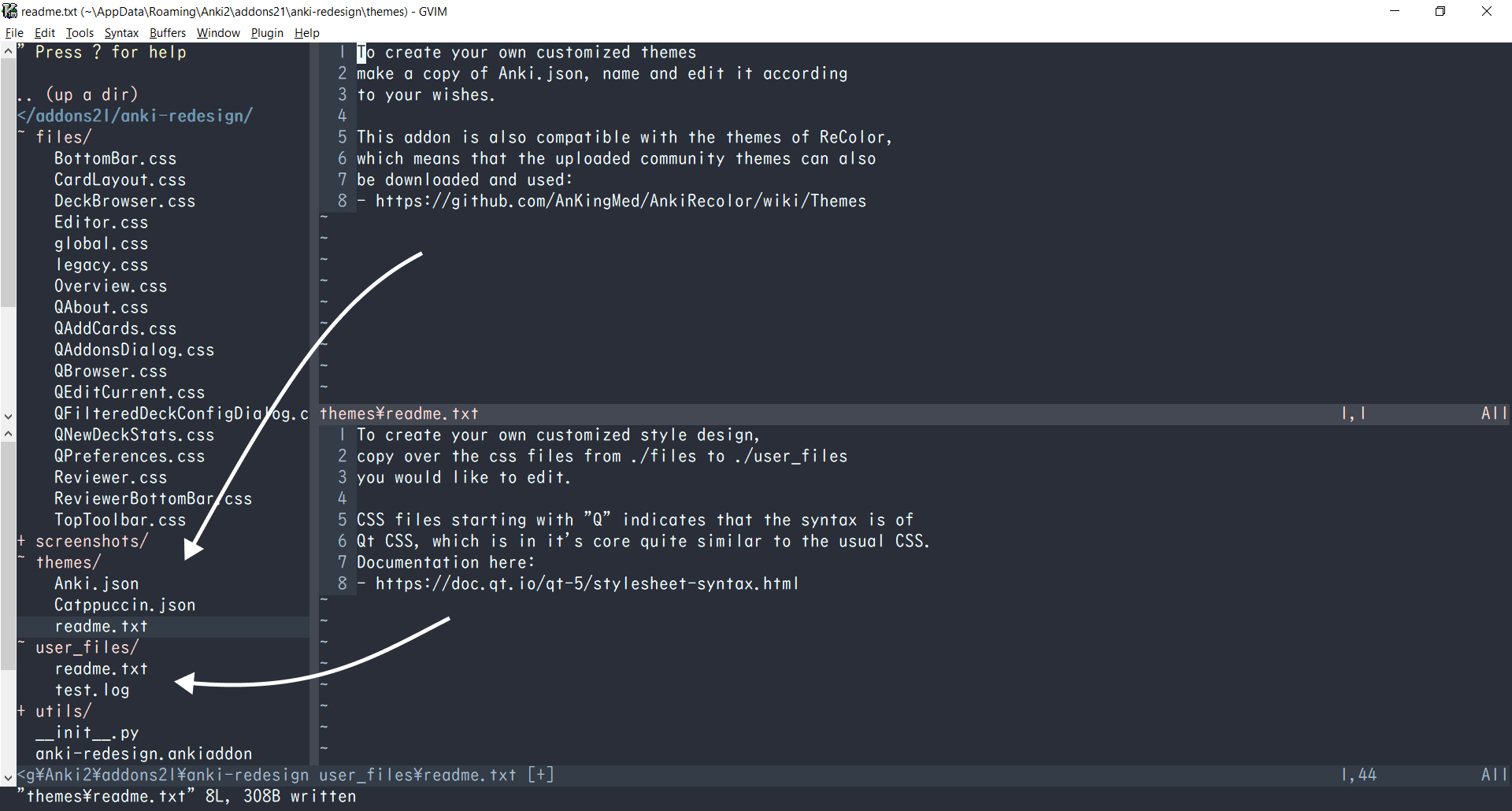
Note2: This addon also works as a theming addon as it enables the possibility of user customization on almost all Anki views/windows through the injection of CSS and QT CSS on the different components. The adding of custom styling can be done by copying over the css files from ./files to ./user_files and then editing the styling there. Primary color of button focus, link color, as well as the font, can be changed in the addon config.
Note3: If the addon is not updating try open anki while holding shift to turn off all addons, then update and restart. :)
Manually tested and working on the following Anki versions:
- 2.1.57
- 2.1.56
- 2.1.54
- 2.1.50
- 2.1.49
- 2.1.26
- 2.1.22
(Planned) Updates / todos (as of 04.02.2023):
- Recheck “Advanced Review Button” add-on compatibility
- Recheck “Full screen” add-on compatibility
- Re-add windows dark titlebar
- Add a public theme sharing site where users can upload their themes and possibly have them preinstalled alongside the add-on
- Add styling support and fix themes for Anki 2.1.57
Guide:
- Download the Add-on here (code: 308574457)
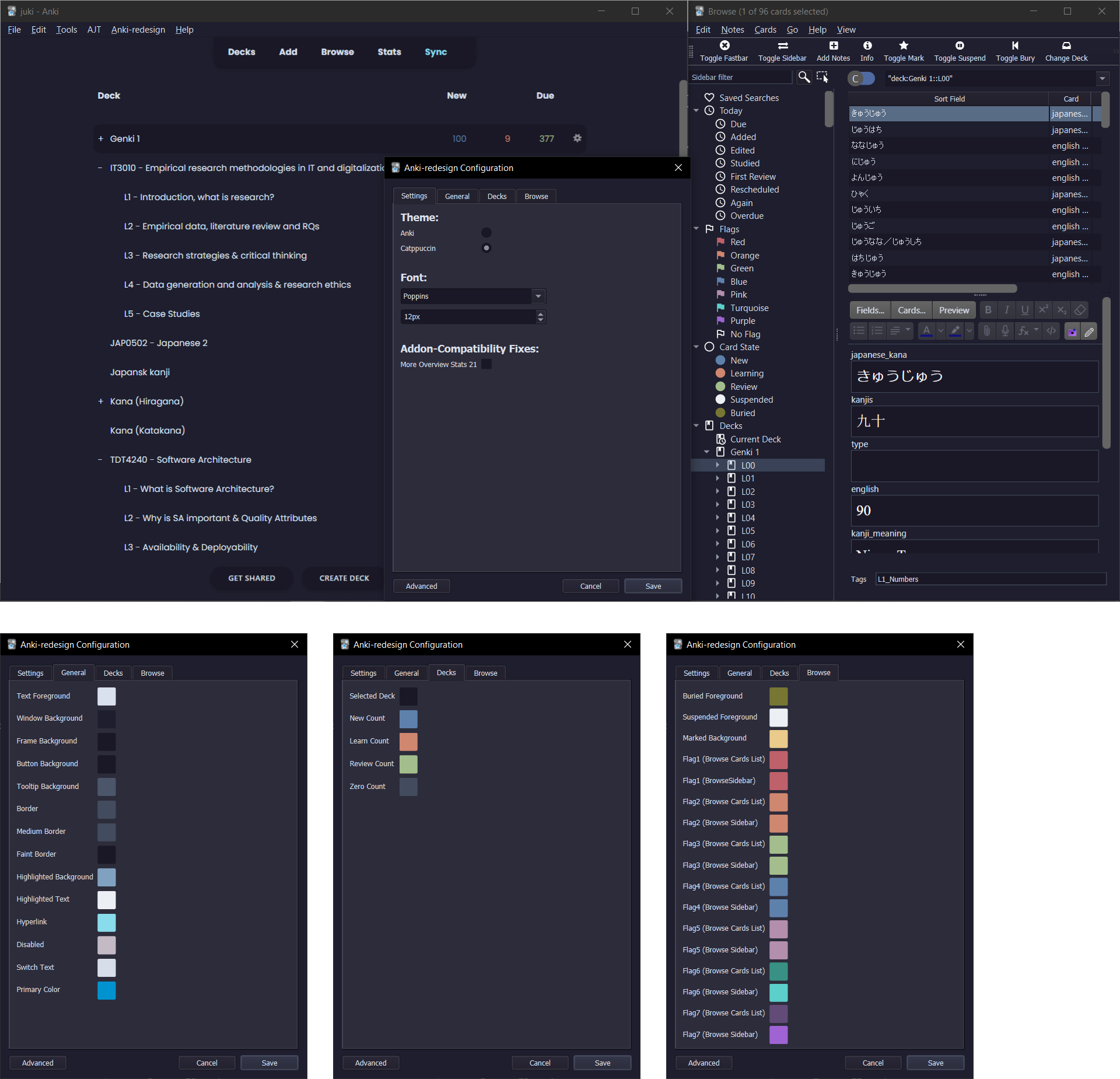
- there will be an Anki-redesign menu at the top. Click the config submenu to open the Anki-redesign Configuration dialog.
- Customize Anki as you like, see the readme image
- The colors will update after clicking “Save”, however to make sure everything is updated, do a restart after customizing.
Credits: The concept of this add-on was and/or is inspired by the following design and add-ons:
- Developer Nick’s Redesign Add-on
- Yanyi Yoong’s Anki Reimagine
- Beautify Anki Add-on
- miere43’s dark titlebar Anki Add-on
- AnKingMed’s AnkiRecolor Add-on
Changelog:
- 04-02-2023: Anki 2.1.57 is now compatible along with lots of add-on compatibility and bug fixes. The themes are also styled as it should (some colors might be out of place still) (v0.1.9)
- 01-02-2023: Anki 2.1.56 is now compatible, some themes are however still not correctly styled as it should (v0.1.8)
- 28-10-2022: Adds language translation, fix for Contanki, and some more Catppuccin themes (v0.1.7)
- 10-10-2022: Adds fix for NDFS compatibility fix and community translation support (v0.1.6)
- 22-08-2022: Adds refactored theming engine, adding sync, clone and delete of themes more easily, along with some bugfixes. Anki-redesign preferences is also moved to the Tools menubar (v0.1.5)
- 01-08-2022: Adds minor old version Anki Browser and Addons view fix (v0.1.4fix)
- 26-07-2022: Automatic dark/light mode switch on themes is now correctly implemented, hopefully Mac toolbar bug is also fixed (v0.1.4)
- 03-07-2022: Anki 2.1.54 is now compatible, also added addon compatibility for ARBb alongside auto dark/light mode switch on themes (v0.1.3)
- 18-04-2022: Anki 2.1.50 is now compatible, also added some minor visual fixes for legacy versions (v0.1.2)
- 14-04-2022: Adds minor bugfix for showInfo function (v0.1.1)
- 13-04-2022: Adds major update adding dialog configuration and QT theming as well as some bugfixes and code cleanup (v0.1.0)
- 31-01-2022: Adds minor bugfixes and some code cleanup (v0.0.8)
- 30-01-2022: Adds customized font support, dark titlebar for windows on dark mode, more minor styling fixes (v0.0.7)
- 25-01-2022: Adds typo and error bugfixes, code cleanup update (v0.0.6)
- 24-01-2022: Adds full user customization styling through the folder user_files. User theming is now possible! (v0.0.5)
- 21-01-2022: Adds a very small update, removes unfinished styling on AddCard window (v0.0.4)
- 20-01-2022: Adds styling update, minor timer and styling bugfixes, add-on is now compatible with (most) legacy versions (v0.0.3)
- 14-01-2022: Adds second update, more styling fixes (v0.0.2)
- 07-01-2022: Styling on Overview and DeckBrowser update (v0.0.1)
- 04-01-2022: Initial Release
Last edited: 04.02.2023
Screenshots

Liên kết hỗ trợ
Reviews (28)
👍 2025-07-04
look so cool thks!!
👍 2025-01-08
𝗔𝘁𝘁𝗲𝗻𝘁𝗶𝗼𝗻 𝘂𝘀𝗲𝗿𝘀 𝗼𝗳 𝗔𝗻𝗸𝗶 𝗩𝗲𝗿𝘀𝗶𝗼𝗻 𝟮𝟯.𝟭𝟮+
It seems like the original dev has abandoned this project since it was last updated 2023/02/04…
Use this fork instead: https://ankiweb.net/shared/info/1959668791
Works great on v24.11.
👍 2024-07-22
i’m just adding more fixes to the person who commented at (2024-05-27).
this is my version ” Version 24.04.1 (ccd9ca1a) Python 3.9.18 Qt 6.6.2 PyQt 6.6.1
”
first go to the dialog.py Linux: /home/username/.local/share/Anki2/addons21/308574457/utils/dialog.py windows: %APPDATA%\Anki2\ or c:\users\username\AppData macos: ~/Library/Application Support/Anki2
- and add the following code, between hashtag, on the first line#
from PyQt6.QtCore import Qt from PyQt6.QtWidgets import QSizePolicy
👍 2024-05-27
It works fine but it needs some updates to be compatible with the newer version of Anki Version 24.04 (429bc9e1) Python 3.9.18 Qt 6.6.2 PyQt 6.6.1
Add at the top to dialog.py:
from PyQt6.QtCore import Qt from PyQt6.QtWidgets import QSizePolicy from PyQt6.QtWidgets import QMessageBox popup.setIcon(QMessageBox.Information)
Locate each separately of the lines that cause the error (use fine and replace 🙃):
self.setWindowModality(Qt.ApplicationModal) size_policy = QSizePolicy(QSizePolic
👍 2024-05-04
Not working anymore
👍 2024-03-03
I simply fixed this add-on for Anki23 + and uploaded it to AnkiWeb. After the original add-on has been updated to Anki 23.12+, this fork is not needed.
🎨Anki Redesign (Fixed for Anki 23 by Shige) https://ankiweb.net/shared/info/1959668791
👍 2024-02-18
I LOVEEE Anki Redesign, but with the new upgrade it dosen’t work!
👍 2024-02-16
looks very pretty, good design!
👍 2024-02-13
Not working as of version 23.12.1.
Anki 23.12.1 (1a1d4d54) (ao) Python 3.9.15 Qt 6.6.1 PyQt 6.6.1 Platform: Windows-10-10.0.22621
When loading Anki-redesign: Traceback (most recent call last): File “aqt.addons”, line 245, in loadAddons File “C:\Users\abcdef\AppData\Roaming\Anki2\addons21\308574457_init_.py”, line 11, in <module> from PyQt5.QtWidgets import QWidget ModuleNotFoundError: No module named ‘PyQt5’
👍 2024-01-27
Was amazing!! Made using Anki very pleasant. Unfortunately it does not appear to be compatible with Anki’s latest version (23.12.1), hope this is resolved eventually
👍 2024-01-24
Does not work
👍 2024-01-23
Not working on current version
👍 2024-01-09
Not supported in update
👍 2024-01-09
Autor not supporting addon, consider it dead, untill…
👍 2023-12-13
Nice and clean redesign
👍 2023-11-30
Great addon. Below workaround for 2023.10+ does not fix the configuration window. See here (https://github.com/Shirajuki/anki-redesign/issues/80#issuecomment-1834171087) for a solution for that.
👍 2023-11-22
In order to make it work with 23.10 while waiting for an update. Go to addons, select Anki-redesign, press on view files.
Edit init.py in notepad/text edit/whatever editor by changing the line “from PyQt5.QtWidgets import QWidget” to “from aqt.qt import QWidget”
It will still receive updates even after changing this file btw. Don’t worry about it.
👍 2023-11-13
when update for 23.10 :’( I had to switch for FSRS, but I got so used to this theme 😭
👍 2023-11-09
This add-on is wonderful. An option to toggle full screen mode would be appreciated.
It hasn’t been updated to support Anki version 23.10 (51a10f09) yet which gives the “add-on startup failed” message as of this writing.
👍 2023-11-05
Good but fullscreen bug.
HOW TO FIX THE FULLSCREEN BUG:
Go here and replace the code: https://github.com/Shirajuki/anki-redesign/pull/73/files#diff-89c9989d5dc2478e151d59c8c8508d1ebc1190f4136acbb29e88c188c611c218L28
Replace everything in red with everything in green inside of the “dark_title_bar.py” file within this add-on’s folder.
👍 2023-10-12
Love it, but I wish everything didn’t have to open in fullscreen… and I wish the answer bar had more padding.
👍 2023-10-07
Very useful. Thank you.
👍 2023-07-16
this addon is great but maybe adding icons to replace the bar with the words deck add browse would be better
👍 2023-07-15
Not compatible with 2.1.65
👍 2023-06-30
It’s ugly.
👍 2023-06-28
Very useful for customizing night mode’s colors and love the custom font option.
👍 2023-06-18
breeze
👍 2023-04-19
非常好。mac用户如果遇到突然“全屏/最大化”的问题,可以参考这个网址
fix: unexpected fullscreen on macos · Shirajuki/anki-redesign@44af522
https://github.com/Shirajuki/anki-redesign/commit/44af522c6b6f4a630d9dbfd954abd6fdbb6a23fc
——————————————————————————————————————————————————
very nice. If Mac users encounter sudden “full screen/maximum” issues, they can refer to this website address
fix: unexpected fullscreen on macos · Shirajuki/ anki-redesign@44af522
https://github.com/Shirajuki/anki-redesign/commit/44af522c6b6f4a6