This add-on is a customized version of the “Ankimote” add-on, originally created by TheDabblingDuck and credit goes to them. This version fixed the bug in some devices not working, enhanced the user interface, added new options, etc. You can try this if the original Ankimote does not work well on your device.
Ankimote
(These descriptions and images are from the original add-on and partially edited.)
Ankimote is an addon that adds remote control functionality to Anki, the open source flashcards app.
After installing this addon, selecting ‘Ankimote’ from the Anki toolbar will start Ankimote and display a QR code and URL directing to the remote that can be accessed by any other device on the local network (usually your phone). Best used with the Zoom for Anki addon to make card text bigger. Then place your laptop far away (or plug into an external monitor or TV) and put your feet up!
Screenshots
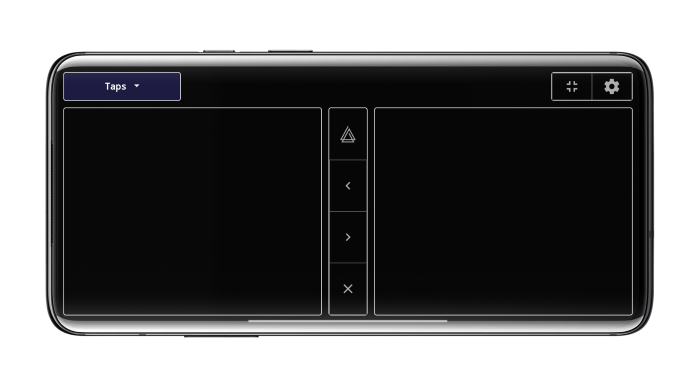
Tap mode (best in landscape)
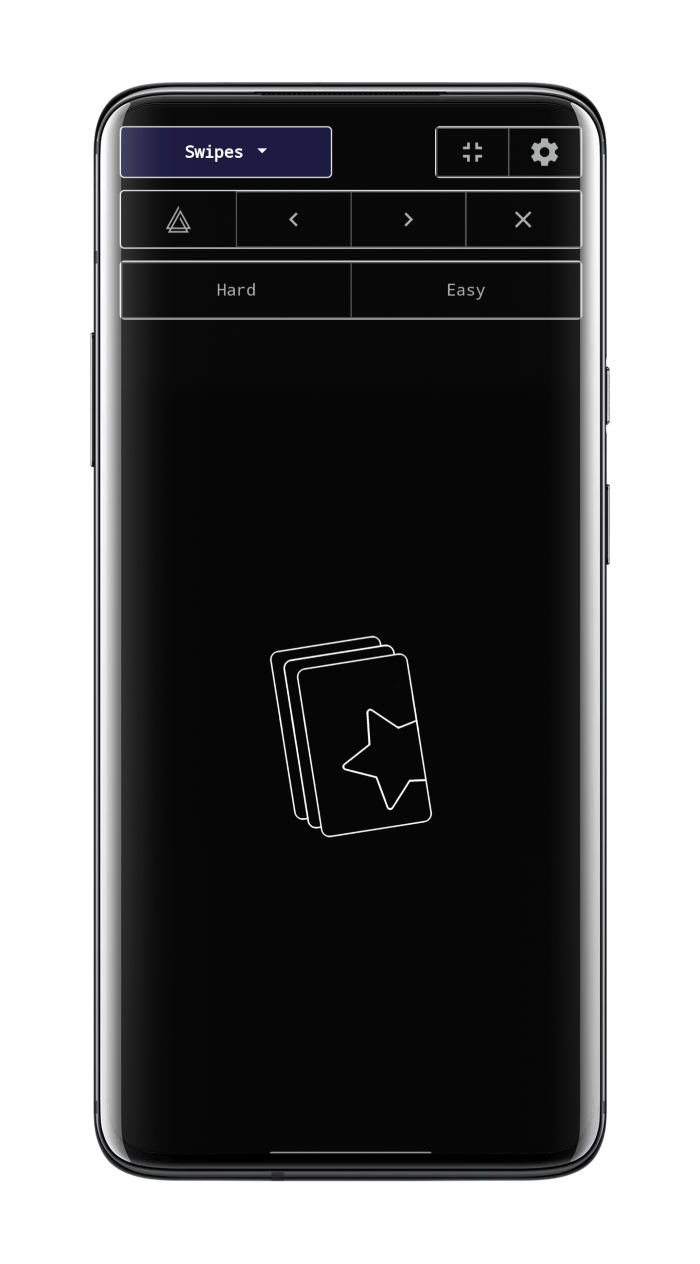
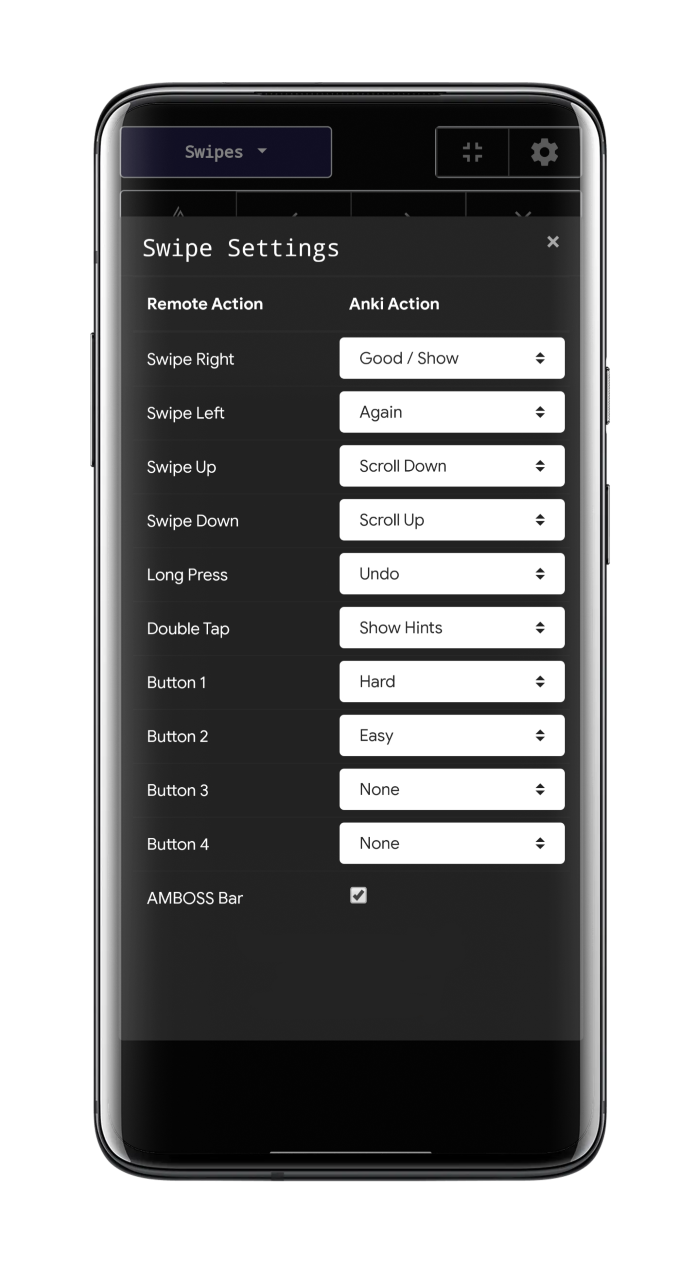
Swipe mode and swipe settings
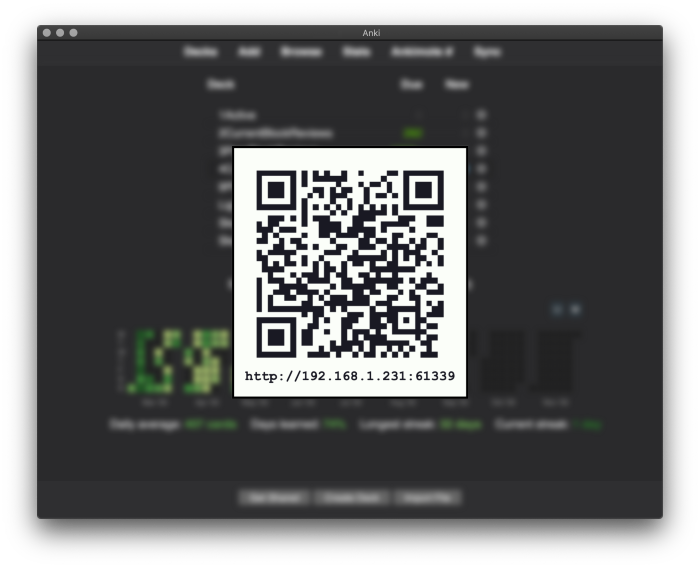
Connect by scanning a QR or visiting the URL from a phone or other device that is on the same local network.
QR can be displayed in these ways:
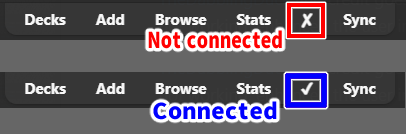
Click on “✘” on the top toolbar Tools -> Ankimote -> Connect Ankimote Shortcut key ‘Ctrl+Shift+J’ Optionally auto display on Anki startup.
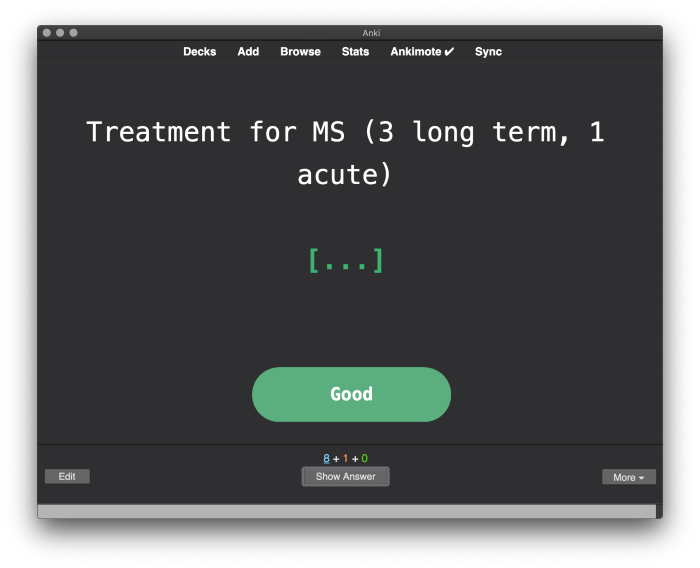
Visual feedback in the desktop Anki app. (🚨This will not work on the Mac. Workaround is under development, please wait.)
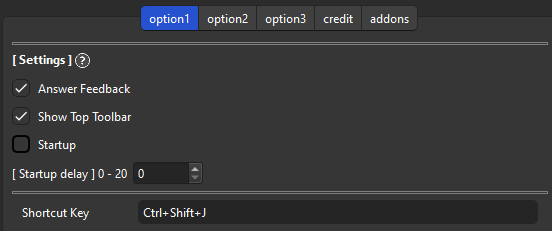
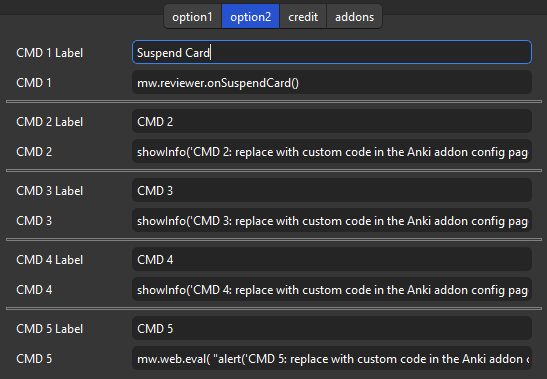
Settings
For more detailed explanations please read the Wiki.
Ankimote (Custom by Shige) 📖Wiki
💖Please Support Shige’s Anki add-ons development!
Hi thank you for using this add-on I’m Shigeඞ!
[ 🛠️Fix add-ons ] So far I fixed and customized 80+ broken add-ons for free and developed over 30 add-ons as a hobby (all add-ons). If you have requests to fix broken add-ons feel free to contact me. Fix broken addons (Free) [ 💖Donation ] I’m looking for supporters for my add-ons development because I like Anki!👍️ If you support my volunteer development you will get 14 add-ons for patrons only and 15 game themes included in AnkiArcade ($5/month).
Get Patrons only addons | Patrons Q and A | Contact
[ Special Thanks ] So far I received donations from 561 patrons and without their support I never could develop this, thank you very much!🙏
Patrons: Arthur Bookstein Haruka Luis Alberto, Letona Quispe 07951350313540 Lily Daniel Kohl-Fink Tim NamelessGO Kyle Mondlak ElAnki Abhi S Matthew Hartford Jonathan Contreras findus161 K Peasant of Anki Juan Salgado Ernest Chan Yaeerrrrrr Elisabeth Barber Jesse Asiedu GP O’Byrne David C KM Christopher Lam Kolorophyll Jake Stucki Kaitlyn Bowler Isabel Guan Steven Banner Heidi Leonora Lomoki Akporyoe ellie Tobias Klös Xiuxuan Wang Ujwal Chadha gus forester iuventius Patrick ellis tarek Iggi qiting zeng Carly Burdorf Austin Regal Muneeb Khan Aydin Herik Mia Hoang Hung Sameer Al Matheus Chagas Bryn Price Orlando Frey pie_is_good Svel1989 Take Root Vivian Cao Keeler Kime Kurt Grabow Zarina Balde Pansanity Gabriel Farrugia Lis Y. Fahim Shaik Augusto Stein Ashok Rajpurohit mootcourt NoirHassassin alpha male, shredded af Morgan Torres Dennis Obis Anh-Tai Nguyen Tae Lee Joseph Howell Gabriel Vinicio Guedes sab hoque Terence Bartenbach R Rebecca only Ythalo Vlogs Ketan Pal Aurora Dzurko Tyler Schulte Kmyungc Mac Will S. Meeyah Davis Eric Allen Devon Williams alex han Douglas Beeman Andrew Yick Robert Remedios Marley Easterbrook Temi Jide Ansel Ng Simeon Azfar Hussain Haley Schwarz Woody kenken Jeanna …full list
[ 📥 How do I install this add-on? ] Copy and paste the add-on code ( 1960305789 ) into Anki and you can install it. ( Menu -> Tools -> Add-ons -> Get Add-ons -> Code [ add-on code ] ) When I develop bug fixes, create new features, or compatibility for New Anki, I will notify you and you can install it. If you rate and recommend it, I will receive a notice and my tedious and sleepy add-ons volunteer work will become more enjoyable and exciting. (This add-on is developed by free volunteer work!👍️)
Click here and please Rate this add-on, Thank you! :-)
Screenshots


Liên kết hỗ trợ
Reviews (7)
👍 2025-11-21
Please you must turn off your adblock for the “remote” to show up on Safari Comment from author thanks for the info, that’s helpful!👍️
👍 2025-07-26
Gets rid of the need of a physical remote and easy to use. Comment from author glad it helped! :D
👍 2025-05-27
It worked a while back when I used it, but now no matter when I try to connect it’s not working for me? Even with the same wifi, tried to use data also, is it my problem? Comment from author Hi thanks for reporting the problem. So far it seems to be working fine on my device, are you able to access the screen on your smartphone via the QR code?
👍 2025-05-16
Worked like a charm! Comment from author Glad it helped! :D
👍 2025-04-10
Really good add-on, is there a way to use the “Reveal Next” button on the ankimote as a CMD in “one by one cloze” and “Image Oclussion One-by-One” card types from anking. I’ve been trying for 5 days to dabble with the codes and didn’t get a single success; Thanks for the add-on
Comment from author Maybe setting this to option will work.
“cmd2”: “mw.web.eval( “toggleNext()” )”, “cmd2-label”: “Reveal IO One-by-One”,
👍 2025-01-28
thank you sir Comment from author Thanks! :D
👍 2025-01-12
كالعادة أنت المنقذ، ملحق رائع جدا! Comment from author (-: !شكرًا
