AnkiPenDown Your complete digital ink toolkit for Anki. Draw, write, highlight, and erase directly on your cards with full customization and control.
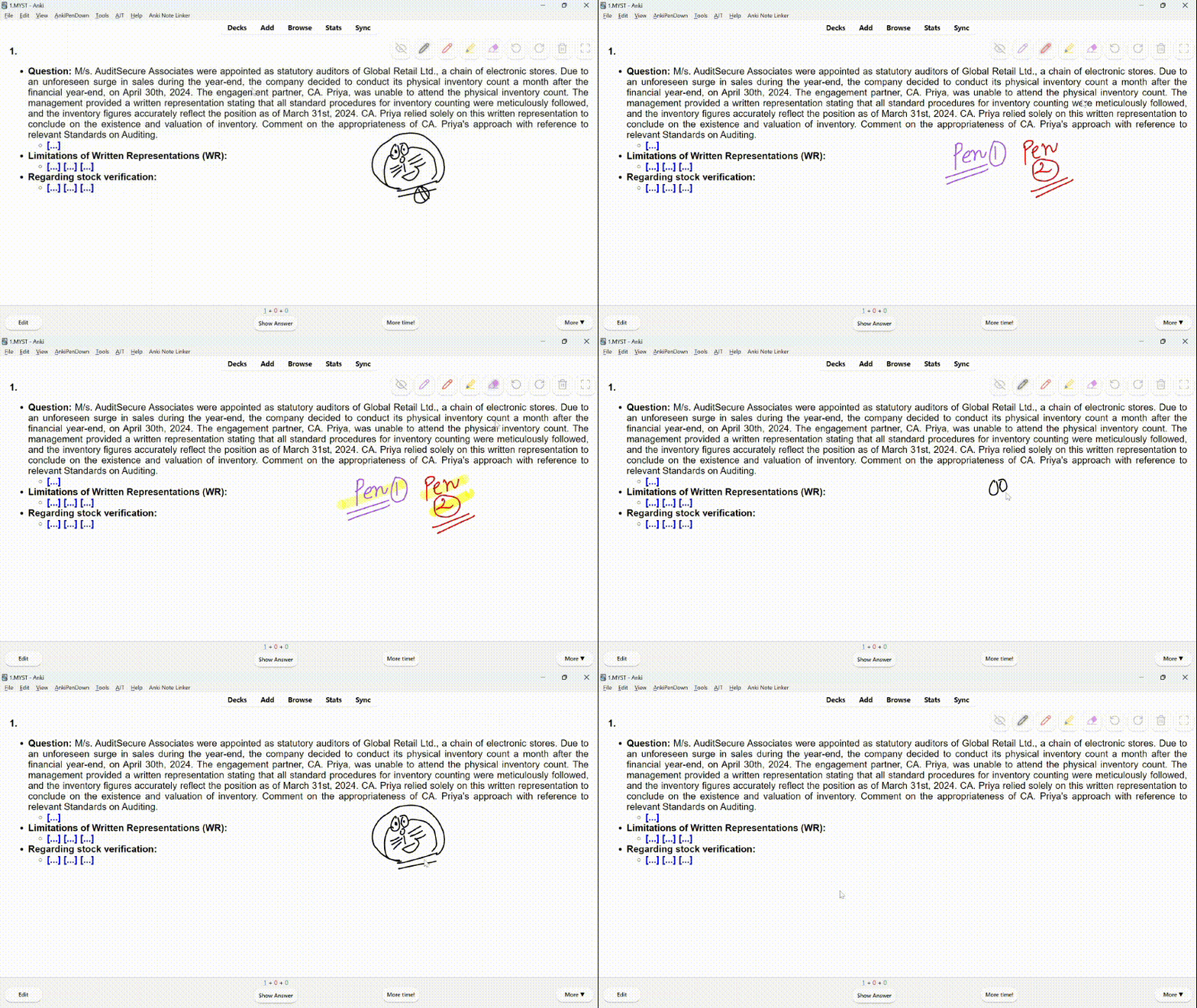
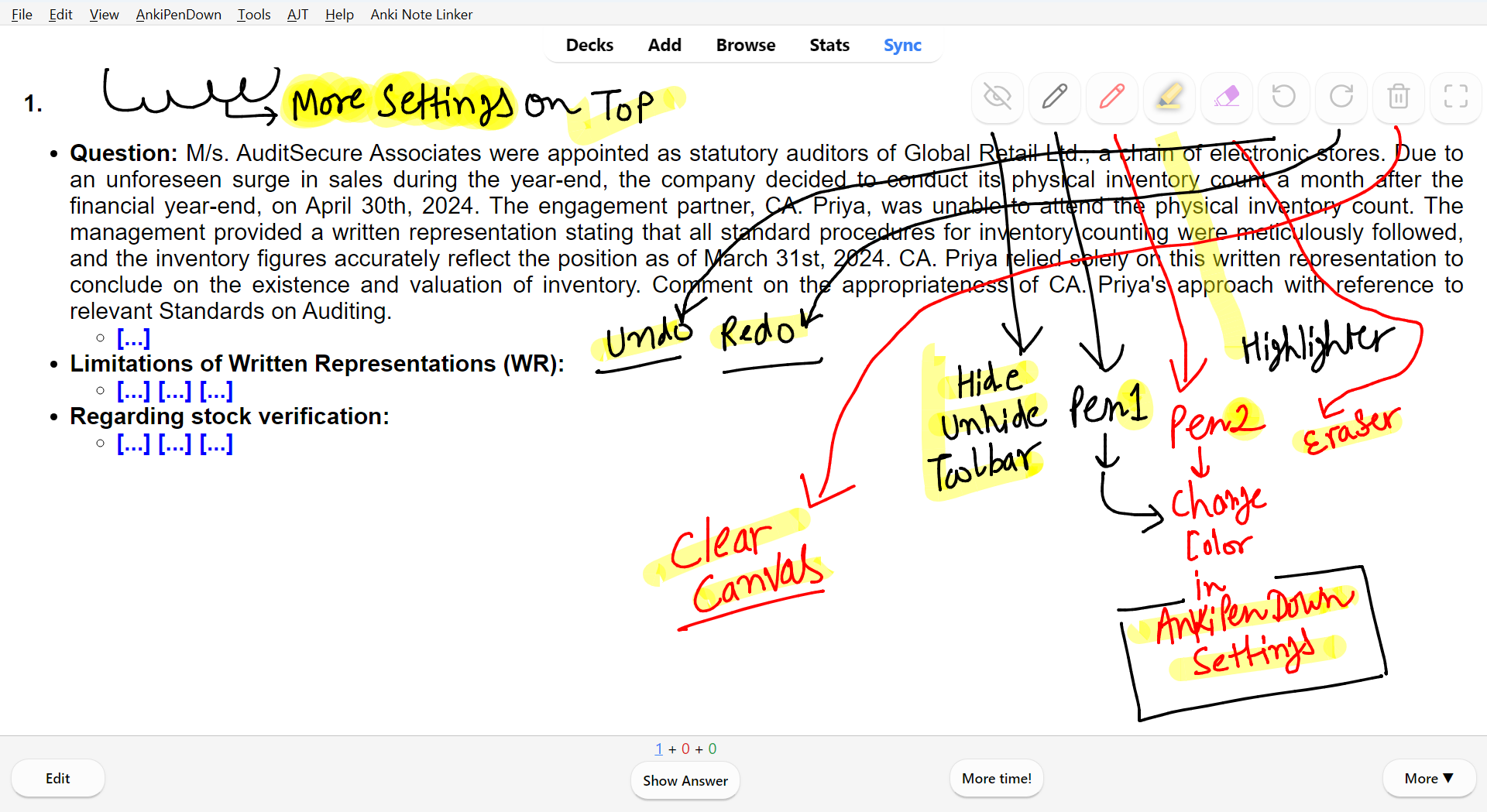
Key Features Two Customizable Pens: Go beyond the default colors! Set any color you want for two independent pens. Your choices are saved directly to your profile. Dedicated Highlighter & Eraser: Easily mark up important concepts with a vibrant highlighter and fix mistakes with an intelligent, stroke-based eraser. Full Undo/Redo: Never worry about a stray mark again. The eraser’s actions are now fully integrated into the undo/redo history, giving you complete control. Flexible Toolbar: Position the drawing toolbar in any corner of the screen to keep it from covering your card’s content. Update Compact Toolbar Mode Toolbar: There is a new option in the AnkiPenDown menu called “Use Compact Toolbar”. When you enable this option, the drawing toolbar on the side of the screen shrinks. The buttons become smaller and the spacing between them is reduced. Smart Cursors: Your mouse cursor now changes to a mini icon of your selected tool (pen, highlighter, or eraser), so you always know what tool is active. Dynamic Pen Color: The pen cursor will now match your selected color! If you pick the red pen, your cursor turns red. Critical Bug Fix: Fixed the frustrating bug where the pen would become unresponsive after clearing the canvas. Update now for a smoother and more intuitive drawing session! My Motivation
I have been a long-time user of the incredible AnkiDraw add-on but as a student, I always felt it was missing a dedicated eraser and a highlighter for my study sessions.
So I decided to take on the challenge. With the help of AI assistance, I learned the basics of Python and add-on development to build the tool I always wanted. My goal was to create an add-on that serves every type of student from those solving complex math equations to others annotating diagrams or practicing a new language.
The Anki community has given me so much and this add-on is my little contribution back. I have put a lot of work into this and I truly hope it meets your needs.
Support & Source Code
If you find this add-on useful, please consider leaving a star on the GitHub repository! It’s a great way to show your support and helps others discover it.
For bug reports or feature suggestions, please open an issue on the GitHub page. For kind words and appreciation, you can reach me on Telegram.
Acknowledgements & License
This project would not have been possible without the foundational work of others. It is based on and inspired by:
AnkiDraw: AnkiWeb Link Anki-TouchScreen: AnkiWeb Link
This is an open-source project licensed under the GNU GPL, version 3 or later. Feel free to customize it to your liking
Screenshots
Liên kết hỗ trợ
Reviews (10)
👍 2025-11-14
Thank you for creating this add-on! It will definitely help me with my math flashcards. I came here because I saw your comment about AnkiDraw! You did an excellent job, considering you had to learn Python for it.
👍 2025-10-24
很好用, 希望能加上自定义快捷键的功能
👍 2025-10-15
太棒了,正当我抱怨AnkiDraw为啥没有橡皮,并且准备pull代码自己改的时候,我看到你的评论,感谢你给AnkiDraw用户带来如此便利的改动。
PS. 在那之前我每次都先截图到Onenote
👍 2025-10-12
Man, you changed the game by adding the eraser option — it’s so good! (I really suffered with AnkiDraw 😅) Feature suggestions for future updates:
- Add an option to hide the pointers permanently (they’re a bit distracting);
- Allow users to customize pen shortcuts directly on the toolbar. Great job, seriously!
👍 2025-10-05
能加上快捷键吗
👍 2025-10-03
Perfect!
👍 2025-09-09
Would it be possible to see a cursor to see the eraser?
Perhaps future updates: Smaller buttons on the sides to reduce space. Option to generate customizable tables and straight lines. Comment from author Yes, it’s definitely possible to see a cursor for the eraser! The add-on has an auto-hide feature for the mouse cursor that’s enabled by default when drawing. This is designed to keep the cursor from blocking your view while you’re making strokes. You can easily change this setting to keep you
👍 2025-09-07
Works as intended, thank you for making this <3. (I use linux mint 22.1, all the other drawing addons I tried didn’t work for ME x( , but this on does.) Comment from author I Appreciate the kind words! I’m really glad to hear that it’s working well for you and that you’ve found it helpful, especially on Linux Mint 22.1. It’s awesome to know that it’s meeting your needs when other options haven’t.
👍 2025-09-07
good work! drawing is one of the effective learning ways and additional features are more convenient👍️👍️ Comment from author I Appreciate the kind words! I also believe drawing can be a strong complement to spaced repetition. Suggestions and feedback are always welcome.
👍 2025-09-06
牛逼!但是好像有很多bug。。。我还是等等别人反馈再用吧,但是真的很好,俺真的很需要笔 Comment from author Hey thanks a lot for the review! This is actually my very first addon and yours is the very first like and review I’ve ever received which I really appreciate. I use this addon myself every day so I can assure you it’s definitely usable. If you noticed any bugs, please let me know so I can work on fixing them. If you were referring to the blinking effect in the video that’s actually a feature which automatically hides the toolbar wh
