Auto Link Keyword
Auto Link Keyword is an Anki plugin that automatically creates links between notes based on keywords. It adds a button to the editor that allows you to select a keyword and automatically link it to all other notes containing that keyword.
Features Automatically creates links between notes based on keywords Undo Auto-linking to reset changes Works within the current deck to maintain context Requirements
This plugin requires the “Anki Note Linker” plugin to be installed. You can find it here: https://ankiweb.net/shared/info/1077002392
Please make sure to install the Anki Note Linker plugin before using Auto Link Keyword.
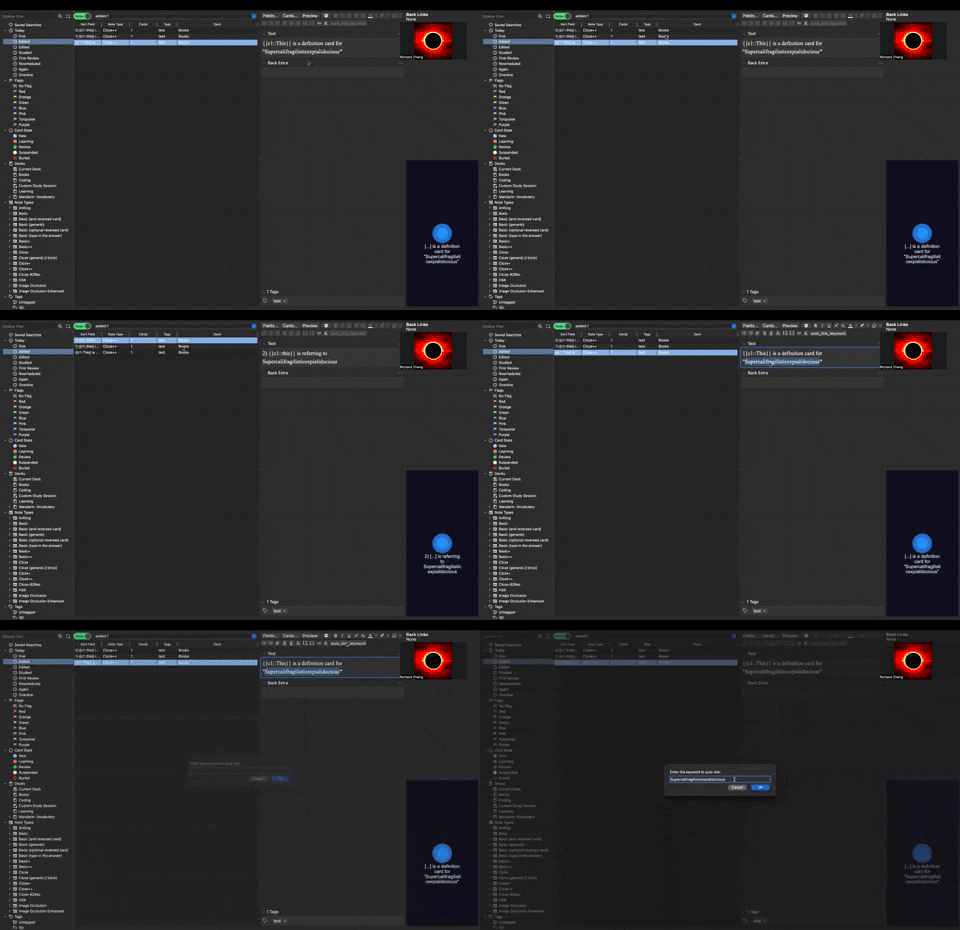
Installation Open Anki and go to Tools > Add-ons Click on “Get Add-ons…” Paste the following code into the dialog box: [Your addon code here] Restart Anki Usage Open a note in the Anki editor Select the text you want to use as a keyword Click the “Auto Link Keyword” button in the editor toolbar The plugin will search for the keyword in other notes within the same deck and create links automatically Configuration
Currently, this plugin does not require any configuration. Future versions may include customizable options.
Support
If you encounter any issues or have suggestions for improvements, please visit the GitHub repository and open an issue.
Acknowledgments This plugin is based on and requires the “Anki Note Linker” plugin by gugutu Thanks to the Anki community for their continuous support and feedback
Screenshots
Liên kết hỗ trợ
Reviews (2)
👍 2025-03-30
Amazing tool!
👍 2024-09-23
Exactly what I need. Yet some error during use Traceback (most recent call last): File “aqt.webview”, line 637, in handler File “aqt.editor”, line 634, in <lambda> File “C:\Users\coco\AppData\Roaming\Anki2\addons21\1156904184_init_.py”, line 115, in <lambda> func=lambda e=editor: auto_link_keyword(e), File “C:\Users\coco\AppData\Roaming\Anki2\addons21\1156904184_init_.py”, line 58, in auto_link_keyword editor.web.eval(“focusField(%d);” % editor.currentField) TypeError: %d f
