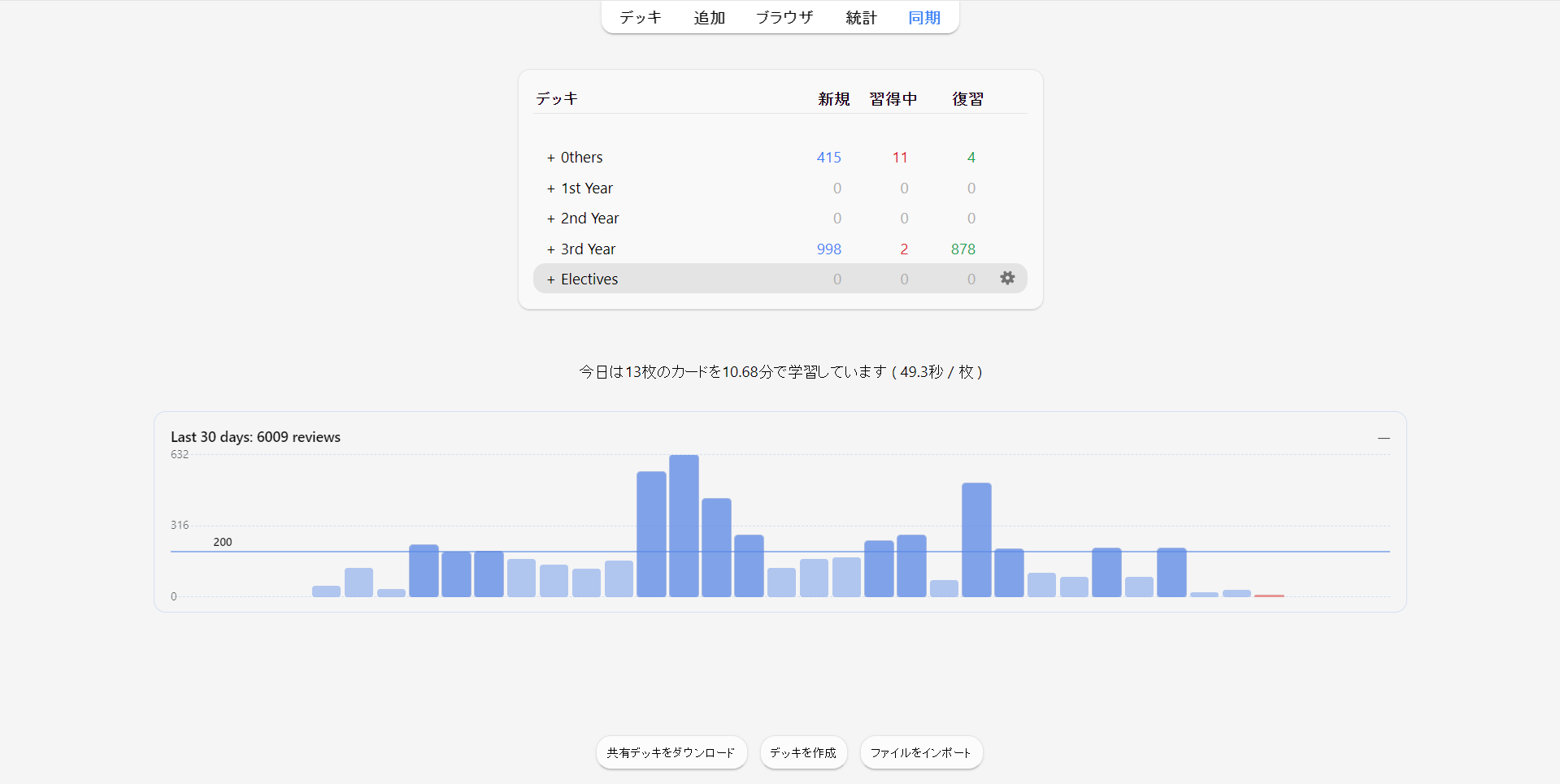
Ever wondered how much you actually studied recently? See your last 30 days of Anki reviews as a clean bar graph — right on the Decks screen. No Statistics window. Just instant feedback every time you open Anki.
Key features • 30-day review history on the Decks screen • Optional daily goal line and clear visual states (today / goal met) • Lightweight and cached (designed for large collections)
How to use Install and restart Anki — the graph appears automatically on the Decks screen.
Source code GitHub: https://github.com/yuwayanagitani/anki-bar-graph
==================================================
Updates v0.2.1 - Multiple time periods supported. And fixed bug. (2025-12-16) v0.2.2 - Color picker added on the config window. (2025-12-16)
==================================================
Supports
This tool is built to support medical students and residents. Support via thumbing up 👍 on this page and Buy Me a Coffee ☕ motivates me a lot!!
Screenshots

Liên kết hỗ trợ
Reviews (1)
👍 2025-12-15
Very useful! Thanks you very much!!! Comment from author Thank you for your comment. That motivates me a lot!
