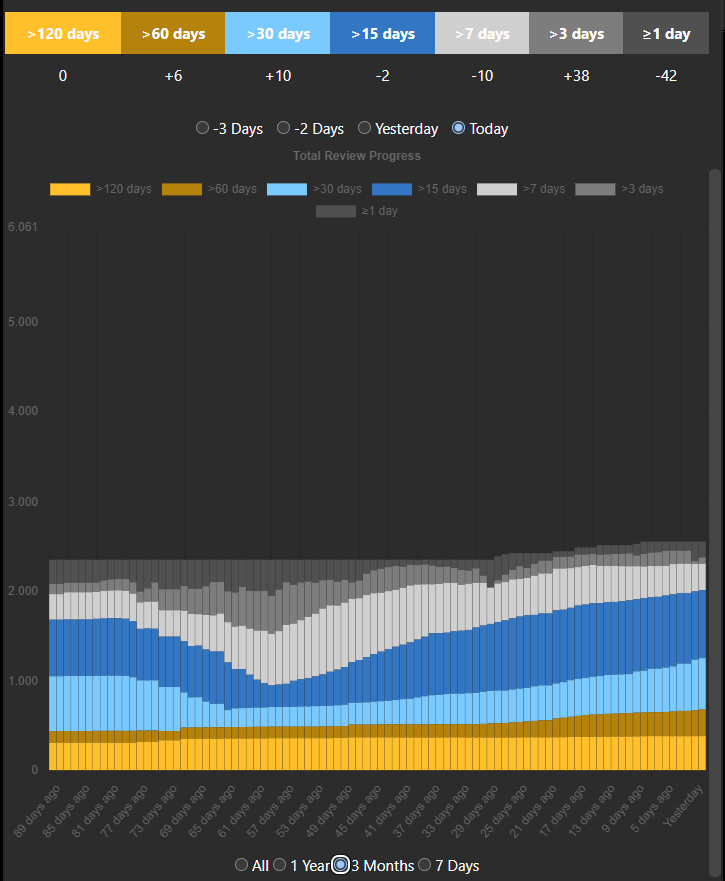
Adds a history graph for your cards intervals in the stats menu and shows the progress you made today.
Usage:
Open the stats window When using the addon for the first time, the data has to be generated first, which may take a few minutes
Current limitations:
shows whole collection. Filter by deck is missing cards studied in a filtered deck with rescheduling turned off aren’t counted properly yet
Screenshots
Reviews (6)
👍 2025-01-19
Great way to track progress
👍 2024-11-27
Great work!
👍 2024-10-29
Overall great add-on. It would be nice to select own intervals, particularly setting it to 21 days. Because I want to count how many young cards I have left. By definition Anki sets an interval for a mature card to 21 days upwards.
Edit: For those interested. Here is a work-around:
- In Tools>Add-Ons, click on “Better Progess Stats” and go to [View Files]
- Open “init.py” 3a) Change line 92 to “<th style=“background-color: #7acaff; padding: 10px;“>>21 days</th>” 3b) Change line 341 to
👍 2024-10-18
Cool idea, but basically useless for me w/o the ability to filter by deck. One of my decks is enormous and thus the graph’s Y-axis max is super high, making the actual reviews so scaled down they become barely visible.
👍 2024-10-04
Can you guys explain how to use the chart please ?
👍 2024-10-03
Love it, is there any way that we can select decks not to be counted towards the height of the y-axis? I have like 30k cards that I just keep in my account for reference but don’t actually use/keep suspended and it really throws off the scale of graph
