Browser Toggle View
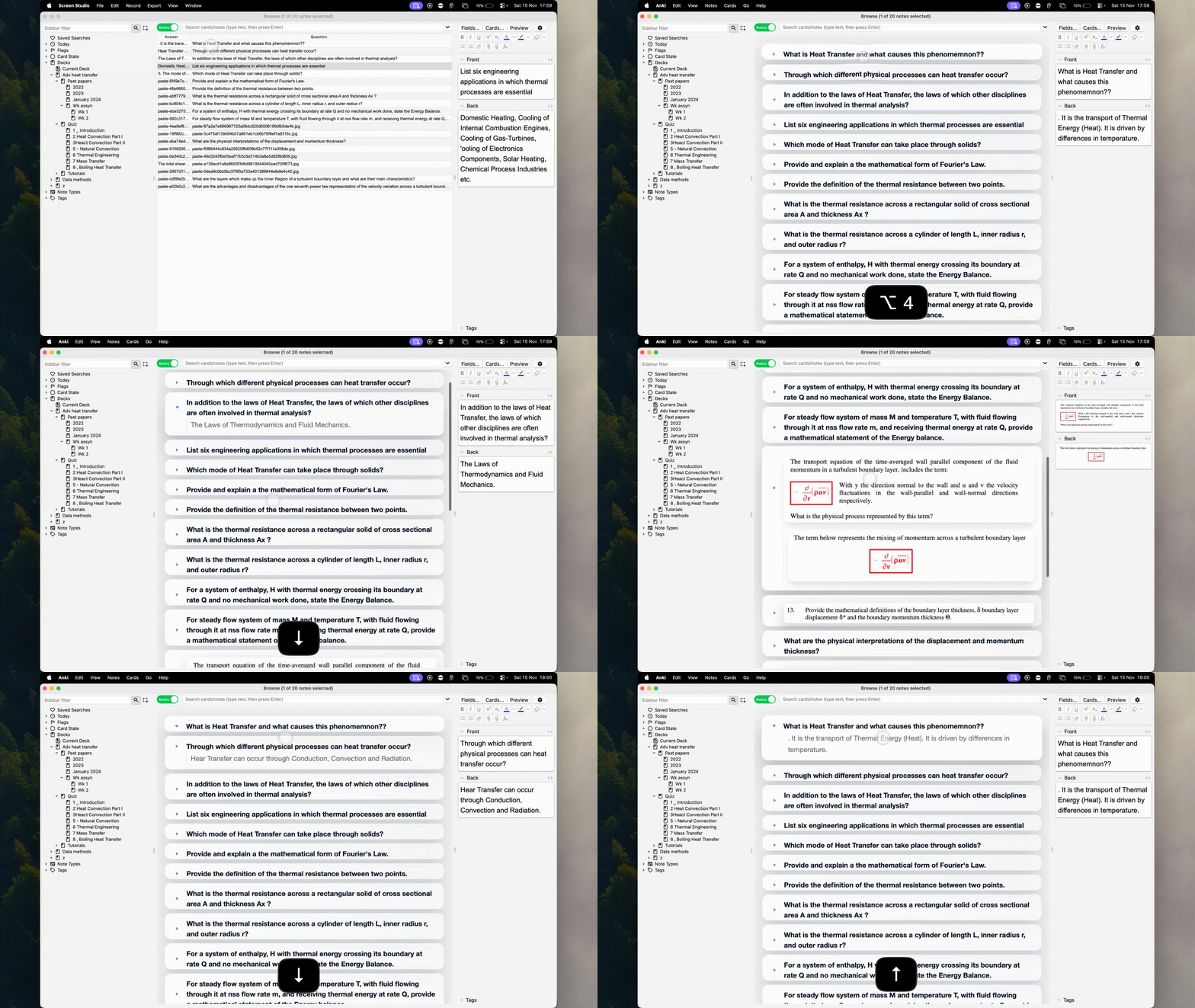
This add-on replaces Anki’s browser table with an easier-to-read toggle list of all your cards. Press Option+4 to switch between the normal table and the toggle view at any time.
Each card becomes a clean collapsible block you can open or close, making long notes and screenshots much easier to see. You can scroll like a document, view your images directly inside the browser, click a card to open it, and move between cards using the up/down arrow keys.
Features Replaces the browser table with a simple toggle-based list Open and close cards like sections in a notes app View images directly inside the browser Arrow-key navigation between cards Click any card to open it instantly Toggle between table and document view with Option+4
A cleaner, more readable way to browse every card in your collection.
📬 Contact & Resources
Created by James Morris 📧 15jallmo@gmail.com 🌐 View all add-ons on GitHub
Screenshots
Liên kết hỗ trợ
Reviews (1)
👍 2025-11-30
I think it could be very useful but it is not suitable for dark mode.
