🚀 FSRS Ultimate Dashboard & Arcade Games: Visualize & Gamify Your Memory
Stop guessing why you see a card. Start understanding and challenge yourself!
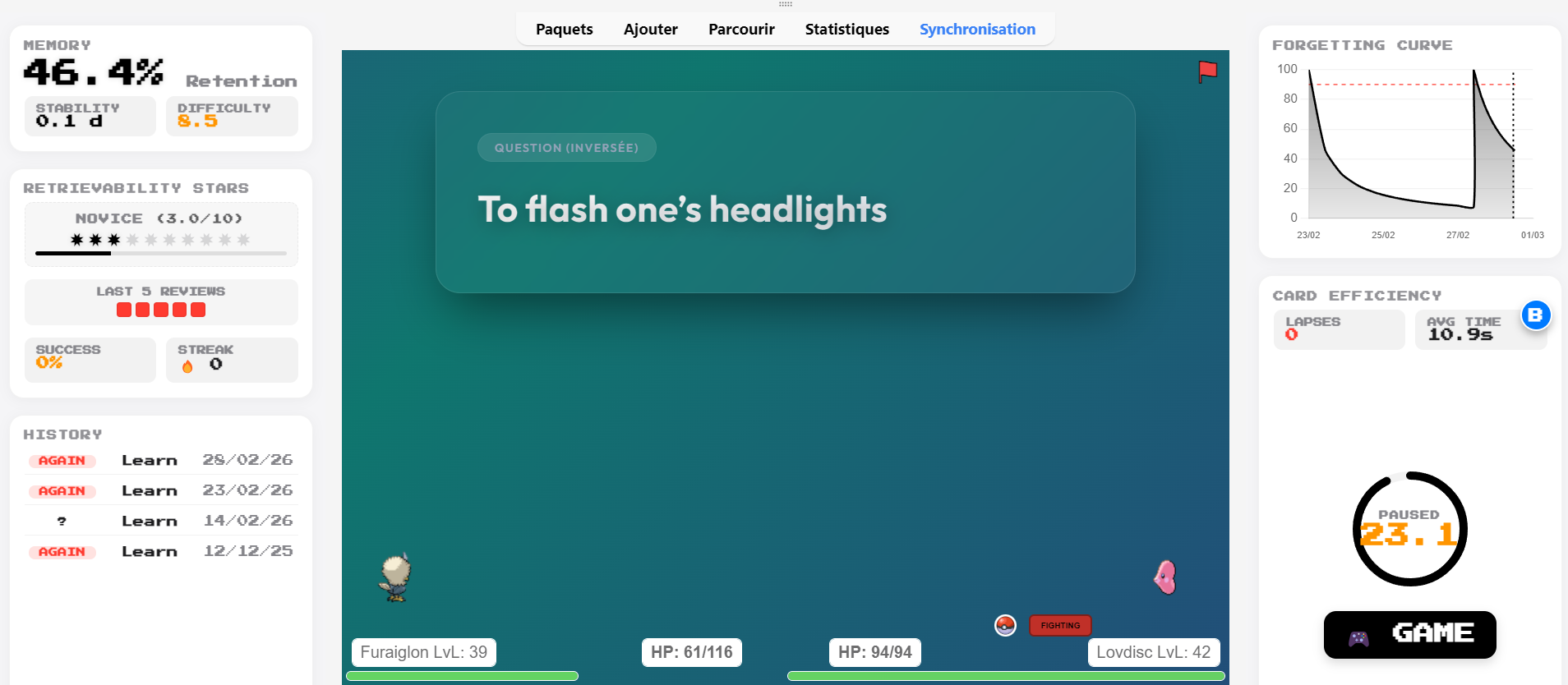
This add-on transforms your review sessions by integrating a beautiful, real-time dashboard directly into Anki. It visualizes the FSRS algorithm working in the background, gamifies your progress with Mastery Stars, forces active recall with a Smart Timer, and lets you fight bosses in RPG mini-games using your flashcards!
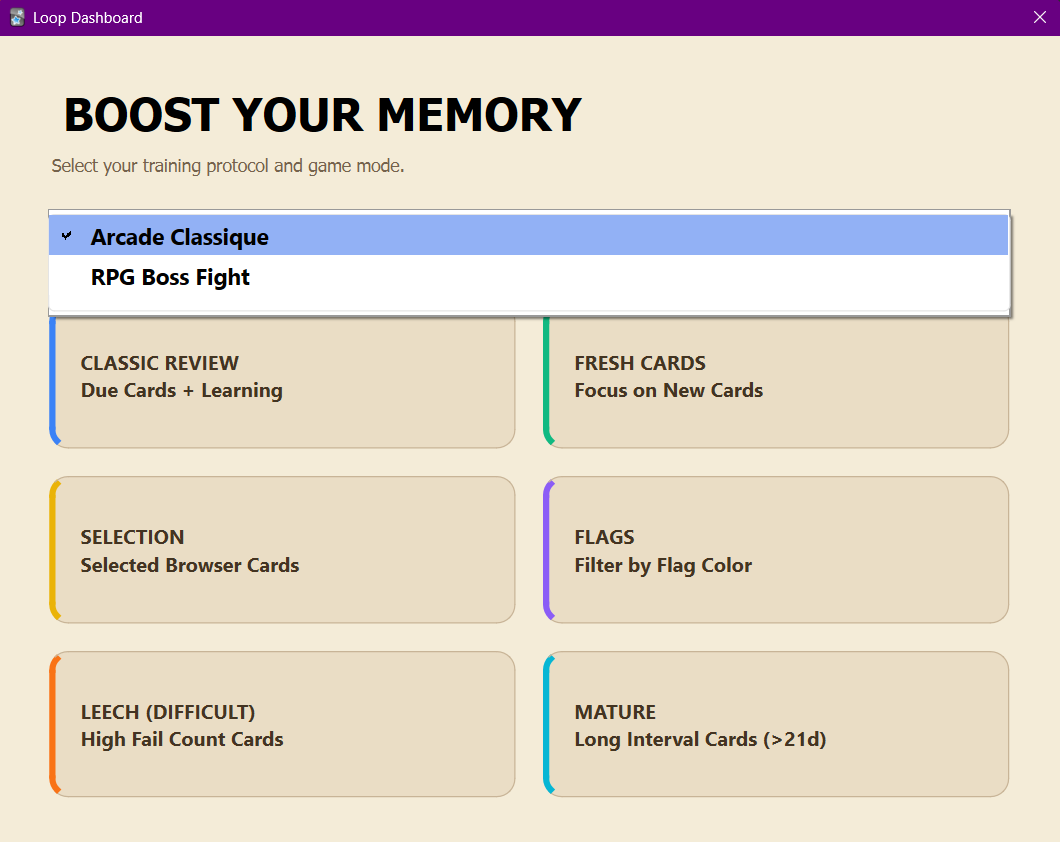
🎮 BOOST YOUR MEMORY: ARCADE & RPG GAMES (NEW!)
Tired of the standard Anki review screen? Click the new ”🎮 GAME” button under the timer (or press Alt + W) to freeze your session and launch the Arcade Mode!
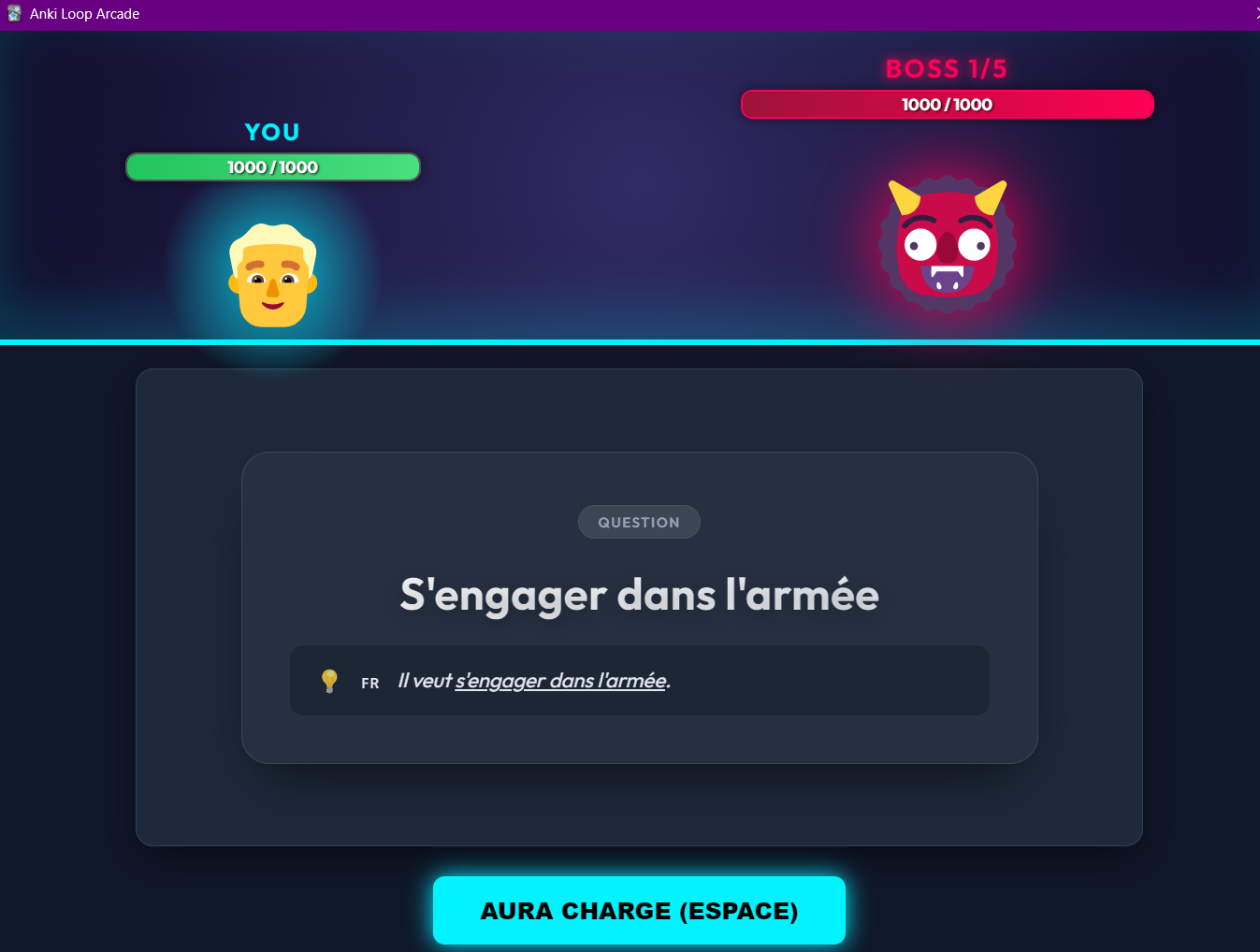
🐉 RPG Boss Fight: Turn your reviews into an epic battle! Face 5 evolving bosses with their own HP bars.
Speed & Combos matter: The faster you answer and the higher your streak, the more damage you deal!
Kamehameha: Hit a critical strike (Press 3) to launch a massive energy beam and shake the screen!
Survival: Mistakes cost you HP. If you die, it’s Game Over. The cards will loop infinitely until either you or the boss is defeated.
🕹️ Arcade Classic Mode: A fast-paced, highly visual gamified version of your flashcards to warm up your brain.
⏸️ Smart Pause: Whenever you launch a game, your main Anki timer is safely frozen and displays “GAME IN PROGRESS”. It resumes perfectly when you are done playing.
✨ ULTIMATE FSRS FEATURES
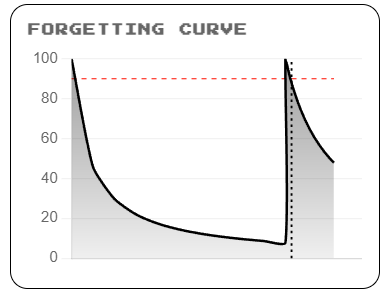
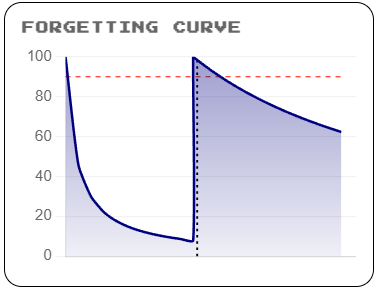
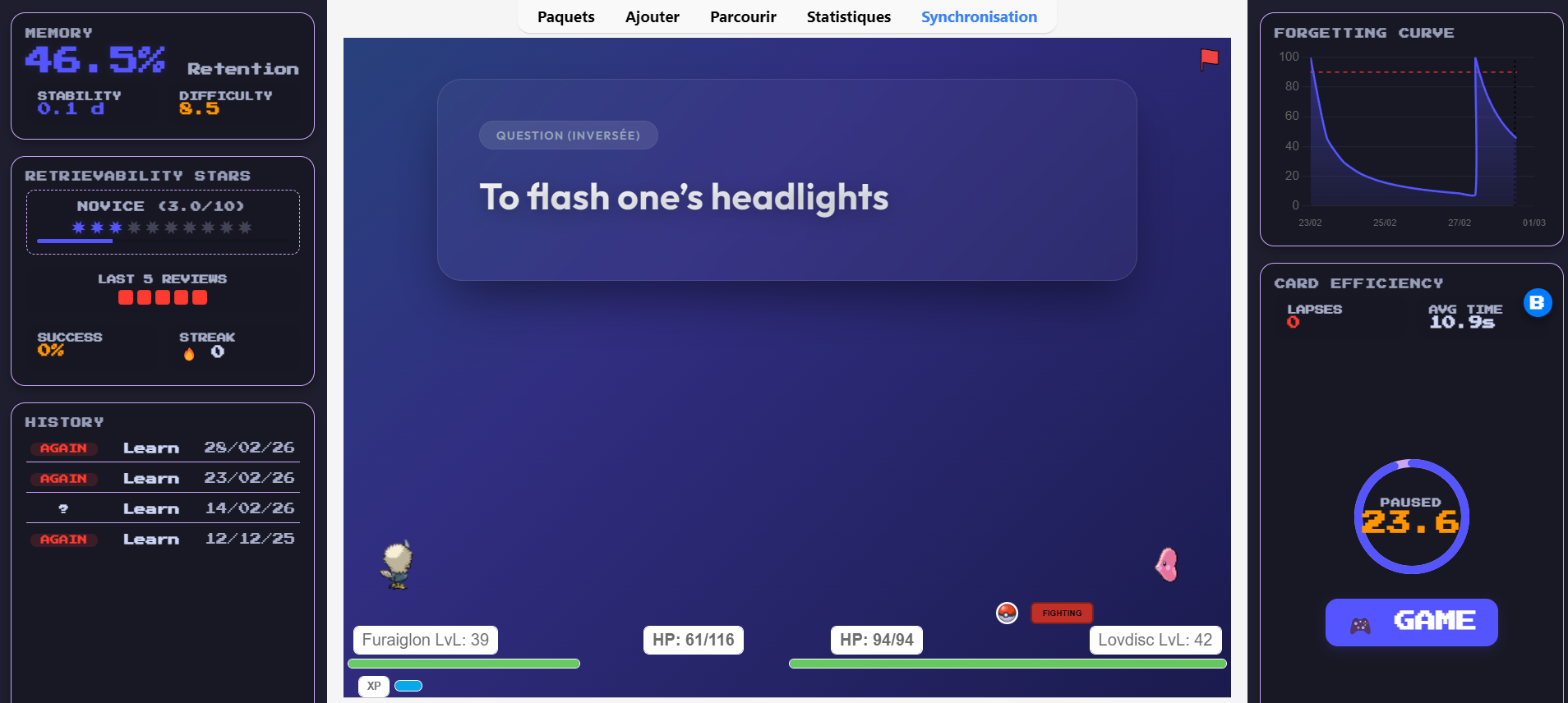
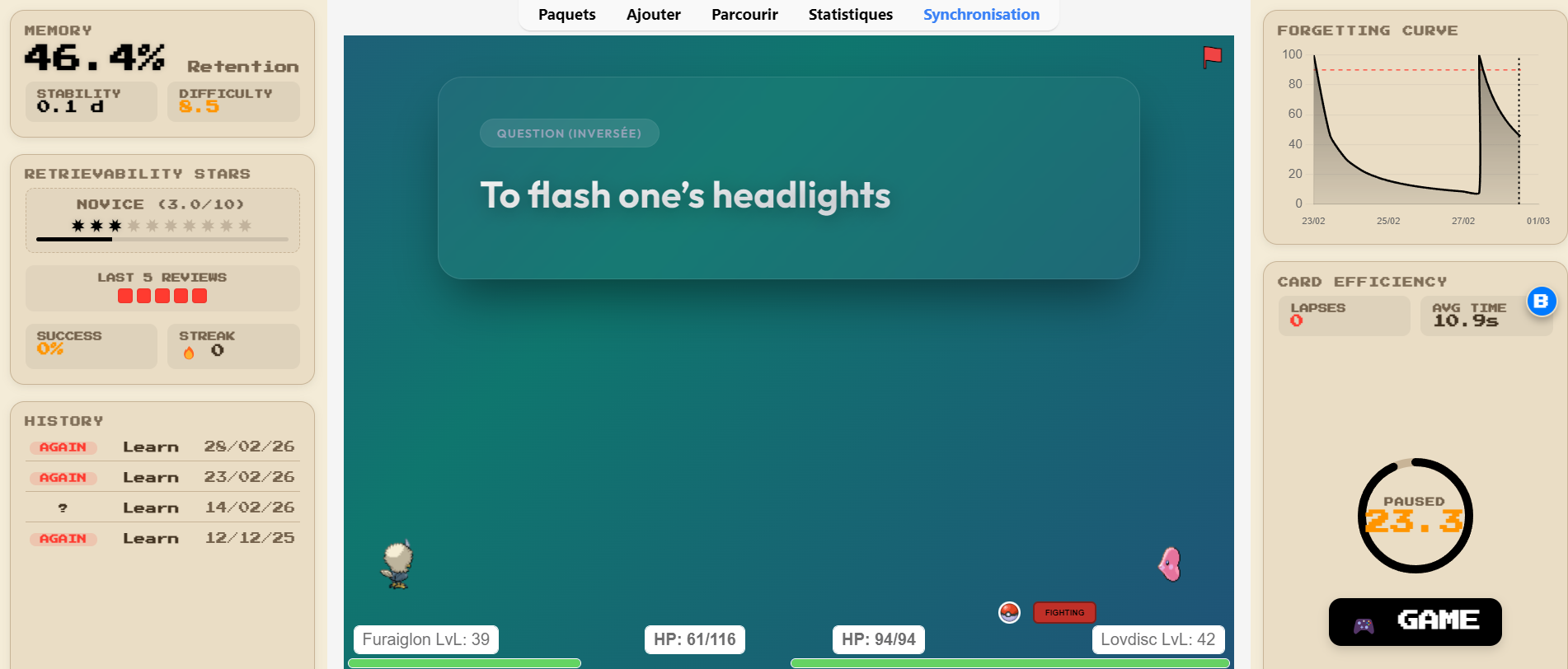
📈 The Forgetting Curve & Metrics: See your memory decay in real-time. Instantly track your card’s Stability, Difficulty, and Retrievability with a dynamic chart.
📜 Instant History & Heatmap: A clean log of your past reviews and a mini-heatmap of your last 5 attempts on the current card.
⭐ Retrievability Mastery Stars: Forget simple interval counting. Your cards are now rated out of 10 stars based on their actual Retrievability minus a penalty for your Lapses.
🚩 Auto-Flagging (Smart Sorting): The add-on automatically color-flags your cards based on your Mastery level (fully supports Ctrl+Z / Undo!). You can even update your entire collection’s flags in one click via the settings!
⏱️ TIME ATTACK & ACTIVE RECALL
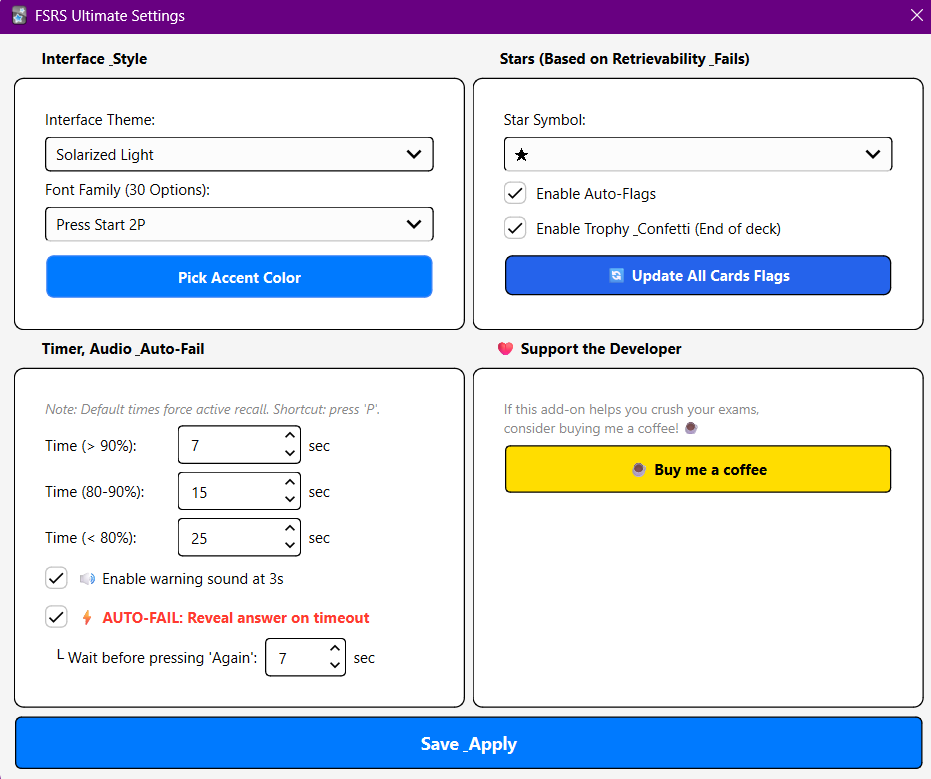
Smart Active Recall Timer: A dynamic, circular countdown that adapts to your card’s retrievability (e.g., 7s for known cards, 25s for harder ones).
🔊 Audio Warning: Plays a native, zero-latency soft beep when you only have 3 seconds left.
⚡ Auto-Fail (Optional/Hardcore): If time runs out, the add-on automatically reveals the answer, waits a few seconds, and presses “Again” for you!
🎉 Victory Celebration: Celebrate your hard work with a floating gold trophy and an animated confetti explosion when you finish a deck!
🎨 UNPRECEDENTED CUSTOMIZATION
Go to Tools -> FSRS Ultimate Settings… (or press Alt + S) to access the ultimate customization hub:
30 Unique Themes: Choose from stunning presets like Cyberpunk, Glassmorphism, Dracula, Synthwave, Nord, Matcha, AMOLED Pure, and more!
30 Custom Fonts: Personalize your UI with fonts ranging from clean (Montserrat, Fira Code) to iconic (GTA Pricedown, Minecraft, Harry Potter).
Custom Accent Color: Pick the exact hex color for your progress bars, charts, and glowing stars.
⌨️ KEYBOARD SHORTCUTS
Alt + W : 🎮 Launch the Game Mode (RPG / Arcade).
Alt + X : Toggle the FSRS Dashboard ON / OFF.
Alt + S : Open the Settings Menu.
P : Pause / Unpause the Timer during a review.
🛠️ CONFIGURATION
The dashboard is fully dockable. You can place the stats on the Left, the chart/timer on the Right, or keep them floating anywhere on your screen.
❤️ Support the Development
Building and maintaining this add-on takes dozens of hours of coding. If FSRS Ultimate Dashboard helps you study better, save time, and have fun, please leave a Thumbs Up! 👍 You can also support my work by buying me a coffee. It keeps the updates coming!
Created by Habib Lamine Ouattara
Screenshots

Reviews (19)
👍 2026-03-01
can u have an option of turning off the timer as it would auto procede to the answer and to the next question Comment from author Go to settings ( shortcut : Alt + S ) and uncheck the option ⚡ AUTO-FAIL: Reveal answer on timeout. This way, the timer will count down to 0.0, turn red to indicate that the player has taken too long, but will not return the card to its place.
👍 2026-03-01
The add-on is great, no complaints. I’ve been looking for something that lets us see the forgetting curve directly when we make an Anki card for a long time. Thanks to the developer. Comment from author Thanks
👍 2026-03-01
I think this add-on is extraordinary, magnificent, and the best in my opinion. Yes, and disabling certain options would be good for those who don’t want them. Comment from author Thanks a lot
👍 2026-03-01
The latest update completely changed the add-on from something useful to useless clutter. Comment from author The add-on is under development and will be ready soon. Sorry.
👍 2026-03-01
It’s becoming too chaotic, is it possible to go back to the previous version somehow? I don’t want to see any countdown and other stuffs, for me it was perfect before.. Comment from author Yes, there will be an option to disable them for those who do not want them. By the way, the add-on is currently in development and will be ready soon.
👍 2026-02-28
Great plugin overall! But I found a small issue with the shortcut: The introduction mentions Alt+S opens the “FSRS Ultimate Settings” (visual settings interface), but in actual use, Alt+S only pops up the color picker directly (no settings interface for themes/fonts). It would be great if you could fix the shortcut mapping, or update the documentation to clarify the correct shortcut for the settings interface. Thanks for your hard work! Comment from author Thank you very much for the advice. I t
👍 2026-02-26
This is awesome way to visualize your learning progress. Thank you!
👍 2026-02-07
Just installed and tried it. I like it a lot. It would be helpful to be shown also the values and forgetting of the previous card. And I agree to that comment by someone else that the history list should be longer.
👍 2026-02-03
great addon but my history shows me just the last four cards ive clicked.. would be great to see at least 10
👍 2026-01-20
Great interface. Only thing I would like to see added is a vertical bar on the forgetting curve showing the current date/time. Doesn’t have to be labeled, but the x axis isn’t labeled granularly enough to always see if we are ahead or behind of the curve for the target retention (aside from the memory stat, but it’s always nice to see a graphical representation).
Also, the details tab in the bottom right takes up half the vertical space without adding much info. Maybe turn that into a “flex” s
👍 2026-01-18
Interesting
👍 2026-01-18
The interface is very beautiful and doesn’t feel inconsistent with the Anki interface at all.
👍 2026-01-13
it looks professional and gives motivation through visualized data
👍 2026-01-13
Really Good! Keep up the good work and I love the stats component of it.
👍 2026-01-07
Loving it—thanks for building this! I’m really excited to see what other add-ons you’ll create and looking forward to those as well. Comment from author before post was edited Yes, in the next update.
👍 2026-01-05
Very useful. Could you please add Year in history? Comment from author Yes, in the next update.
👍 2026-01-03
Es scheint nützlich zu sein
👍 2026-01-02
good and very useful but when you are studying i do Alt + C but doesn’t show anything Comment from author Now it’s Alt+X
👍 2026-01-02
Will try this out, been finding out like this. Just a suggestion, is it possible to integrate it under the card? Comment from author yeah , possible next update but it won’t look good. I’ll make sure the Anki card is centred, which will look stylish.
