Copy Fields is a simple Anki add-on that allows you to quickly copy fields from your previous note.
Demo Features Copy fields from the previous note of the same type. Option to copy tags. Configure which fields to copy per note type Easy setup via Tools → Copy Fields Usage
Configuring Fields to Copy
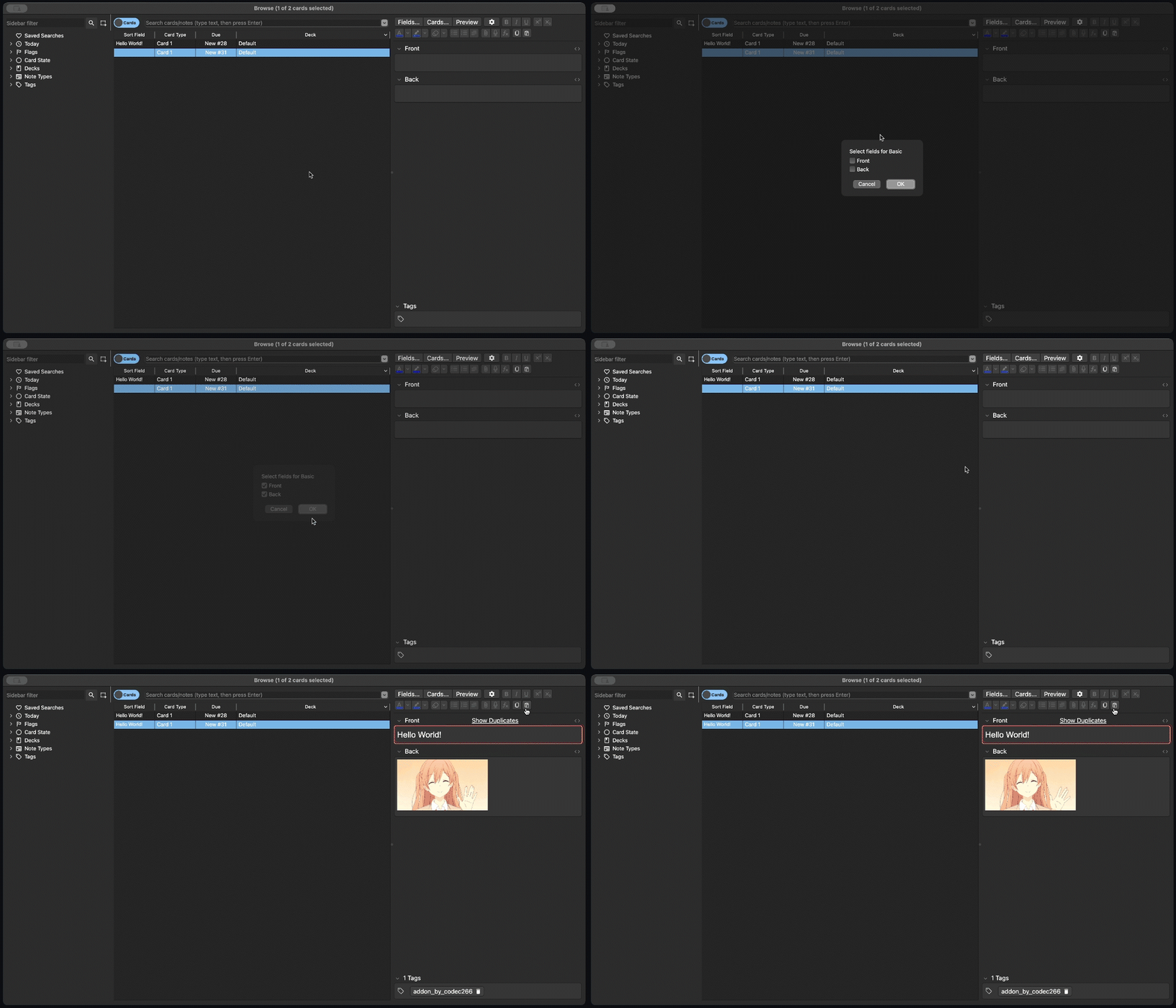
In Anki, go to Tools → Copy Fields. Pick the deck you want to configure. Select which note type you want to use. Choose the fields you want to automatically copy. Click OK to save your configuration.
Pasting Fields from Previous Note
Open Add or edit an existing note. Click the paste fields automatically button in the editor’s toolbar. The configured fields and tags from the note before the current one will be copied.
⚠️ If no previous note exists or no configuration is set for the current note type, a pop-up will notify you instead of pasting.
Source Code
GitHub Repository
Screenshots

Liên kết hỗ trợ
Reviews (1)
👍 2025-10-01
Great addon – I’ve been waiting for something like this!
Quick question, is there any way to tweak it so I can copy/paste between note types?
Eg: Copy Text and Extra from one note type → then paste it to different note type
Thanks!
