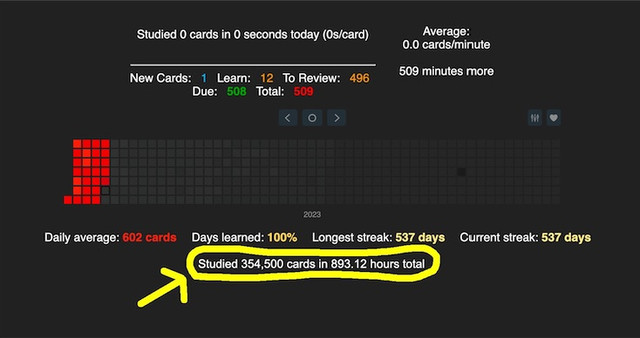
Anki add-on to display total cards and time studied on the main screen
Modified from add-ons originally written by Guillem Palau Salvà
https://github.com/jprasadh/total-cards-studied
1.0.5
Tested for compatibility with Anki version 24.06.3
Screenshots
Liên kết hỗ trợ
Reviews (4)
👍 2023-06-22
It is very useful I need this !!!!!
👍 2023-05-29
Loaded without issues even with other style add-ons. Being able to change the color of the text for the background was really helpful.
👍 2023-03-30
Awesome add-on! Can you exclude deleted cards?
Is there anyway to see a life-time average seconds-per-card? And seconds-per-card this week? Something similar to this:
https://ankiweb.net/shared/info/1247171202
👍 2023-01-29
Does its job.
Would be cool if the default font was the same as Anki interface, I had to change it from Arial to Segoe UI (default for Windows 11). Comment from author Updated now. There is an option to enable all custom text styling (default false), and as long as that is not set to true in config, text will match the default font.
