Update 2024-03-05:
gugutu provided a fix for multiple bugs and made the addon work with linux versions of anki 23.12 again! Thank you so much!
Update 2023-11-05:
Should work with Qt6 now. Thank you spacelord47 for providing a fix!
Update 2023-09-25:
Should work with the new versioning scheme now.
Update 2023-03-24:
This update includes a possible “breaking” change. It is a fix for the splitting Ratio, so if your split seems to be too small by default, adjust the splitRatio config option accordingly. It should default to 1:1 now.
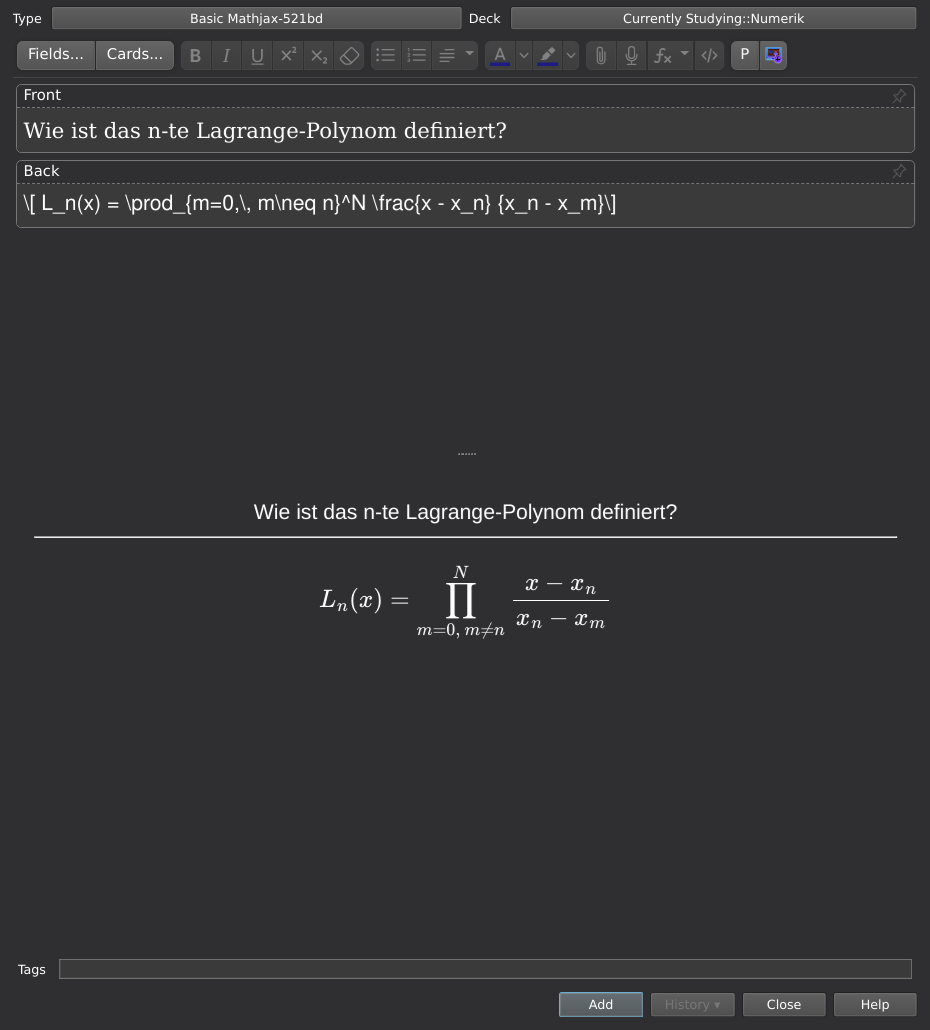
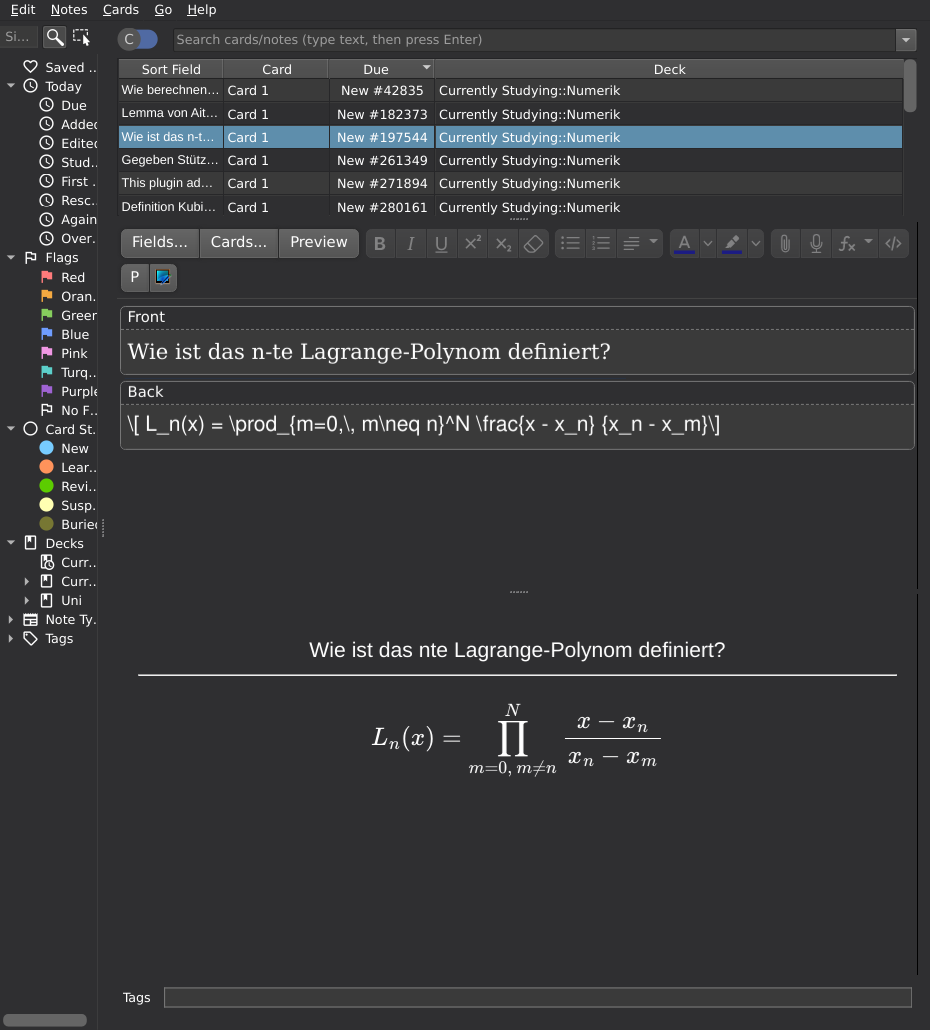
This plugin adds a live preview to all your card editors. It was written out of pure annoyance of having to open the “Cards…” screen every time.
The more recent changes have been contributed by the great people over on GitHub.
Screenshots
Liên kết hỗ trợ
Reviews (29)
👍 2025-10-15
Works just as it should. Thanks for making this
👍 2025-07-25
Just works as intended on Desktop for Mac. Good job.
👍 2025-07-16
Hi, I fixed this add-on for Anki25.04+ and uploaded it to AnkiWeb. 📺Editor Live Preview (Fixed by Shigeඞ) https://ankiweb.net/shared/info/90407377
👍 2025-07-06
Great plugin. However, in Anki versions after 25.02, clicking links in the preview interface of “Editor Live Preview” fails to work properly.
👍 2025-05-09
works as its shown (using anki 25.02.04) the only ‘issue’ is that if you have the “fill in the blanks” addon for cloze note types, it doesnt show it how i would have expected (it kinda shows the default back of cloze notes on anki rather than the front and back being shown)
👍 2025-05-03
I love this add-on so much but sadly it doesn’t work with 25.02.4 for me, contrary to the previous reviewer. I downgraded to 25.02 and will remain on that version of Anki for now.
👍 2025-04-25
Now works again as of the 25.02.4 update for Anki
👍 2025-04-23
I created a fork for the new version of anki 25.02.1. https://ankiweb.net/shared/info/1564465777
👍 2025-04-22
With the updated version is no more functional. That’s a shame because for me it was very helpful for creating cards
👍 2025-04-18
broke as of newest version
👍 2025-04-18
It’s not working for me on Anki update 25.02.1 (no preview is visible even though there is a blank space). I love this addon so much! If a fix can be found for it I would be very grateful. Anyone know how to fix this?
👍 2025-02-13
doesn’t work with Searching, PDF Reading & Note-Taking in Add Dialog addon. Someone fix it please
👍 2025-01-14
good job
👍 2025-01-10
Amazing, works great. I use underlines, bold, & italics to color code cards using css, and I also use mathjax- so this feature helps me see how cards turn out without having to add them first. Love it :D
But it would be an improvement if there’s an option to show the preview on the side instead of on the bottom, since there’s more horizontal screen space on most computers
Edit: UM OK WHAT, there was an option in “config” to change this the whole time?????? I give this addon 💯, except this coul
👍 2025-01-02
Amazing, I would wish the preview didn’t keep resetting the scroll position everytime I add something though.
👍 2024-12-08
Helping me so much, thank you very much
👍 2024-10-29
Thank you so much
👍 2024-10-13
如果你想要更改预览窗口的位置,可以在“tools(工具)-add ons(插件)-editor live preview-config(插件设置)”将默认的‘below’(下方)更改为‘above(上方)’或者‘left(左边)’或者‘right(右边)’,并且可以在”splitRatio”这一行代码后更改默认比例,希望能帮到你们⭐️
👍 2024-09-07
It’s good and it works for me but I think you need to add a shortcut to toggle live preview.
👍 2024-08-20
Very good, Needed this
👍 2024-04-23
Great! Really need this
👍 2024-03-14
Very Good!
👍 2024-03-06
Was really looking for this feature! thanks
👍 2024-02-29
Amazing addon, this is exactly what I was looking for!
👍 2023-11-09
Very helpful But there is a slight problem with IR card preview, which doesn’t show the front, and then the back. I hope the boss improves this.
👍 2023-10-30
Does what it says, easy config.
👍 2023-10-29
错误 运行出错。请在启动 Anki 时按住 Shift 键以临时禁用插件加载。 如仅在插件启用时出错,请使用「工具」>「插件」功能禁用部分插件后重启 Anki,请重复上述步骤找出引起错误的插件并反馈给插件作者。 调试信息: Anki 23.10 (7428ecad) Python 3.9.15 Qt 6.5.3 PyQt 6.5.3 Platform: macOS-12.7-x86_64-i386-64bit Flags: frz=True ao=True sv=3 Add-ons, last update check: 2023-10-26 09:19:53 相关插件:Editor Live Preview
Caught exception: Traceback (most recent call last): File “aqt.webview”, line 46, in cmd File “aqt.webview”, line 153, in _onCmd File “aqt.webview”, line 666, in _onBridgeCmd File
👍 2023-10-26
错误 运行出错。请在启动 Anki 时按住 Shift 键以临时禁用插件加载。 如仅在插件启用时出错,请使用「工具」>「插件」功能禁用部分插件后重启 Anki,请重复上述步骤找出引起错误的插件并反馈给插件作者。 调试信息: Anki 23.10 (7428ecad) Python 3.9.15 Qt 6.5.3 PyQt 6.5.3 Platform: macOS-12.7-x86_64-i386-64bit Flags: frz=True ao=True sv=3 Add-ons, last update check: 2023-10-26 09:19:53 相关插件:Editor Live Preview
Caught exception: Traceback (most recent call last): File “aqt.webview”, line 46, in cmd File “aqt.webview”, line 153, in _onCmd File “aqt.webview”, line 666, in _onBridgeCmd File
👍 2023-09-26
Great addon, works well
