This add-on was funded by the Anki Mastery Course. Please consider supporting our work using the links below so we can continue to fund add-on projects like this.
You must be on Anki 2.1.45+ to use this add-on
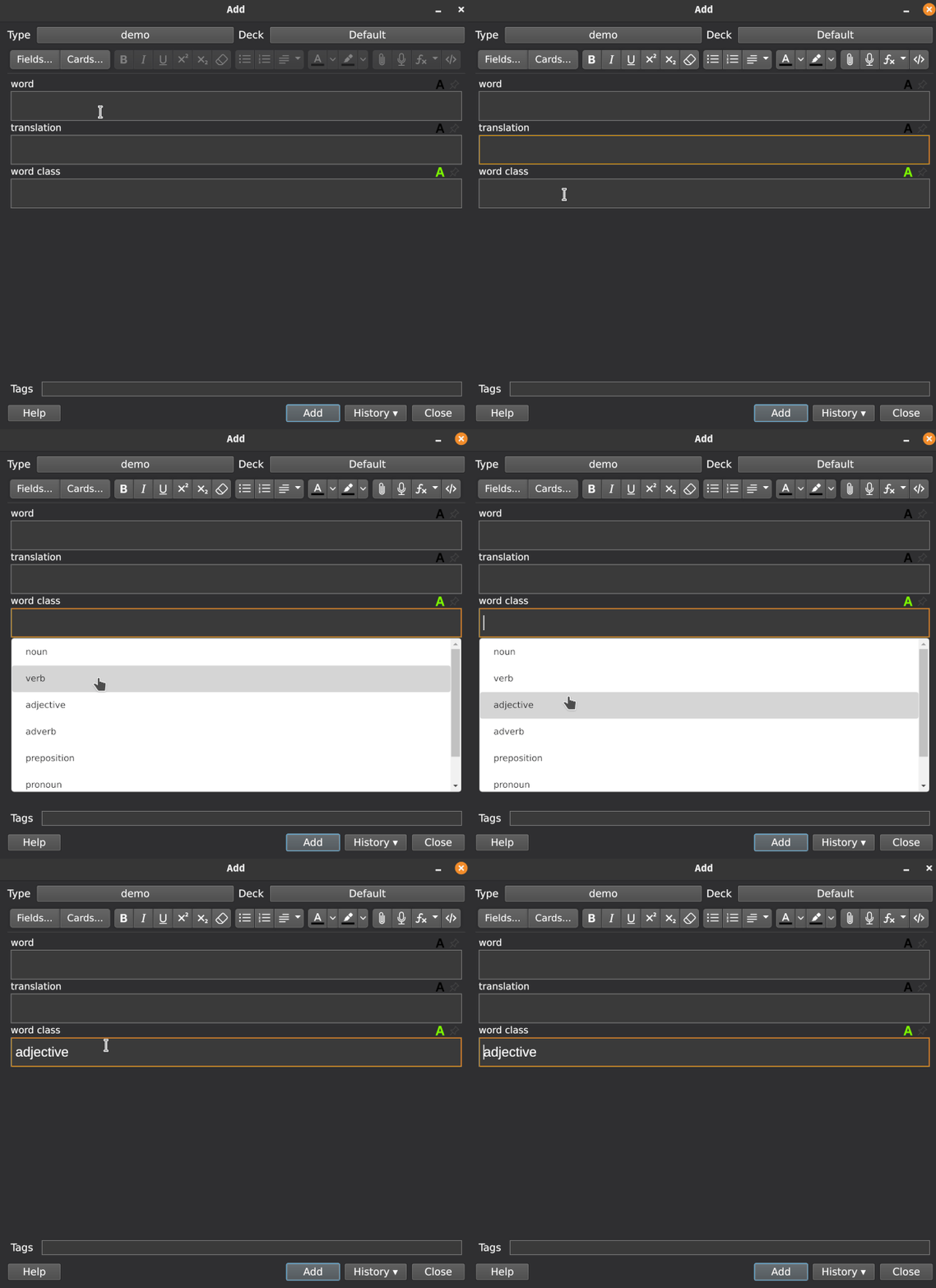
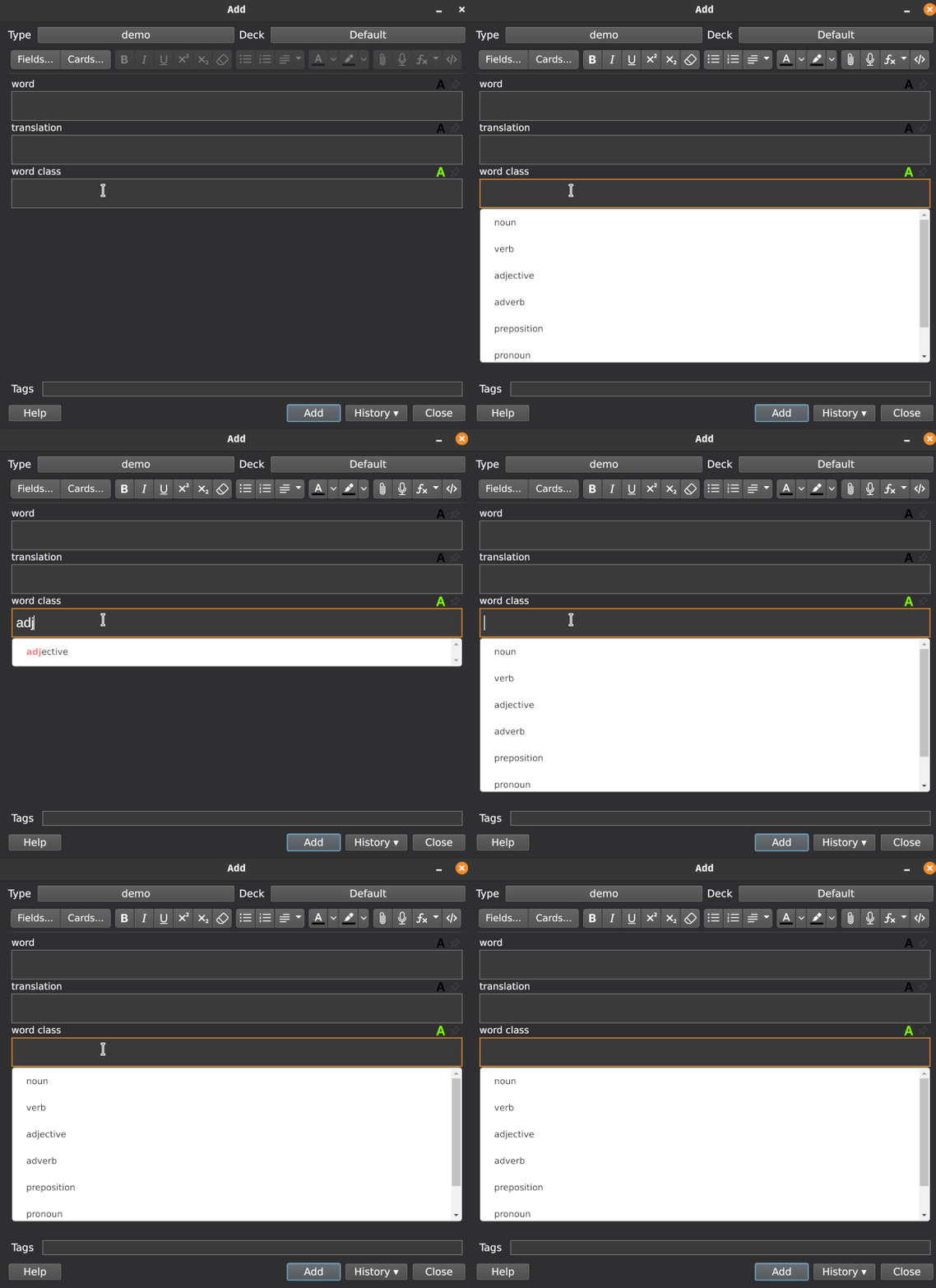
This add-on enhances the editor with autocomplete functionality. When you type text in a field or even just click on it a list of values from existing cards will appear. These values will be only from the exact note type and field that you’re typing into. The auto-completion makes it easy to fill a field which always takes on one of a set of values (here the autocomplete can be used the same ways as a dropdown menu).
When you click one of the values (or press tab) the field will be set to this option.
The autocomplete feature can be toggled on and off for a field by clicking the “A” icon, or using a keyboard shortcut (F4 by default). The setting will be remembered for the next time you edit such a note.
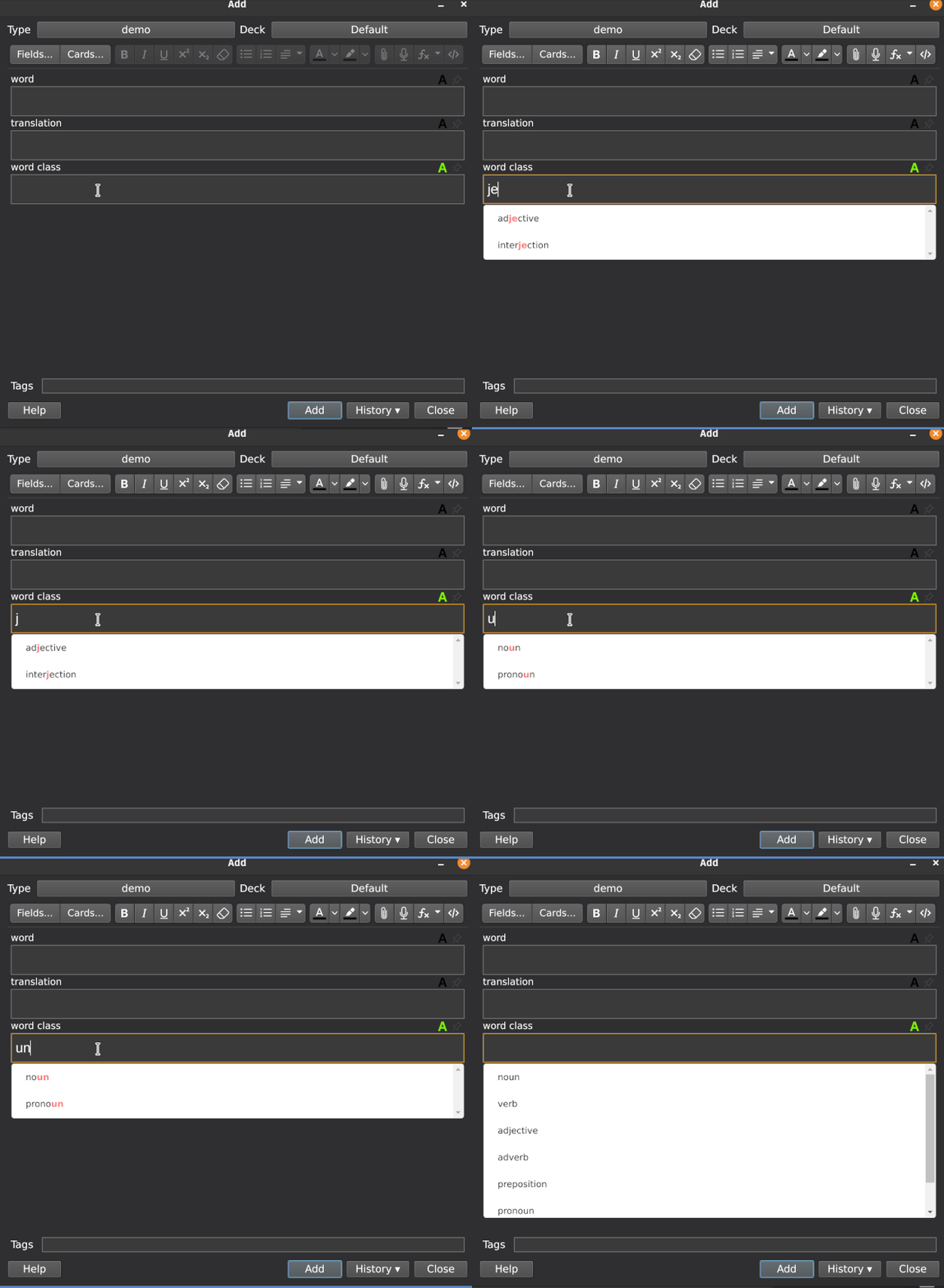
The search mode can be set to strict (default) or loose in the add-on settings. When using the loose search mode, searching for e.g. “ate” would also bring up “rate”, which wouldn’t show up in the strict search mode.
This add-on is based on the anki-editor-autocomplete add-on.
Screenshots
strict search (default)
loose search
Problems, Bugs, Errors, Improvements If you find a serious bug, please submit it on Github or email us at ankingmed@gmail.com. Please remember that we are not coders and thus may not be able to provide support.
Changelog
2021-08-17: Initial Release
2021-08-19: Fixed a bug making it not work on windows
2021-09-07: Fixed an error that appeared when typing ” into a field with autocomplete active
2022-02-25: Fixed occasional crash when importing a collection file
2022-04-09: Updated for Anki 2.1.50
2022-11-21: Updated for Anki 2.1.55 and Qt6
2022-12-19: Fix for 2.1.55
2023-02-25: Version 1.6 brings recently “autocompleted” words and phrases to the top of the suggestions list next time you type a similar string
2024-07-20: Fixed autocomplete not being available until first note is added.
2025-01-29: Updated icons
Please consider checking out our:
YouTube Channel- How to use Anki for beginners and advanced users.
Instagram/Facebook: @Ankingmed
www.TheAnKing.com- Recommended add-ons, tutorials and more including how to download 40+ add-ons in < 5min
Patreon/VIP- Support our work and get individualized Anki help!
Screenshots




Liên kết hỗ trợ
Reviews (24)
👍 2025-06-22
This is what I need for fields that only allow certain values!
👍 2025-03-08
Best add-on!
👍 2024-09-30
Nice little addon, very useful to re-use input from other cards.
My only two comments are that there is no room for customizing what data is searched for the purposes of autocompletion. I believe the default behaviour is to look through any given field on every card of the same notetype. Could be nice to allow the end user to extend this to cards on the same deck (or multiple), and/or filter based on a ruleset (with a regular expression, maybe?). To filter out information that you don’t want t
👍 2024-07-21
Thanks for the add-on. It works well, but only from the 2nd card onwards. The search does not work and the “A” toggle does not show up when you add the first card. I’m using Version 24.06.2. Appreciate if you could fix it so I could update the rating.
Update: 21/07/2024. The issue has been fixed and everything is working properly! Thanks! Comment from author before post was edited This is now fixed!
👍 2024-06-06
Please update to 2024 Comment from author Please share details on our github and we will promptly look into it. We don’t get notifications here and have no idea how to troubleshoot it with you. It’s working on my end so I can’t offer any other help without further input from you. We’d love to turn this 👎🏼 into a 👍🏼!
👍 2024-05-26
Thank you. This plugin’s the timesaver!
👍 2024-01-07
Oof, doesn’t seem to work with Anki 23.12.1 Comment from author Can you please share more details on the github? We’d be happy to look into this but need more information
👍 2023-11-14
This is exactly what I wanted, thank you very much for your development Comment from author Glad you like it :)
👍 2023-11-03
not working Comment from author UPDATE: This should be working now and we would really appreciate if you change this to a 👍🏼! :) If you find issues or have suggestions for improvement, please share on our GitHub and we can discuss!
👍 2023-04-13
Very good time saver
👍 2023-04-02
Great, thanks!
👍 2022-11-18
自动弹出list,能否实现 仅当前deck内的?
👍 2022-11-05
Thanks! This is a great add-on.
👍 2022-03-29
this function should be standard Anki!
Please update to the latest anki versions.
Thnaks! Comment from author The new version working on Anki 2.1.50 is here!
👍 2022-03-01
Fantastic!
FYI, I made language note where I have PofS (part of speech) field…now choices are easy with few letters AND it is spelled/capitalized the same way every time. Wonderful! Comment from author Awesome! That’s exactly what we were hoping it would be helpful for!
👍 2021-12-30
As usual. Great Anking <3
👍 2021-11-13
This is pure gold, thank you soooo much !!
👍 2021-11-04
It’s not compatible with Multi-column note editor https://ankiweb.net/shared/info/3491767031
Temporary thumbs down because I haven’t been able to use the add-on yet Comment from author UPDATE: I understand the temporary thumbs down, but we would really appreciate if you change this to a 👍🏼 or remove it! :)
This likely isn’t an issue that we’ll be able to resolve as that add-on and this add-on both heavily modify the editor. If you share as many details as possible to the github repo we’ll lo
👍 2021-09-09
Doesn’t work since the last update. (anki 2.1.47 linux) Comment from author Sorry, it should work again. Thanks for the thumbs up!
👍 2021-09-04
Works great and helps a lot with source management.
👍 2021-09-03
Thanks.
👍 2021-08-23
Nice to just click once and be done when cards share similar or exact matching fields
👍 2021-08-21
Amazing add on, tip; make sure to go to the config to make it so it can search parts of words!
👍 2021-08-20
Very useful addon!
