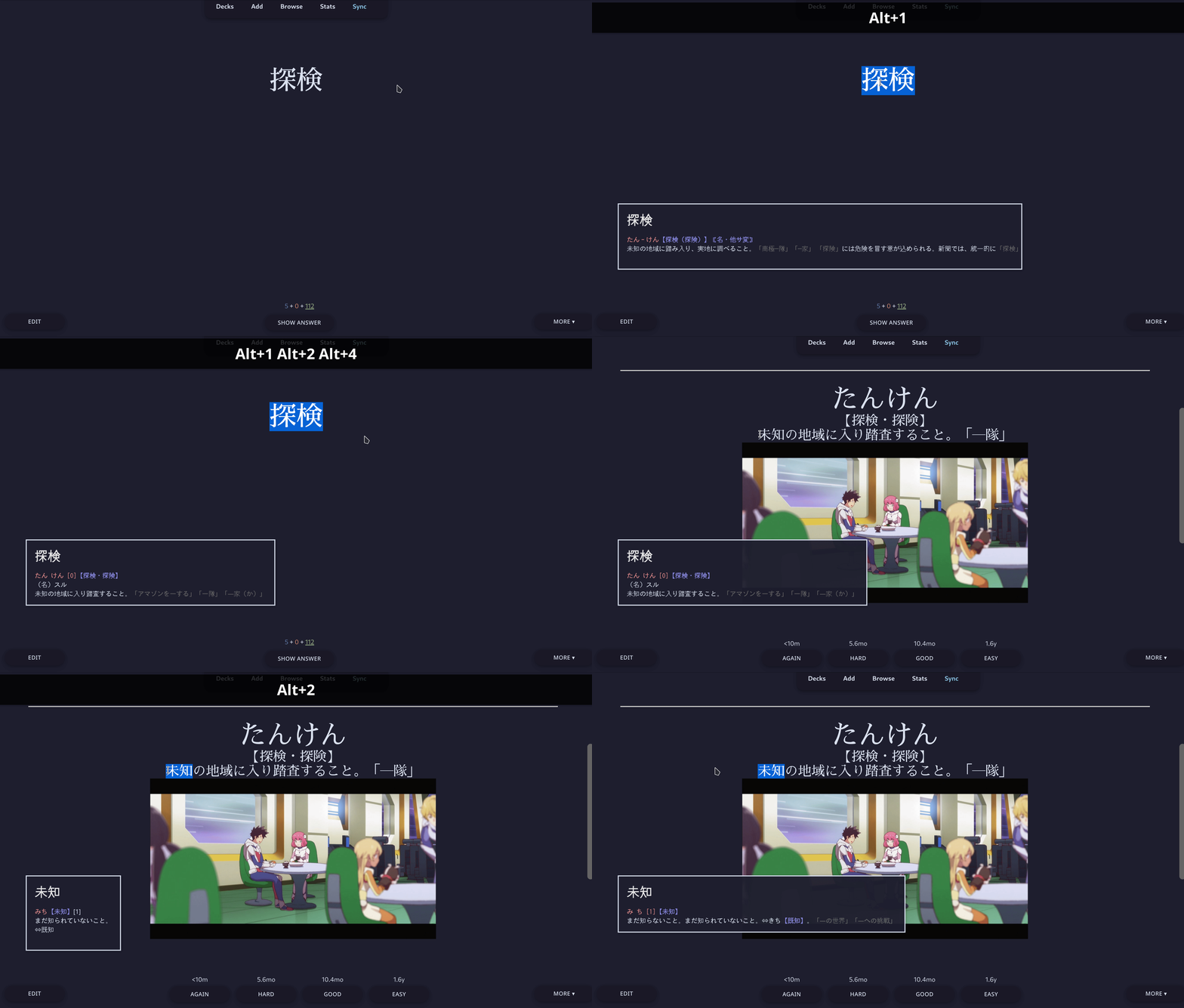
Minimize switching between Anki and different apps when looking up unfamiliar words. Displays floating tooltip with the definitions for selected word, kanji or phrase.
Lookup:
in target dictionary by pressing Alt + 1|2|3|4. in other sources with Alt + 5..0. examples in Massif and Yourei, show results in tooltip via Alt + l. pronunciation in YouGlish via Alt + p.
Multiple dictionaries are provided in sqlite format, so the resulting addon size may be a bit heavy (~200Mb). Currently configured only via config.json in addon folder (tooltip delay and vertical offset).
Should be working with the newest Anki version.
Source is available at Gitlab
Known problems:
sometimes the tooltip takes too much space some words and phrases could be wrongly matched against dictionary index depending on Anki theme, tooltip highlights could look better or worse
Screenshots
Reviews (3)
👍 2023-12-25
It is good!
it is possible to support jisho.org?
👍 2023-12-03
very useful but its not showing kanji within the tooltip only kana, kanji replaced with ☐, on linux, proper fonts are installed
👍 2022-10-16
Great!
