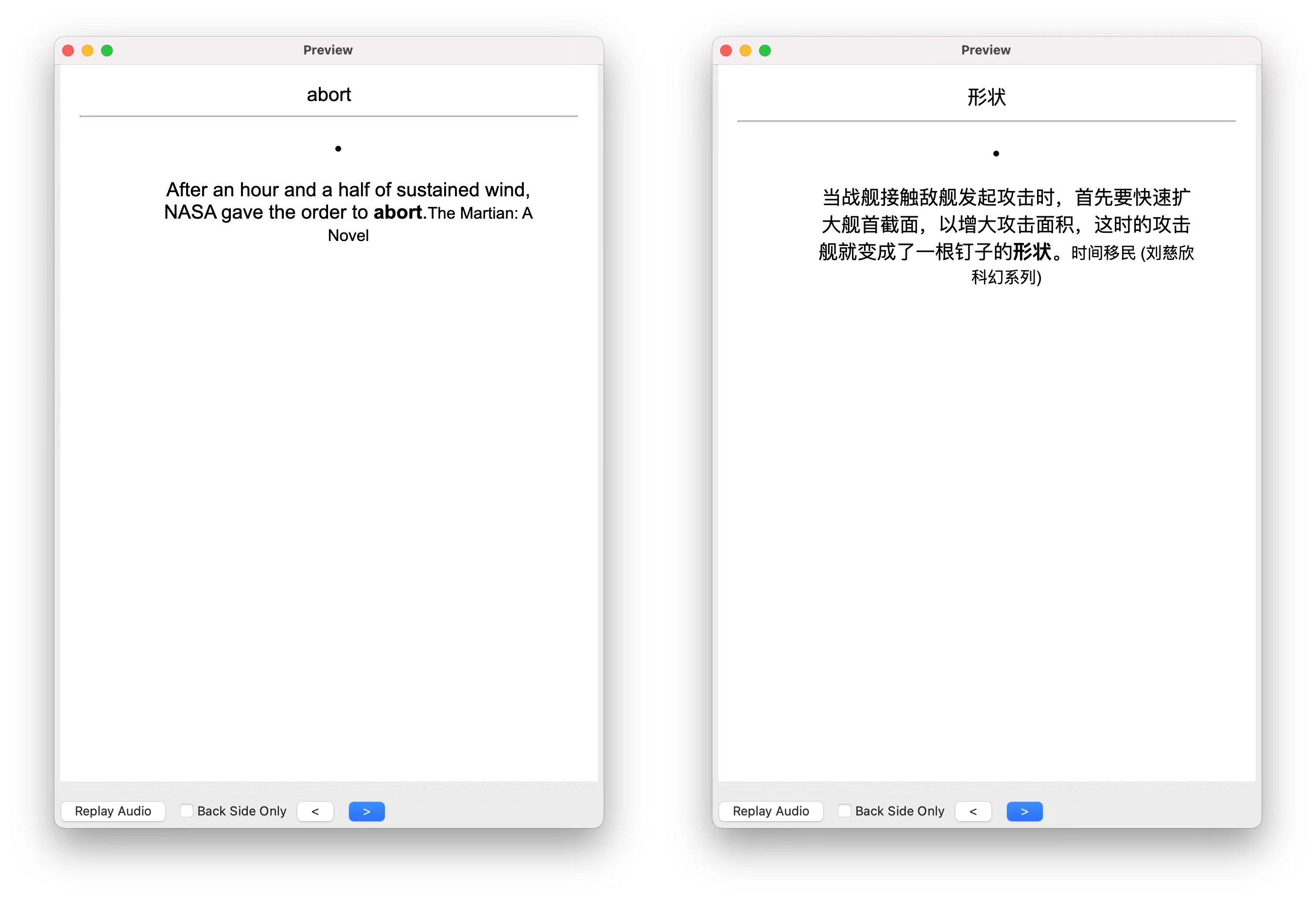
General Purpose Generate a new deck which consists of vocabulary cards from kindle vocabulary builder (vocab.db). Preview:
Usage
Make sure the python3 on your computer has installed tqdm package. If not, install it first. Navigate: Toolbar -> Tools -> import kindle notes into Anki cards Click on the kindle vocabulary file (default path:/[Kindle Volumn]/system/vocabulary/vocab.db) Wait for a while and you’ll see a deck generated!!
Features
Support all languages that your kindle supports. Automatic ignore the words which exist (probably from previous importing).
Acknowledgement I’m new to anki add-on development. If not for previous related works, I would not be able to manage this task. I’ve copied and pasted codes from Lists to Anki: Convert bulletpoint lists or Org files to Anki Cards, anki-connect and wzyboy/kindle_vocab_anki. The first two helped a lot with Anki API calling. The last one helped a lot with database file conversion. If there is any issue, you can post it here. This add-on is still very simple and roughly developed. In January I might find time to refine it, if anyone uses it at all : )
Screenshots
Liên kết hỗ trợ
Reviews (1)
👍 2022-01-26
Good!!
