LexiForge
AI-powered vocabulary learning add-on for Anki. Automatically generates definitions, examples, and audio pronunciation for your flashcards.
repo
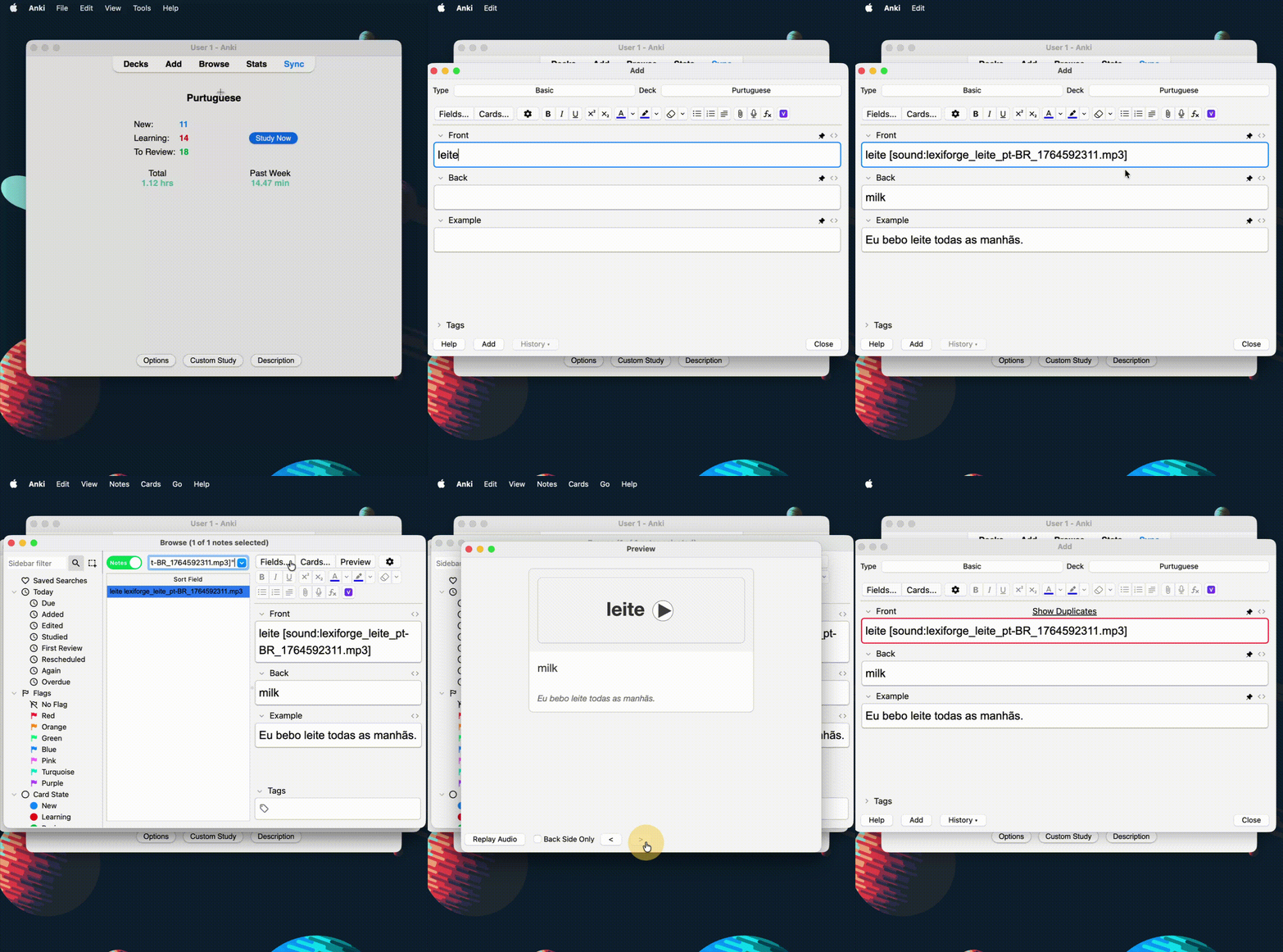
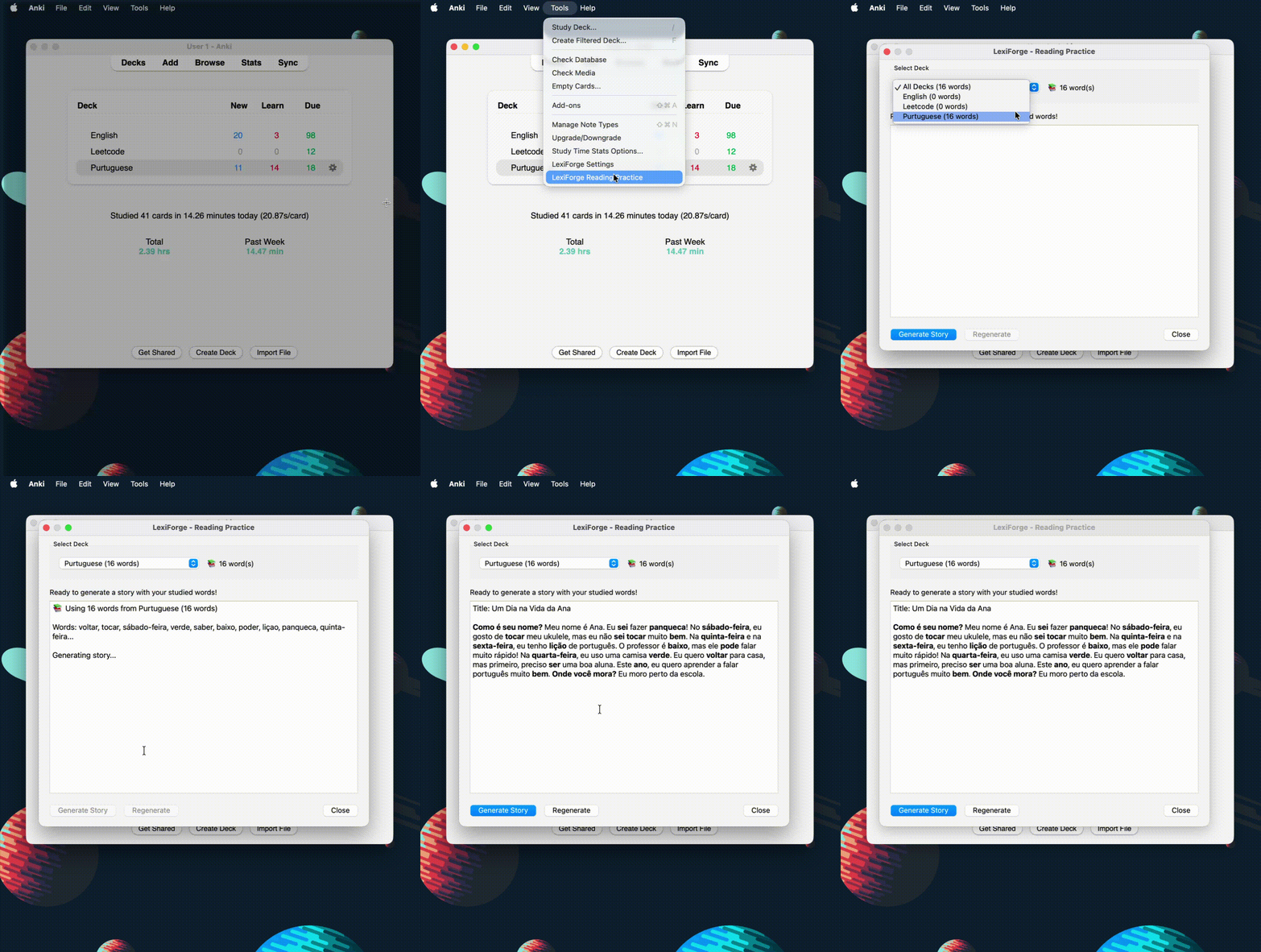
Features Auto-detect word forms: Identifies base form (lemma) of any word Contextual definitions: Translations or explanations based on word complexity Example sentences: Generates authentic examples in target language Audio pronunciation: TTS for 20+ languages Reading practice: Creates stories using your studied words (adjustable CEFR levels A1-C2)
Supported languages: English, Spanish, French, German, Italian, Portuguese, Russian, Chinese, Japanese, Korean, Arabic, Hindi, Bengali, Urdu, Indonesian, Vietnamese, Turkish, Thai, Tamil, Polish
Installation Open Anki → Tools → Add-ons → Get Add-ons… Enter code: 1830356451 Restart Anki Setup Get a free API key from Google AI Studio In Anki, go to Tools → LexiForge Settings Paste your API key and configure: Source Language: Language you’re learning Definition Language: Your native language Usage Generate Flashcards Create a note in Anki Type a word Click 🔮 button or press Ctrl+G Reading Practice Study some cards (interval ≥ 1 day) Go to Tools → LexiForge Reading Practice A story with your studied words will be generated License
MIT License - see LICENSE
Created by poltora.dev
Screenshots