Maintenance: Note Type-aware export performs enhanced export by creating separate files for notes of different Note Types and dumping additional information helpful in restoring decks from exported data.
Purpose and usage
This addon can help you export your decks as text files that:
- are legible and can be understood by human (as opposed to .apkg packages),
- can be compared (among themselves or with previous versions) using standard comparison tools (like WinMerge in Windows or Meld in Linux),
- can be kept in version control system (like git),
- can be easily imported back to anki as notes of different Note Types are saved to separate files,
- contain additional information absent in built-in text export (namely: deck options and media file usage).
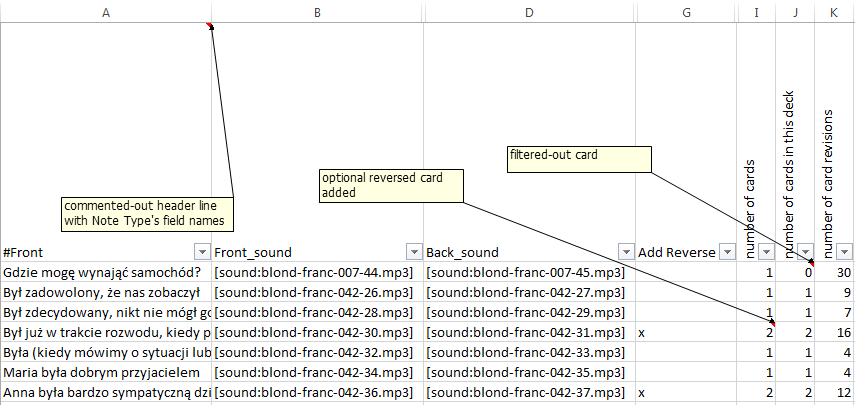
The behavior of the built-in export which creates one file per deck is not sufficient because notes of different types can be mixed in a single deck. Standard export saves all notes - with possibly different fields or even different number of fields - as common tabular structure. That makes it impossible to import such file without manual splitting the data. Maintenance: Note Type-aware export does the splitting for you. It also in each file creates a commented-out header line containing names of the fields of Note Type being exported. The line is ignored during import but can be helpful in understanding the data when viewed in a tool like Excel or LibreCalc.
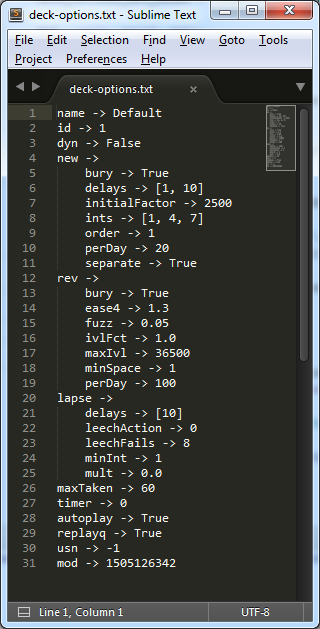
Maintenance: Note Type-aware export helps in keeping track of changes in deck options by optionally creating “deck-options.txt” file in every deck export directory. These options (like new card repetition pattern or “When answer is shown, replay both question and answer audio” setting and the like) are otherwise difficult to maintain.
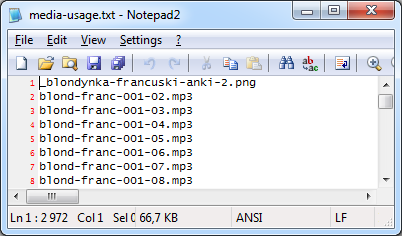
Also, as media files themselves are not exported, Maintenance: Note Type-aware export can perform an action similar to “Check Media” and optionally create “media-usage.txt” file in every deck export directory. The file would list (in alphabetical order) all media files required by the exported notes (including underscore-prefixed “template-level” media as described in manual here). Missing files are tagged as such.
As an additional help in deck maintenance, for every note exported the addon can dump any subset of the following three counters:
- number of cards created for the note (helpful in verifying conditional card generation, as described in manual here),
- number of cards created for the note (helpful in visualizing cards “borrowed” by filtered decks),
- number of card review action logged (for fast assesment of note’s difficulty)
Output encoding
As Anki text import allows only UTF-8 encoded files as input, and UTF-8 is not handled well on doubleclick or “Open with” action by Excel, the plugin allows you to choose between these “re-import friendly” and “Excel friendly” formats. You may prefer one or the other depending on whether you want mostly to analyse the data or import it back. You should be able to easily re-save the data in other encoding using external tools if such need arises (even built-in standard, simple text editor should be able to do that). Note: you can open UTF-8 encoded file in Excel by using “File/Open” action and selecting the encoding from the list, but that’s just not what happens by default.
Filtered Decks
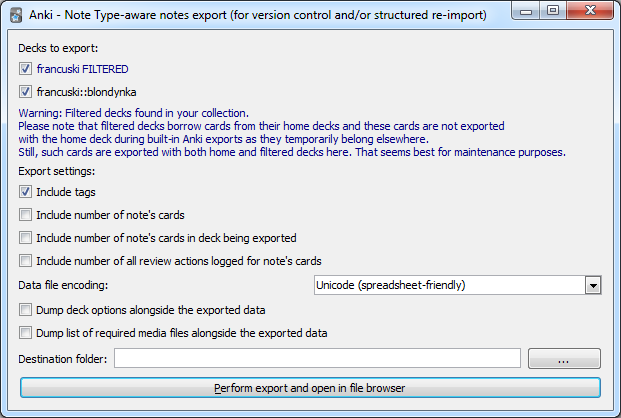
Remember that filtered decks “borrow” notes (cards really) from their “home decks” what may result in “holes” in your exported data when using built-in export (see manual here). These cards are thought of as temporarily “belonging elsewhere”. For deck maintenance purposes it seems that more helpful interpretation would be to include all notes in export, including ones that are “temporarily absent”. That’s why Maintenance: Note Type-aware export exports such cards with both home and filtered decks.
Support
Addon was tested the addon on Windows (7) and Linux (Ubuntu 17.04 64bit) but it should work on other platforms too.
Addon source will be made available github soon.
If you find the addon helpful you may also like to check some other addons for data cleanliness maniacs: Maintenance: Note Type usage in Decks Maintenance: Note Type structure dump
You can support addon development by sending the author $5, $10 or even bigger donation ;-)
Screenshots
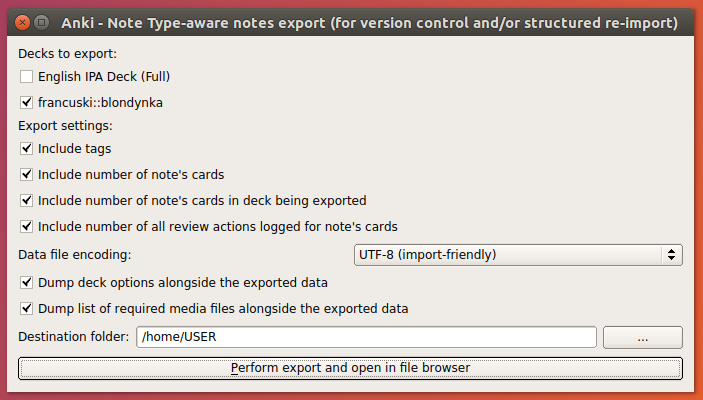
Initial dialog on Linux
Initial dialog on Windows with notification about filtered deck
Sample exported data opened in Excel
Sample deck options dump file contents
Sample media usage dump file contents
Screenshots

Liên kết hỗ trợ
Reviews (4)
👍 2022-10-22
Error
An error occurred. Please start Anki while holding down the shift key, which will temporarily disable the add-ons you have installed.
If the issue only occurs when add-ons are enabled, please use the Tools > Add-ons menu item to disable some add-ons and restart Anki, repeating until you discover the add-on that is causing the problem.
When you’ve discovered the add-on that is causing the problem, please report the issue to the add-on author.
Debug info:
Anki 2.1.54 (b6a7760c) Python 3
👍 2021-03-17
I need to export cards made with the Cloze-overlapping add-on, and this is just perfect. Thank you so much! :D
👍 2020-06-22
Thank you! Awesome and best text exporter!
👍 2020-06-19
Nice to see update. However there is already a problem with latest anki version 2.1.26. :( You should really put this on github and let us contact you! Comment from author before post was edited Thanks, I finally managed to repackage all three addons for 2.1.15+ today!
