MCQs deserve a proper review screen.
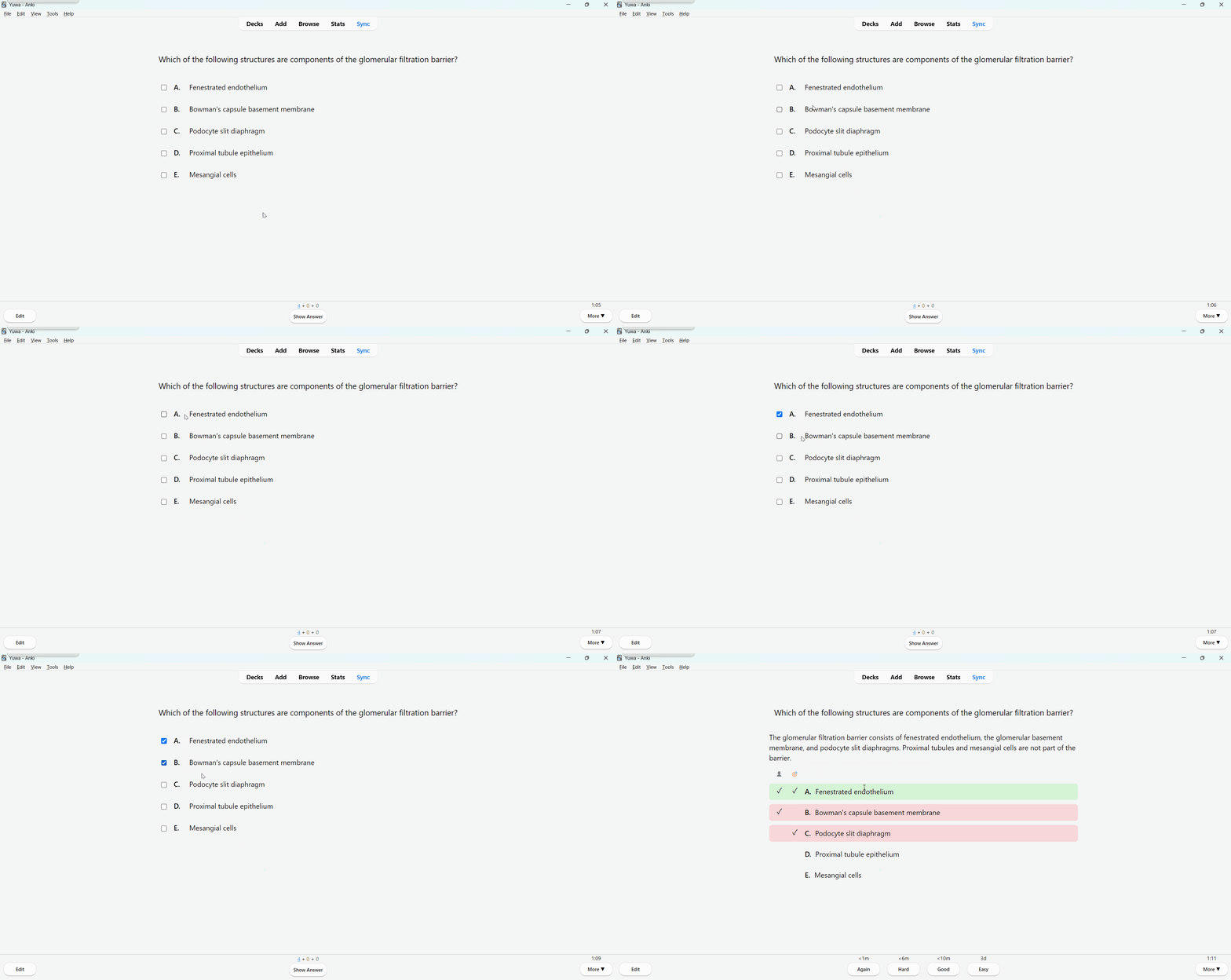
Review multiple-choice questions in Anki with a clean, exam-style interface. Instantly see what you chose, what was correct, and why — without clutter.
Why this add-on?
Standard Anki cards are great for recall, but MCQs need a different kind of feedback:
• Was my answer correct or incorrect? • Which options were correct? • Did I miss something, or choose too much?
This add-on turns MCQ review into a focused, exam-like experience.
Key features
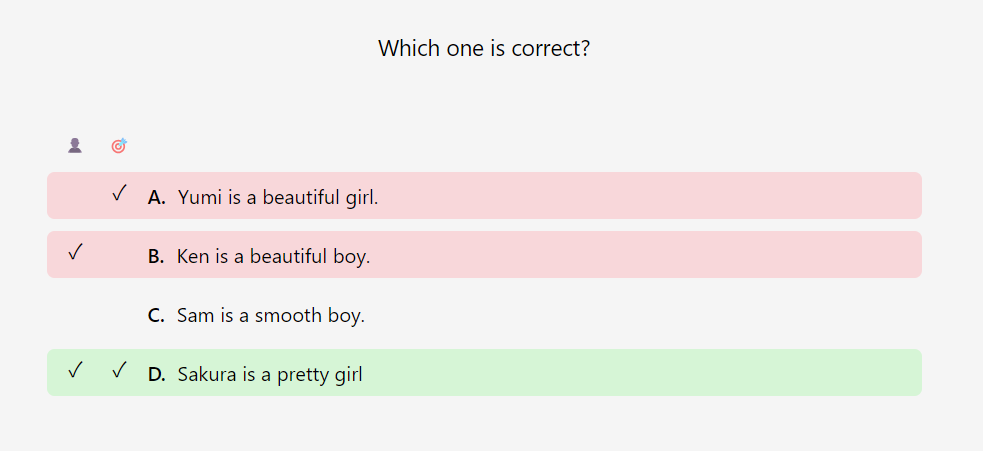
• Supports single-choice and multiple-choice questions • Clear visual separation of: 👤 Your answer 🎯 Correct answer • Row-level color coding: 🟩 Correct selection 🟥 Incorrect or missed option • In single-choice mode, unnecessary columns are automatically hidden • Optional explanation field, shown exactly where you want it • No redundant “Correct answers: …” text — only what matters
How it looks during review
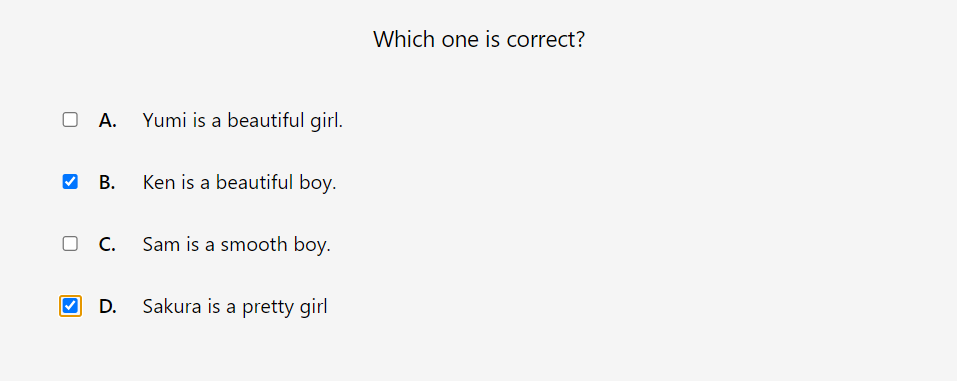
• Select your answer(s) on the front side • Flip the card • Instantly understand: – what you chose – what was correct – where you made a mistake
Builder integration
• Open via editor toolbar or Tools menu • Works from Add/Edit window and Browser • Automatically creates and manages a dedicated note type: MCQ (Addon)
Note type fields
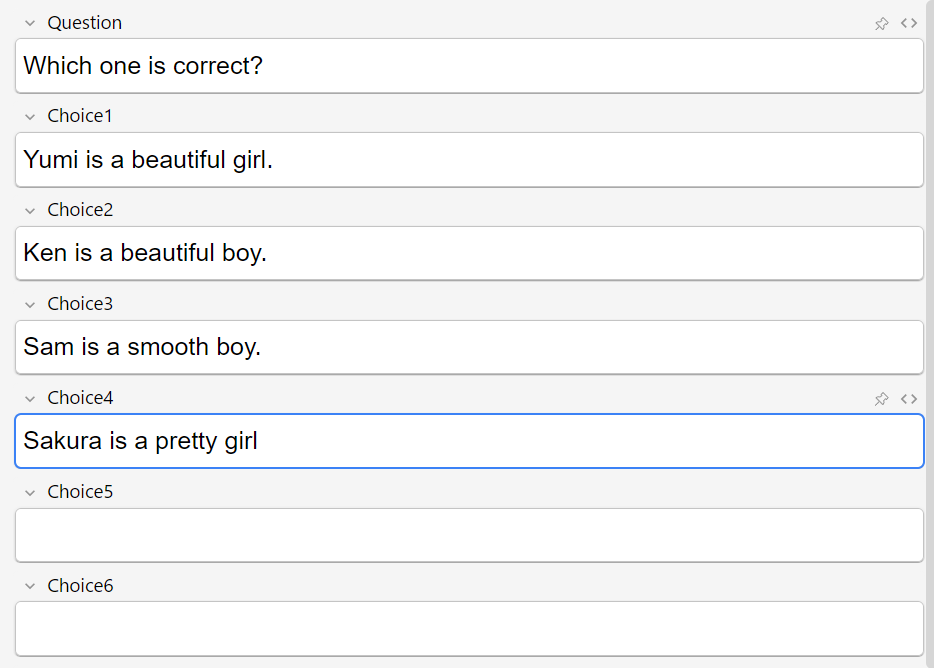
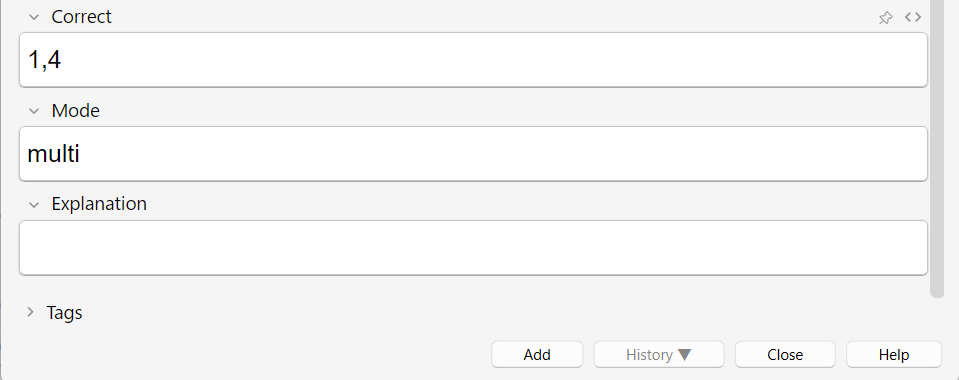
• Question • Choice1 – Choice6 • Correct (comma-separated indices, e.g. 2,3) • Mode (single or multi) • Explanation (optional)
Smart state handling
• Your selections are stored only temporarily • Optionally cleared automatically after reviewing the answer • Prevents accidental reuse of old answers in later reviews
Configuration
You can customize behavior via “Tool → Add-on → MCQ Generator”:
• Force template updates (for development) • Control explanation placement • Clear selection state after review (recommended)
Changes take effect after restarting Anki.
Source code
GitHub: https://github.com/yuwayanagitani/multiple-choice-generator
==================================================
How to make MCQ with this add-on Input your question and answer options. (maximam six, the empty options will be ignored in review window.)
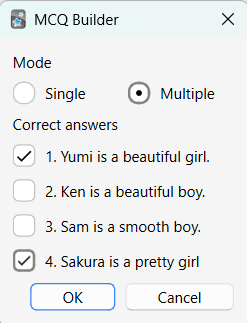
Open the MCQ builder UI (You can find it on the top bar of the “Add” window.) and configure them.
Then, the “Correct” and “Mode” fields will be automatically filled as you intented on the UI. Or, you can input manually on these fields. (“Correct” field should be written only in numbers separated by comma. “Mode” field should be “multi” for multiple choice or “single” for single choice.)
This is how you will see in the review window.
==================================================
Updates 2026/1/2 - v0.1.1 - Now you can change the config via default Anki config GUI. 2026/1/2 - v0.1.2 - Some minor changes. 2026/1/2 - v0.1.3 - Bug in the postion of explanation field fixed. 2026/1/2 - v0.1.4 - Make margin on top and bottom of the Explanation field. (CSS change only). 2026/1/7 - v0.1.5 - Fixed some bugs in creating the note type. 2026/1/7 - v0.1.6 - Fixed color setting in dark mode.
==================================================
Supports
This tool is built to support medical students and residents. Support via thumbing up 👍 on this page and Buy Me a Coffee ☕ motivates me a lot!!
Screenshots

Liên kết hỗ trợ
Reviews (3)
👍 2026-02-07
that’s good
👍 2026-02-02
Great add on but have an issue with both the wrong answer and correct answer highlighting red when reviewing. Any assistance would be much appreciated
👍 2026-01-07
Everytime I download this add-on, I am unabe to use it. I get this error: anki.errors.CardTypeError: Card template 1 in note type ‘MCQ (Addon)’ has a problem.<br>Expected to find a field replacement on the front of the card template. Comment from author Hello! Thank you for your feedback. There were some bugs in the process for creating the note type. I fixed it, and you will get a proper note type automatically after you update the add-on. If you persist to have same issue even with it, pl
