Currently, this addon is no longer being maintained, and future maintenance will primarily focus on Notion2Anki2.
An Anki addon that loads toggle lists from Notion as notes to different deck.
This project is forked from notion-anki-sync. I’ve made enhancements to the original project and added the following features:
Adding Notes from Different Pages to Different Anki Decks
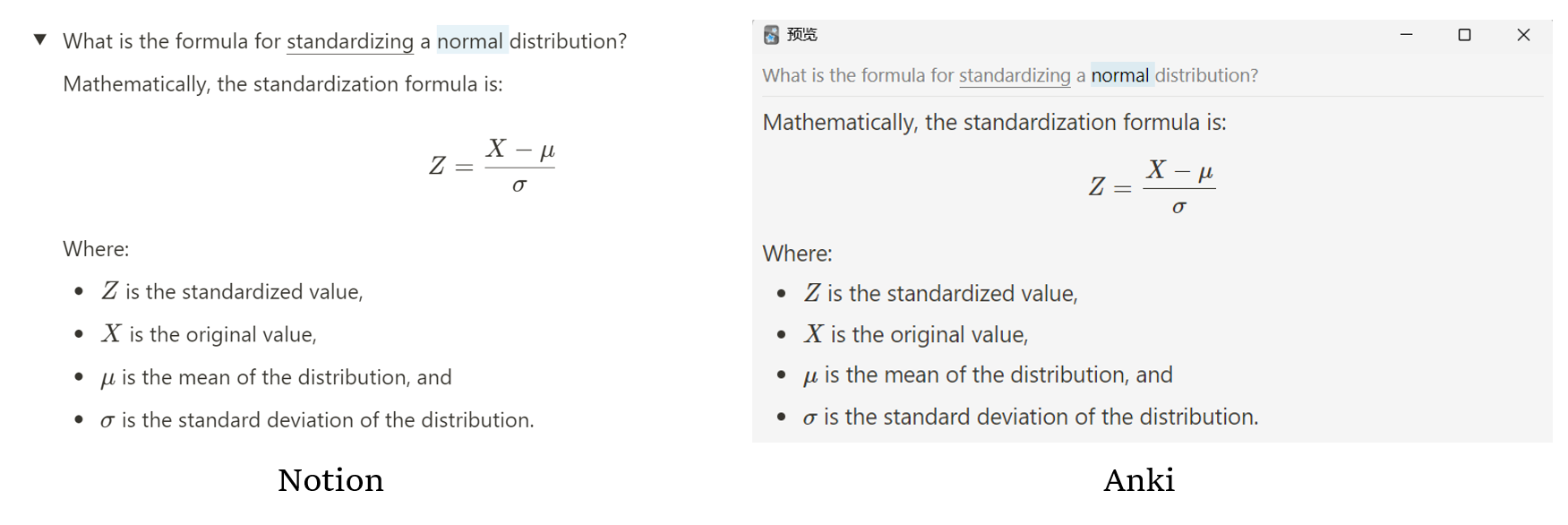
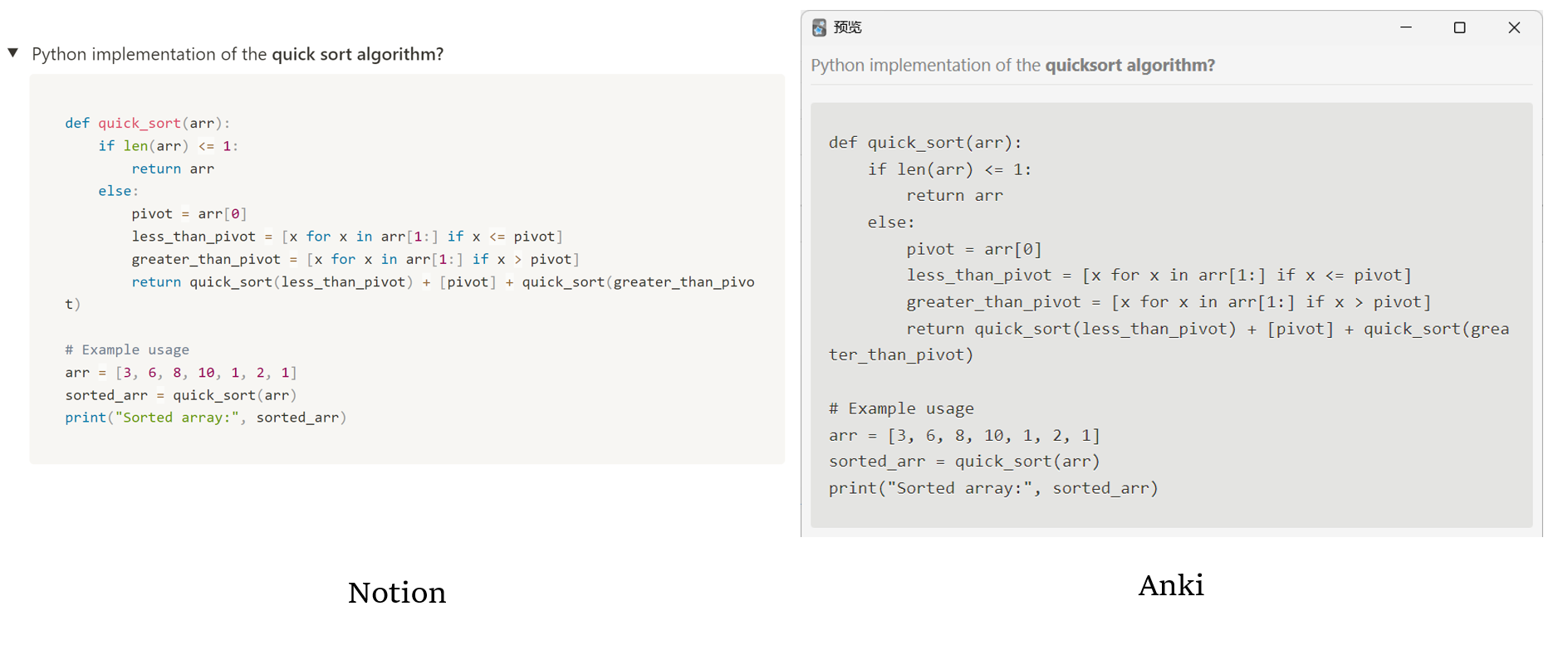
Here are two screenshots demonstrating the rendering of code blocks and formula blocks from Notion, as well as the rendering of bold text style and background color.
How it works
The general process involves initially exporting the page content as HTML, followed by converting the HTML into Flask cards for importing into their respective decks. Specifically:
You provide a set of Notion page IDs to export. Each “toggle list” block from Notion will be transformed into an Anki note. The title of the toggle block becomes the front side, and its content becomes the back side. Lines starting with #tags are parsed as tags. Toggles can be ignored by prefixing the toggle title with the ❕ symbol (type ”:!” in Notion and select the white one). Clozes can be added using code blocks within toggle titles. The backside will be ignored (except for tags).
Synchronization can work in the background or can be triggered manually from the NotionSync submenu in the Tools section. Note that background sync does not remove any notes; if you want to remove the obsolete notes, then trigger Load and remove obsolete from the submenu.
Requirements Notion API token
To get Notion API token log in to Notion via a browser (assuming Chrome here), then press Ctrl+Shift+I to open Developer Tools, go to the “Application” tab and find token_v2 under Cookie on the left.
Notion page ids
To get Notion page id open up the page in a browser and look at the address bar. 32 chars of gibberish after a page title is the page id: https://www.notion.so/notion_user/My-Learning-Book-8a775ee482ab43732abc9319add819c5 ➡ 8a775ee482ab43732abc9319add819c5
Edit plugin config file from Anki: Tools ➡ Add-ons ➡ Notion Toggles Loader ➡ Config
{ “debug”: false, “sync_every_minutes”: 30, “notion_token”: “<your_notion_token_here>”, “notion_namespace”: “<your_notion_username_here”, “notion_pages”: [ { “page_id”: “<page_id1>”, “recursive”: false, “target_deck”: “<deck_1>” }, { “page_id”: “<page_id2>”, “recursive”: true, “target_deck”: “<deck_2>” } ] }
Configuration parameters debug: bool [default: false] — enable debug logging to file. sync_every_minutes: int [default: 30] — auto sync interval in minutes. Set to 0 to disable auto sync. notion_token: str [default: None] — Notion APIv2 token. notion_namespace: str [default: None] — Notion namespace (your username) to form source URLs. notion_pages: array [default: [] ] — List of Notion pages to export notes from. page_id: 32 chars of Notion page id., recursive: If true, Page should be exported with all its subpages., target_deck: The target deck is a string attribute that specifies the name of the deck where loaded notes will be added. If multiple page_ids refer to the same target_deck, their corresponding notes will be combined and added to the same target_deck. Known issues & limitations
Behind the scenes, the addon initiates Notion pages export to HTML, then parses the HTML into notes. Since non-public Notion API is used, the addon may break without a warning.
As for now, LaTeX and plain text cannot be used in the same cloze: Notion puts them in separate code tags which leads to the creation of two cloze blocks.
Some toggle blocks are empty on export which leads to empty Anki notes. The issue is on the Notion side (and they’re aware of it).
The color of the code block cannot be rendered.
Screenshots
Liên kết hỗ trợ
Reviews (6)
👍 2025-08-30
hard to use
👍 2025-03-22
Images keep getting messed up, not being assigned to the card they belong to
👍 2024-09-18
is there a way to make the target deck nested in another deck? for example, say I want to upload cards to an existing deck, ‘chapter 1’, under a larger deck ‘MODULE A’. currently, if I write the target deck as ‘chapter 1’, it doesn’t recognize that the deck is nested and spits out a new deck in the highest hierarchy. I tried to use Anki’s syntax of ‘chapter 1::MODULE A” but this returns an error.
does anyone have any idea here for how the target deck needs to be formatted to nest and update c
👍 2024-08-25
Haven’t tried this yet but glad to finally have a recursive option.
I’d pay a $50 bounty if you could also include the option to create a subdeck structure automatically based on the Notion page hierarchy.
For example, imagine I have the following Notion page structure:
- Programming
- JavaScript
- React
- Node
- CSS
- Flexbox
- Grid
- JavaScript
I am envisioning each item in notion_pages having the option to do this (e.g. "create_subdecks": true)
So you woul
👍 2024-05-20
It works for me. It’s essentially “Notion Toggles Loader” Addon but instead of pushing all notes to one and the same deck you can configure separate decks for each configured notion-page.
👍 2024-05-10
Its not working it keeps syncing but no cards were added
