Anki Question ID Manager
Anki Question ID Manager is a powerful and user-friendly add-on for Anki that enhances your study experience by extracting and displaying question IDs embedded in your card tags.
Features
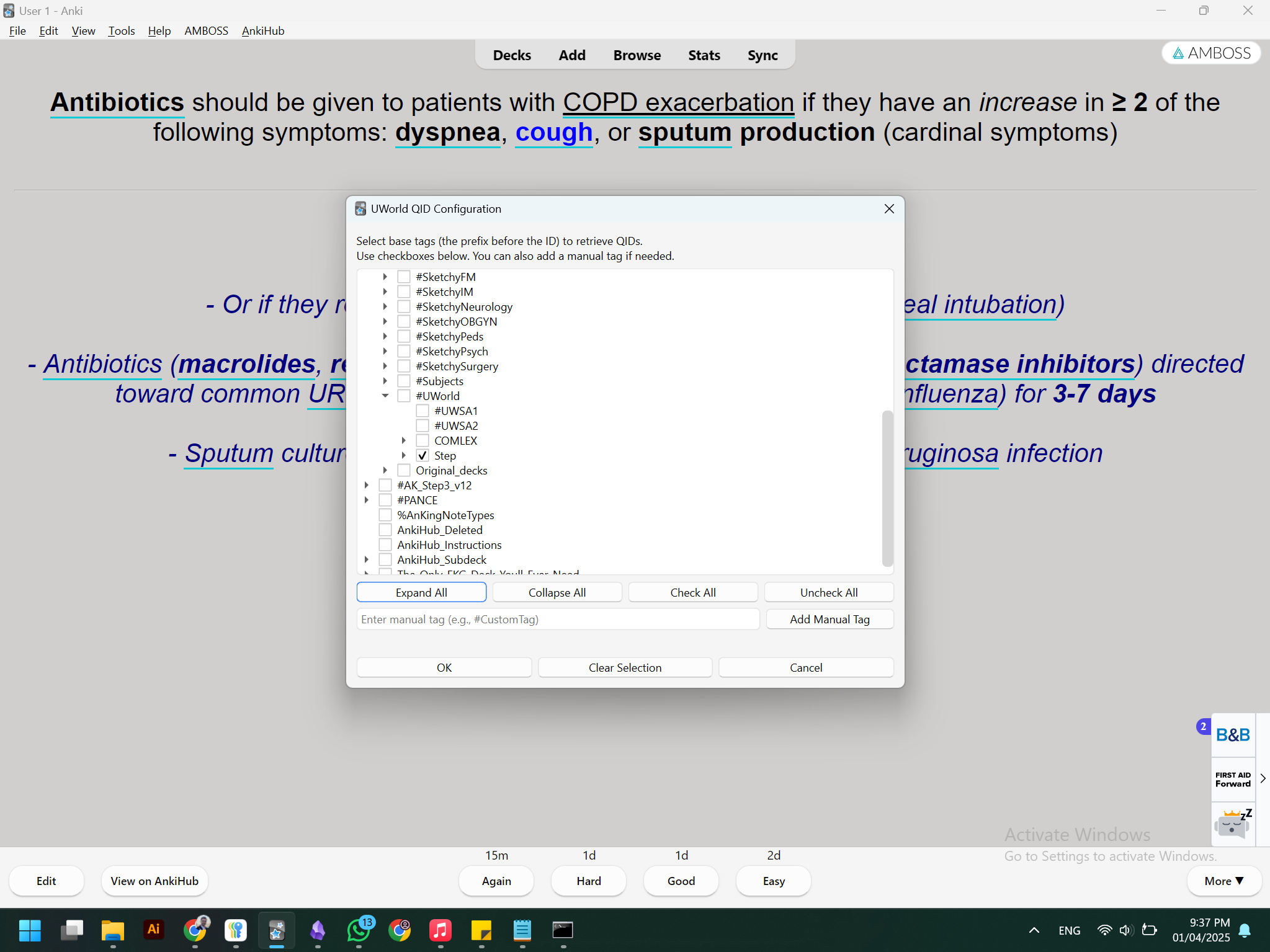
Customizable Tag Extraction: Easily configure the base tags from which the add-on extracts question IDs. Only retrieves IDs that match your chosen tag prefixes.
Hierarchical Tag Selection: View and select tags in a clear, hierarchical tree view with checkboxes for easy configuration.
Manual Tag Entry: Add any custom tag manually if it’s not present in the tag tree.
UI Enhancements: Toggle tree view options with buttons to expand/collapse and check/uncheck all tags.
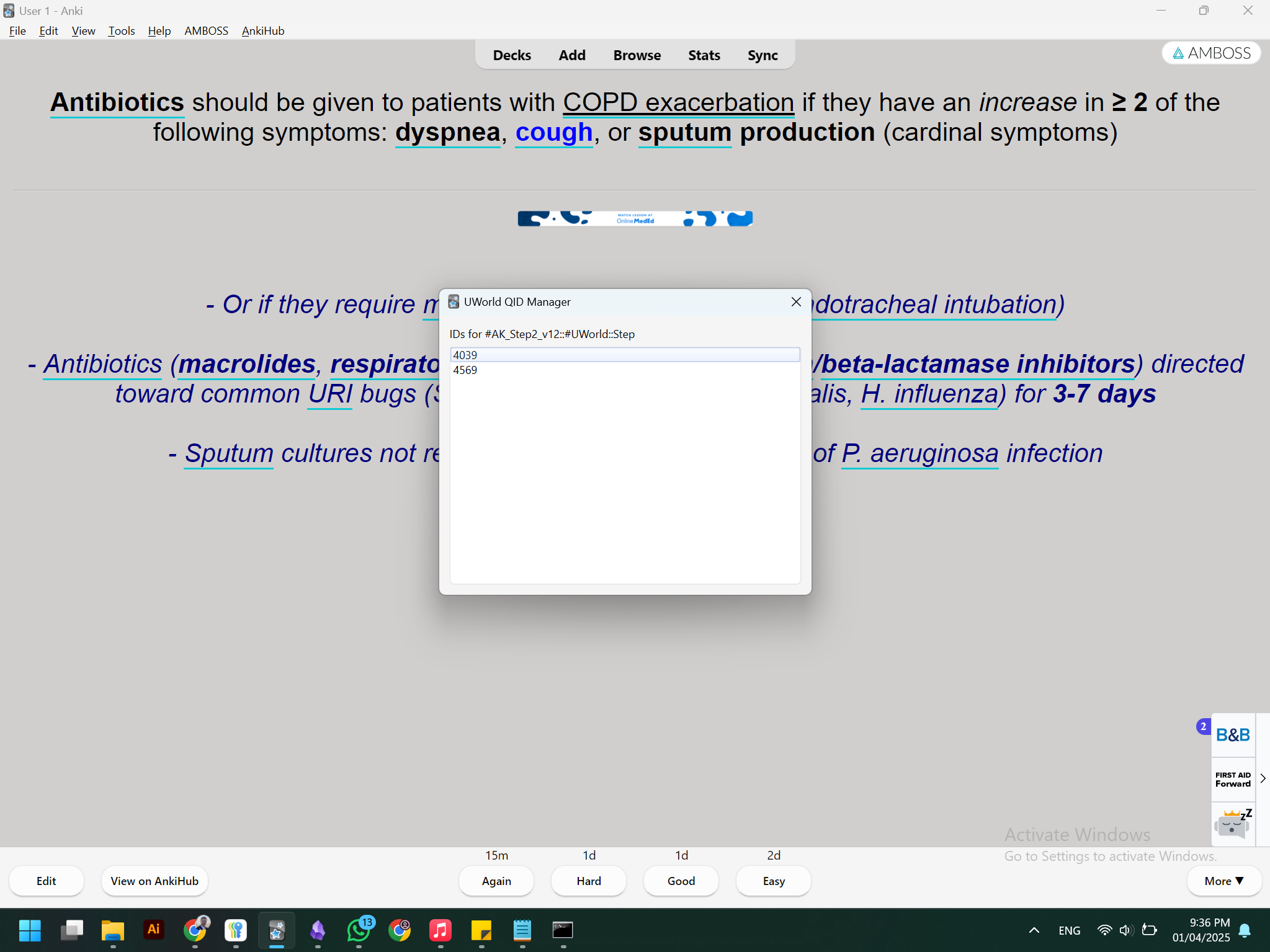
Real-time QID Retrieval: Extracts and displays all matching question IDs from the currently active card with a clean interface.
Separate Configuration and Display Menus: Configure your tag selection via Tools > UWorld QID Config and view the extracted IDs via Tools > UWorld QID Manager.
Installation
Download the Add-on: Clone or download the repository from GitHub: https://github.com/rad1shayeb/anki-question-id-manager
Install the Add-on:
Open Anki. Navigate to Tools > Add-ons > Open Add-ons Folder. Copy the entire anki-question-id-manager folder into the add-ons directory. Restart Anki.
Configure the Add-on:
Go to Tools > UWorld QID Config. Select the base tags you want to use for QID extraction. Use the provided buttons to manage your selections and save the configuration. Usage
Extracting QIDs: With your configuration set, open a card in Anki that contains tags matching your base tags followed by a question ID (e.g., #Tag1::12345). Access Tools > UWorld QID Manager to view all extracted question IDs for the active card. Right-click any ID to copy it to your clipboard.
Updating Configuration: If you need to update your tag selections, go back to Tools > UWorld QID Config and make your changes.
Troubleshooting
No QIDs Displayed:
Ensure that your active card has tags formatted as <base tag>::<ID>. Verify your configuration in UWorld QID Config to ensure the correct base tags are selected.
Add-on Not Loading:
Double-check that the add-on is placed in the correct add-ons folder. Restart Anki after installing or updating the add-on.
For further assistance, refer to the log file (qid_addon.log) located in the add-on’s directory.
About
Author: Radwan Shayeb 4th Year Medical Student, An-Najah National University GitHub: rad1shayeb shayebradwan@gmail.com
For more details, see the source code: init.py on GitHub
Screenshots