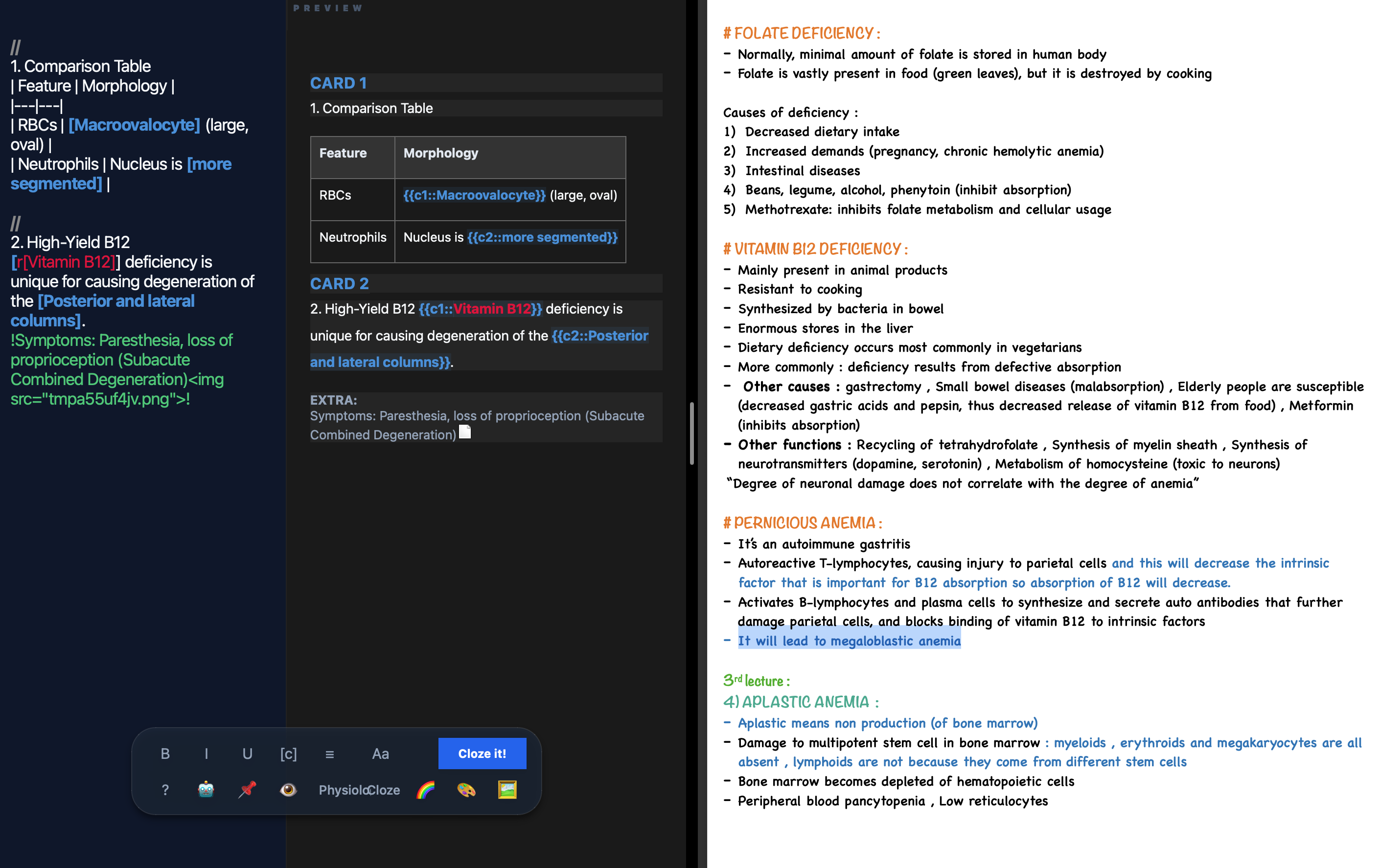
Make flashcards without stopping your study flow.
Workflow:
Note Taking: Write notes directly in the workspace while studying.
Quick Cloze: Press Cmd + Shift + C to turn selected text into a cloze deletion.
Batch Create: Click one button at the end to generate all cards at once.
Syntax:
Cloze: [Text] → {{c1::Text}}
Extra Info: !Comment! → Added as an extra comment
Color: r[Text] → Colors the text red
AI🤖 & View AI Bridge: Use the Robot Button to copy a system prompt for ChatGPT/Claude/Gemini to format cards for you.
Split Screen: Unpin the window to snap it to the side of your screen for easier multitasking. It’s just faster.
Screenshots