Copy content between decks with ease
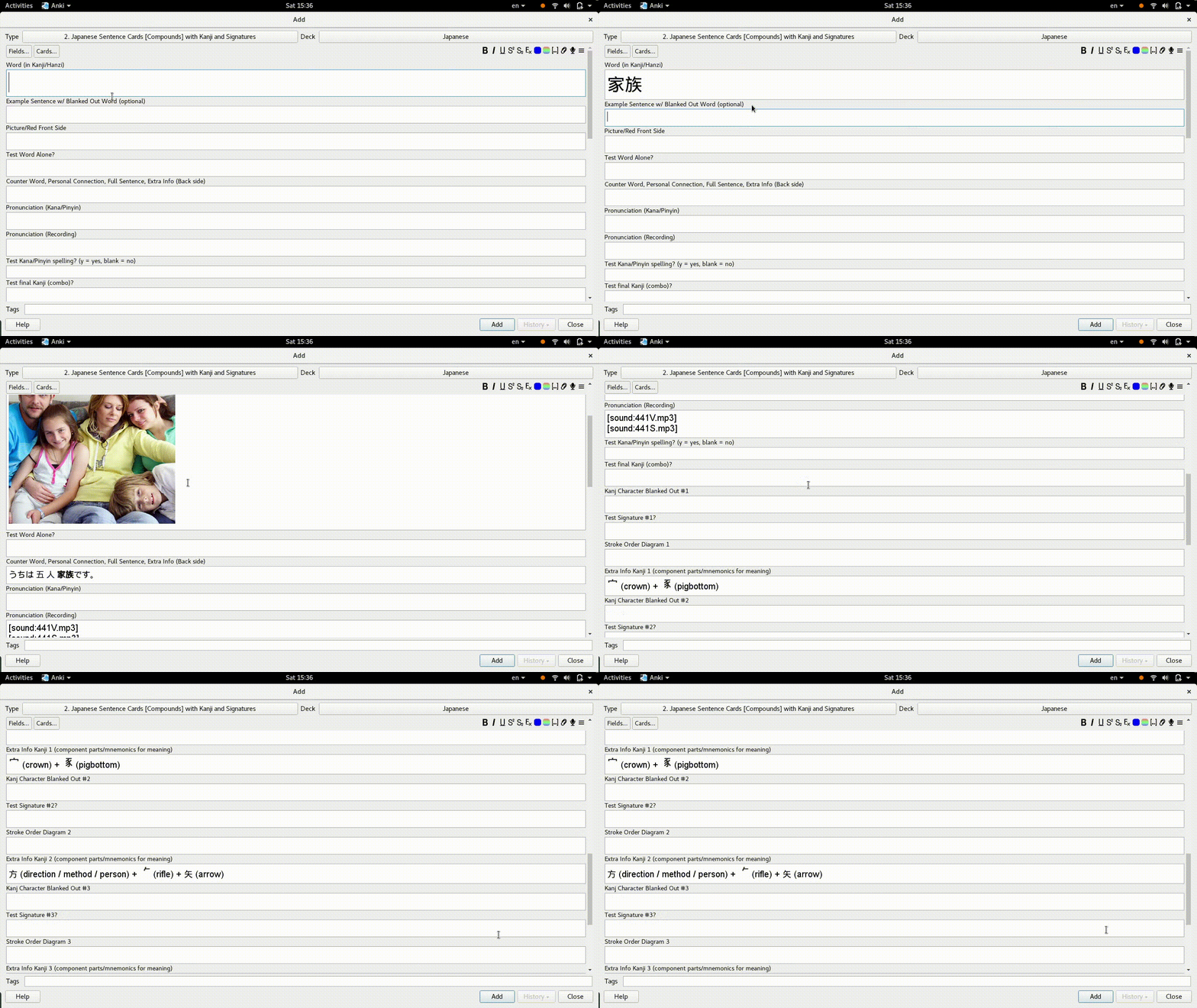
Smart Copy provides a flexible configuration for copying fields between notes automatically. Every time a field you specified is unfocused (the “subject field”), the plugin searches this field in other notes and copies the relevant content from them.
My use case for this is to copy content from several decks that I downloaded from the internet to the deck I use to study with.
For questions, please use this Github page.
SCREENSHOT
INSTRUCTIONS & SUPPORT
For instructions on using this plugin, please refer to the readme in the Github page. It also contains a few examples and the configuration to copy content to my Japanese deck. For support, please use the project’s issue tracker.
Screenshots
Liên kết hỗ trợ
Reviews (5)
👍 2024-05-28
Thank you for the plugin.
It is very helpful in my deck preparation process. I mine sentences using a combination of asbplayer + VocabSieve.
The cards follow a Basic template (simple type, without clozes). Therefore, I encounter duplication of some fields when parsing words from a single sentence, as I add pairs of “original word in dictionary form” “original sentence containing the word in its altered form.”
My card has the following fields: WordSource SentenceSource WordDestination Sent
👍 2023-03-18
Great plugin. Took me a while to work out that I needed to click off the card for it to autofill.
👍 2023-02-28
Very helpful.
P.S. Somehow it didn’t work with “copyOnlyIfEmpty” set to “true”.
My config
{
“perCharacterSearchConfigurations”: [
],
“subjectField”: “front”,
“wholeTextSearchConfigurations”: [
{
“blankOutTextRegex”: null,
“blankOutWordAfterCopy”: false,
“copyOnlyIfEmpty”: false,
“destinationField”: “ID”,
“noteType”: “Kanji Study Word Model v3”,
“sourceField”: “ID”,
“textToR
👍 2020-08-20
Amazing idea, but could you please explain more detail?
👍 2020-07-08
Thank you! I suggest you to explain better what it does in the description because right now it’s not clear :)
