Demo
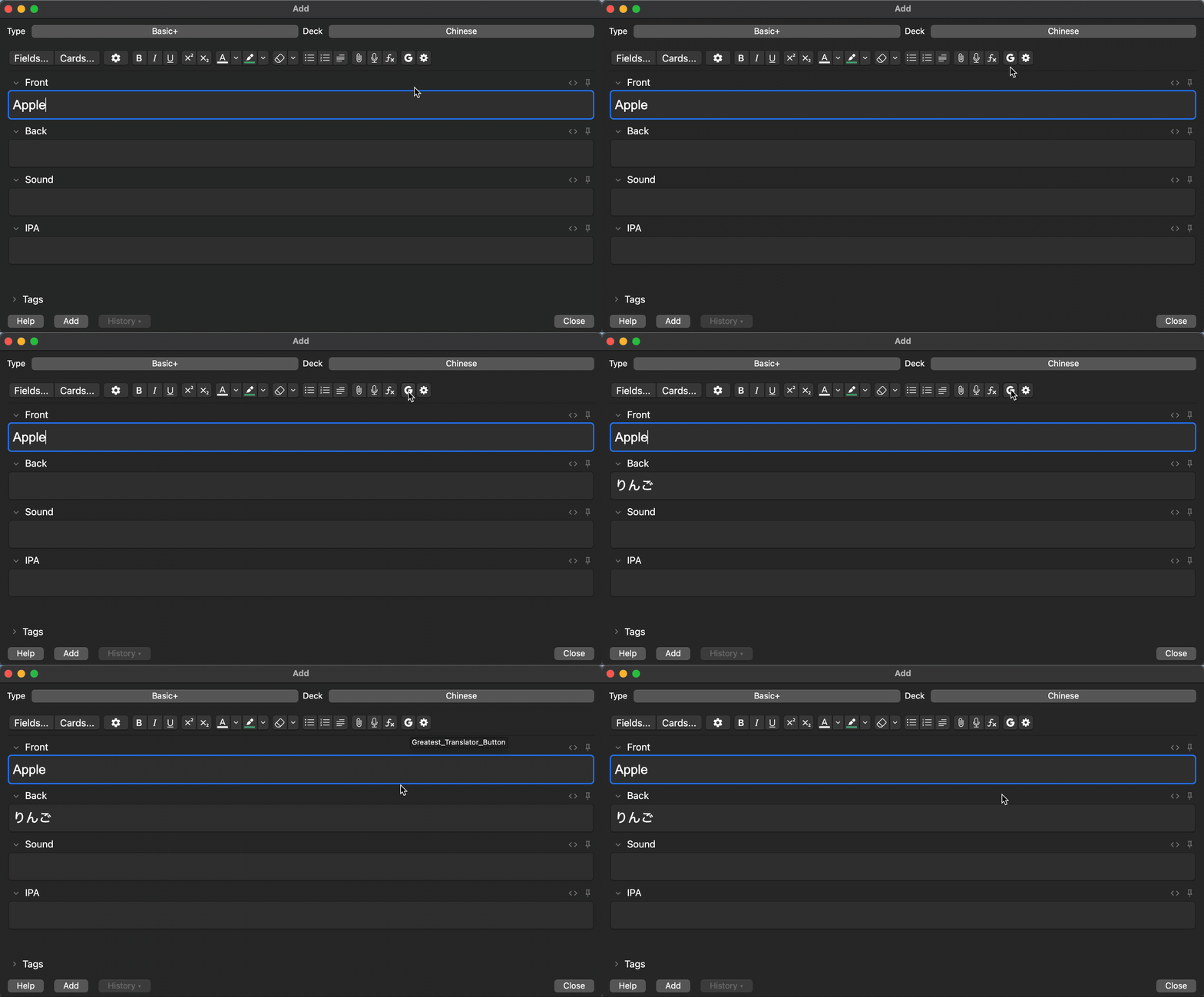
What is it? This is the Translator Anki Add-on. 🔀 You can switch between DeepL Translate and Google Cloud Translate. 🕵️ You can track your API usage. 🔑 You need a Google Cloud API Key or DeepL API Key. ✅ It is completely free to use within the limits specified by each API. How to Use
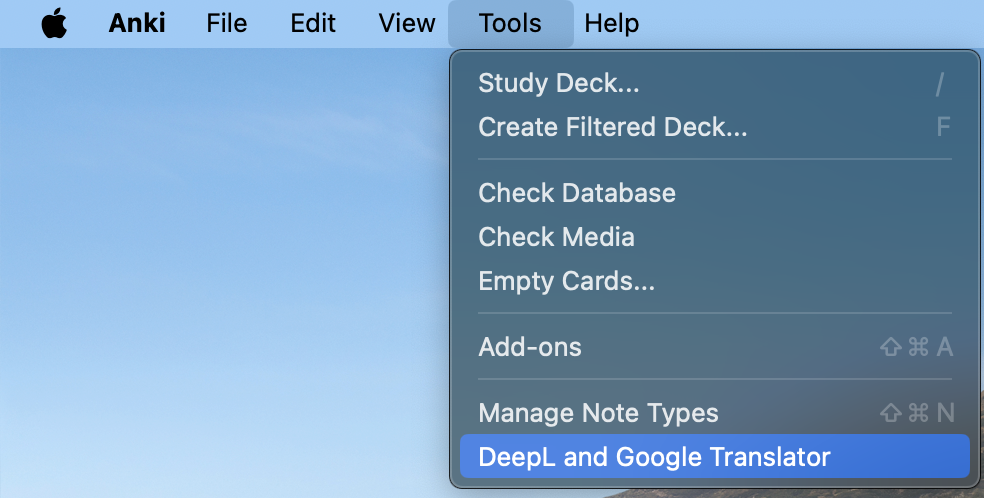
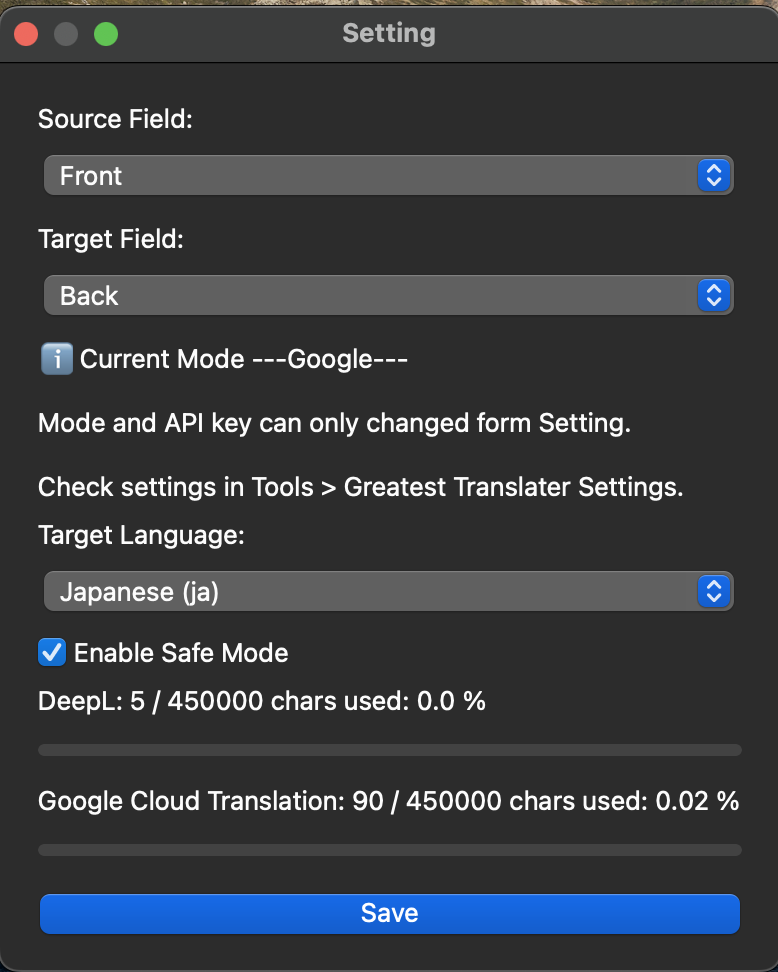
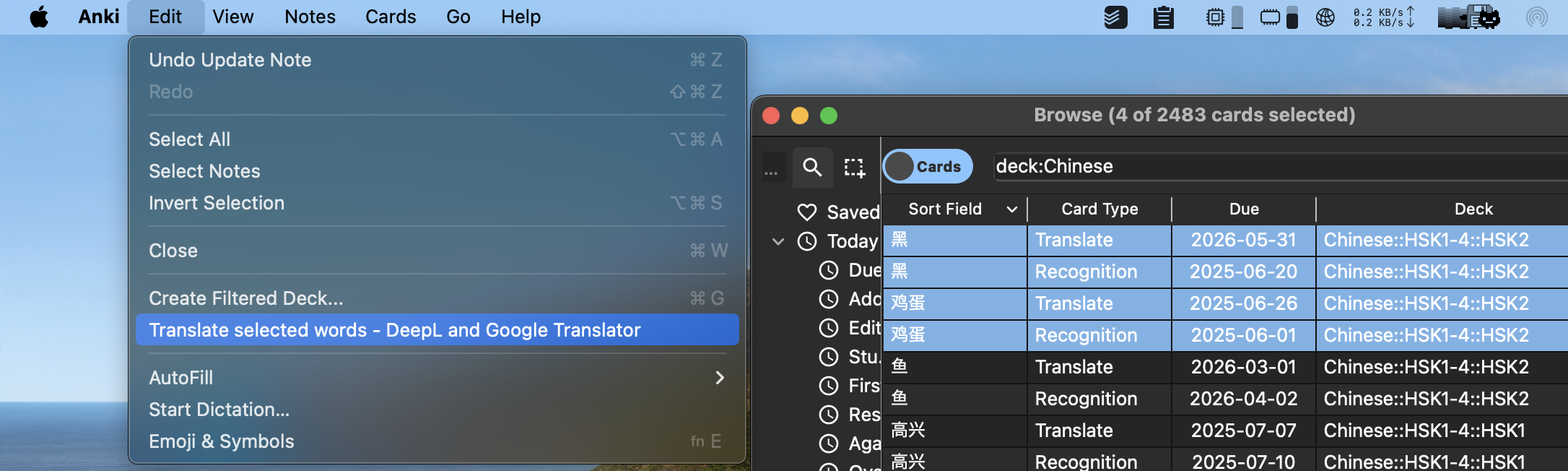
Go to Tools > D and G Translator Set up your fields: Source Field is the field that contains the text to translate. Target Field is the field where the translated text will be inserted. ⚠️ This is a general setting. You can also configure settings per deck. See the Per-Deck Settings section for details. Target Language is the language that will be inserted into the Target Field. Example: If you want to translate from English to Japanese, set the target language to Japanese. Insert your DeepL or Google Cloud API Key. If you’re using DeepL, setting the API start date allows accurate usage tracking. Turn on Safe Mode to disable translation when API usage exceeds the limit. While adding or browsing cards, click the D & L Translator button to translate: In DeepL mode, the DeepL icon appears. In Google Cloud mode, the Google icon appears. Per-Deck Settings Click Setting Button the button next to the D and L Translator icon in the Browser or Add screens to configure settings specific to each note type. These settings override the general settings and are recommended for accurate translation behavior. Translate Multiple Languages You can translate multiple languages at once via Browser > Edit > Translate Multiple Words - D and G Translator. FAQ
Q: Translation doesn’t work. A: Make sure the correct API Key and translation mode are selected.
Q: The text isn’t being translated to the correct field or language. A: Check the settings under the Per-Deck Settings section to ensure everything is properly configured.
🚨Bug🚨 if you find bug, please report here or here with 👍 LICENSE
This add-on is distributed under the Apache License 2.0.
Third-party Licenses Icons: Some icons are provided by Icons8. Icons8 icons are used in accordance with their Terms of Service. DeepL Python Library: This add-on uses the deepl-python library, which is licensed under the MIT License. Google API Python Client: This add-on uses the google-api-python-client, which is licensed under the Apache License 2.0. dateutil: This add-on uses python-dateutil, which is licensed under the BSD 3-Clause License. ⚠️⚠️⚠️Very Important Notice⚠️⚠️⚠️ The API Usage feature is an experimental function. API Usage reflects only the amount used within this app. API Usage may not always be accurate. Please use it at your own risk. Please Rate👍 Rate this add-on 👍👍👍👍👍👍 Star this project ⭐️⭐️⭐️⭐️⭐️⭐️
Screenshots
Liên kết hỗ trợ
Reviews (1)
👍 2025-05-13
I love API Usage feature. Comment from author Thank you !!! 🔥
