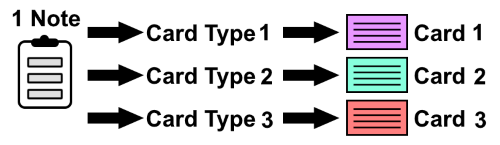
Given you have selected multiple card types for a note, like a bi-directional vocabulary card. What Anki does now, is to create one card per note for every note type.
Default Anki behavior:
However, you may not want this for various reasons like:
- Not having two completely independant cards, but rather make progress on all cards at the same time
- Not learning all cards equally intense (e.g. focus more on recognition than reproduction)
- Including variations, which do not deserve a card on their own
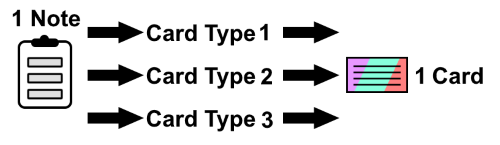
UniCard Mode alters this behavior, by combining multiple card types into a single card.
UniCard:
You can toggle UniCard mode on / off for each individual note type. On those note types, where it is toggled on, each note exactly equals to one card. When you learn this card there’s a chance for every card type to be displayed. I.e. it is random which card type is shown. Each type has a multiplier, which determines how often it is displayed compared to the other types.
Screenshots
Reviews (1)
👍 2025-02-28
A very useful add-on when studying bi-directional flashcards ( the features it offers certainly deserve more consideration ! ) , but could you please update it? Many thanks! Comment from author Hey, sorry I am no longer maintaining this add-on since updating it to newer Anki versions would require a significant rewrite and it has few downloads.
