Adjust Sound Volume (Enhanced by egg rolls)
This add-on enhances the original Adjust Sound Volume with improved features and usability.
Known Issues Cannot control .webm files on Windows. Cannot control non-local audio. How to Install
You can install this add-on through AnkiWeb.
You can also download the source code on my GitHub and use the make command to package it.
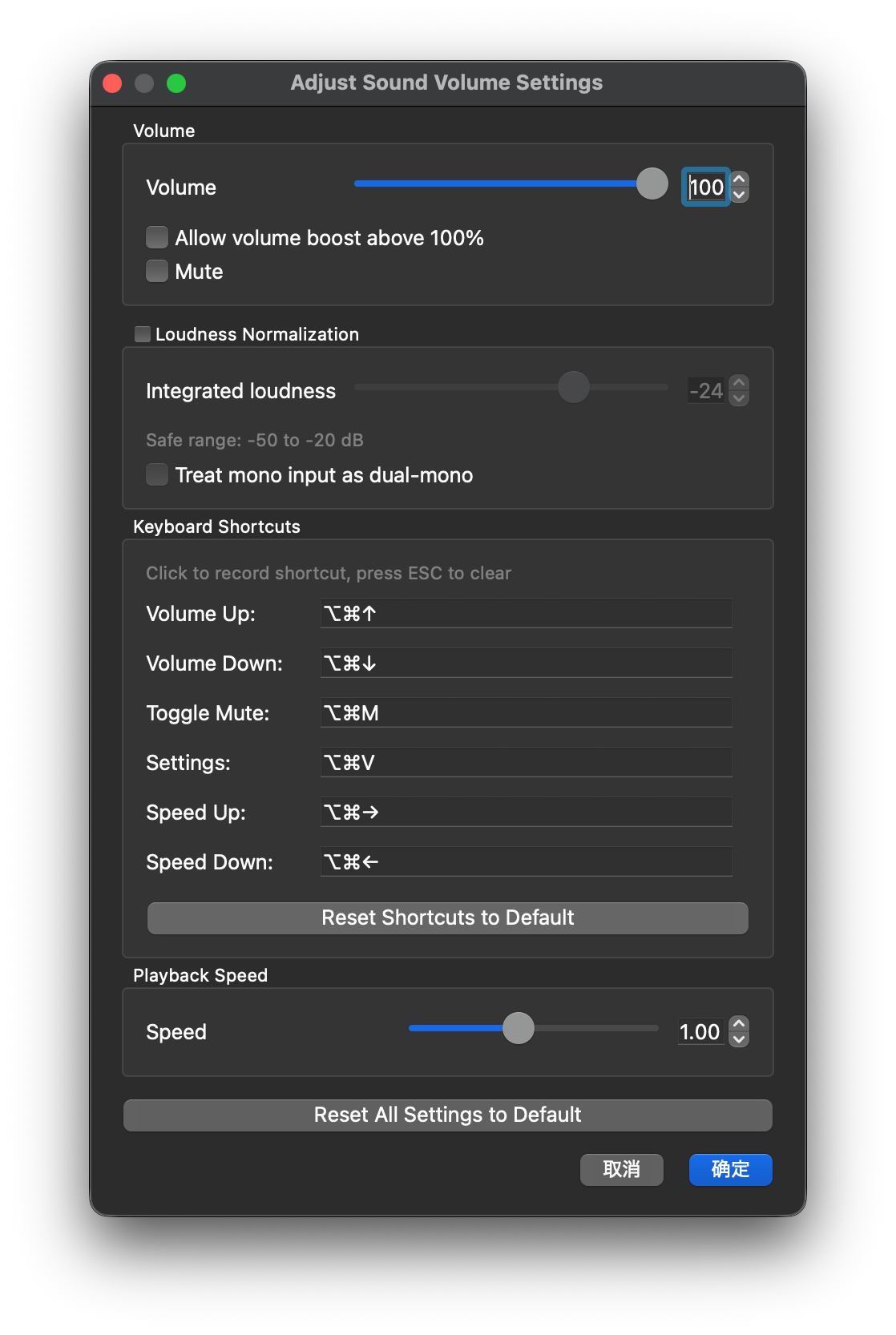
Original Features Access via Tools > Adjust Sound Volume for audio control. Adjustable volume slider with numeric input. Loudness normalization support when using mpv. New Features Volume Boost Boost audio up to 200% with a simple checkbox. Mute Function One-click toggle to mute sound instantly. Audio Speed Control Adjust playback speed between 0.25x and 2x for more flexibility. Keyboard Shortcuts
Customizable shortcuts for seamless control:
Volume Up: Ctrl+Alt+Up
Volume Down: Ctrl+Alt+Down
Toggle Mute: Ctrl+Alt+M
Open Settings: Ctrl+Alt+V
Speed Up: Ctrl+Alt+Right
Speed Down: Ctrl+Alt+Left
Shortcuts can be edited in the configuration UI.
UI Enhancements Streamlined layout with grouped settings. Tooltips display current volume or mute status. Improved Tools menu for easier navigation.
Screenshots
Liên kết hỗ trợ
Reviews (1)
👍 2026-02-17
♡♡♡ This is definitely far better than the original one. Thank you for improving it! I find this plugin really useful since most card audios have lower volume than normal. ♡♡♡ Comment from author ❤️
