Long cards are easy to write — and hard to review. Use AI to split overloaded cards into multiple short, focused questions without deleting the original. Faster reviews, cleaner cards, better retention.
Key features • Splits long answers into multiple atomic Q&A cards • Keeps the original note untouched (safe refactoring) • Batch mode for cleaning up entire decks
Source code GitHub: https://github.com/yuwayanagitani/anki-ai-splitter
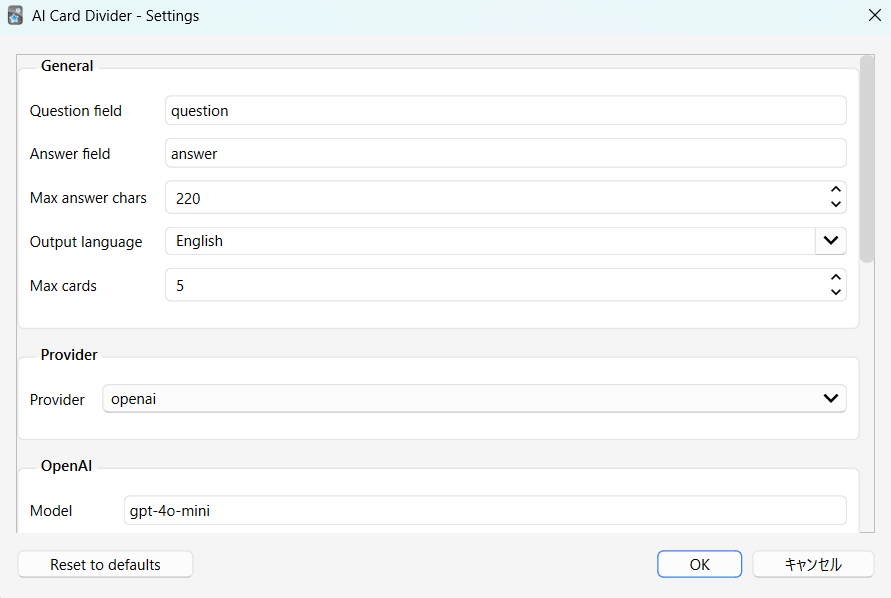
Setting You can access to the setting via “Tool” → “Add-ons” → “AI Card Splitter”
==================================================
API Key Required This add-on uses external AI services and requires your own API key. Supported providers include OpenAI and Google Gemini. No API key is included or provided by this add-on.
How to Set the API Key (Environment Variable) The API key must be stored as an environment variable so that Anki can access it securely.
macOS Run the following command in Terminal: launchctl setenv OPENAI_API_KEY your_api_key_here or for Gemini: launchctl setenv GEMINI_API_KEY your_api_key_here Restart Anki after setting the variable.
Note: On macOS, environment variables set with launchctl may be cleared after an OS reboot. To avoid re-setting them every time, define the variables persistently using a LaunchAgent or your shell profile.
Windows
Open “Environment Variables” from System Settings. (You can access it by searching “environment” in your start menu (windows button).
Add a new user variable: Variable name: OPENAI_API_KEY or GEMINI_API_KEY Variable value: your_api_key_here
Restart Anki after saving.
Once the environment variable is set, the add-on will automatically detect it on startup.
==================================================
Updates v0.2.0 - Split selected notes directly from the Browse window. (2025-12-13) v0.3.0 - I enabled the splitting cards from the reviewr “other” button. (2025-12-15) v0.3.1 - The tags are created in layers. (2025-12-16)
==================================================
Supports
This tool is built to support medical students and residents. Support via thumbing up 👍 on this page and Buy Me a Coffee ☕ motivates me a lot!!
Screenshots