AI Explain
Add-on ID: 594887180
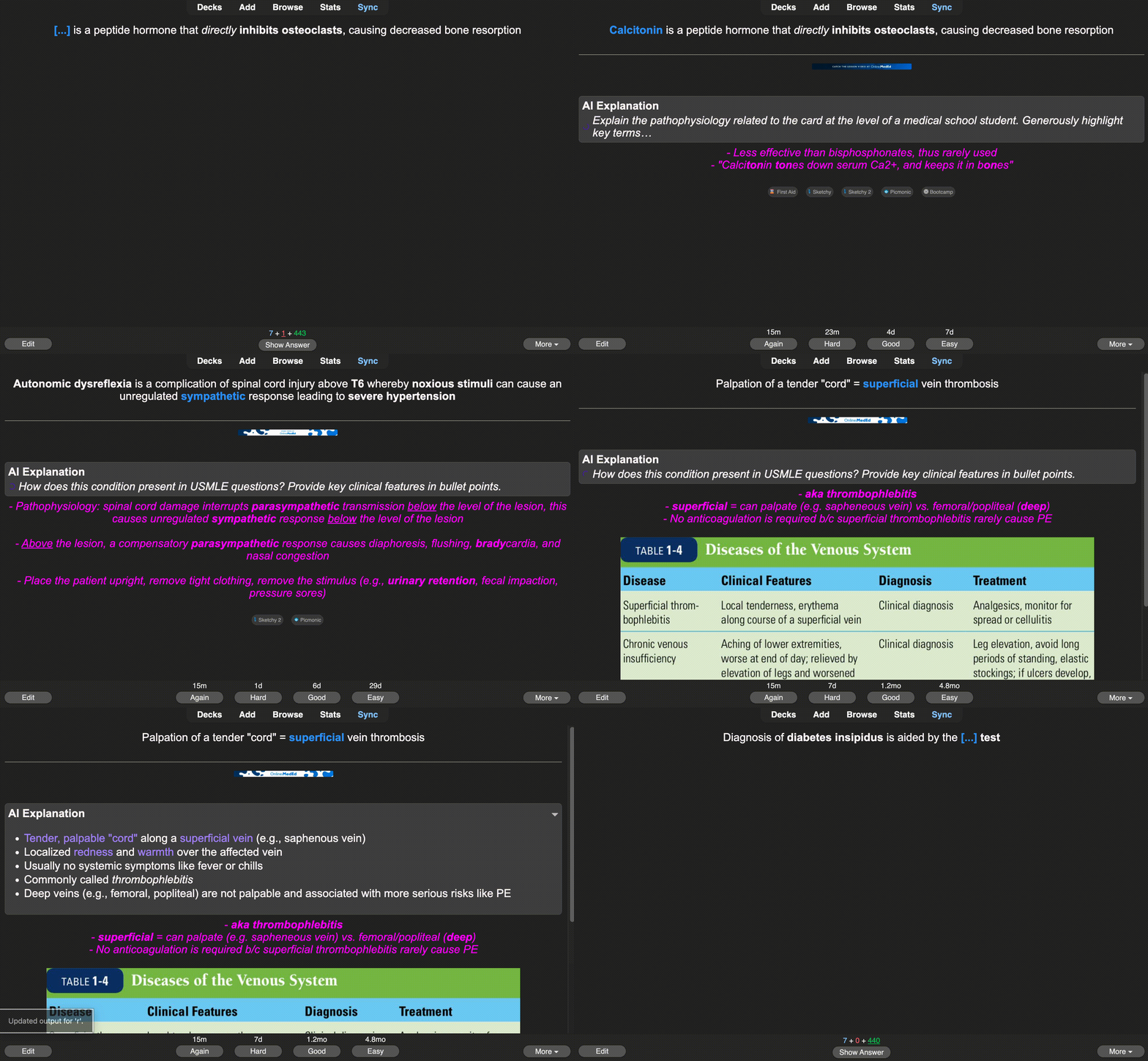
AI Explain adds instant, high-yield AI explanations to your Anki cards during review. Generate explanations with a single hotkey and save them directly to the note for future reviews.
🔗 Links
Main website: https://aiexplain.net/
✨ Key Features One-key AI explanations while reviewing Explanations are saved to a dedicated note field (persistent) Custom prompts per hotkey (e.g. explain, give mnemonics, compare concepts) On-the-fly prompts for when prewritten prompts aren’t enough Collapsible explanation panel to keep cards clean Designed for large decks and common templates (e.g. AnKing) Mobile-friendly: previously generated explanations are visible on AnkiMobile and AnkiDroid during review 💳 Subscription & Usage
Due to costs associated with generating AI responses to cards, AI Explain is a subscription-based service. An active subscription and available credits are required to generate explanations. Subscription management is handled through the add-on settings panel.
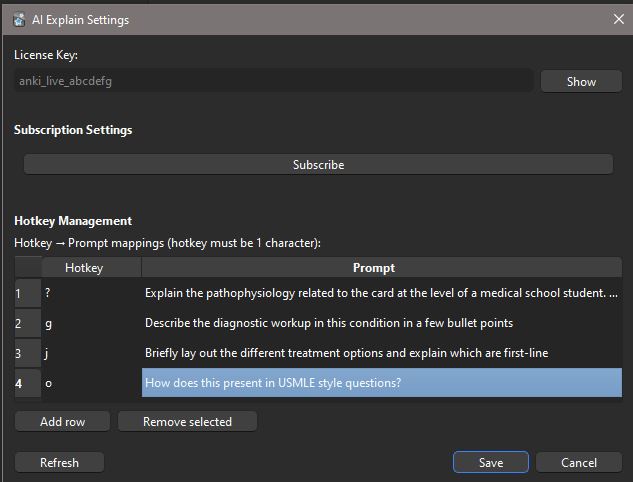
⚙️ How It Works Install the add-on Open Tools → AI Explain Settings Enter your license key and configure hotkeys Review a card, show the answer, then press your hotkey
Generated explanations are automatically saved and shown on future reviews — including on mobile devices.
⚠️ Important Notes & Disclaimers AI-generated content: Explanations are produced by an AI model and may contain errors, omissions, or oversimplifications. Always verify critical information. Template modification: On first run, this add-on automatically updates back-side card templates to enable explanation rendering. No front-side templates are modified. New note field: A dedicated field is added to note types to store generated explanations. Existing note content is not altered. Reversible: Generated text is stored like any other field and can be edited or removed manually at any time. I suggest you make a backup of your deck before installing. I have not seen my add on cause any problems that require reverting to a previous backup, but I would do it just to be on the safe side. You will have to do a full Anki server upload on the first-go round. 🎯 Best For Medical students (USMLE Step 1–3, shelf exams) Dense, fact-heavy decks Learning why an answer is correct, not just memorizing it
AI Explain runs entirely inside Anki during review — no copy-paste, no context switching.
Screenshots