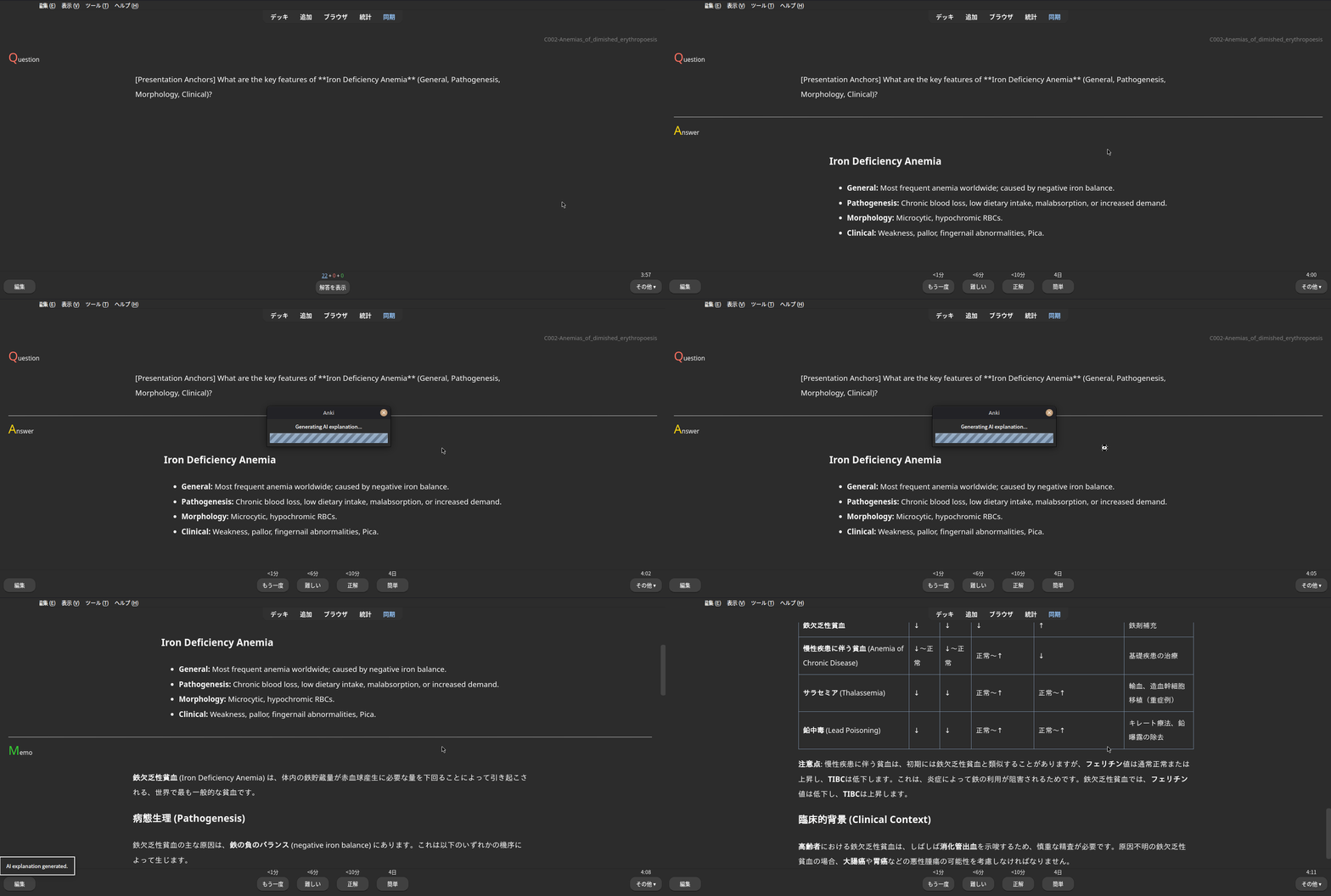
Anki AI Explainer generates an HTML explanation for your cards using an LLM.
It is intentionally simple and generic:
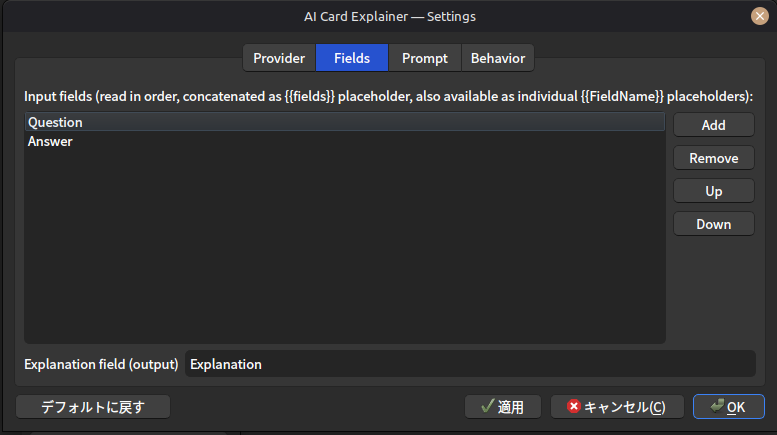
You write one custom prompt You can read any number of note fields The add-on enforces HTML-only output, so it can be inserted directly into an Anki field
==================================================
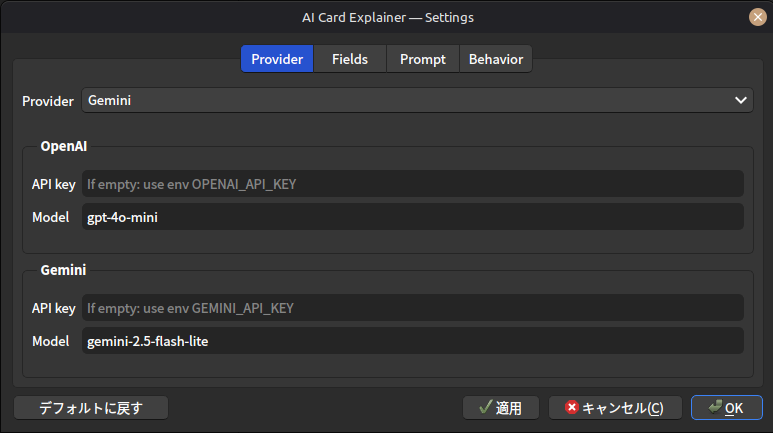
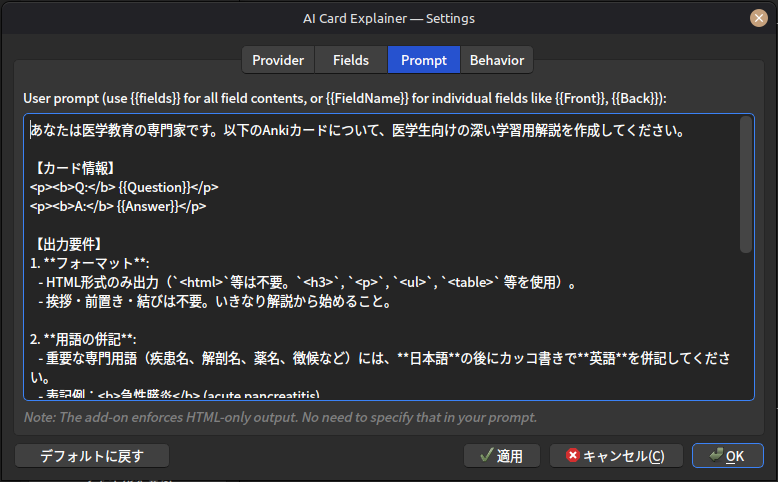
How to use Open settings: Tools → Add-ons → Anki AI Explainer → Config Choose your provider (OpenAI / Gemini) and set your API key Select input fields (no limit) and the output field (default: Explanation) Write your user prompt Generate: In reviewer: shortcut (default Ctrl+Shift+L) Reviewer “More…” menu: Generate AI Explanation Tools menu: batch generate for search results
Prompt placeholders
You can use these placeholders in your prompt:
{{fields}}
Expands to all selected input fields, concatenated in order as: FieldName:\nvalue
{{FieldName}}
Expands to a specific field value. Example: {{Question}}, {{Answer}} If the field does not exist / is unavailable, it becomes an empty string.
Example prompt
Explain this note in concise HTML (no greetings). Use bullet points when helpful.
{{fields}}
Existing output behavior
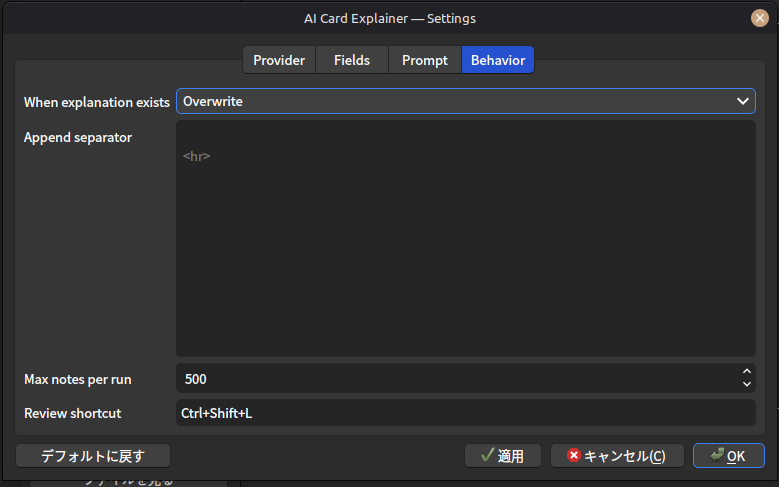
When the output field already has content:
Skip (do nothing) Overwrite Append (with a custom separator)
Notes The add-on requests HTML-only output. If the model returns Markdown fences (```html), the add-on may strip them. Note field contents are sent to your provider as-is. Avoid sending sensitive data.
==================================================
Screenshots
==================================================
Supports
This tool is built to support medical students and residents. Support via thumbing up 👍 on this page and Buy Me a Coffee ☕ motivates me a lot!!
Screenshots