Anki Jisho Connect - Your Bridge Between Jisho.org and Anki
Anki Jisho Connect is a powerful add-on designed to streamline your Japanese study workflow. It lets you search Jisho.org directly from the Anki editor and fill your note fields in seconds.
A Word from the Creator (Grakinn): “As a fellow Japanese learner, I know how tedious creating high-quality cards can be. My goal with Anki Jisho Connect was to build the tool I always wanted: something fast, beautiful, and powerful that lets you focus on learning, not on busywork. I hope it helps you on your journey to fluency.”
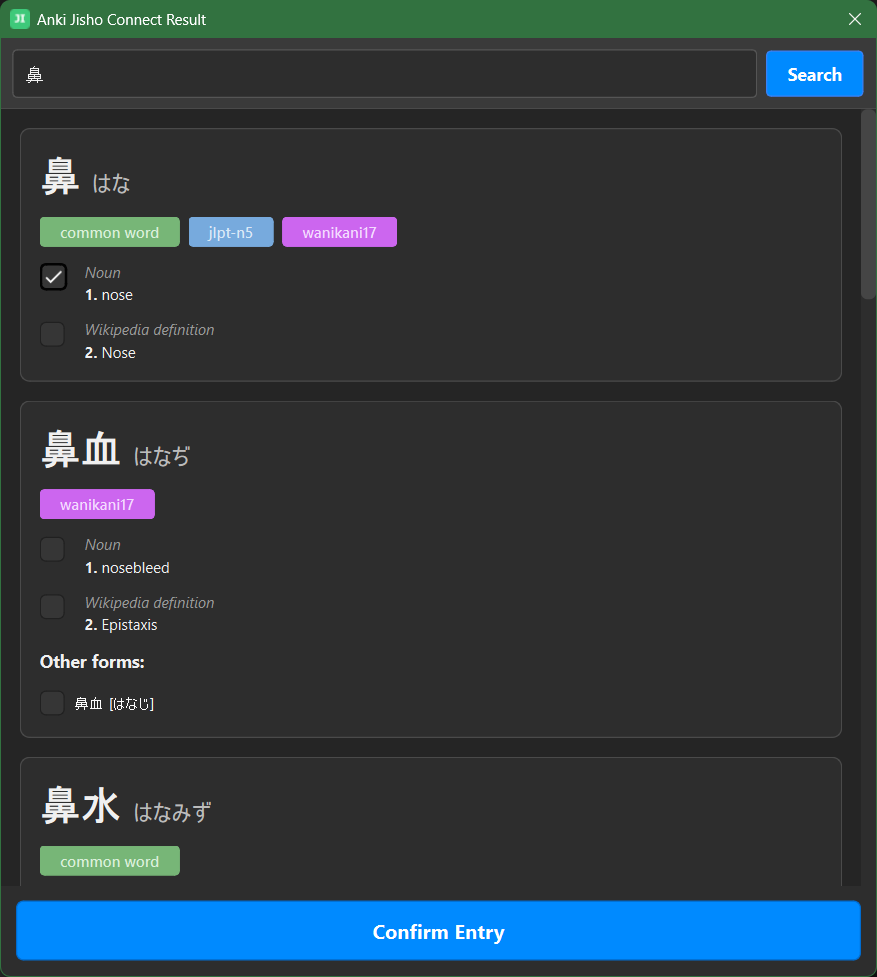
💡 What Is Anki Jisho Connect? Search Japanese words directly from the Anki editor. Select the exact meanings, readings, and forms you need. Instantly populate your note fields using your custom mapping. Stay inside Anki without switching to a browser.
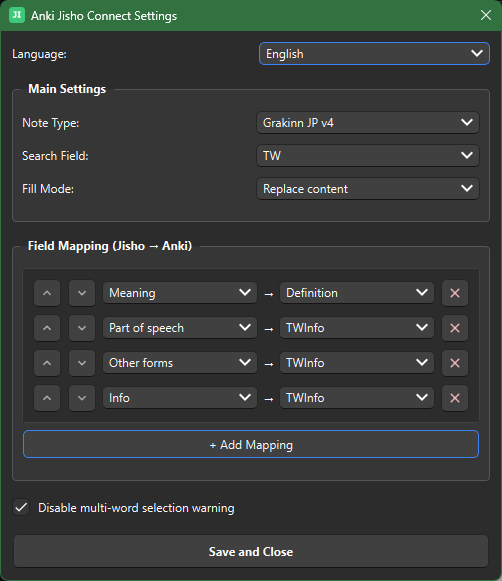
✨ Key Features 🧠 Smart Field Mapping: Map Jisho data (Word, Reading, Meaning, JLPT Level, Wanikani Level, See also, etc.) to your note fields. ⌨️ Configurable Shortcuts: Open Jisho or quick-fill meanings (all or first) without the mouse. 🎨 Themed UI: A clean results window that respects Anki light and dark themes. 🚀 No Freezing: Background requests keep Anki responsive. 🌐 Speak Your Language: Interface in English and Portuguese.
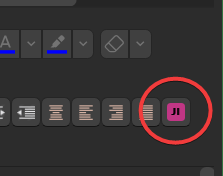
🚀 Getting Started Install the add-on from AnkiWeb. In Anki, go to GRKN → Anki Jisho Connect Settings and configure your Note Type and field mappings. Open the editor, type a word into your search field, and press the JI button or the shortcut (default: Alt+J). Select your meanings and click “Confirm Entry” to fill your fields.
🐛 Bug Reports and Suggestions
This add-on is under active development. If you find a bug or have a feature request, please report it on GitHub instead of leaving a negative review. This is the best way to help me improve the tool for everyone!
GitHub Issue Tracker ☕ Support the Project
If you enjoy Anki Jisho Connect and it has helped your studies, please consider supporting its development. A coffee keeps the code flowing!
Screenshots

Liên kết hỗ trợ
Reviews (9)
👍 2026-02-15
Fantastic addon and something that will really save me time for me when creating cards. Had to rethink how my cards look like and what info gets separated fields but in the end it’s worth it because I’m saving incredible amount of time when creating cards.
If I may have a suggestion regarding Quality of Life, I think it would be good to have a checkbox next to an entry from Jisho that would select all meanings from that word, instead of checking each one individually.
Comment from author Hey
👍 2026-01-14
Great addon, works flawlessly! Thought I wanna second what others have said - a way to add the first result without clicking through the ui would be a really nice time-saver, preferably with the use of a keyboard shortcut : ) I can see it just adding all the meanings to the field in cases where the word has multiple of them. Comment from author Great feedback! I actually did try implementing keyboard shortcuts before, but ran into some issues that caused errors. 😅 However, I’m going to revisit t
👍 2026-01-14
Works great, thanks for the addon. It would be great if we could get a feature for getting the first definition with only one click. I usually need only the first definition and clicking thorugh all the GUI can be a bit bothersome. Comment from author Thanks for the suggestion! I hear you - clicking through the whole UI can be tedious when you just need the first definition. I’m gonna work on a “Quick Fill” configuration option that will let you add entries directly from the editor without going
👍 2026-01-11
Great add-on. It works seamlessly and it’s nice that it has a GUI for settings instead of having to edit the config. One note/tip: The settings ask you to specify a note type to work with. However, the add-on still works with other notes as long as the field names are identical.
Edit: The dev is very responsive. I put in a request on GitHub to turn off the automatic card creation after writing this review. I didn’t expect anything to happen any time soon (or at all) because these add-ons are pa
👍 2025-12-29
Very helpful! One small suggestion, it would be nice to have the option to not automatically add the card once it’s filled for users who want to do post processing (formatting furigana, for example). Comment from author Thanks for the suggestion! I’ve implemented exactly what you asked for in v3.9.1. The add-on now automatically only fills the note fields without creating cards and there is a new option in the settings called “Remove furigana from search term” that automatically strips furigan
👍 2025-12-29
Thanks for the add-on. Suggestion: when fill_mode is set to replace, clear all editor fields first so data from previous cards (tags, info, etc.) doesn’t carry over. Example: I add “jinzo” that has the tag “Anatomy”. Then I create a card for “iku” without clearing the editor; since “iku” has no tag, “Anatomy” remains. I fixed this by clearing each field inside apply_mappings_and_fill when looping over mappings: if fill_mode == ‘replace’: note[field_name] = "" This solves the issue for me, th
👍 2025-12-27
5 starts, sh-t be bussin this is PEAK! ( works perfectly ) But one thing to note, some times when i search for a kanji it includes a non-breaking space ( ) in the search field, which tends to get annoying and i have to remove it each time ( its not necessary, since its on the person who makes the flashcards but i think its best to NOT include spaces if present in the search field, since JP is all together )
Thx yooo! Comment from author Hey there! Thanks for the detailed feedback! 😊 I’ve a
👍 2025-12-18
nice and clean, works great for individual notes; the mapping feature in particular is v useful. however, would it be possible to add the option to bulk add data from jisho to notes? keeping the first search result as a default would be fine, i just want the option to operate on multiple notes at a time. Comment from author Thanks for the feedback! I did think about a bulk add option, but I was worried about accuracy since Jisho often has multiple meanings for a single entry. I will look into ad
👍 2025-10-31
doesnt work at all Comment from author Hi! Thanks for the feedback. I’ve did several fixes and improvements recently, and it’s working well now. Please update to the latest version (3.11.2) or reinstall the add‑on and try again 😊
