This add-on allows easy customization of the AnKing Note Types. You can download the note types with the add-on if they’re not already in your collection and you can track changes for the note types on their GitHub page (NOTE: There is a Github page for the Note Types and a separate Github page for this add-on). This add-on currently only works on 2.1.36+
How to use this add-on and the note types: This video goes over how to use everything in the note types and the add-on. This is probably the best tutorial. If you prefer written instructions, use this README on GitHub.
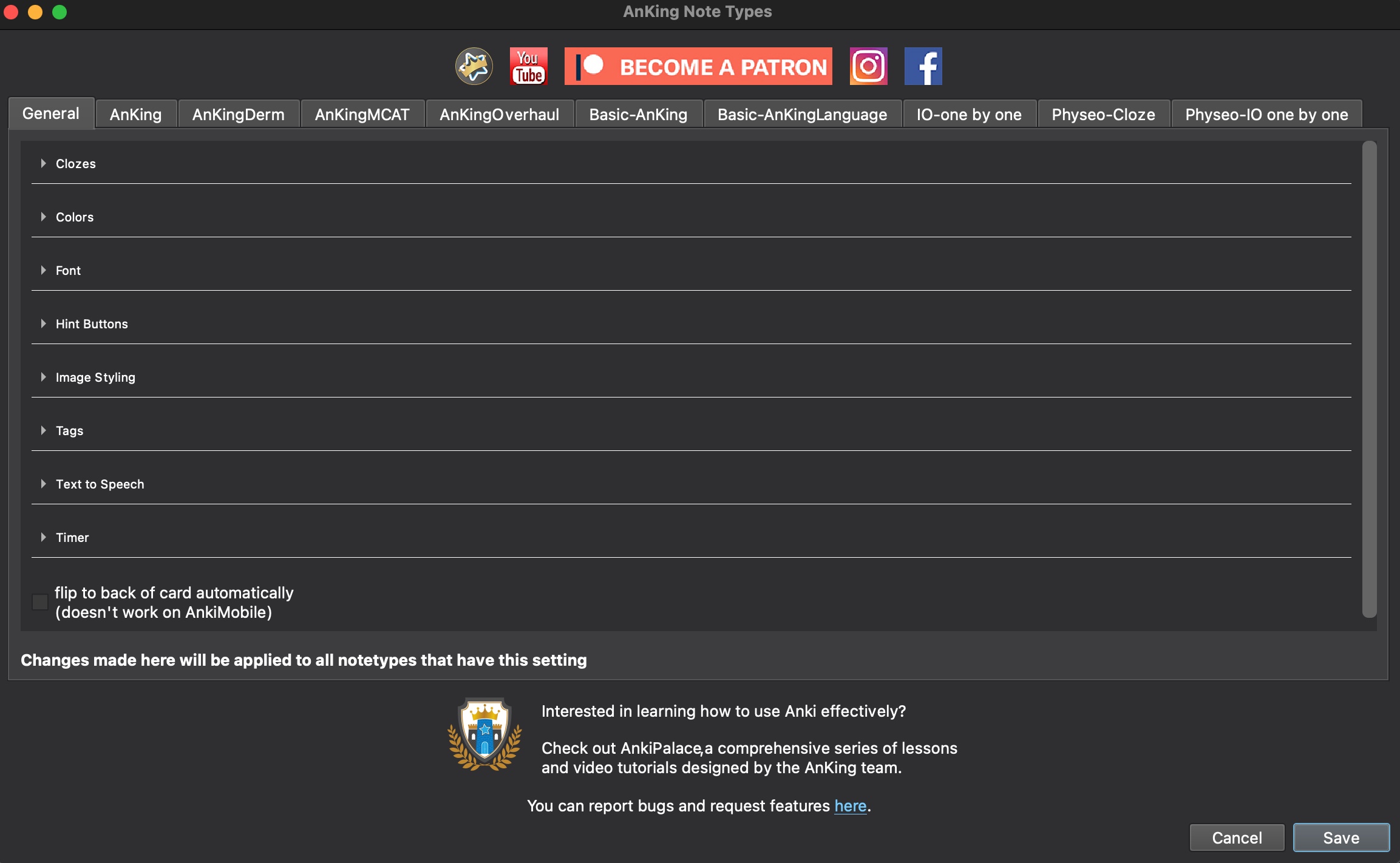
The config can be accessed via the menu AnKing->AnKing Note Types or in the note type editor there is a “Configure AnKing Note Types” button on the bottom left
If you don’t have the note types installed, you can install them via the add-on or you can install example notes on the Note Types Github releases page
Images: Add-on:
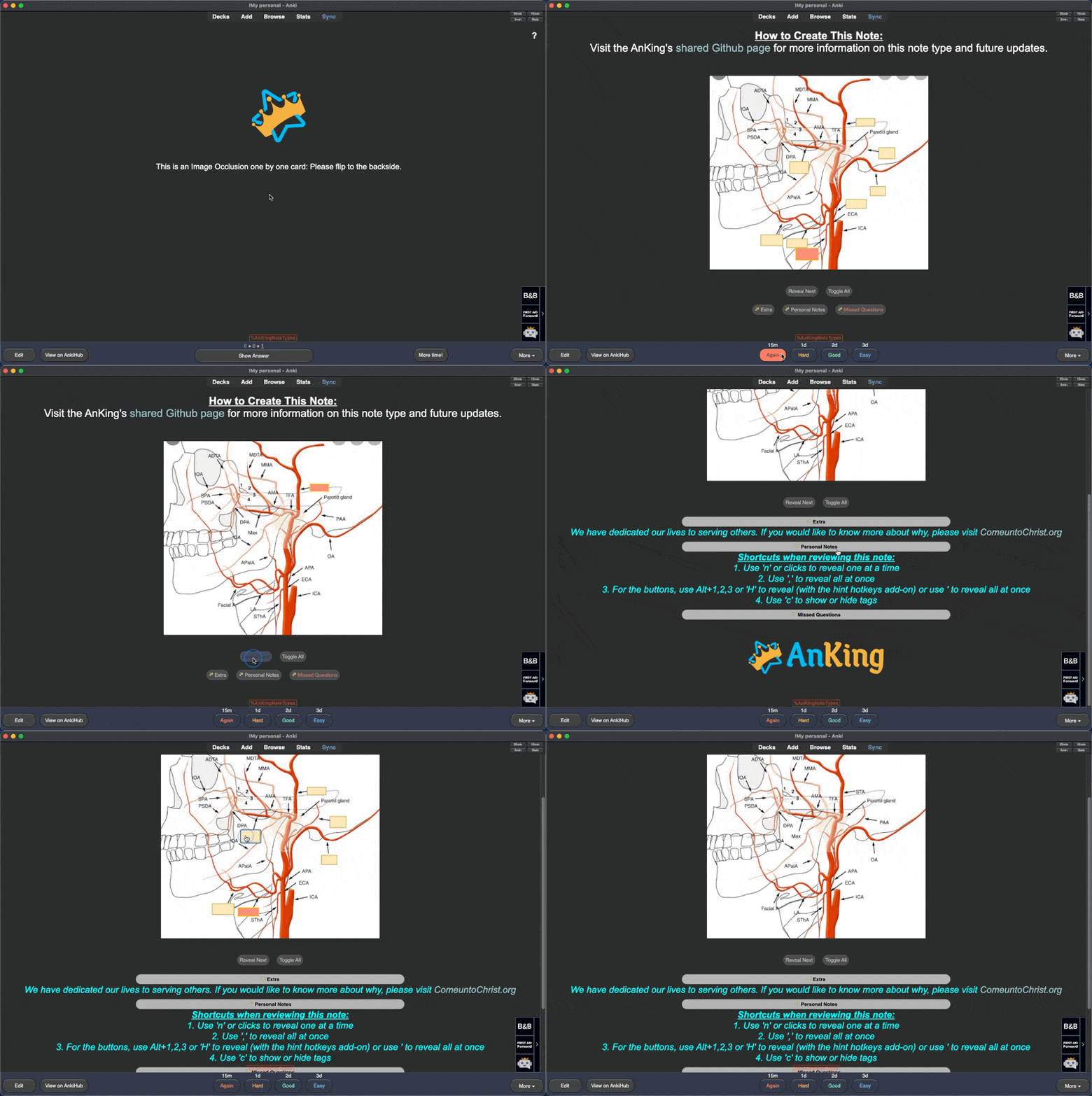
IO one by one note type:
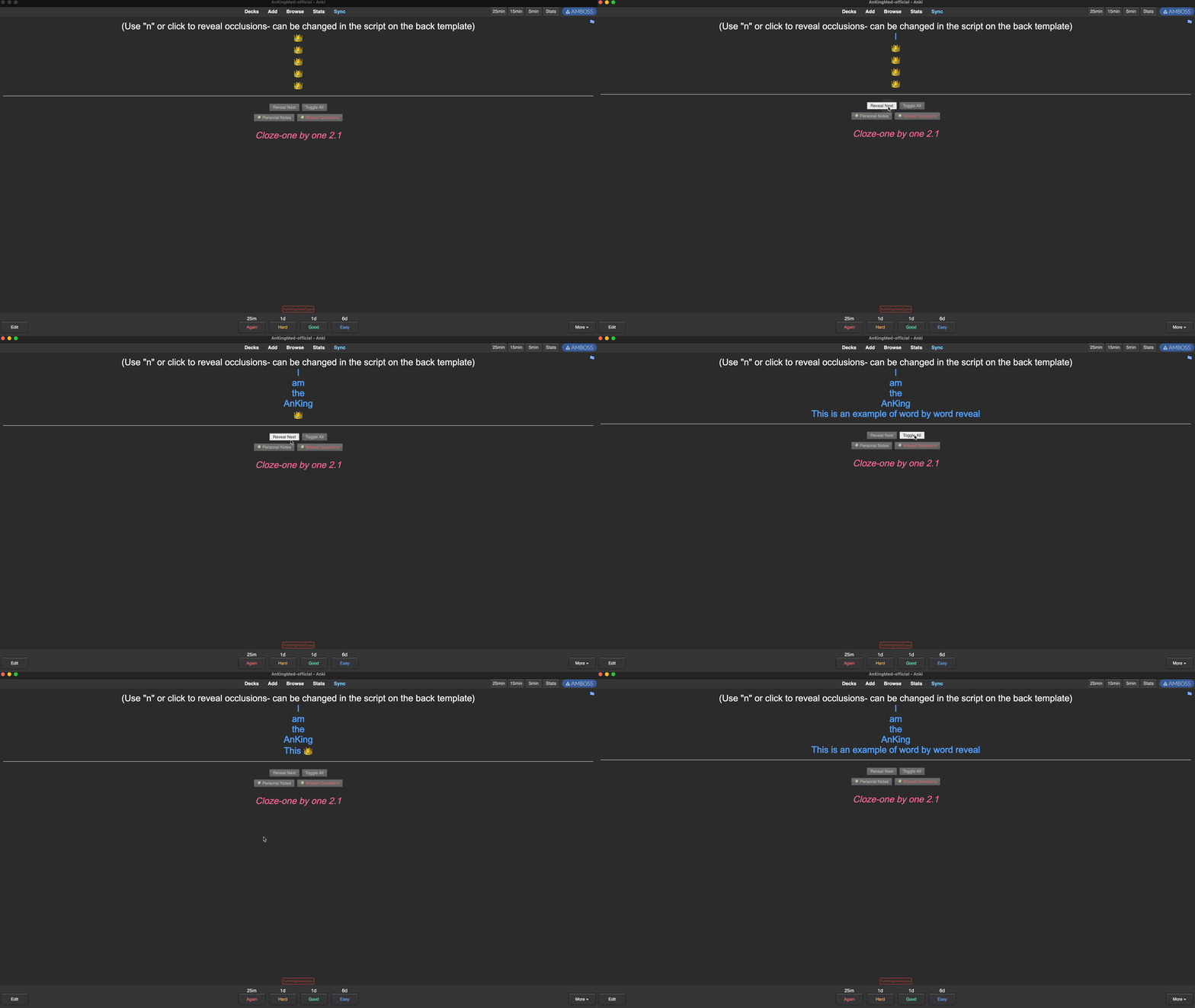
Cloze one by one feature (built in to most note types):
Thank you
Huge thank you to @BlueGreenMagick, @Kleinerpirat, @RisingOrange, u/Ankiphil, and u/holythesea who have helped significantly with the development of these notes over the last few years
Problems, Bugs, Errors, Improvements
If you find a serious bug with the add-on, please submit it on Github or email us at ankingmed@gmail.com. If you find any issues with the note types, please submit them on this github page. Please remember that we are not coders and thus may not be able to provide support.
Changelog
2021-12-24: Initial Release (Merry Christmas and Happy Holidays!:)
2021-12-28: Added 2.1.50 compatibility, including PyQt6
2022-01-08: Fixed bug with checkboxes and added backwards compatibility to 2.1.36
2022-01-16: Fixed another bug with checkboxes
2022-01-30: Fixed a few bugs and added new note types. Added a new feature that allows for only seeing a certain number of levels of hierarchical tags. Moved Button order to Fields section and now includes all fields (even if they aren’t a button). Now will not scroll to auto-revealed hints.
2022-02-08: Few bug fixes. Added new feature to allow for customizing what button is used to open each button one at a time. Hint Hotkeys add-on is no longer needed
2022-02-16: Fixed bugs with a couple of options not saving and an error that appeared for some Mac users when updating the note types
2022-02-25: Fixed occasional crash when importing a collection file
2022-03-29: Updated note types. Renamed Button Order to Field Order and moved it into the Fields section.
2022-07-12: Now also updates AnkiHub-versions of the AnKing note types, as well as copies of the AnKing note types that have names like for example “AnKingOverhaul-7ra5q” (sometimes created by Anki when importing a deck).
2022-07-14: Added option to convert note types like for example. “AnKingOverhaul-7ra5q” to “AnKingOverhaul” respectively. It is shown when opening the “AnKing Note Types” window when there are such note types in the collection.
2022-07-22: Fixed a bug that was making Edit Field During Review Cloze incompatible with the IO-one by one note type. If you’re still having problems, make sure to uncheck “One by one” in the Edit Field During Review Cloze config. (This caused a bug so we temporarily rolled it back, working on a fix)
2022-07-23: Fixed bug in IO-one by one note types.
2022-07-25: Fixed error when reordering fields.
2022-07-29: Fixed conflict with ReColor add-on and IO one by one notes
2022-07-31: Added message about AnkiHub note type versions.
2022-09-05: Updated the IO-one by one note types with the latest closet version (should fix some bugs)
2022-10-13: Fixed problems with creating notes that use a IO-one by one note type
2022-11-12: Adds auto direction for right to left languages and adds new styling for tables on the AnKingOverhaul note type
2022-11-15: Add styling for tables on mobile in the AnKingOverhaul note type, made Extra field not appear until Cloze one by one toggles are all open and made it so the AMBOSS add-on can recognize words on Cloze one by one notes
2022-11:21: Fix problem related to updates of AnkiHub note type versions
2023-02-22: Fixed a bug in the IO one by one note type. Added ability to connect note type functions with the new AnkiMobile User Actions so you can use gamepads to interact with the notes
2023-03-19: Fixed a formatting problem related to lists.
2023-04-03: Updated the AnKingDerm note type. Reveal the Extra field and other auto reveal fields only after all one by one boxes have been toggled open.
2023-04-06: Updates to the AnKingDerm note type. Added new Sketchy-Cloze note type
2023-04-17: Update image width/height settings on the AnKingOverhaul note type
2023-04-22: Updated the table styling for all note types (thanks to connwork!)
2023-04-24: Now supports auto-revealing hint buttons on individual notes based on tags. Add tag “autoopen::Field_name” with _ in place of spaces
2023-04-27: Now the note type update notification is also shown if you only have the AnkiHub version of a note type installed. Fixed tabs getting out of order in the config window. Fix a bug that was making it so that hint button shortcuts weren’t working
2023-05-31: You can now right click on a note in the browser and there is an option to add the “autoopen” tag easily to any field you select. See the example here
2023-08-18: Update OME link on AnKingOverhaul note type
2023-08-29: 1- Added ability to right click on an image and add a “blur” class (i.e. for explicit images). Images will unblur with click. 2- made it so cloze one by one cards will have a green cloze on the front side and be easier to identify. 3 - fixed autoopen not working on ankidroid
2023-08-31: fixed bug where green clozes would persist
2023-11-30: 1- Made blur image option work with remote images. 2- Added options to customize one-by-one cloze text/hint colors
2023-12-02: 1- Updated closet to fix IO one by one not working. 2- Added night mode table styling to the AnKingOverhaul note type.
2023-12-03: Added mising options to customize one-by-one cloze text/hint colors in night mode
2023-12-06: Fixed potential issue with closet script not being updated
2024-01-19: Fix bug in Sketchy-Cloze note type front template
2024-04-08: Add the AnKingAnkisthesia note type - Add a reset button for general settings - Fix cloze color when using b/u/i styling - Fix extra color when using italics styling - Add night mode tables to AnKingMCAT
2024-04-18: Revert img max height/width for IO one by one to 100% - Change min-width of images in Extra field to 0%
2024-05-21: Update OME field on the AnKingOverhaul note type. The AnKingOvherhaul tab is now right next to the General tab. Add tutorial video link.
2024-06-10: Align “.mnemonics” class to center in the AnKing deck - Tweaked the CSS so tables keep their normal font style
2024-7-18: Added the AnKingOverlapping notetype for overlapping clozes
2024-08-19: Added support for selective one-by-one clozes - Fixed update notification always showing
2025-02-13: Added a script to shuffle images/lists to the AnKingOverhaul and AnKingDerm types - Disabled TTS on back of one-by-one cards
2025-02-15: Added wrapper add-on’s formatting for list justification to the AnKingOverhaul and AnKingDerm types.
2025-03-22: Added the AnKingDermPath note type.
2025-03-04: Removed wrapper add-on’s styles - Reduced list padding inside tables - Align mnemonics to the left when all clozes are revealed - Fixed broken autoflip on IO types - Fix selective one-by-one clozes not being handled correctly in some cases
2025-03-14: Align mnemonics to left by default and add max-width instead (reverts previous change) - Use inline-block display for lists for a better centered display for small items - Support auto-reveal fields and one-by-one clozes in the Ankisthesia note type
2025-03-26: Revert inline-block display change for lists - Fix shuffling script running again on back side - Limit max-width on lists to bigger screens - Reduce vertical margin of lists
2025-04-30: Fixed selective one by one clozes not working properly in some cases.
2025-05-05: Fixed selective one by one clozes and hints broken on AnkiMobile.
2025-05-13: Include image occlusion functionality from the Closet add-on so we no longer have to rely on it being installed.
2025-05-14: Make shuffle order persistence work more reliably.
2025-10-17: Fixed shuffle script breaking click events of cloze icons - Fixed autoflip not working in some cases when selective one by one clozes are enabled.
2025-10-20: Fixed line breaks and text paragraphs being shuffled.
Please consider checking out our: YouTube Channel- How to use Anki for beginners and advanced users. Instagram/Facebook: @Ankingmed www.TheAnKing.com- Recommended add-ons, tutorials and more including how to download 40+ add-ons in < 5min Patreon/VIP- Support our work and get individualized Anki help!
Screenshots




Liên kết hỗ trợ
Reviews (25)
👍 2025-12-24
[Help] great add on, but I’m facing one problem in IO-one by one note type. Whenever I add a label to an occluded image and hit “accept occlusion” it doesnt add the label and deletes the occluded imaged
👍 2025-11-22
Una maravilla
👍 2025-10-10
love this!!! thank u for letting me personalize my anki even more. it is much appreciated :)
👍 2025-07-16
Easily the GOAT of all add-ons. Nothing else comes close. IO one-by-one still works with the latest version from this date; the icon is positioned between “equations” and “add image occlusion”. The new bottom is the Anking logo (red star, blue crown)
👍 2025-05-15
IO one-by-one isn’t working for me as well. No occlusions are shown wether old or new cards.
👍 2025-05-14
Hello! After all, thanks for this add-on. I don’t know what’s going on, but the IO onebyone isn’t working. I haven’t been able to create new cards for about a month, and now the ones I had included don’t have occlusion.
👍 2025-02-02
Thanks and best wishes to the creator. most awsome addon i came across. love you. i will definitly financially contribute to u guys in near future. love u
👍 2025-01-27
Greatest
👍 2025-01-23
Must have!
👍 2024-10-19
Love these, thank you so much!
👍 2024-10-05
Great add-on!
👍 2024-08-20
love it
👍 2024-04-26
IO one by one still have the error. No matter how many times I alter it correctly, the clozes go to one side Comment from author Can you please submit this on Github? We don’t receive notifications here and I have no way to ask you the details I need in order to troubleshoot the issue and fix it
👍 2024-04-13
thanks so much! i have a question:
is it possible to customize the color of the table? i have a previous note with tables that i changed the note type into “anking”. the table was transparent before but after changing the note type, the cells were filled with color. any tips on how to go around this? i’m on night mode and i hope i don’t need to manually change the table colors for each note/card
👍 2024-03-30
Love the blur/unblur feature that was recently added. Could the ability to toggle unblur be added as a keybind rather than just clicking on the image. Would be a great feature for remote control users who still want to be able to see images each time they do the card, but want the card blur by default still.
👍 2024-01-21
good job
👍 2023-12-17
This is great!
👍 2023-09-03
This is in my eyes a must have for all anki users, on of the top addons. I love it
👍 2023-08-27
Makes adjustments super simple!
👍 2023-08-17
How to use controller for toggling next cloze in ankidroid ?
👍 2023-07-22
Easy customization!!
👍 2023-07-09
It is okay!
my problem is with the closet addon, can you help me? Comment from author before post was edited We can’t troubleshoot and get more information here from you so please submit an issue on the github. We will happily look into it for you!
👍 2023-04-23
Makes updates especially with AnkiHub so much easier! Love that I get to decide which field automatically opens up and customize the way everything looks!
👍 2023-03-19
Wonderful addon!
I wanna know how to group the boxes of IO one by one.
👍 2023-03-13
Great Comment from author before post was edited Please submit an issue on Github so we can troubleshoot and fix this. We’re very active and happy to address problems, but we don’t get any notifications here and can’t troubleshoot anything
