AnkiTask – Deck Manager
A task and deck manager that makes browsing and managing Anki decks fast and effortless.
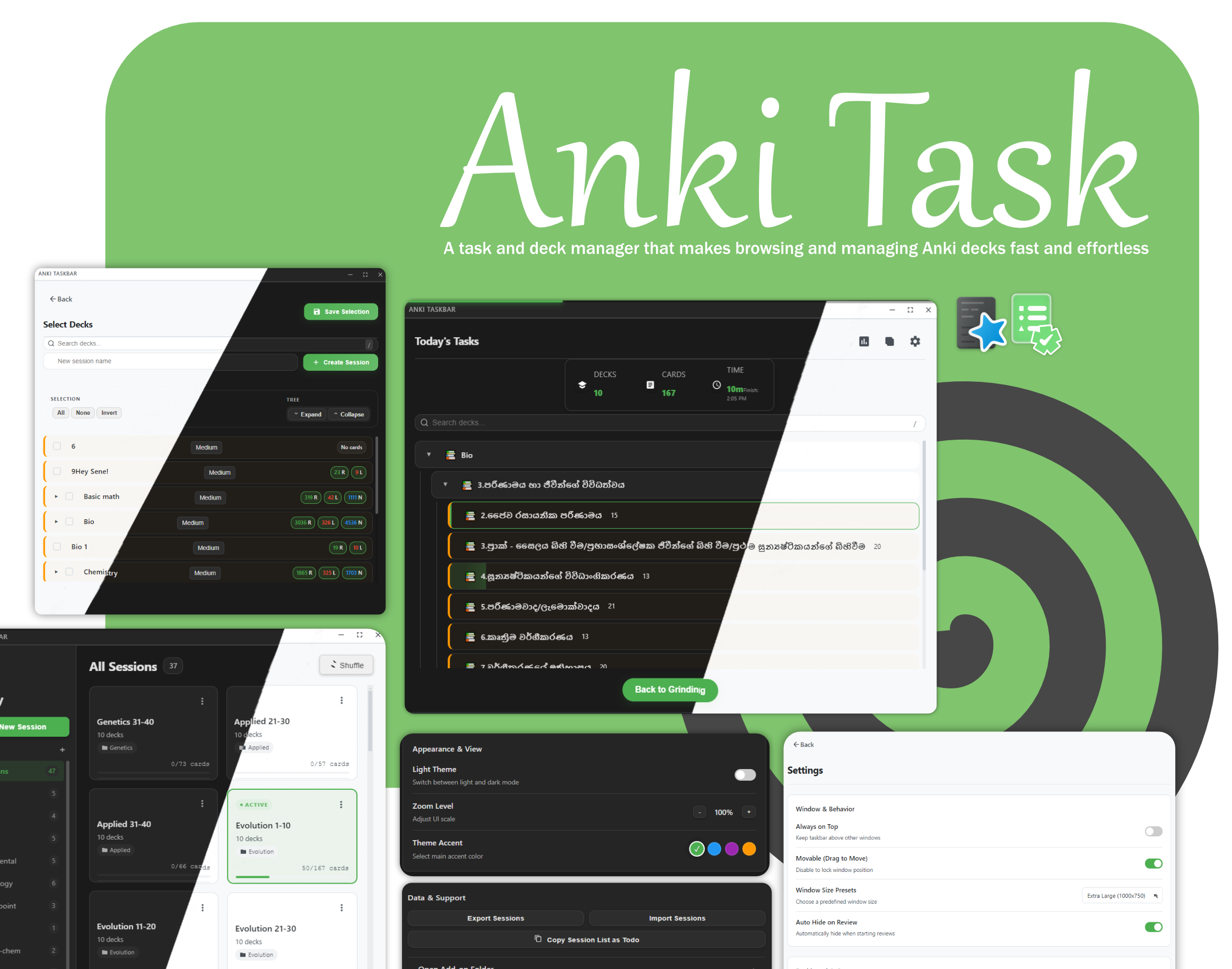
AnkiTask is a sleek, floating dashboard for Anki that keeps your study priorities visible without interrupting your workflow. Designed for power users and students handling multiple subjects, it eliminates menu-hopping by bringing your most important decks into a clean, always-available widget—so you can focus on studying, not navigating.
💡 How to make it work for you Quick Open: Press Alt + Q to instantly show or hide the widget. Fast Navigation: Use arrow keys or your mouse to browse decks and start studying immediately. Pro Tip: Map Alt + Q and arrow keys to a controller using JoyToKey (Windows) or AntiMicroX (Linux) to make reviews feel game-like. ✨ Key Features Floating Widget – Borderless, minimal UI that stays on top Instant Toggle – Open or hide the dashboard with Alt + Q Visual Progress – Animated bars for New, Learn, and Review cards Priority System – Mark decks as High, Medium, or Low priority (Sessions must be disabled to use deck-level priorities) Sessions System – Group decks into sessions and load them instantly Session Summary – View progress for each session at a glance Built-in Analytics – Daily stats and trends without leaving Anki One-Click Study – Click any deck or progress bar to start studying Theme Support – Dark and Light themes Accent Colors – Customize the UI accent color UI Scaling – Zoom the interface for comfort Compact Mode – Optimized for small screens Window Presets – Multiple predefined window sizes (new) Always on Top – Keep the widget visible at all times Import / Export Sessions – Backup or share session presets Export Sessions as Todo Lists Keyboard & Mouse Friendly – Efficient browsing with keys or mouse
New to the interface? Enable the Quick Tour from Settings for a guided walkthrough.
🛠 How to Use Open: Press Alt + Q or go to Tools → Open Taskbar Widget Sessions: Press Ctrl + S or click Sessions to create and organize deck groups Study: Progress updates in real time as you complete cards Analytics: Open Analytics to track your daily performance ⚠️ Quick Troubleshooting
This add-on is actively developed. If the UI freezes or behaves unexpectedly:
Right-click → Reload
If a bug persists, please report it on GitHub: https://github.com/Agampodige/anki_task_bar/issues
☕ Support
If AnkiTask helps you stay consistent during exam season, consider supporting development:
License: AGPL-3.0 Inspired by ideas from the Ankimon community.
Screenshots

Liên kết hỗ trợ
Reviews (1)
👍 2025-12-30
Awesome job Sene!
I love the minimal/modern UI and how useful it is, it makes organizing decks and study sessions way easier, and makes the access to multiple decks and tasks closer to you, so you don’t end up getting lost in several decks to study.
