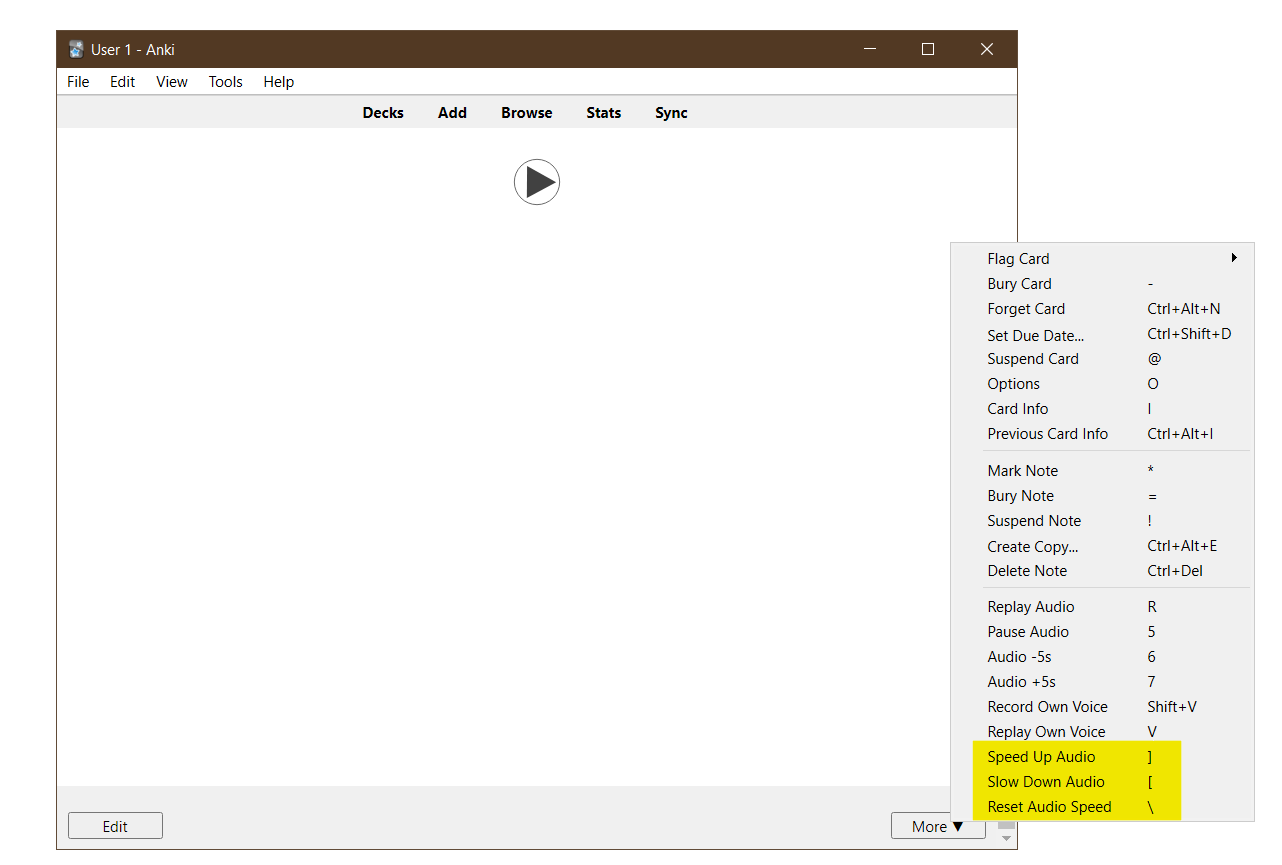
This add-on adds options to control audio playback speed in the reviewer. You can configure the shortcuts and the speed change from the add-on config under Tools > Add-ons.
There are several add-ons on AnkiWeb that do the same, but it appears that none of them works on the latest versions of Anki (2.1.49+).
This only works with the mpv media player (which Anki uses by default on all platforms).
Changelog See CHANGELOG.md for a list of changes.
Support & feature requests Please post any questions, bug reports, or feature requests in the support page or the issue tracker. If you want priority support for your feature/help request, I’m available for hire. You can get in touch from the aforementioned pages, via email.
Support me Consider supporting me if you like my work:
Screenshots



Liên kết hỗ trợ
Reviews (28)
👍 2026-02-25
Great! It is suitable for Anki 25.09.2 (3890e12c)
👍 2026-02-18
It works!
👍 2025-05-29
It works well
👍 2025-05-27
Thank you for this. The google translate voice is soooo sloooow. I use this along with Hypertts.
👍 2025-04-29
Excellent!
👍 2025-04-19
Great! This function is so essential that it should be added to anki officially.
👍 2025-03-04
Great Addon thank you sooooooooooo much! Helps a lot!
👍 2025-03-03
Glad to see one that’s updated!
👍 2025-02-15
It’s super useful! thanks!!
👍 2024-10-16
Thanks a lot
👍 2024-09-26
Fantastic! Thank you so much :)
👍 2024-08-15
¡Muchas gracias! Me sirvió mucho.
👍 2024-02-24
works for my needs, default audio on my korean deck was too fast for me to understand as a beginniner. 80% speed is more at my level :)
👍 2024-01-25
it works with 版本 2.1.63 (f356f177)
👍 2024-01-23
Excellent
👍 2023-12-04
The option to accelerate audio playback is implemented excellently.
👍 2023-09-22
This is so useful! Exactly what I need. The shortcut function is especially amazing and convenient. Thank you so much!
👍 2023-09-03
Fantastic! Does exactly what I need (slow down spoken Japanese sentences to a manageable speed). Thank you so much!
👍 2023-08-17
Is there a way to toggle the audio on or off for a review session? Comment from author No, this is not supported.
👍 2023-07-29
You can set a default speed in the config settings. I love this feature. Had some problems with keyboard shortcuts but changing the settings solved the problem.
👍 2023-05-12
Works well.
👍 2023-04-26
‘There are several add-ons on AnkiWeb that do the same, but it appears that none of them works on the latest versions of Anki (2.1.49+).’ - author
This is absolutely facts, slay queen
👍 2023-03-27
Попробовал, работает, функционал достаточный.
👍 2023-02-27
works well in 2.1.60 (76d88073)
👍 2023-02-16
thank you for this
👍 2023-02-01
Error
An error occurred. Please start Anki while holding down the shift key, which will temporarily disable the add-ons you have installed.
If the issue only occurs when add-ons are enabled, please use the Tools > Add-ons menu item to disable some add-ons and restart Anki, repeating until you discover the add-on that is causing the problem.
When you’ve discovered the add-on that is causing the problem, please report the issue to the add-on author.
Debug info:
Anki 2.1.56 (07fd88dd) Python 3
👍 2023-01-23
Only Update that works! yay
👍 2023-01-03
Thank you so much! Went through like four other add ons that didn’t work until I finally found this one, so commenting and rating so more people will see it.
