=================
This add-on has already been fixed and works for Anki25+, but there are some bugs causing crashes with certain features and actions. I’ll look into them again later and try to fix them, so please wait.
=================
🦉AnkiBuddy - Custom Practice like Quizlet or Duolingo (Fixed by Shigeඞ)
This add-on is a fixed version for Anki25+ of the addon “AnkiBuddy - Custom Practice”, originally created by Axel Moreen and credit goes to them. (if the original add-on has been updated for the latest Anki this custom version is not necessary.)
How to use
(Almost all of these descriptions and images are partially edited and re-uploaded from the original add-on page by Axel Moreen.)
Demo: Video Demo on YouTube
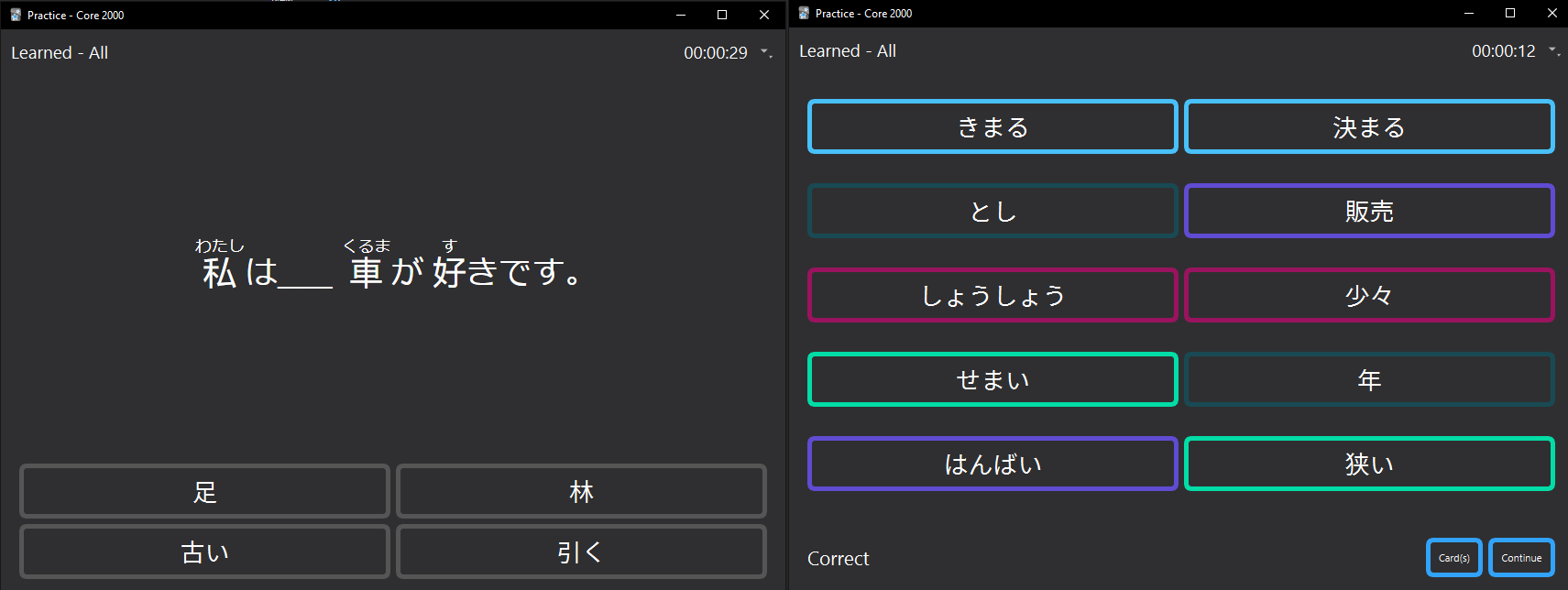
Add-on for Anki with a variety of tools for practice. Create multiple choice, matching, and written answer questions using cards from your Anki deck.
This add-on does not replace the core functionality of Anki. It is designed to be supplemental practice. It has not been tested at length with flashcards, so your mileage may vary.
This add-on does not write to or modify your existing Anki data at all, it only reads the deck information. So, it is safe to use. But keep in mind this is an early version, so some features may not work as intended.
Basic Usage
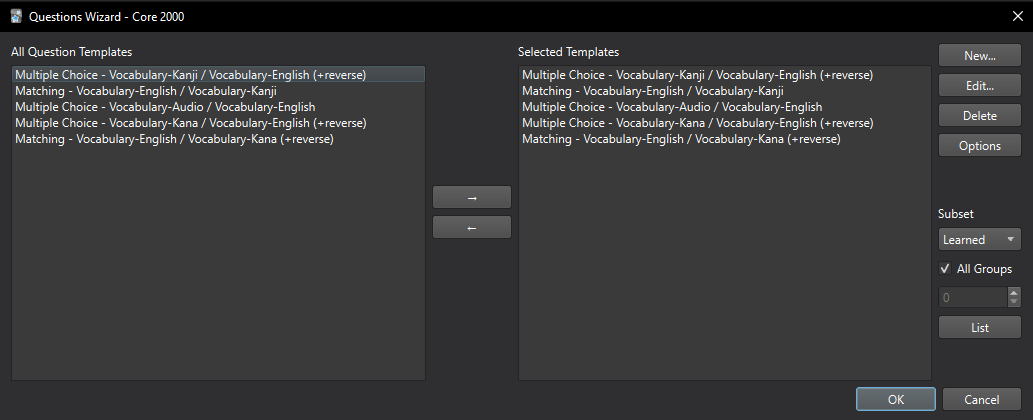
Once the add-on is installed, you can click on the Deck and there will be an extra button, “Study Buddy” on the bottom bar. Clicking it will take you to the questions wizard:
Here you create new question templates with “New…” to set up the practice mode. Then, when you are ready, you can click “OK” to start practicing.
You can also change the Subset on the right panel from “All” to another option, such as Learned to choose which subset cards you are going to study with. The All Groups checkbox means you will study all of those cards, or if you uncheck it you can break down the subset into smaller groups at a time. You can change how many cards are in a group in the Options.
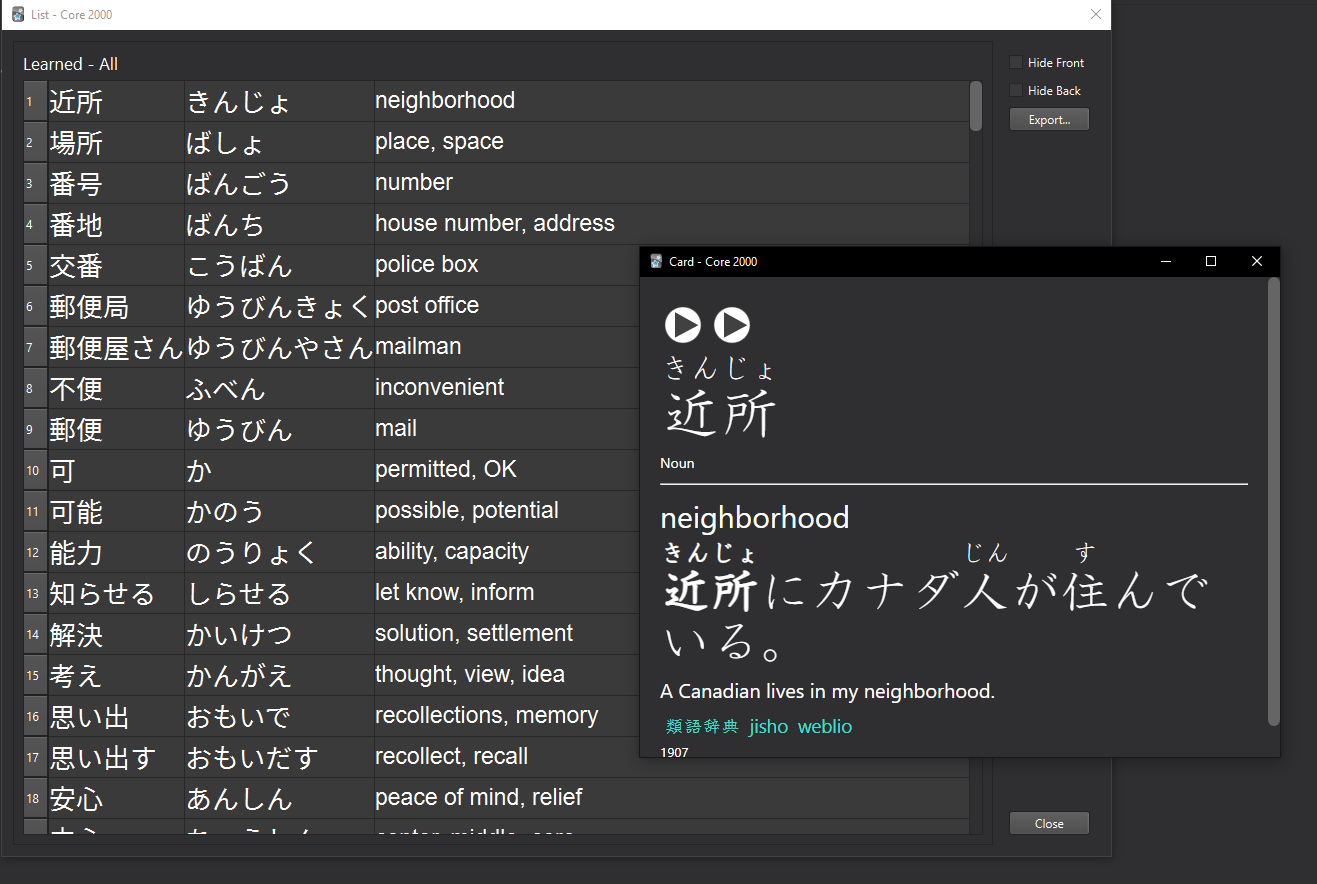
To view a list of cards, you must first set-up the columns in the Options menu. You have to choose at least one column to display from your deck’s model. Then, you can use the List button. You can double-click on anything in the List view to view the card that it came from.
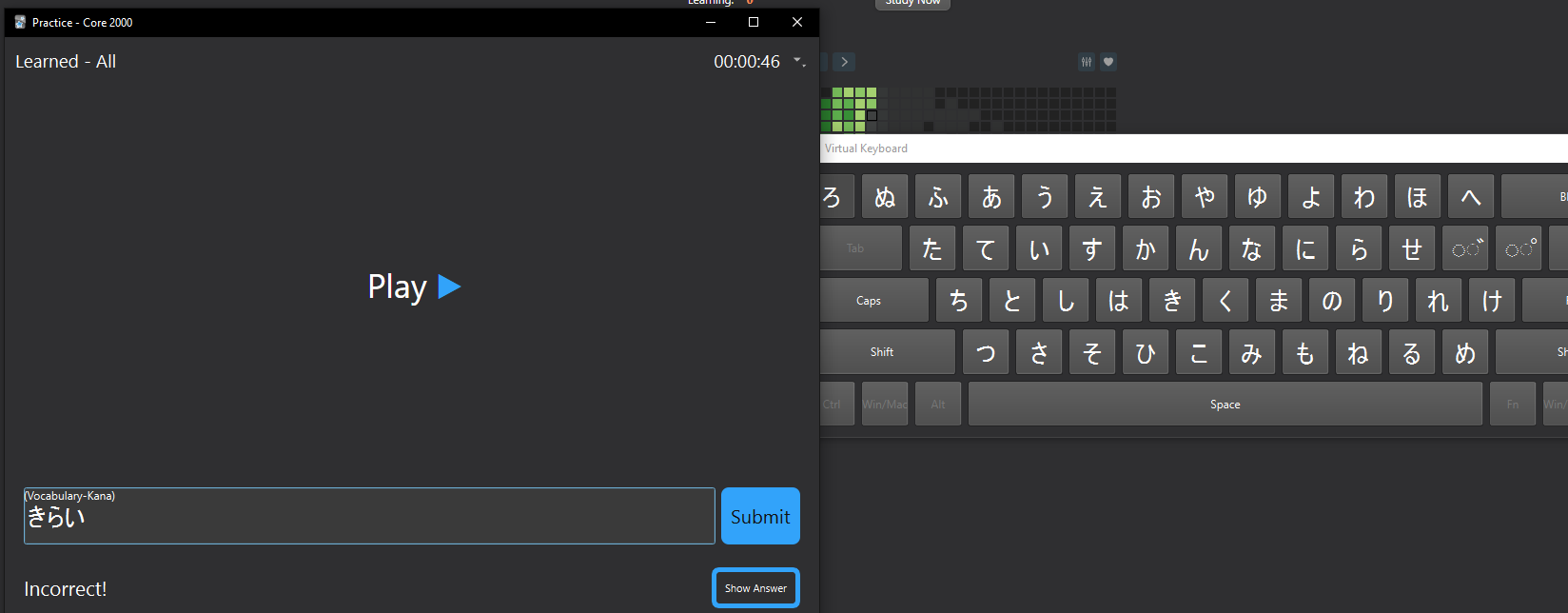
Features List mode for manual practice Custom layout based on card fields Change size of the group to learn Choose subsets of the deck (All, Learned, Lapsed, Unlearned) Show and hide columns View card information from list Export to .csv and to .txt (Experimental) Practice mode for quizzing Multiple choice - choose the correct answer from options Matching - match left and right side Write the Answer - type the answer in a box Field hints Virtual keyboard for language learners to use or reference while typing. (Experimental, Only Japanese supported currently) Correct / incorrect sound feedback Supports sound field questions / answers Supports linked audio to a play on a non-sound field (Experimental) Balanced deck or true random Revisit mistakes Timed mode or unlimited timer View cards while practicing Furigana support View session stats
The add-on also has an options wizard that lets you customize most aspects, like the font of each field, timer length, sounds, default behavior, etc.
Note AnkiBuddy does not currently support decks containing multiple note types, if the field names are different an error may occur. A workaround for this problem is still under development, please wait. The code fixes are complete but not all features have been tested yet. If you find any problems please contact me.
💖Please Support Shige’s Anki add-ons development!
Hi thank you for using this add-on, I’m Shigeඞ! I’m looking for supporters for my add-ons development, because I like Anki! So far I fixed and customized 60+ discontinued add-ons and created 30+ new add-ons. If you support my volunteer development you will get 14 add-ons for patrons only and 15 game themes included in AnkiArcade ($5/month). If you have any ideas or requests feel free to send them to me, thanks! :D
Get Patrons only addons | Patrons Q and A | Contact
[ Special Thanks ] So far I received donations from 415 patrons and without their support I never could develop this, thank you very much!🙏
Patrons: Arthur Bookstein Haruka Luis Alberto, Letona Quispe 07951350313540 Lily Daniel Kohl-Fink Tim Kyle Mondlak NamelessGO Ernest Chan ElAnki GP O’Byrne KM Abhi S Jesse Asiedu Tobias Klös Jonathan Contreras Isabel Guan ellie Matthew Hartford tarek Jake Stucki K Peasant of Anki iuventius findus161 Patrick ellis Juan Salgado Keeler Kime Kurt Grabow Fahim Shaik Augusto Stein Ashok Rajpurohit mootcourt NoirHassassin qiting zeng Morgan Torres Elisabeth Barber Tae Lee Gabriel Vinicio Guedes sab hoque Lis Y. Ythalo Vlogs Matheus Chagas Yaeerrrrrr Ketan Pal Svel1989 Christopher Lam Aurora Dzurko Kolorophyll Tyler Schulte Douglas Beeman Steven Banner Heidi Leonora Lomoki Akporyoe Gabriel Farrugia Temi Jide Ansel Ng David C Haley Schwarz Woody Ujwal Chadha pie_is_good Jeanna J P Kaitlyn Bowler K Cole Krueger Wei Sean Voiers Robert Malone Mac Jk gus forester Andrew Yang Aayush Bhatawadekar Stellate ggl Tina Weingarten Bryn Price Xiuxuan Wang Azfar Hussain Victor Evangelista Adrine Oleksandr Pashchenko Osasere Osula Kylie Iggi Alex D Carly Burdorf Austin Regal Aaron Buckley oiuhroiehg Sebastian Bellotti CunningPotato Alex Kaiser Alba Grecia Suárez Recuay Mia Jordan Brown Izz Aryan Hoang Hung 龍星 武田 …full list
📥 How do I install this add-on? This add-on works with Anki for desktop (it does not work on mobile). Download Anki from the official website if you haven’t already. Copy and paste the add-on code ( 881875202 ) into Anki and you can install it. ( Menu -> Tools -> Add-ons -> Get Add-ons -> Code [ add-on code ] ) When I develop bug fixes, create new features, or compatibility for New Anki, I will notify you and you can install it. Add-ons will be broken when the official Anki gets a major update, so if you like this add-on please support my volunteer development by rating, sharing, and donating. Thank you!
Click here and please Rate this add-on, Thank you! :-)
Screenshots





Liên kết hỗ trợ
Reviews (6)
👍 2025-10-22
Really awesome add-on because quizlet is sooooo annoying! Worked great the first time I used it, but crashes anki every other time I open the browser. If it helps, I’m on MacOS. Comment from author Hi thanks for the feedback, as you said this add-on still seems to be broken. I’ll look into them again later and try to fix them, please wait.
👍 2025-10-06
hi, i just tried all 3 mode, 【multiple choice】【mathcing】works fine, but 【write the answer】makes anki somehow stuck and crash, i posted issues in github at #264, hopes you got time to check it 【https://github.com/shigeyukey/my_addons/issues/264】 your addon is so good ,thanks for the effort. Comment from author Hi thanks for the report! This add-on doesn’t have advanced features yet so sometimes problems like this occur (the original author seems to have optimized and developed the add-on for thei
👍 2025-09-10
Multiple Choice Crashes after 1 Question (all cards in the deck are the same type) Comment from author hi thanks for the report. does an error pop up when it crashes? if so please copy the debug info and send it to me, because it’s needed for repairs.
👍 2025-07-24
良いよ Comment from author あざす!٩(・ω・)و
👍 2025-06-25
Looks nice. Comment from author thanks! 👍️
👍 2025-06-24
Works well with most card types, but doesn’t work with cloze Comment from author Hi thanks for the feedback. It seems that there is no support for Cloze as you say. The author of the original add-on said they developed it for their own use, so mybe no advanced features have been developed. To add support for Cloze I need to add a new quiz, for now I’m just checking to see if the fixed codes are working fine so I’ll try to add it when I’m done, please wait.
