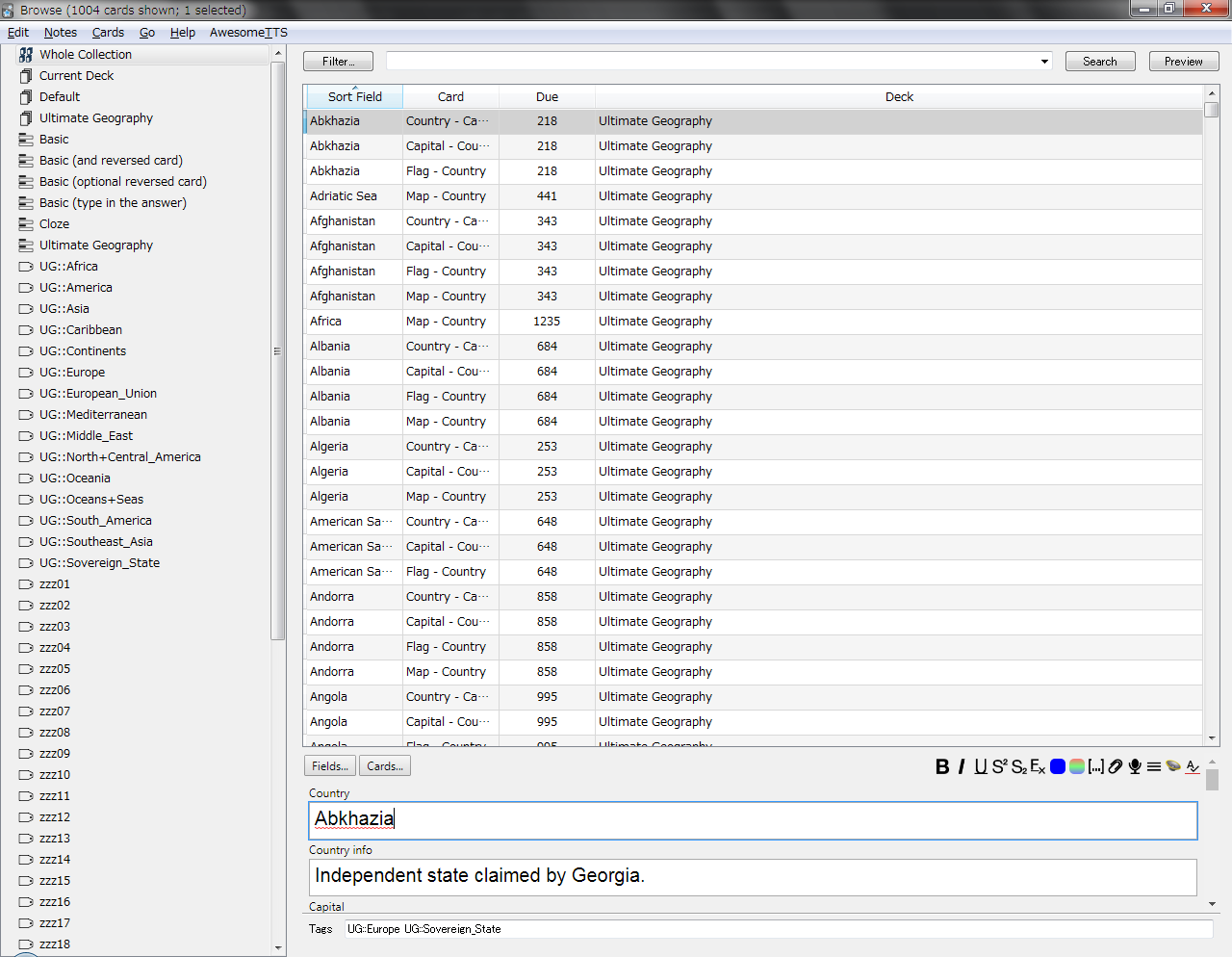
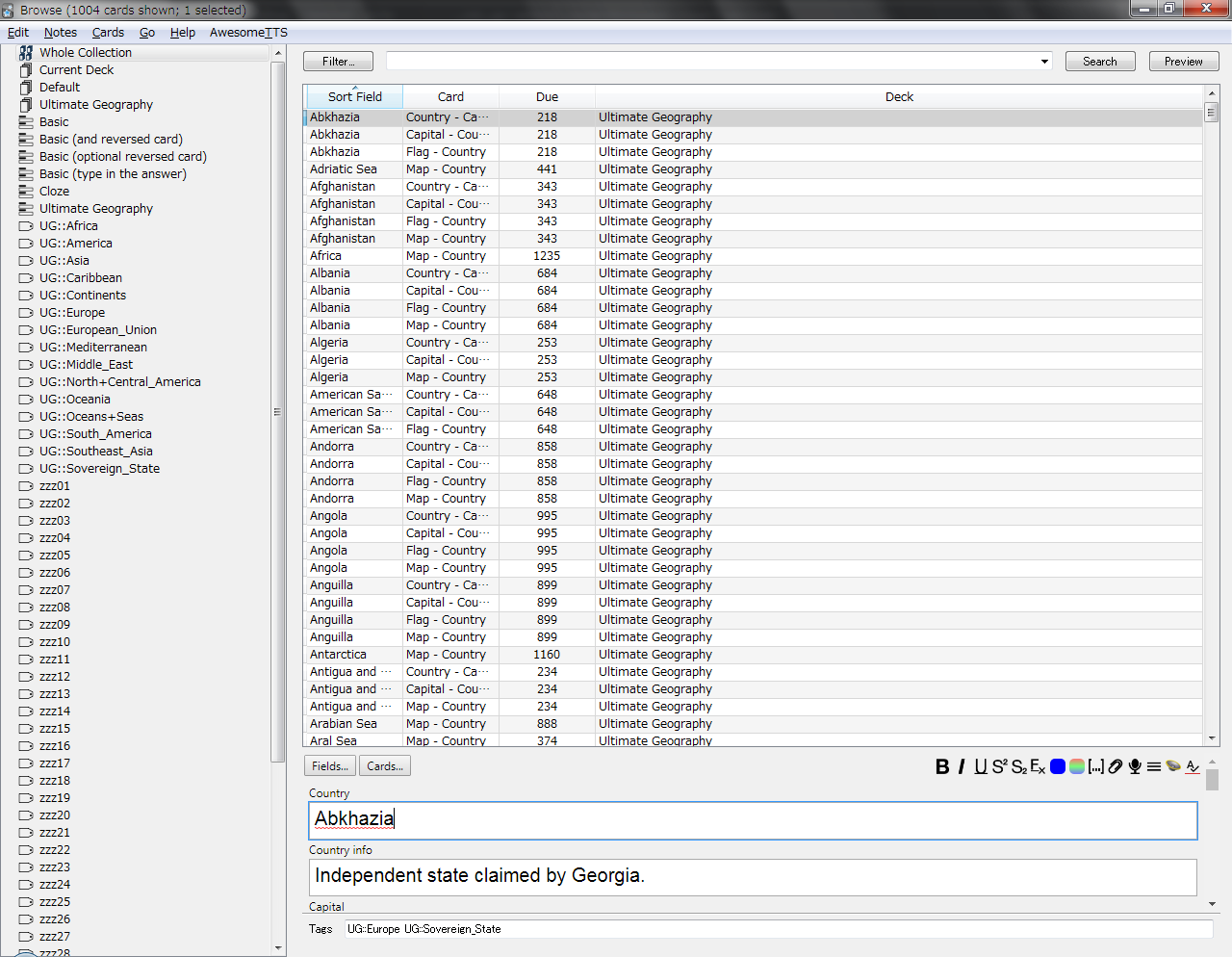
This add-on allows you to make the browser margins smaller to fit more on your screen (see images below).
You can edit the values in the config to shrink it as much as you want.
This code was originally shared by /u/yumenogotoshi on reddit and Glutanimate was kind enough to help us make it a little more user friendly. As we do not have any coding skills, this add-on is shared as is and we will not be able to provide support.
Before and After Images:
Before:
After:
Problems, Bugs, Errors, Improvements
If you find a serious bug, please submit it on Github or email us at ankingmed@gmail.com. Please remember that we are not coders and thus may not be able to provide support.
Changelog
2019-11-12: Initial Release
2020-09-05: Added 1) Shrink editor in the config which will make the field names and boxes smaller. 2) Editor field font size setting in the config which overrides the field settings for font on all note types. These features only work on Anki 2.1.22+ KNOWN ISSUE: If you triple click a line that is in a list, the line above it may get a fixed font size. We have not been able to figure out what is causing this.
2020-09-07: The known issue is causing problems so changed the default config
2021-08-01: Uploaded version that works for 2.1.41-45. This version allows for customizing a feature in the config that will limit image max size and width and also make images enlarge with hover or click. All these features are turned off by default to avoid conflicts with other addons
2023-11-11: Updated for Anki 2.1.50+
2025-01-28: Updated icons
Please consider checking out our: YouTube Channel- How to use Anki for beginners and advanced users.
Instagram/Facebook: @Ankingmed
www.TheAnKing.com- Recommended add-ons, tutorials and more including how to download 40+ add-ons in < 5min
Patreon/VIP- Support our work and get individualized Anki help!
Screenshots





Liên kết hỗ trợ
Reviews (14)
👍 2025-02-20
Very useful.
👍 2024-03-08
on 2023-11-08 it is not working with the latest version of Anki 23.10 Qt.6 Comment from author UPDATE: This should be working now and we would really appreciate if you change this to a 👍🏼! :) If you find issues or have suggestions for improvement, please share on our GitHub and we can discuss!
👍 2022-04-09
I have around 40K cards (for Step 1 & 2), each with three fields and each field with several images and sentences. I had to go through each card and compare each field to each other and then those of the other cards to modify them by pasting and copying part of a field from one to another and then compare and contrast the information with other cards. The problem is that there is not enough computer screen space to display several pictures of one card, let alone three fields together, in the “Br
👍 2021-04-01
Should be implemented in Anki
Must have add-on
👍 2020-12-11
Thanks a million ! nice one
👍 2020-08-02
Great add on!
👍 2020-07-04
Tip: if you wanted to make rows bigger, use a negative number (e.g., -6)
👍 2020-03-10
So nice to be able to view the browser in the size I want!
👍 2020-03-10
I’ve wanted an add-on like this for a while now. This helps me visualize the info that I actually want!
👍 2020-03-10
This was a must for the Windows version!
👍 2020-01-26
So impressive
👍 2019-12-15
Life changer, make more of this UI enhancer please!
👍 2019-11-17
It works well. Everything looks so much better!
👍 2019-11-13
Makes anki 2.1 less clumsy, thank you!
