Cambridge / Wiktionary Fetcher
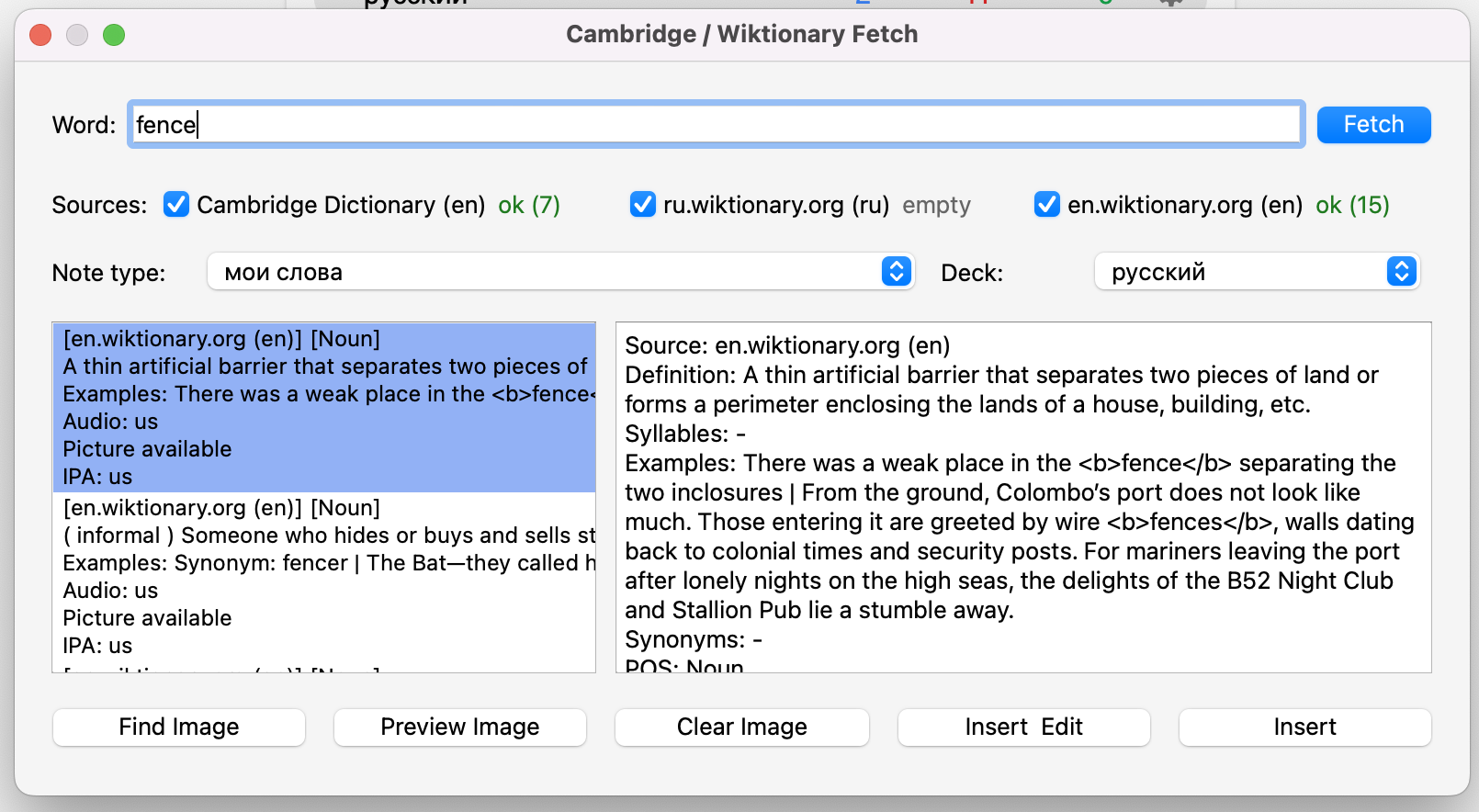
An Anki add-on that fills notes with data from Cambridge Dictionary, ru.wiktionary.org, and en.wiktionary.org.
Screenshots
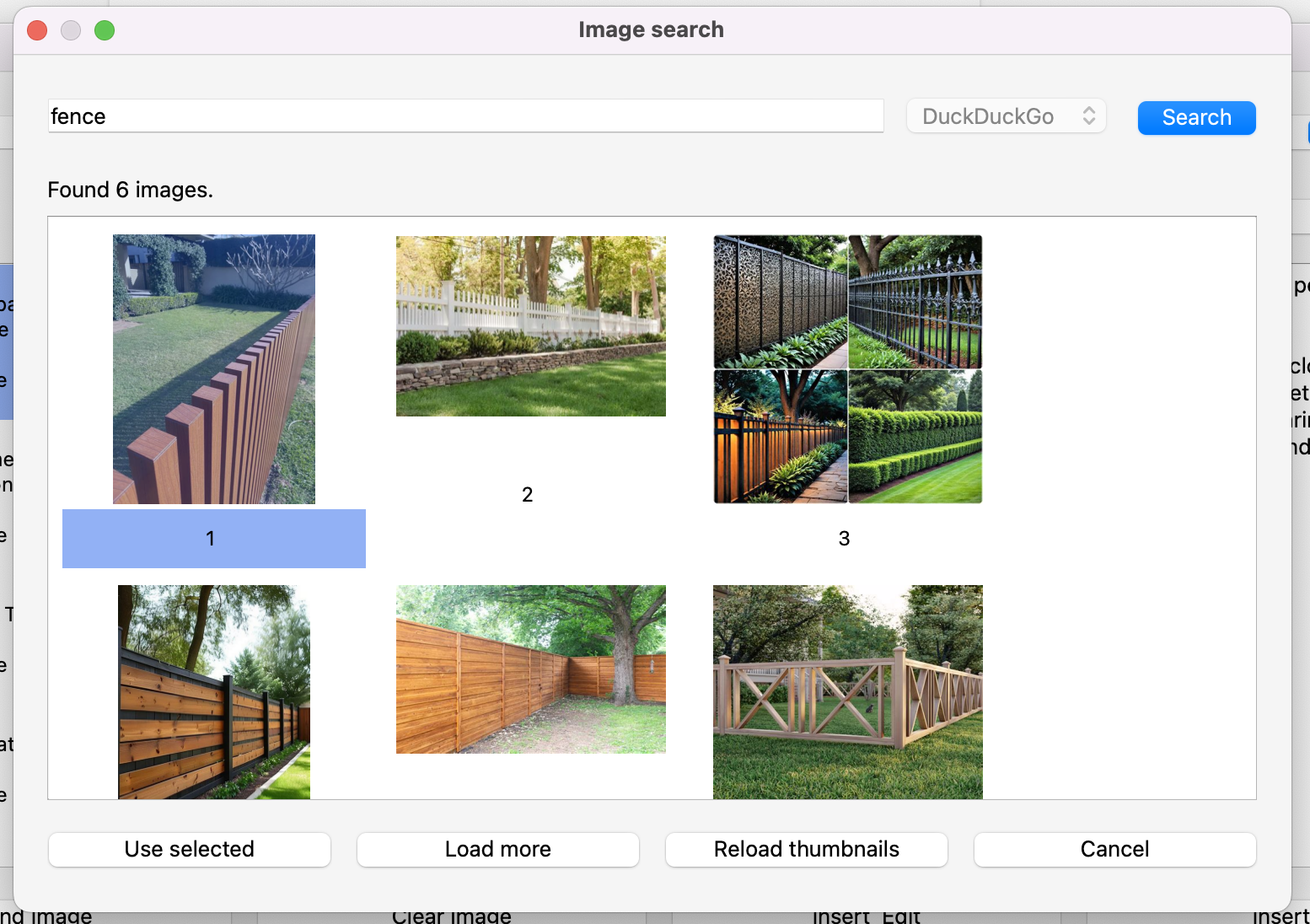
Features Fetches word, definitions, examples, synonyms, and part of speech. Extracts IPA and audio when available. Fetches from multiple sources at once. Adds an image to a note field via a dedicated image search dialog. Suggests close word variants when no exact match is found (typo/fuzzy suggestions). Validates typo suggestions against real dictionary entries. Writes data into your fields through configurable field mapping. Image Search The current version uses only DuckDuckGo. Provider selection remains in settings, but only one provider is currently available. Image settings: image_search.provider, image_search.max_results, image_search.safe_search. Usage Open Tools -> Dictionary Fetch (Cambridge/Wiktionary). Enter a word and choose one or more sources. Click Fetch and select a sense. Optionally click Find Image and choose an image. Click Insert or Insert & Edit. Settings
Open Tools -> Dictionary Fetch - Settings.
Available options:
default note type and deck; default sources; Cambridge dialect priority (UK/US); image result count and safe_search; typo suggestions on/off and max number of confirmed suggestions; field mapping (word, definition, examples, synonyms, pos, ipa, audio, picture); RU Wiktionary mapping (wiktionary.field_map.syllables).
Screenshots
Liên kết hỗ trợ
Reviews (1)
👍 2026-02-04
Fantastic add-on, something I’ve been wanting forever!
