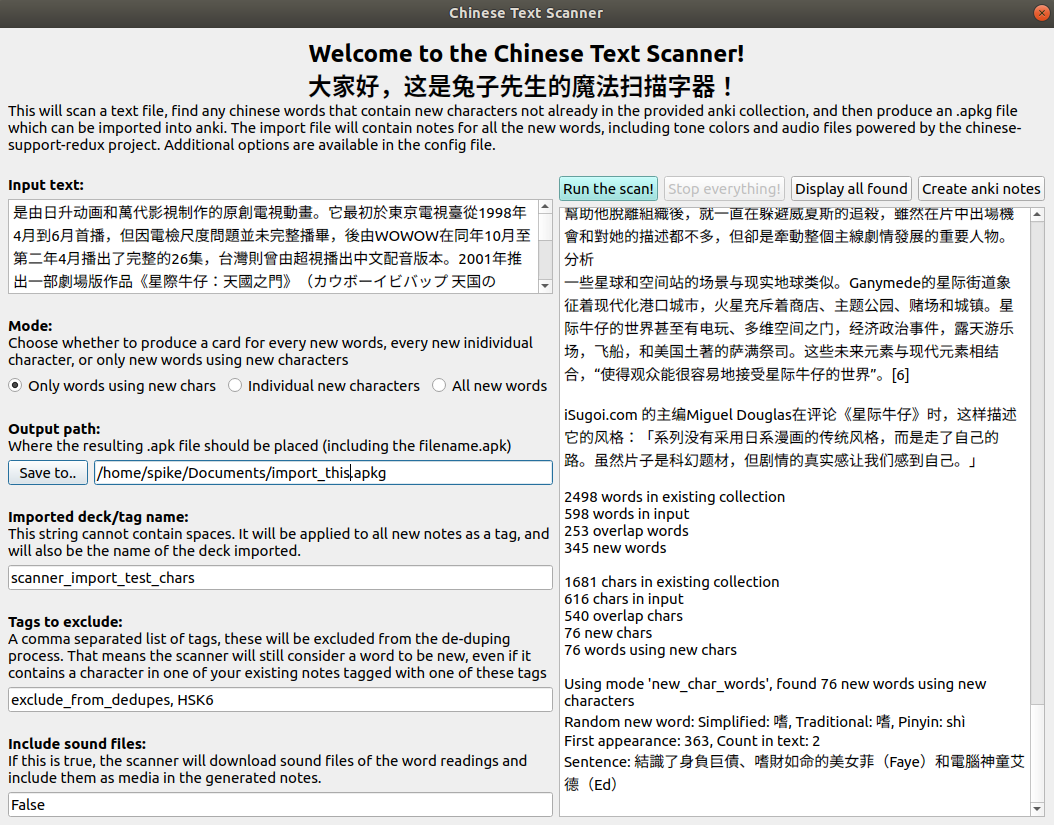
This will scan a text file, find any chinese words not already in the provided anki collection, and then add them as notes to your Anki collection. The notes include tone colors and audio files powered by the chinese-support-redux project. You can configure which note type to use if you want to use your existing card templates, or you can take the default note type provided. You can also choose whether to add all words found, or only words containing new characters.
Usage:
- Install the addon and restart anki
- TextScan will be added to the anki menu. Go there to open the configure or scan dialog
- You may want to configure how the scanned words will map to your chosen note type first. If you skip this step, it will use an included default note type.
- choose “scan file” or “scan pasted text” from the menu bar to use the scanner.
2020-06-27: updated to better support mac os, and to auto-import notes. It no longer requires saving an apkg file and then importing it. You can now configure how generated notes will map onto your existing note type. 2020-02-17: added paste-text mode, better config management, new UI layout and options 2020-02-10: updated to support windows platform
More info can be found at https://github.com/mentheosis/anki-scanner-chinese-redux
Screenshots
Liên kết hỗ trợ
Reviews (1)
👍 2020-04-12
I was looking for this exact type of thing a few months ago!
The copy and paste feature seems to work well, I couldn’t get the “scan file” function to work (it recommended amending the code pathways, and I know nothing of coding).
The screen is slightly too large on my Windows 10, the bottom fields are obscured by my task bar. Would be nice if it were slightly smaller and/or had a scroll bar on the side to view all options.
I wish there were a function to sort entries by how common the c
