A stripped-down port of the Clickable Tags add-on to Anki 2.1.
Just add the {{clickable:Tags}} special field to your card template. The add-on will take care of the rest.
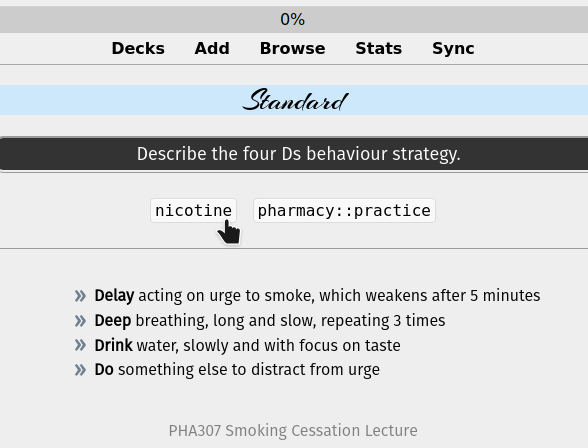
Single-click the tag to search for notes with that tag. Double-click to limit the search to the current deck.
This is the exactly same as Clickable tags v1.0 that Damien updated for Anki 2.1.20+. I am now maintaining both add-ons.
Problems, Bugs, Errors, Improvements If you find a serious bug, please submit it on Github or email us at ankingmed@gmail.com. Please remember that we are not coders and thus may not be able to provide support.
Changelog 2020-3-13: Initial release 2021-10-16: Fixed a conflict with the Closet add-on and IO-one by one note type. Thanks to RisingOrange for the fix! 2022-01-30: Added a compatibility fix for the AnKing Note Types and associated add-on
Please consider checking out our: YouTube Channel- How to use Anki for beginners and advanced users. Instagram/Facebook: @Ankingmed www.TheAnKing.com- Recommended add-ons, tutorials and more including how to download 40+ add-ons in < 5min Patreon/VIP- Support our work and get individualized Anki help!
Screenshots





Liên kết hỗ trợ
Reviews (28)
👍 2025-12-03
Broken on Mac
Version 25.09.2 (3890e12c) Python 3.13.5 Qt 6.9.1 Chromium 122
👍 2025-08-01
pretty good
👍 2024-11-27
useful
👍 2024-09-02
I’m receiving these warnings all the time:
.fields() is obsolete, use .note() or .card() .fields() is obsolete, use .note() or .card() .fields() is obsolete, use .note() or .card() .fields() is obsolete, use .note() or .card()
👍 2024-06-10
Add on has been making ANKI crash. Please fix Comment from author Please share details on our github and we will promptly look into it. We don’t get notifications here and have no idea how to troubleshoot it with you. It’s working on my end so I can’t offer any other help without further input from you. We’d love to turn this 👎🏼 into a 👍🏼!
👍 2024-04-19
works fine
👍 2024-03-29
This add-on hasn’t been working for a while now. Comment from author I’m not sure what isn’t working for you, it’s working fine on our end. If you make a report on Github we will happily look into it though!
👍 2024-03-09
Good addon, no issues and does exactly what it says it does
👍 2023-12-25
The Anking team is doing huge work for anki community We can’t thank you enough guys 💝
👍 2023-12-09
Great add-on, sorry to give it a dislike, but it stopped working. Comment from author before post was edited If you post on the github, we will happily look into it! We don’t get any notifications here so disliking (or liking) doesn’t really do anything to help get the problem fixed. We’d be happy to turn this into a like though!
👍 2023-06-22
Works as described, but there is a mistake in the description. It should say: Add {{clickable::Tags}} with 2 colons, not 1 colon.
There are bugs with how it displays in night mode, but you can fix that by editing .tag in your CSS styling.
👍 2023-06-14
convenient, using it to group and quickly retrieve Chinese characters which I am mixing up to to similar keywords
👍 2023-04-06
Great addon, It would be perfect If it was possible to delete a tag too, like using Ctrl+click on the tag.
👍 2023-03-21
giddily and amazed!
👍 2023-01-06
The css code for how tags are shown on cards is in clickable.py
👍 2022-10-13
Thanks for this. It’s opened new ways of studying for me. For example I’ve created tags for each kanji, so sentences are linked by tag to each kanji that they contain. When reviewing a sentence I can click on a tag to review a constituent kanji at the same time.
👍 2022-06-22
Useful add on that works well. For those of us that use extensive nested tags, I suggest a feature where the associated tag on the browser sidebar will expand automatically upon clicking the clickable tag in the reviewer.
👍 2022-04-19
For anyone who is confused on how to use it:
-
Browse
-
Select a card
-
Select “Cards” (located above the fields on the selected card
-
Select “Back Template”
-
Scroll all the way to the bottom and paste this: {{clickable:Tags}}
You should now see the tags for that card on the backside of that card and any other cards that use that template (such as the AnKing note type).
👍 2022-03-23
If you find that you can’t use it, see here. Browse->tags.(put the {{clickable:Tags}})
👍 2022-02-10
Very useful, thank you for the 2.1 support!
👍 2022-02-05
Works fine with 2.1.49.
👍 2021-11-13
Can someone explain me how this work please ?
I cannot add this text {{clickable:Tags}} as a field to a card type.
Thank you in advance !
👍 2021-10-18
This addon helps me a lot to organize my tags.
👍 2021-09-11
Works great on 2.1.47!
👍 2021-04-01
Should be implemented in Anki
Must have add-on
👍 2021-03-14
For those having trouble with night mode not showing the text, use this code before the clickable tags code:
<div style=“;font-weight: bold; color:black”>
The final result will be like this:
<div style=“;font-weight: bold; color:black”>
<div id=“tags-container”>{{clickable::Tags}}</div>
and have fun :D
👍 2020-09-25
Thank you so much for this add-on! I don’t know why, but it doesn’t seem to work for me, however. I’m using the Anking V7 deck, so it isn’t the “<div id=“tags-container”>{{clickable::Tags}}</div>” issue :(
Whenever I click it, the browser window opens with an error message and the following debug inf:
Debug info:
Anki 2.1.31 (13476503) Python 3.8.0 Qt 5.14.2 PyQt 5.14.2
Platform: Mac 10.15.6
Flags: frz=True ao=True sv=2
Add-ons, last update check: 2020-09-24 09:09:31
Add-ons possibly
👍 2020-09-01
Thanks for the update! Could you please add night mode support? And until then, could you please suggest some tweak as to styling the clickable tag to make it visible in night mode?
