Fill the Blanks Expanded
Transform your Anki cloze cards into interactive fill-in-the-blank exercises with multiple input fields.
Note: This is an enhanced fork of the original Fill the Blanks Expanded by ssricardo.
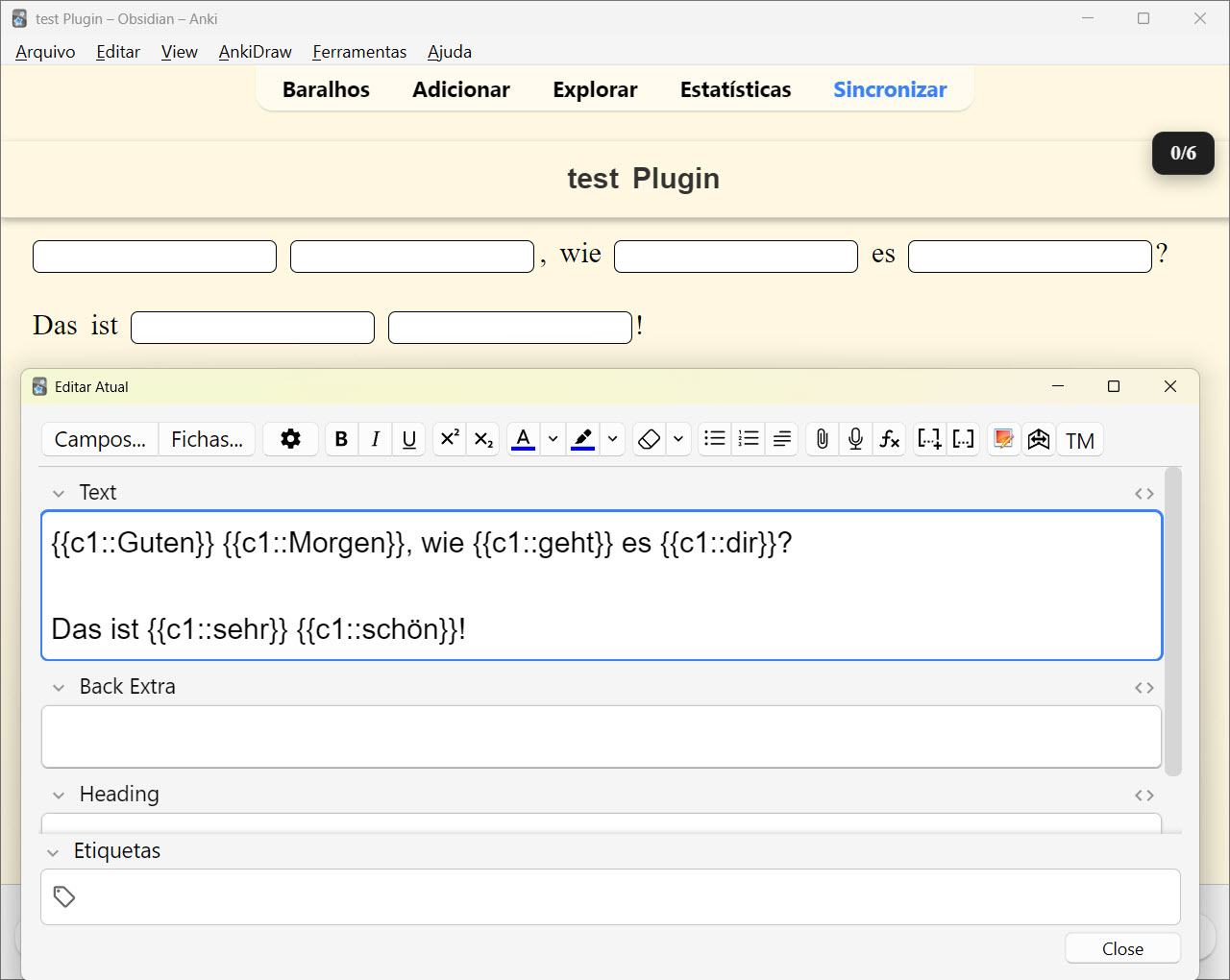
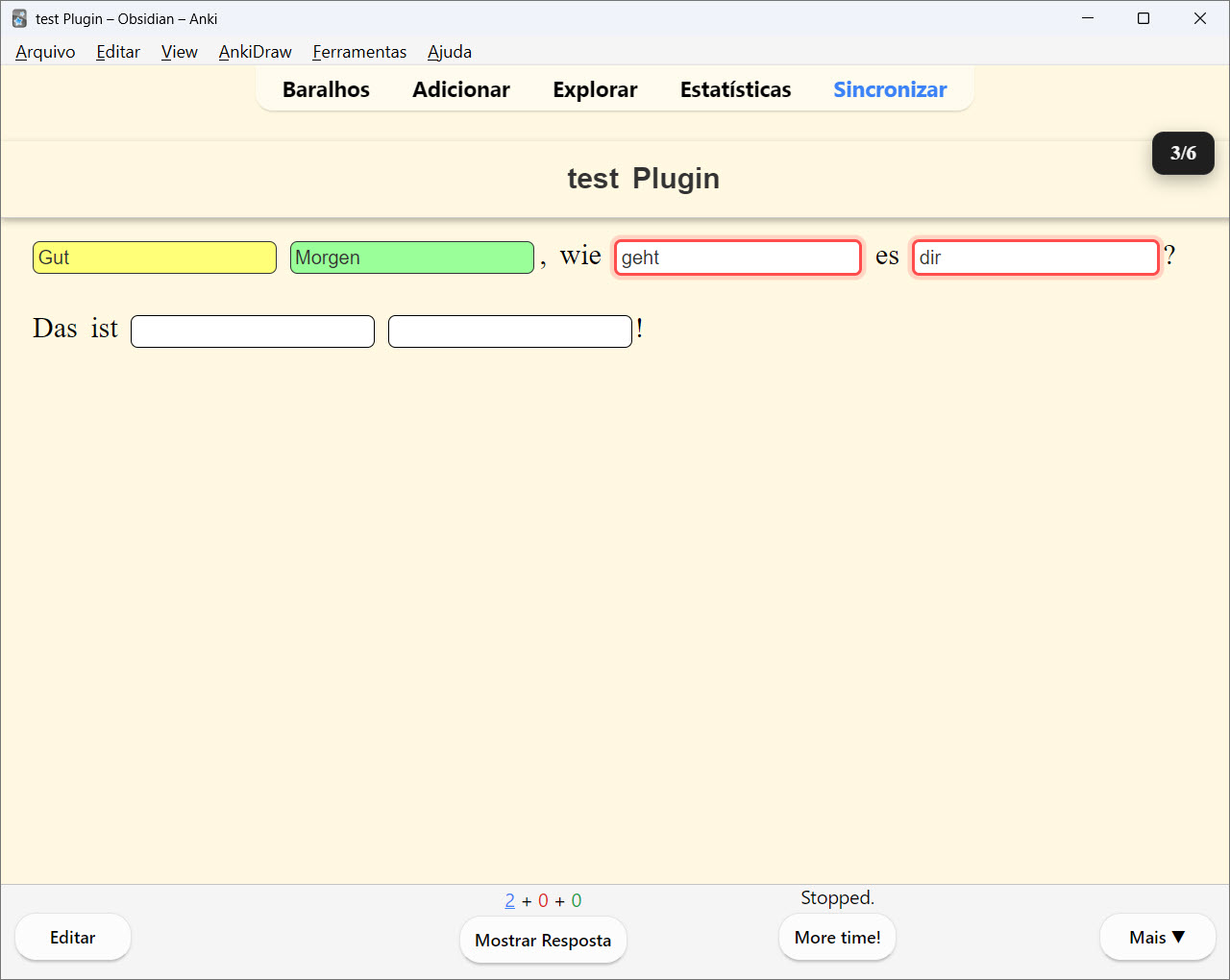
Features ✨ Multiple Type-In Fields Replace {{cloze:Field}} with {{type:cloze:Field}} and get individual input fields for each cloze deletion Type directly into each blank instead of a single large input box Perfect for code snippets, formulas, language learning, and any content with multiple blanks Example {{c1::Guten}} {{c2::Morgen}}, wie {{c3::geht}} es {{c4::dir}}?
Das ist {{c5::sehr}} {{c6::schön}}!
🎯 Instant Feedback
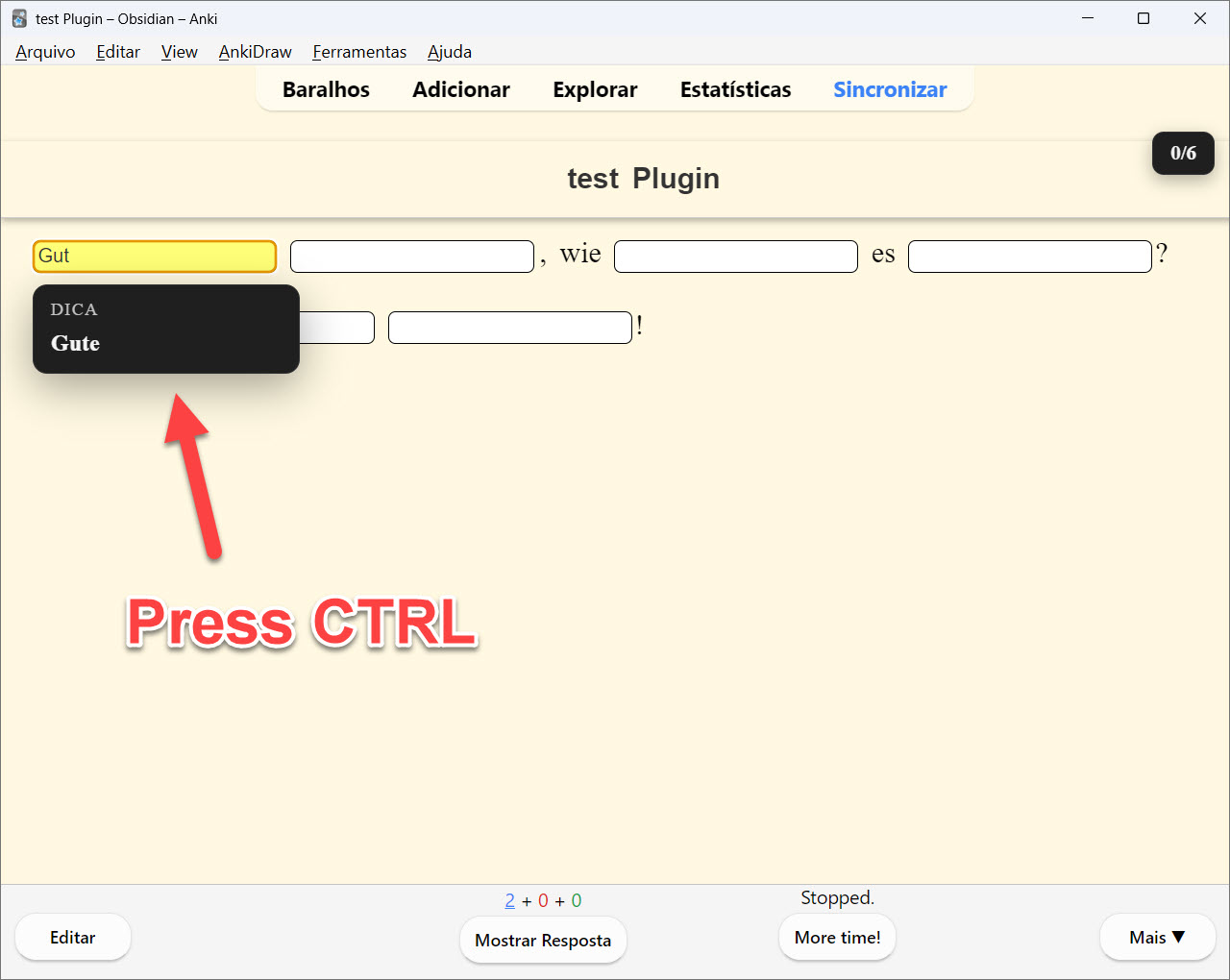
Real-time color-coded feedback as you type:
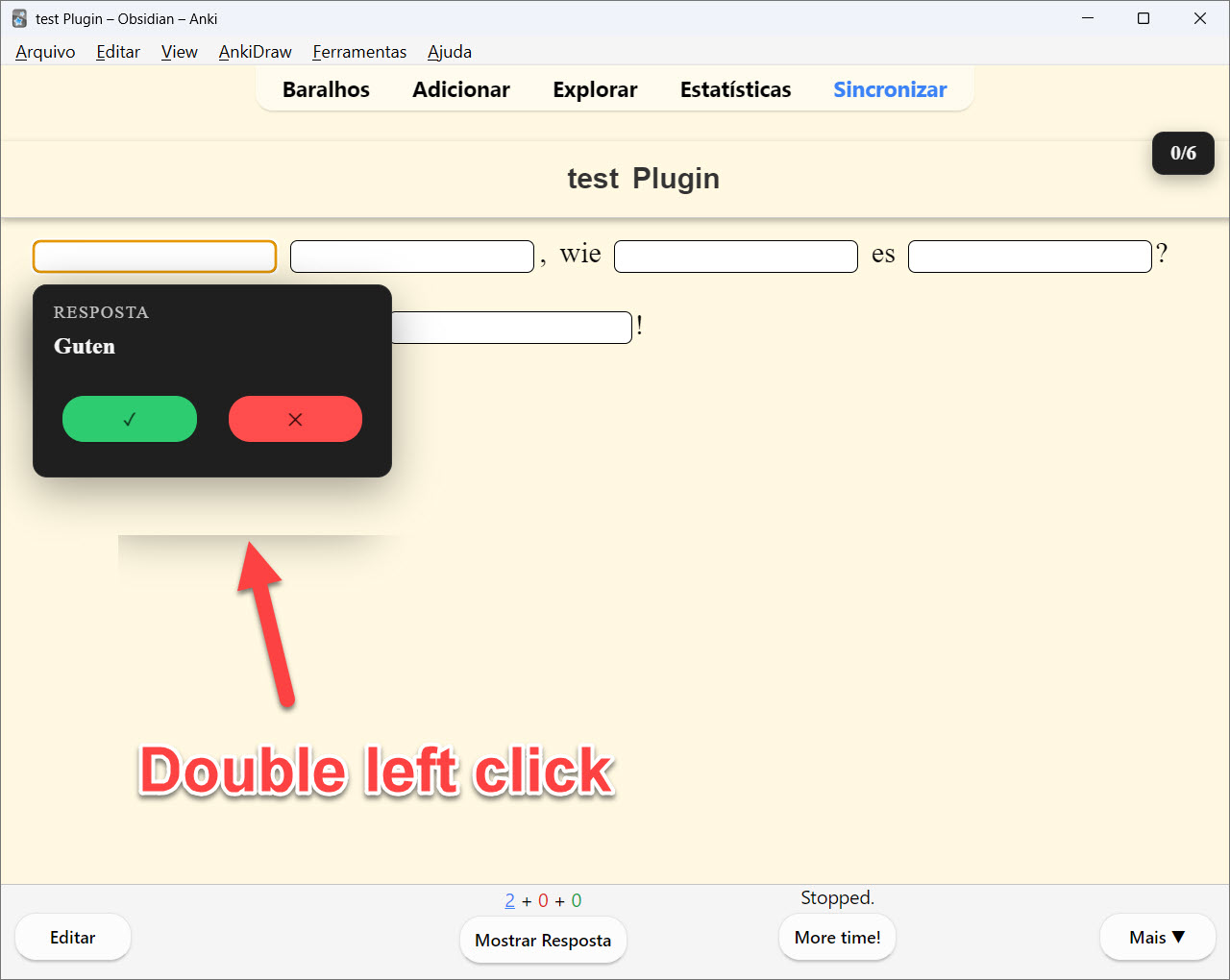
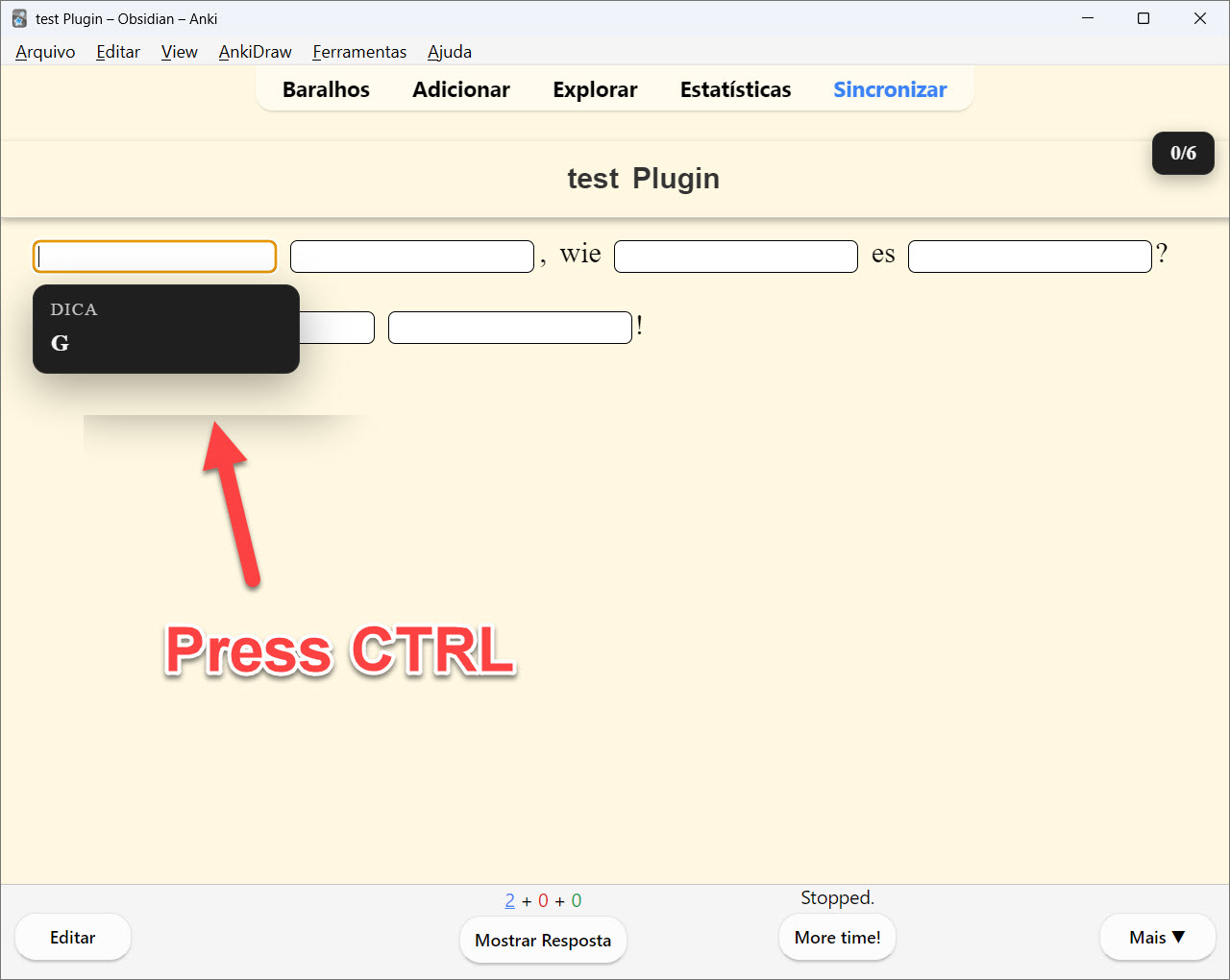
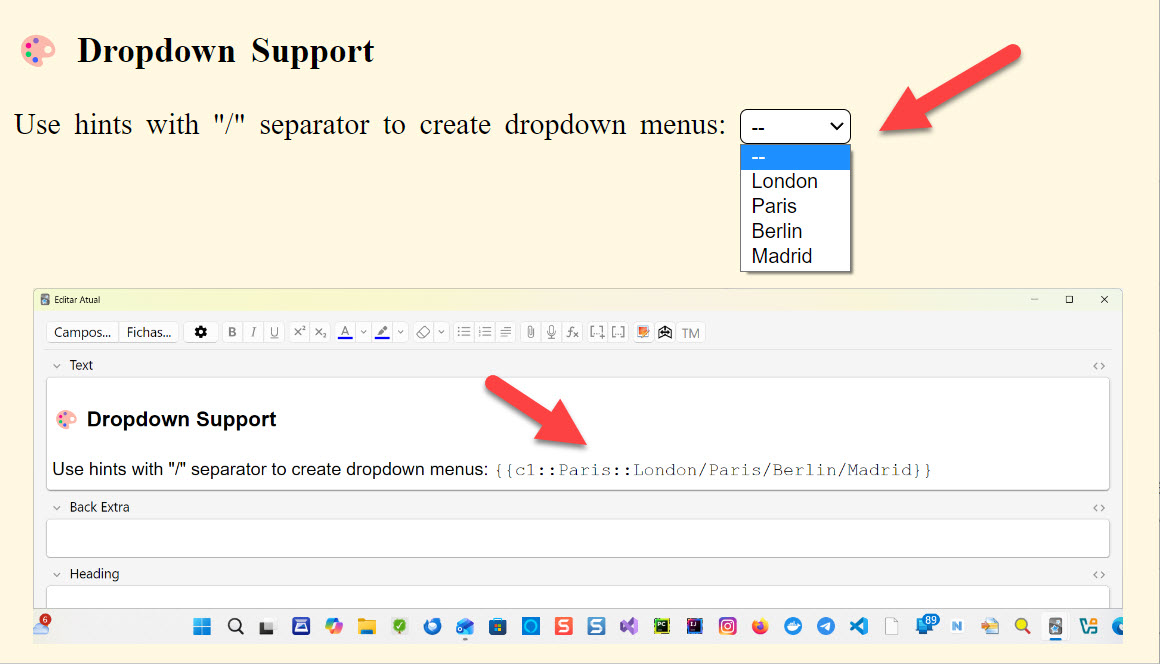
Yellow - Incomplete (correct so far) Green - Correct answer Red - Incorrect answer 📊 Progress Indicator Visual counter showing answered/total fields (e.g., “2/5”) Located in the top-right corner Turns green when all answers are complete 💡 Smart Hints Double-click any field to reveal the answer Ctrl+? to get the next character hint Configurable idle hint delays 🌍 Language Support Ignore case sensitivity option Ignore accents/diacritics option Asian characters support 🎨 Dropdown Support
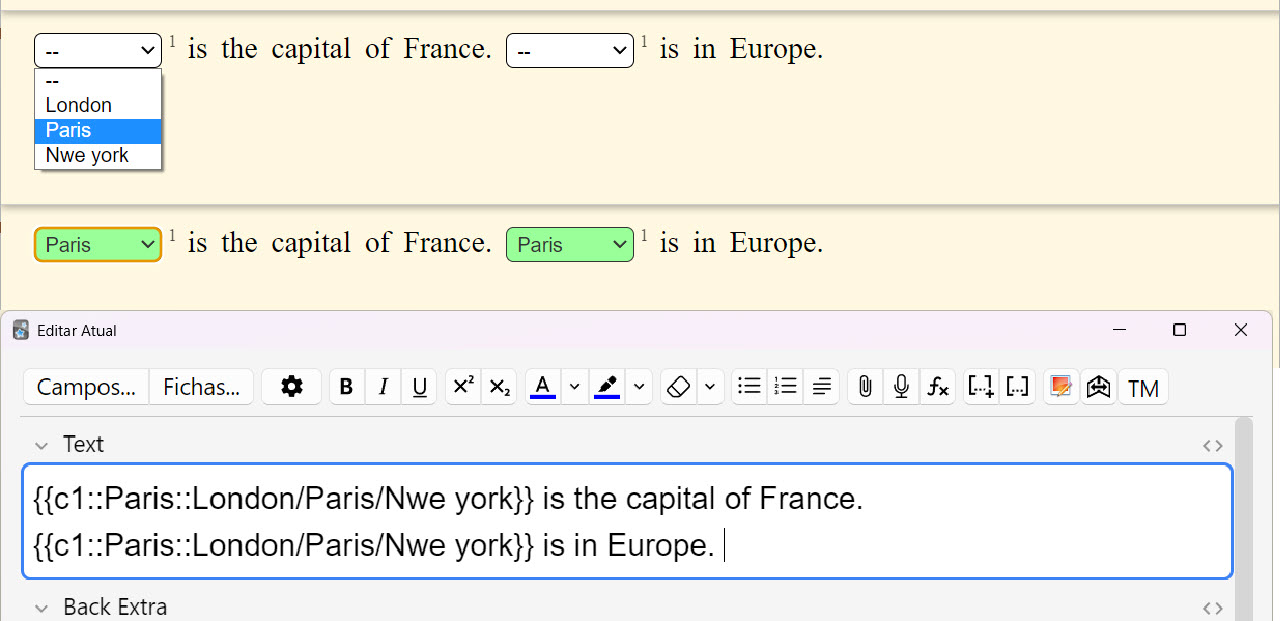
Use hints with ”/” separator to create dropdown menus: {{c1::Paris::London/Paris/Berlin/Madrid}}
🔁 Duplicate Cloze Autofill
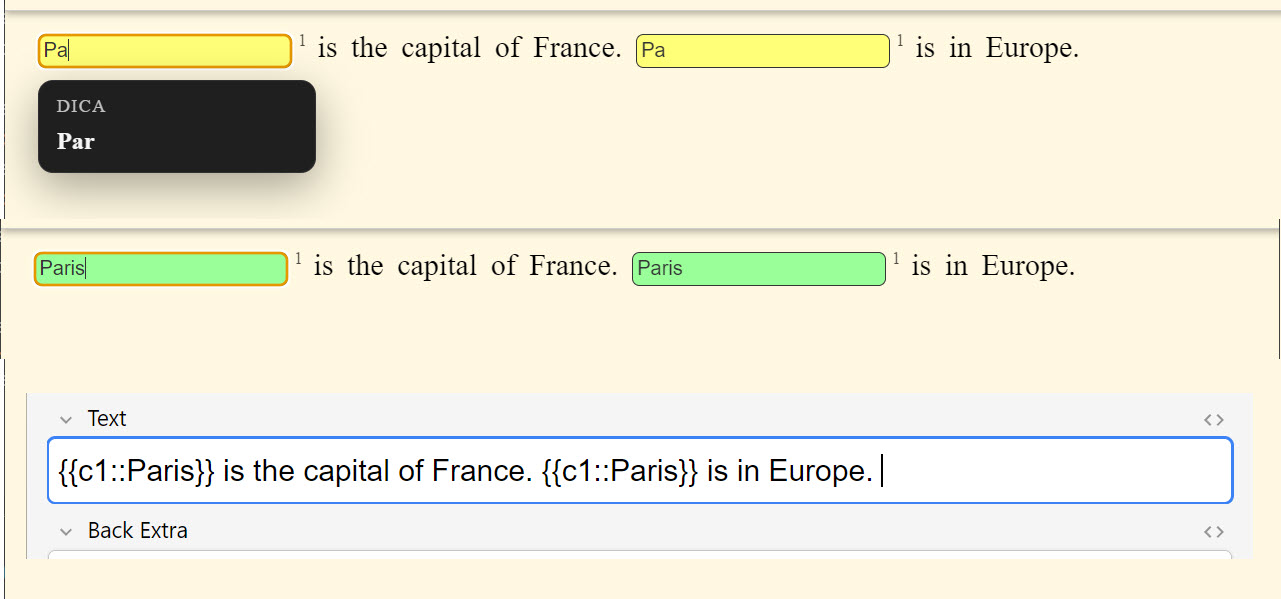
When the same ordinal appears more than once (e.g., c1 repeated), typing in one field instantly mirrors the input in the other(s). A small superscript number appears to the right of each repeated cloze to indicate the shared ordinal.
Example 1: {{c1::Paris}} is the capital of France. {{c1::Paris}} is in Europe. Example 2: {{c1::Paris::London/Paris/Rio de Janeiro}} is the capital of France. {{c1::Paris::London/Paris/Rio de Janeiro}} is in Europe.
How to Use Create or edit a Cloze note type In the card template, replace {{cloze:YourField}} with {{type:cloze:YourField}} Add the filter: {{type:cloze:YourField|fill-blanks}} Create cloze deletions as usual: {{c1::answer}} Review your cards - each cloze becomes an input field! Configuration
Access settings via Tools → Add-ons → Fill the Blanks Expanded → Config
Enable/disable instant feedback Case and accent sensitivity Hint delays and behavior And more… Perfect For 💻 Programming & code snippets 🌐 Language learning 📐 Math formulas 🧬 Scientific terminology 📝 Any content with multiple fill-in-the-blanks Source & Issues
This Fork: https://github.com/belagrun/anki
Original Project: https://github.com/ssricardo/anki-plugins/tree/master/fill-the-blanks-expanded
Report bugs, request features, or contribute!
Credits & Support
Originally developed by ssricardo
This fork contains additional features and enhancements. All credit for the original concept and implementation goes to ssricardo.
🌐 My Website: 👉 Isabela Grünevald
📧 My E-mail: ✉️ naveroute@gmail.com
Support the Original Author
If you find this add-on useful, please consider supporting the original creator:
☕ Buy ssricardo a coffee
More add-ons by ssricardo
Screenshots