Opens websites (google images, dictionary etc.) which belong to a given word.
USAGE
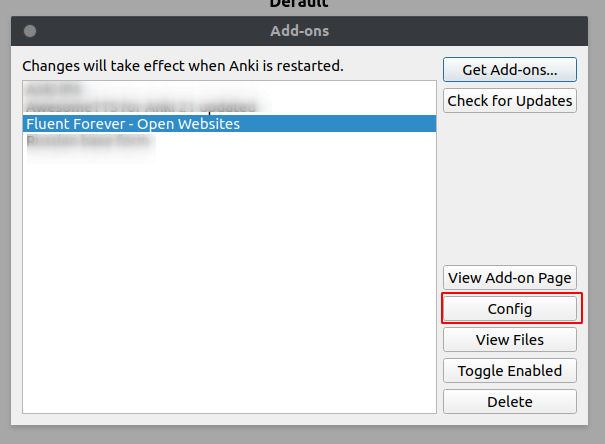
After installing the addon go to Tools/Addons. Now choose “Fluent Forever - Open Websites” and click on “Config”.
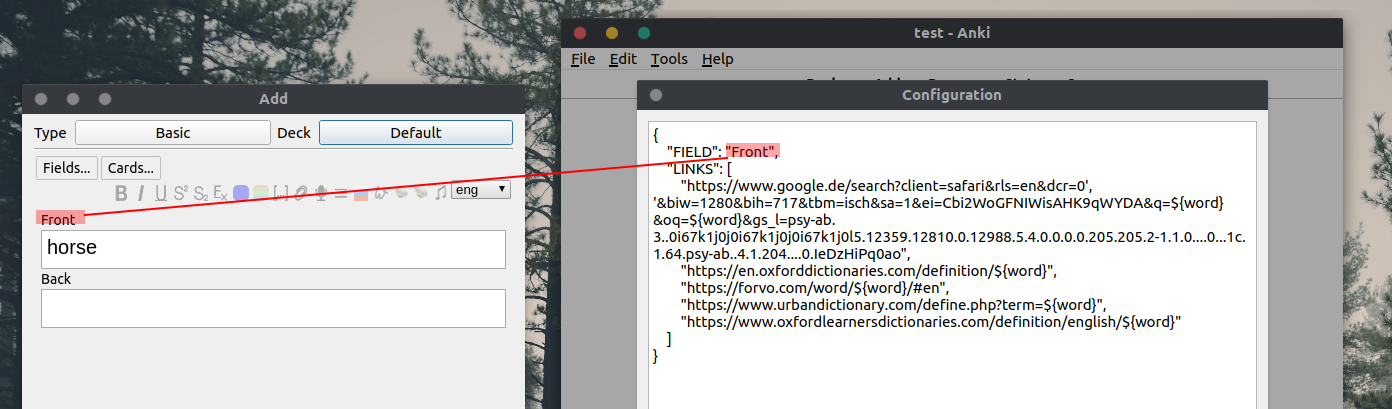
Rename the field name.
RESTART ANKI!
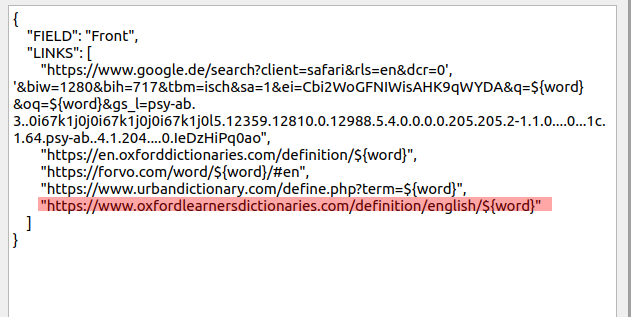
Add new websites
You can add new website inside the addon configuration. For example “https://www.oxfordlearnersdictionaries.com/definition/english/${word}”:
Please do not use reviews for bug reports or support requests. I don’t get notified of your reviews, and properly troubleshooting an issue through them is nearly impossible. Instead, please just message me at m-rtin@gmx.net. Constructive feedback and suggestions are always welcome!</div>
Screenshots
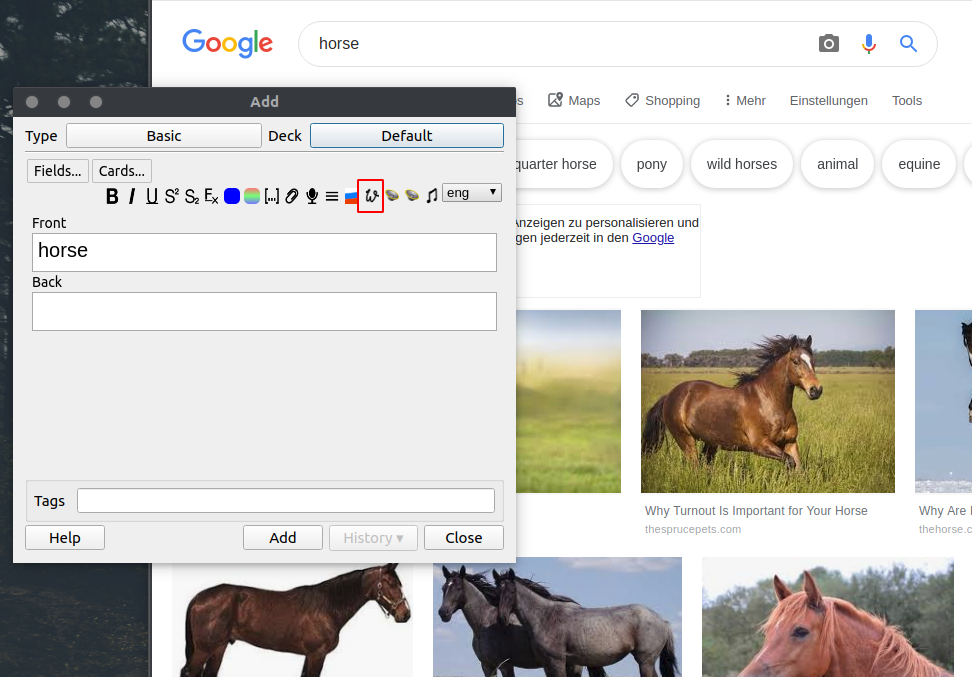
Reviews (16)
👍 2025-07-11
I really like this addon, it makes adding cards more productive. However I run into a type error. If anybody of you has this issue:
Traceback (most recent call last): File “aqt.webview”, line 742, in handler File “aqt.editor”, line 646, in <lambda> File ”/…/…/…/…/Anki2/addons21/143682703/init.py”, line 31, in open_webpages self.web.eval(“focusField(%d);” % self.currentField) TypeError: %d format: a number is required, not NoneType
all you need to do:
- find the init
👍 2025-01-25
I used to use it, but it doesn’t work well on the version 24.11, so I just wrote a bash script.
#!/bin/bash
—title we add it to yad to kill the window later if it exists
if ! pgrep -f yad-anki > /dev/null; then user_input=$(yad —entry —title=“yad-anki” —text=“Online search:” —no-buttons)
read -r WORD <<< “$user_input”
if [[ ! -z $WORD ]]; then
flatpak run com.brave.Browser
“https://www.oxfordlearnersdictionaries.com/definition/english/${WORD}”
“https://www.britannica.
👍 2023-06-17
so goooooooooooooood
👍 2022-10-24
Great addon, but my word cards often have a picture of handwriting in addition to the typed word, so it treats <img src=“image.jpg”> as a word in addition to the actual word, and so opens twice as many tabs (no issue with Unicode in the case of Urdu btw). Maybe the add-on in the future can remove tags before searching words?
Another feature idea is to make the field name configurable per note type, although it is not hard to change it back and forth.
👍 2021-10-18
I contacted you via your email a month ago. but I am not finding any reply.
👍 2021-04-03
It needs to restart Anki after rename the file name
Really usefull. Comment from author Yes, restarting Anki after installing is necessary!
👍 2020-09-06
Since “contact author” is disabled, posting a review instead.
Choosing to upvote even though doesn’t work for my specific scenario (Japanese Kanji), otherwise this has a lot of potential.
Could you please extend the support to unicode characters, it errors out when attempting to run a lookup using Japanese characters such as “択”. The error:
File “webbrowser.py”, line 667, in open
UnicodeEncodeError: ‘ascii’ codec can’t encode character ‘\u629e’ in position 44: ordinal not in range(128)
👍 2020-05-24
Very useful and very easily customizable. Great add-on
👍 2020-04-30
Nice idea embedding it into Anki. Good work!
👍 2020-03-15
Thanks a lot! I just delete all the links except google line and add longman dictionary links instead urban :)
👍 2020-01-04
Thank you i really mean it.
This addon is life changing.
👍 2019-10-29
I can’t figure how to insert the ${word} command that makes this possible for custom sites
“https://www.google.com/search?q=Type+your+search+here&tbm=isch&sout=1#spf=1572350984974”,
“https://fr.wiktionary.org/wiki/Wiktionnaire:Page_d%E2%80%99accueil”,
“https://context.reverso.net/translation/”,
“https://www.wordreference.com/conj/FrVerbs.aspx”
could you help me with this thanks :) Comment from author Your links should look like this:
👍 2019-10-06
If I can search a word in the same pages (those pages of online dictionaries) as the word I searched before, it would be much better.
Thanks
👍 2019-08-11
Thank you.
👍 2019-08-11
works for me.
👍 2018-10-14
it doesn’t work
“Field ‘Wort’ doesn’t exist” Comment from author I updated the description.
