Allows you to display the editor in multiple columns, or any arrangement you want.
It knows three modes:
Auto Columns: It will generate the appropriate amount of columns for you, depending on the width of the editor window. It is active, when the column number is set to 0. Grid Columns: You can also manually set the amount of columns per hand (in the editor toolbar). This is the behavior, when the column number is set to 1 - 9 Grid Areas: Advanced feature. You can define how the fields are displayed yourself. You can set this behavior under “Editor > Fields > Grid”. If you enable it, it will overwrite the Auto columns as the behavior when the column number is set to 0. See below for more details.
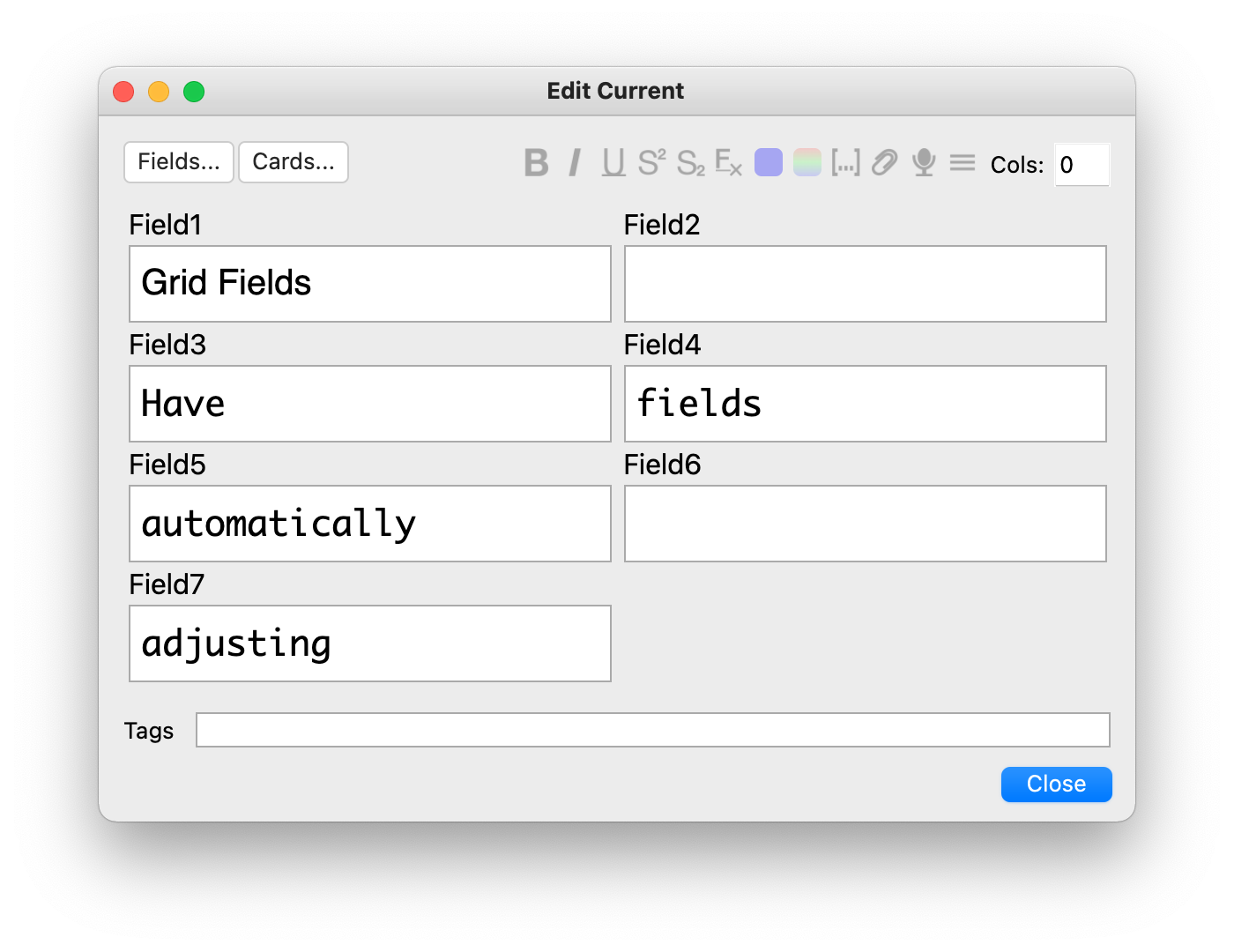
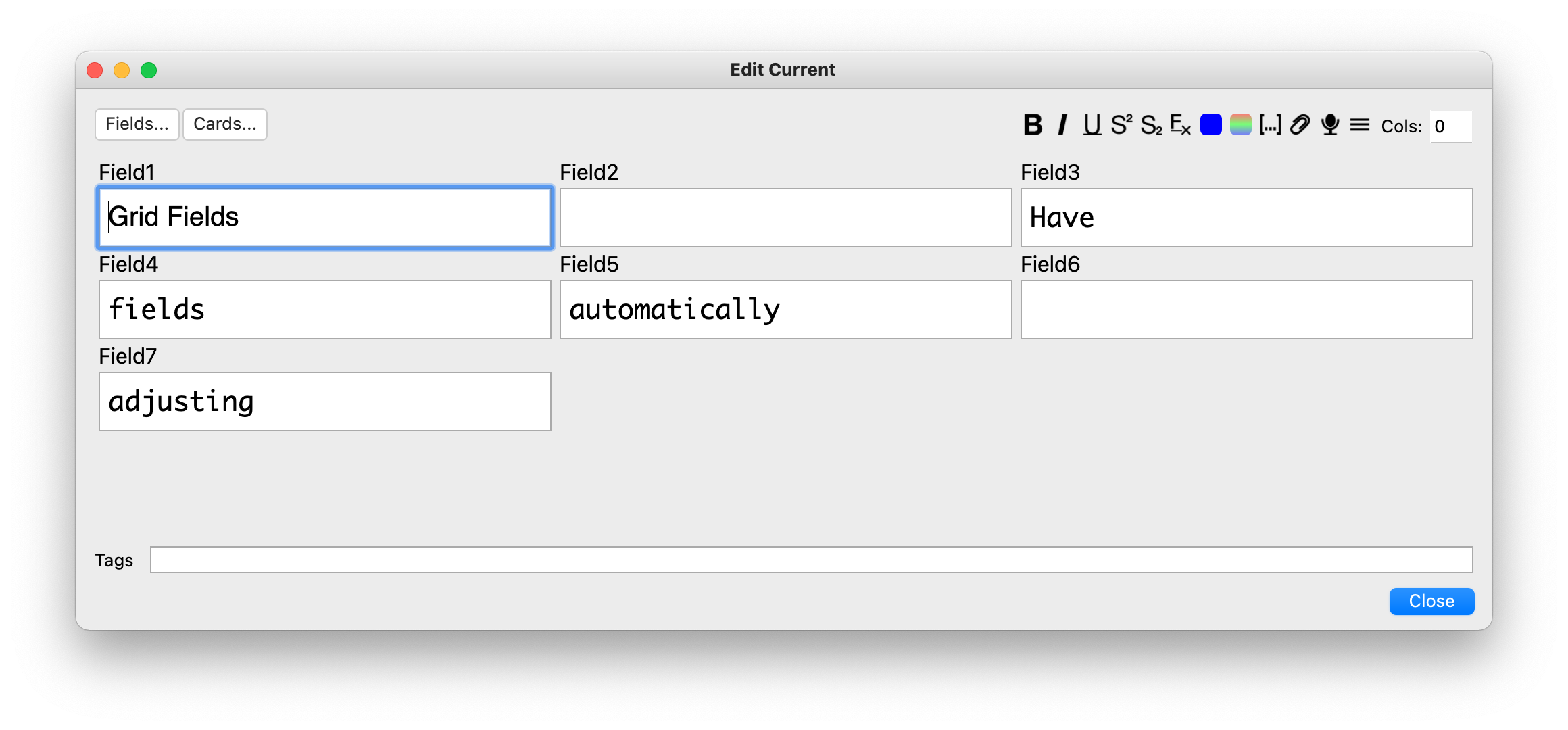
Auto Columns in a smaller window, and in a bigger window. Notice the “Cols” toggle in the toolbar for setting the column count by hand:
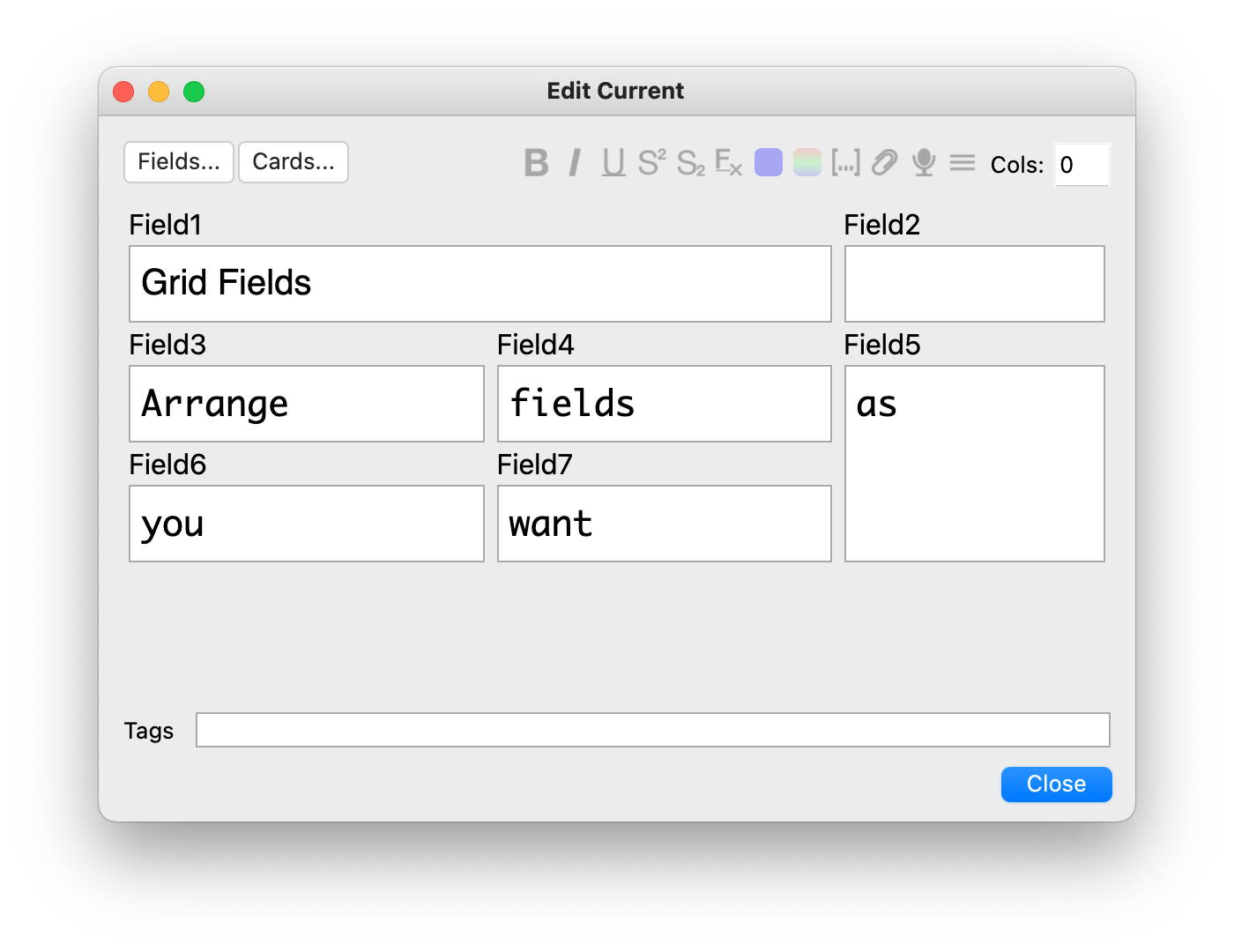
Grid areas:
This arrangement would have the definition: f1 f1 f2 f3 f4 f5 f6 f7 f5 This definition is what you have to enter into the dialog under “Editor > Fields > Grid”.
Shortcuts
F12: Toggle between Auto columns and Grid areas in the editor. Shift+F12: Make a field temporarily full width (works well with Auto/Grid Columns, will obscure fields when using Grid areas). You can set those shortcuts under “Tools > Add-ons > Grid Fields > Config”.
Support If you like my add-ons, you can consider supporting me. My add-ons will always be freely available for everybody, but what I can offer you is my sincere thanks, and first-hand technical support, if you have any questions/issues with my add-ons. At the same time it allows me to put more time and focus into developing these and making them as powerful and user-friendly as they are. Thanks for considering!
ko-fi.com/hgiesel patreon.com/hgiesel
Screenshots


Liên kết hỗ trợ
Reviews (10)
👍 2023-09-08
I have been using this amazing addon on 2.1.49 for some time now and I have encountered no big issues. It is usable on this version. Should be a native function in Anki.
👍 2023-01-25
I seriously think this should be integrated in a future anki update!!!!!! Incredible!! It should be a native function!
👍 2023-01-25
Holy shit this is like multi-column note editor 2.0!!! Wonderful!!!
👍 2022-05-27
This add-on is great, but is not working anymore on 2.1.52. Pls update :(
👍 2022-04-19
Unfortunately the addon is no longer working properly in Anki 2.1.49.
-
The path “Editor > Fields > Grid” to access the grid area feature is no longer available.
-
The grids are lost once you click on the next note.
Would love to see an update as this addon is otherwise super helpful!
👍 2021-10-25
2021-10-25: I wonder if logically it would not be more correct to call the addon “Field Grid” (or “Field Grids”). Es ist doch ein Gitter für Felder – nicht Felder für ein Gitter.
Absolutely great. Thank you so much! I especially like the fact that the fields do not change in height – or as you say, that they are in a grid. (That is not the case with the multi-column editor.) Comment from author Haste eigentlich recht. I guess I wanted to fit the naming pattern of other add-ons: Frozen Fields
👍 2021-07-09
Godsend. Couldn’t live without this!
👍 2021-05-04
Thanks
👍 2021-04-28
Great one!
Works fine so far (My Anki version is 2.1.43 (0fbae6bc))
Thanks,
Andrej Adamenko, https://forums.ankiweb.net/u/andr/summary
👍 2021-04-09
Would it be possible to stop the fields from changing width when text is added?
-thx, love this add-on Comment from author before post was edited Your wish has been granted :)
![Multiple Choice [UPDATED AS OF 2.1.29]](/default-thumbnail.webp)