Hours
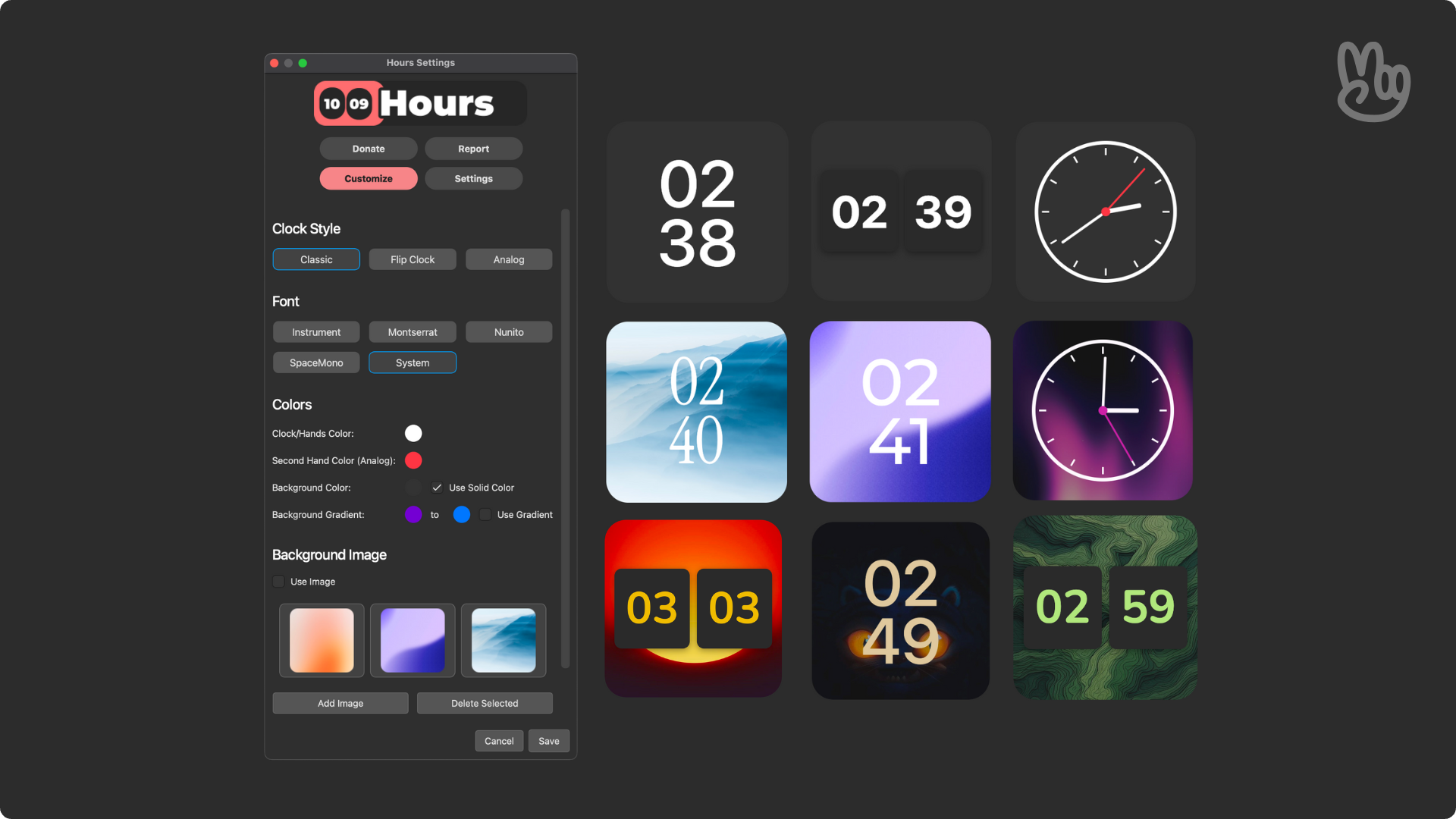
Hours is a very simple widget/add-on for Anki that displays your current time, being highly customizable!
Preview License
This project is licensed under the GNU Affero General Public License v3.0 (AGPL-3.0). In short: you’re free to use, study, and modify this code—but if you run it as a service or distribute modified versions, you must make your source available under the same license.
I’ve put a lot of time into designing and maintaining this work. Please respect the license and my effort:
Don’t copy parts of this project into closed-source or commercial products. If you build on it, credit the original and keep your changes open. If you find value here, consider contributing back or supporting the project. Gratitude
Thanks to the Anki and Ankimon community for teaching me the essentials on coding and add-on development!
Support my work
I’m actively shipping updates and new features. If my add-ons helped your studies or workflow, consider supporting my work. Your contribution keeps the project maintained and free for everyone.
Screenshots


Liên kết hỗ trợ
Reviews (4)
👍 2026-01-28
honestly what is the point if the clock doesn’t show up while you are actually doing the cards… Comment from author Honestly, the intention of the add-on is enhancing the experience on the main menu, it is literally in the name “Check the hours from your Anki menu”. If you wanted a clock in reviewer, this isn’t the add-on for you, its just like buying an orange and complaining it doesn’t taste like an apple.
👍 2025-11-06
In the timezone settings, I am unable to change my timezone; it appears to be locked. Comment from author I noticed there is indeed this error, it will be fixed on a future update, sorry for that.
PS: That was solved on the latest version (as per Nov 30).
👍 2025-10-23
This is great. One suggestion, if we don’t want to use the Onigiri desktop add-on, it would be nice if the rest of your add ons could be displayed horizontally. Right now, on the regular desktop, they display in a long vertical column if all are turned on, instead of stacking in a couple rows. Comment from author Hey there! Thank you a lot for using!
I like the suggestion, and I will make sure to work on something like that in the future. That sounds like an issue that can be solved with anoth
👍 2025-10-19
Pretty cool idea, but it needs work. At least on my end, the time is defaulting to UTC and cannot be edited to reflect PDT in either the config or within the tools settings.
