Update: It appears that hiding review intervals is an option in the Anki settings, and the add-on is unnecessary! Thanks to the reviewer for this information!
To update the setting: View > Preferences > Review > “Show next review time above answer buttons” (uncheck this)
Anki Add-on: Hide Expected Review Interval
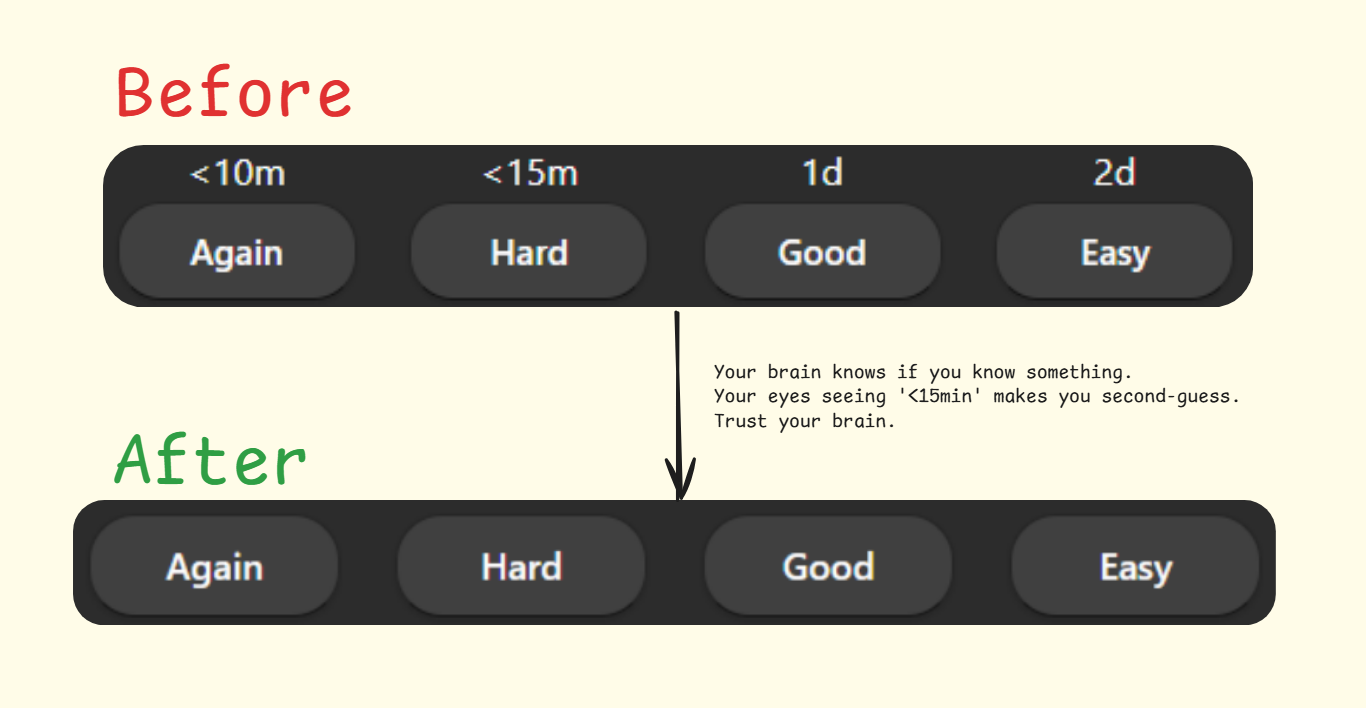
Your brain knows if you know something. Your eyes seeing intervals makes you second-guess. Trust your brain.
A simple Anki add-on that hides the expected review interval (like “10d” or “2min”) that normally appears beneath each answer button during card review by Parker Conley.
Why Use This Add-on?
When reviewing cards, seeing the upcoming intervals can unconsciously bias your decision:
You might choose “Hard” instead of “Again” if you see the “Again” interval is very short You might avoid “Easy” if you see it will push a card too far into the future You might pick “Good” by default without truly assessing your knowledge
By hiding these intervals, you can:
Make decisions based purely on how well you knew the answer Develop a more honest assessment of your knowledge Trust Anki’s algorithm to handle the scheduling How it Works
The add-on makes the interval text invisible while preserving the original layout structure, maintaining consistency in the review screen appearance.
Features Maintains the original button layout and spacing Works seamlessly with both V2 and V3 schedulers No configuration needed - works automatically after installation Compatibility Works with Anki 2.1.50 and above Compatible with most other add-ons Installation From AnkiWeb Open Anki Go to Tools > Add-ons > Get Add-ons Paste the code: 1015550873 Restart Anki Manual Installation Download the latest release from the GitHub repository Open Anki Go to Tools > Add-ons > Install from file Select the downloaded .ankiaddon file Restart Anki Support & Contributions
If you find this add-on useful, please consider:
Leaving a review on AnkiWeb Reporting any issues on the GitHub repository Sharing with other Anki users who might benefit
Screenshots
Liên kết hỗ trợ
Reviews (2)
👍 2025-04-24
Great, it works
👍 2025-03-30
Isn’t this option already included with Anki? On desktop version Version 24.11, the intervals can be hidden by selecting
View - Preferences - Review - and then uncheck “Show next review time above answer buttons”
Or does this add-on do something else that can’t already be done via Preferences?
