Anki Automatic Kanji Readings and Definitions Add-on
Welcome to my Anki add-on! This add-on provides the ability to automatically populate fields in Anki flashcards with kanji readings and definitions. The add-on utilizes JMdict (Japanese-Multilingual Dictionary) for the definition lookups. It was created primarily because I was a little annoyed that the rubytext never seemed to line up with characters properly with any of the existing addons I could find.
Plus, I didn’t really get why I needed to use the internet when there’s already readily available dictionaries to be downloaded.
Features
With this add-on, you can:
Automatically populate Anki flashcards with kanji readings and definitions. Limit the number of definitions to top X number Work entirely offline. Updated: Now includes example sentences from the tatoeba project Updated 25/01: Bulk update option now available! References
I have used JMdict for fetching kanji readings and definitions. More information about JMdict can be found here: JMdict
Screenshots
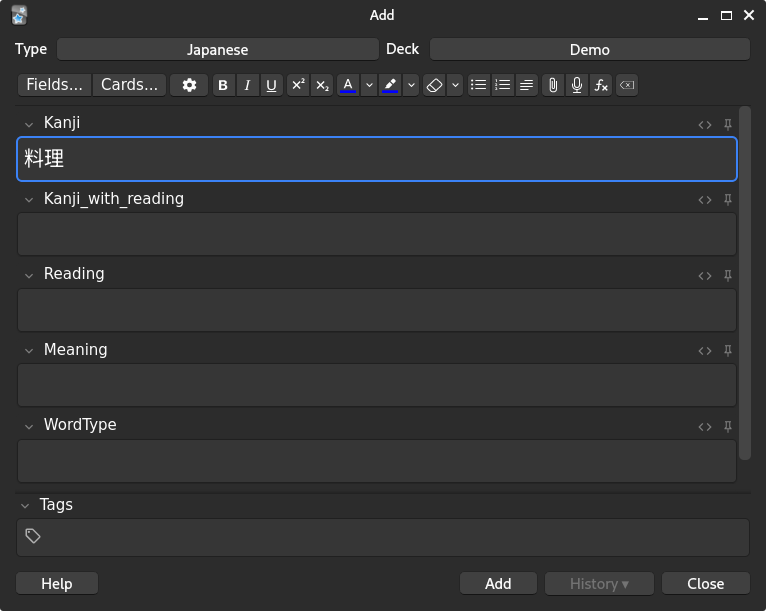
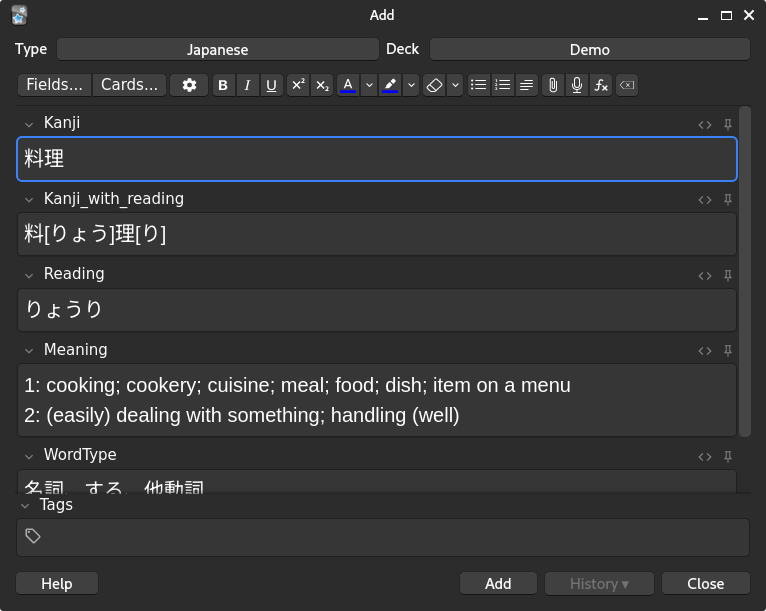
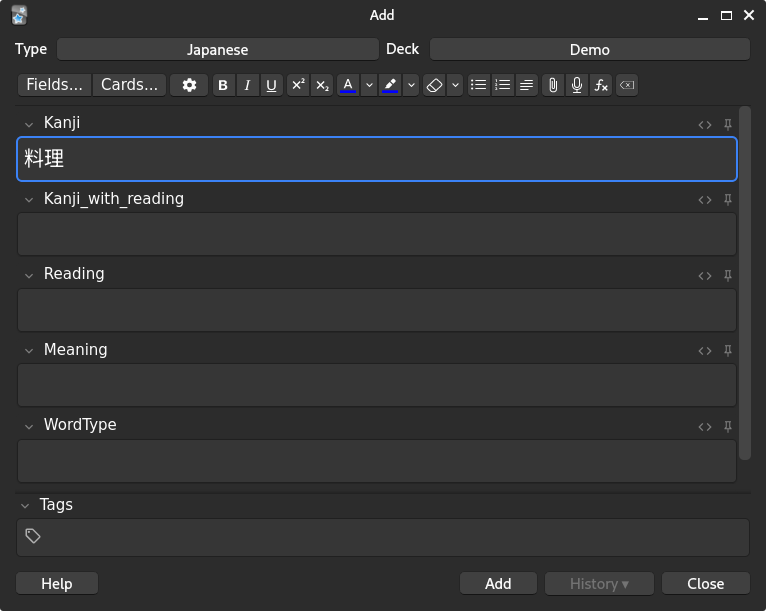
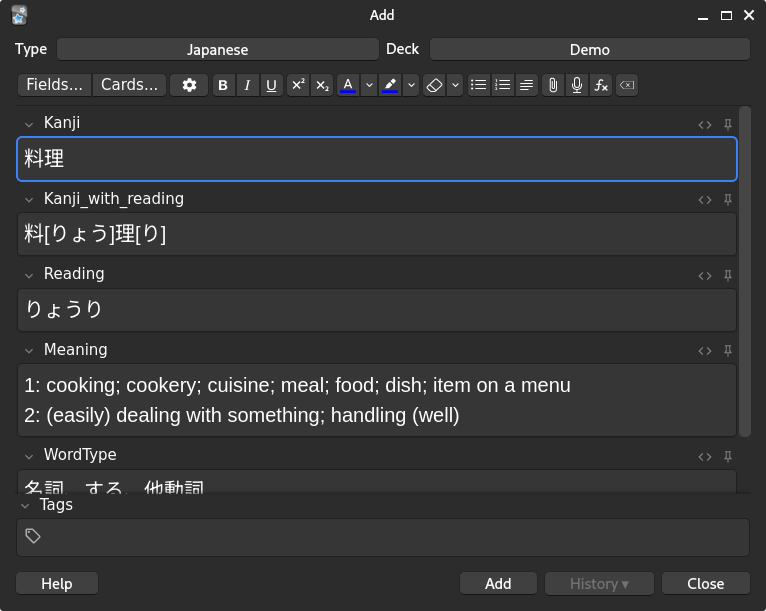
Here’s an example of what this addon does for a note, please note that there are no note types provided with the addon so you’ll need to make your own.
From this
To this
Usage
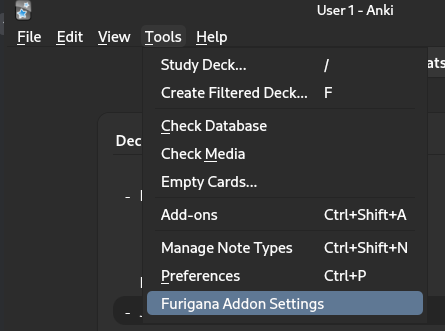
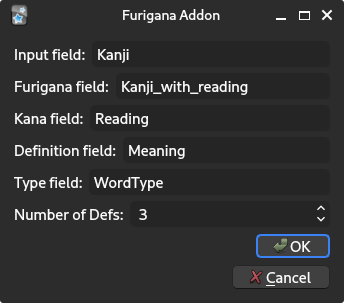
After installation, please update the following settings found here:
The following settings are provided
Input field: This is the field in which Kanji is entered Furigana field: This is where rubytext will be generated for the Kanji input Kana field: This is the hiragana reading from the input field Definition field: This gives you the top X definitions as defined in “Number of Defs” Type field: Gives you the type of word, keiyoushi, meishi etc Number of Defs: Limits the number of definitions in the Definition field
To use simply type in the word like so
Hit tab or move off the field and the rest of the fields will be populated.
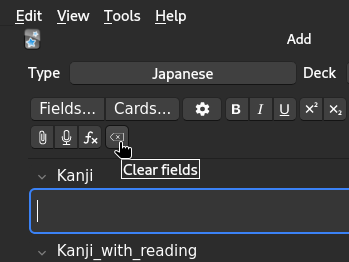
To remove the outputs, for example if the card is a duplicate then use the following to clear all fields.
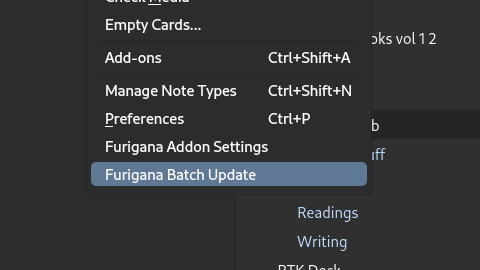
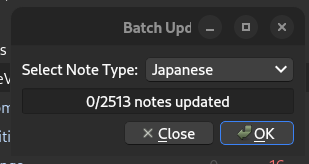
To perform a bulk update, use the following option from the main dropdown
Select the deck you wish to update from the dropdown and then click OK. Please note that it may take a moment for all cards to update. No data will be overwritten during this process. This is functionally identical to updating cards in a manual manner.
Contribution
Your contributions are welcome! If you have any ideas or suggestions, please feel free to Submit an issue.
License
Please see the LICENSE file for details.
Screenshots
Liên kết hỗ trợ
Reviews (6)
👍 2025-06-09
works really well
👍 2025-05-10
It’s great; however, it would be even better with a feature like Migaku’s ‘Generate Definitions’—one that provides definitions for each word in a sentence rather than just a single one. Additionally, with new batch update it would be a powerhouse
👍 2025-05-07
Very helpful. Audio support would be awesome!
👍 2025-01-15
Great! It saves a lot of time!
It would be also amazing if we had a JP-JP definition, using Daijirin or another big monolingual dictionary. Just a suggestion! ;) Comment from author I actually have this working already with daijisen on a branch that I’m using for myself. The problem is the format though and it doesn’t seem to be as reliable as the English dictionary. The other issue is copyright… It’d need to be a “bring your own” kinda addition. Is there a dictionary that you already find wo
👍 2025-01-12
Thanks a lot for this!
For those that cant get it to work, know that the name of the fields is CASE SENSITIVE, took me several attempts until i realized that lol.
It is unfortunate that it doesnt work with hiragana-only words though.
👍 2024-06-12
It’s great!
