This Anki add-on allows you to bulk tag notes that only have a certain subset of kanji. This is mainly useful if you want to practice kanji recall (i.e. writing) without seeing cards that have a mix of kanji you both know and don’t know.
Installation
Install through AnkiWeb. This add-on’s code is 213436974.
Usage
Access this add-on through the Tools > Quick Tag Kanji menu.
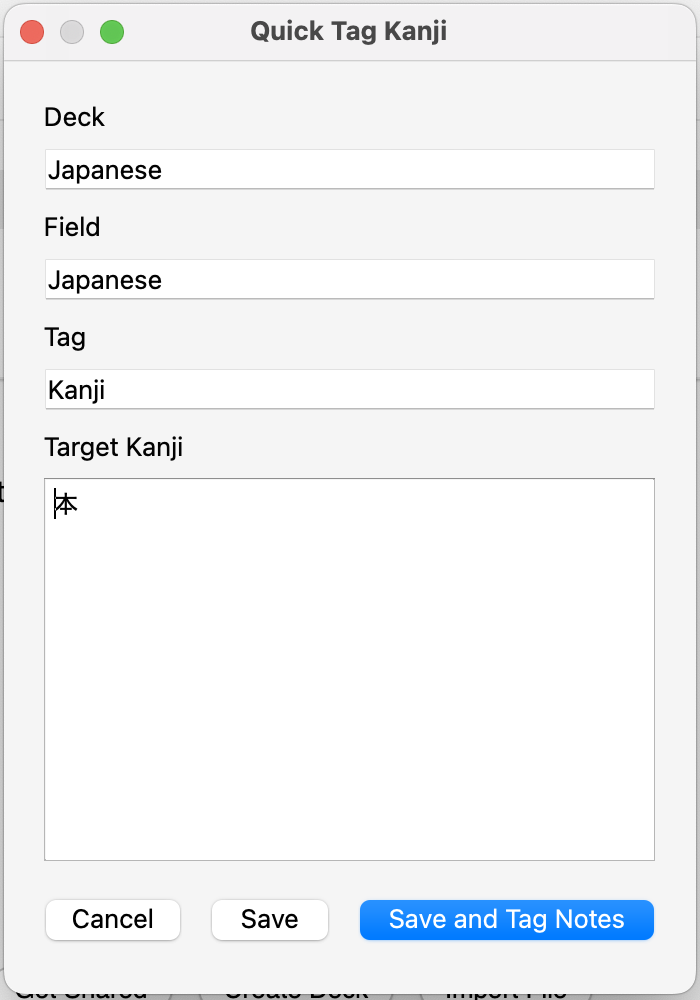
You can change which deck to bulk tag, which field to inspect for kanji and the tag name to apply as well as list a set of target kanji. Note that non-kanji character are completely ignored but notes with even a single kanji not in this list will not be tagged.
For instance, if your target kanji list is the single kanji 生, a note with “生家” in its target field will not be tagged whereas a note reading “生きる” or “生” will be.
Screenshots