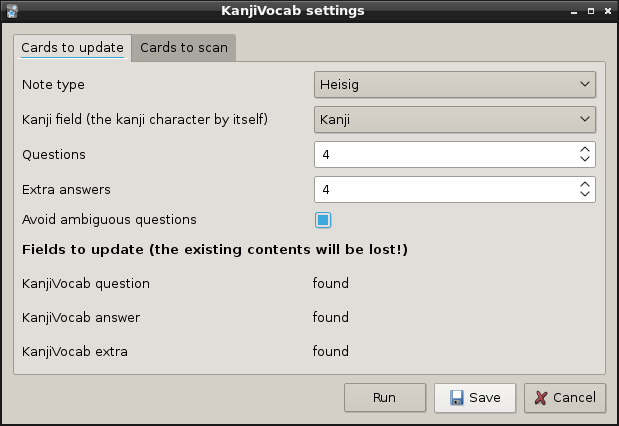
This addon adds Japanese words to a kanji writing deck (such as Remembering The Kanji), using known words from other decks. It makes post-completion RTK reviews much more pleasant, and helps link all the new words you’re learning with what you learned in RTK.
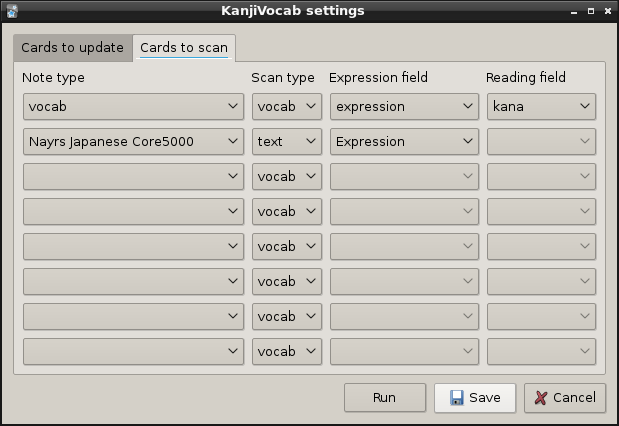
The addon can add words to the question side with the target kanji hidden, to help decide which kanji to write. It tries to prioritise known words and common words, and avoid words that might suggest the wrong answer. It scans cards in other decks to determine which words are known. It gets the best results from vocab cards, particularly if they have vocab expression and reading fields. It can also scan sentence fields for the words within (this requires the Japanese Support addon). The results are saved into the kanji cards, so can be synced to non-desktop versions of Anki.
Please post any questions or feedback to: https://github.com/HelenFoster/KanjiVocab/issues
Version info
Version: 5.0.0 License: AGPLv3+ ( https://www.gnu.org/licenses/agpl.html ) This addon includes a dictionary derived from the JMdict dictionary file. JMdict is property of the Electronic Dictionary Research and Development Group, and is used in conformance with the Group’s licence. See http://www.edrdg.org/jmdict/j_jmdict.html
Quick Start
Always backup your collection before installing an addon that modifies it!
Add fields to your kanji deck, named “KanjiVocabQuestion”, “KanjiVocabAnswer” and “KanjiVocabExtra”. Note: These were renamed to remove spaces (as spaces make searching etc more awkward). If updating, you can rename existing fields within Anki. Apologies for any inconvenience.
Edit the card template. Add “KanjiVocabQuestion” to the front of the card, and the other two to the back of the card. They contain furigana, so use {{furigana:KanjiVocabQuestion}} etc. Then, to get the colours in the screenshots below, add the code from this link to the card CSS: https://github.com/HelenFoster/KanjiVocab/blob/master/kanjivocab/cards_example.css
Restart Anki after installing the addon, and “KanjiVocab…” should appear on the Tools menu. This opens a dialog with the various options. More detailed instructions can be found at: https://github.com/HelenFoster/KanjiVocab/blob/v5.0.0/README.md
Screenshots
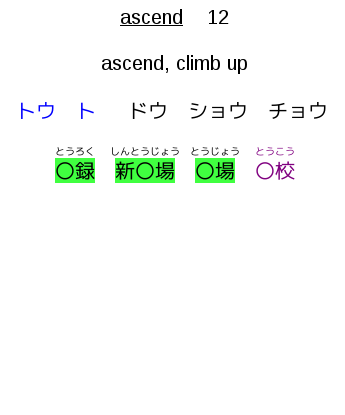
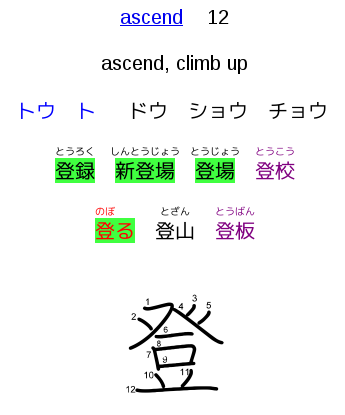
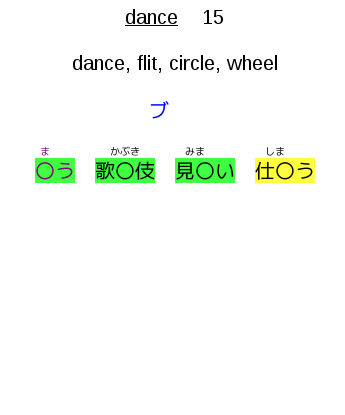
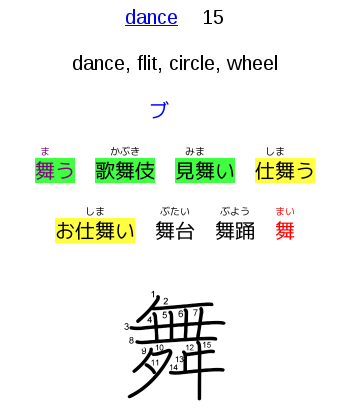
Words are coloured to help you decide how to use the information when reviewing. Some examples from my deck are shown below. The green highlight means “you should be able to read this in kanji” and the yellow highlight means “you should be able to read this in kana”. Black text means “only one possible answer”, purple text means “only one likely answer”, and red text means “more than one likely answer” (with a pessimistic viewpoint, as the addon doesn’t understand all the other cues on the card that help you pick one kanji over another). You can change this colour scheme at any time by editing the card CSS.
Note: This addon only generates the Japanese words! My deck is heavily customized in other ways.
Screenshots
Liên kết hỗ trợ
- https://github.com/HelenFoster/KanjiVocab/issues
- https://github.com/HelenFoster/KanjiVocab/blob/mas
- https://github.com/HelenFoster/KanjiVocab/blob/v5.
Reviews (6)
👍 2024-11-27
I fixed this add-on for Anki24+ and uploaded it to AnkiWeb. 🍣KanjiVocab - smart automatic vocab for RTK (Fixed by Shige) https://ankiweb.net/shared/info/887572166
👍 2024-07-30
Simply perfect.
👍 2020-12-08
I took a couple of hours to amend my RTK deck with this add on. Also pimping my card layout.
It works great! Now I get some vocab on my cards
👍 2019-06-25
this is the best! what a huge time-saver for those who want to upgrade their RTK deck to something more practical. LOVE how smart it is and the simple cloze content it generates. Perfect!!
👍 2019-01-20
Excellent addon! This was the perfect tool for going back to make cloze cards after finishing RTK to test kanji writings using sentences.
👍 2017-07-03
Thank you! This addon makes it so much more enjoyable to review RTK cards (no more mixing up cards with similar meaning!). I was about to add everything by hand but this addon saved me a lot of work! Thanks :)
