This add-on was funded by the Anki Mastery Course. Please consider supporting our work using the links below so we can continue to fund add-on projects like this.
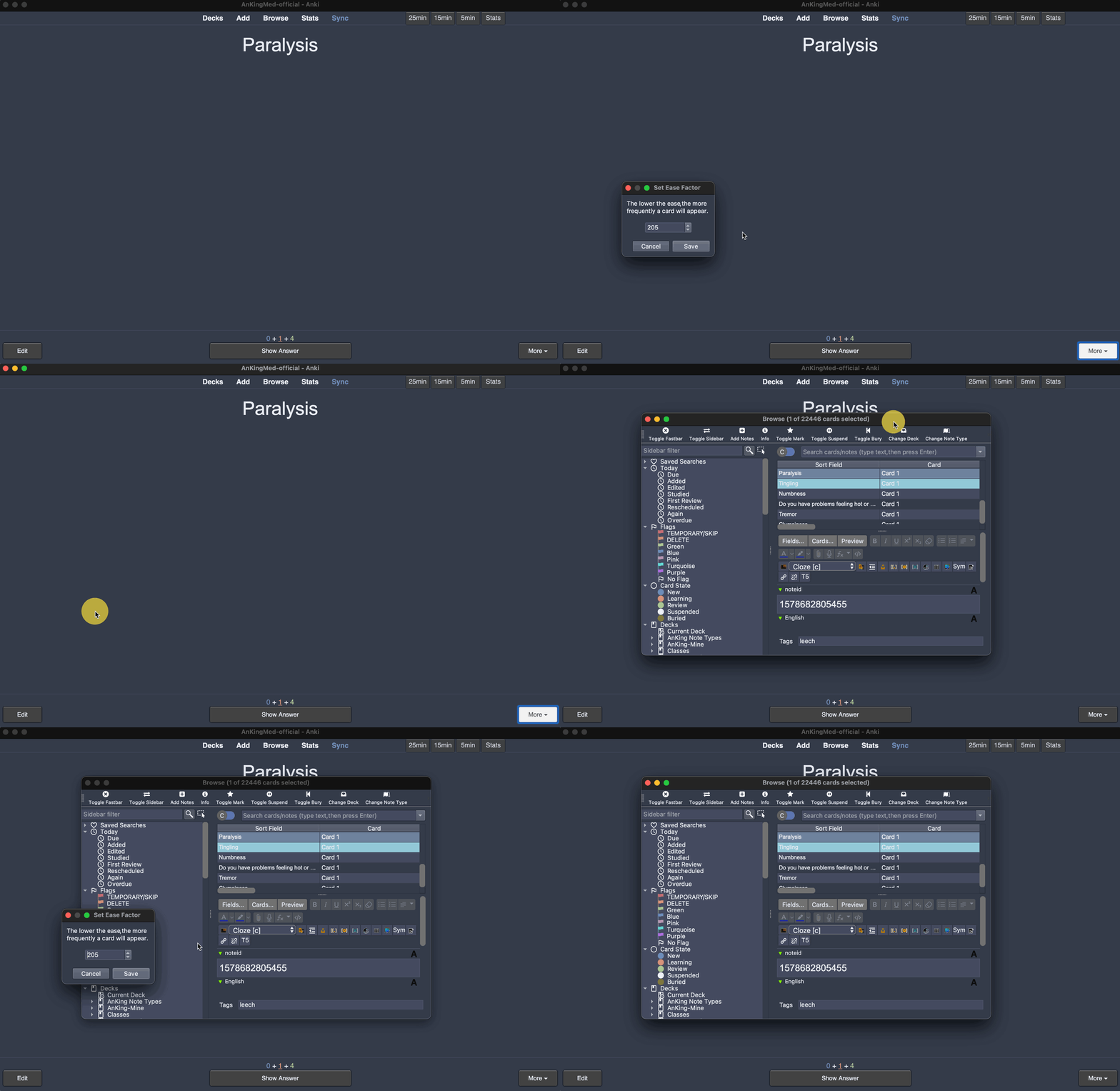
This add-on will let you manually set the ease of a single or multiple selected notes. This can be done from the Browser or the Reviewer.
You must be on Anki 2.1.36+ to use this add-on
How to Use
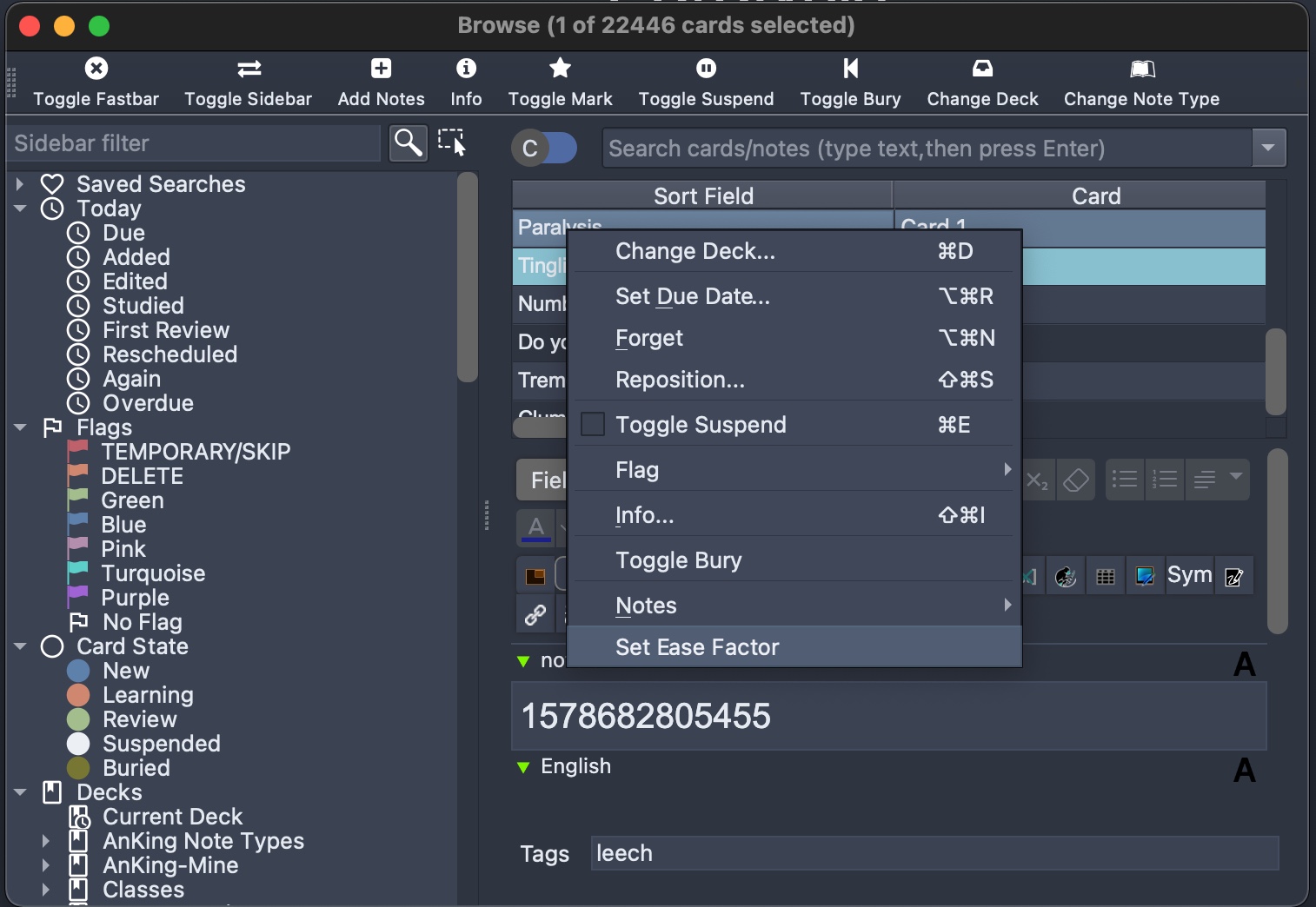
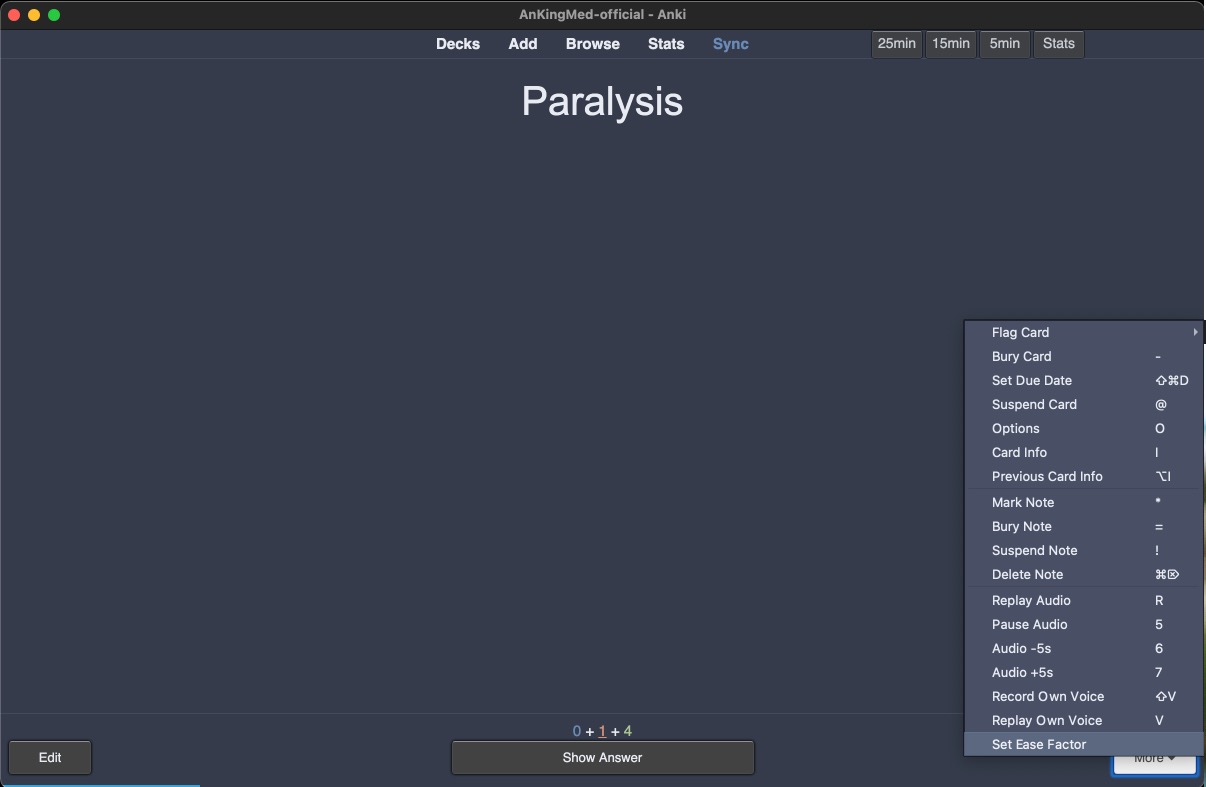
In the browser: Right click on one or multiple cards and choose “Set Ease Factor” In the reviewer: Click on “More” and then “Set Ease Factor”
Keep in mind the default Ease is 250%. We recommend not straying too far from this
Screenshots
Problems, Bugs, Errors, Improvements
If you find a serious bug, please submit it on Github or email us at ankingmed@gmail.com. Please remember that we are not coders and thus may not be able to provide support.
Changelog
2022-08-16: Initial Release
2022-11-15: Fix incompatibility with some add-ons
2022-11-19: Fixed an error that appeared when opening Anki with the add-on active
2025-01-28: Updated icons
Please consider checking out our: YouTube Channel- How to use Anki for beginners and advanced users. Instagram/Facebook: @Ankingmed www.TheAnKing.com- Recommended add-ons, tutorials and more including how to download 40+ add-ons in < 5min Patreon/VIP- Support our work and get individualized Anki help!
Screenshots




Liên kết hỗ trợ
Reviews (6)
👍 2025-07-12
Still works as expected CAO 11 Jul 2025 (v25.02.5 ). Thanks!
👍 2023-04-01
Works well
👍 2022-11-24
Doesn’t work anymore since the update
👍 2022-11-15
. It shows “Error. An error occurred. Please start Anki while holding down the shift key, which will temporarily disable the add-ons you have installed.” Comment from author UPDATE: This should be working now and we would really appreciate if you change this to a 👍🏼! :) If you find issues or have suggestions for improvement, please share on our GitHub and we can discuss!
👍 2022-08-18
I was searching for this feature. Thank you.
👍 2022-04-15
Awesome and looking forward to public release
