This add-on provide a Multiple Choice Note Type
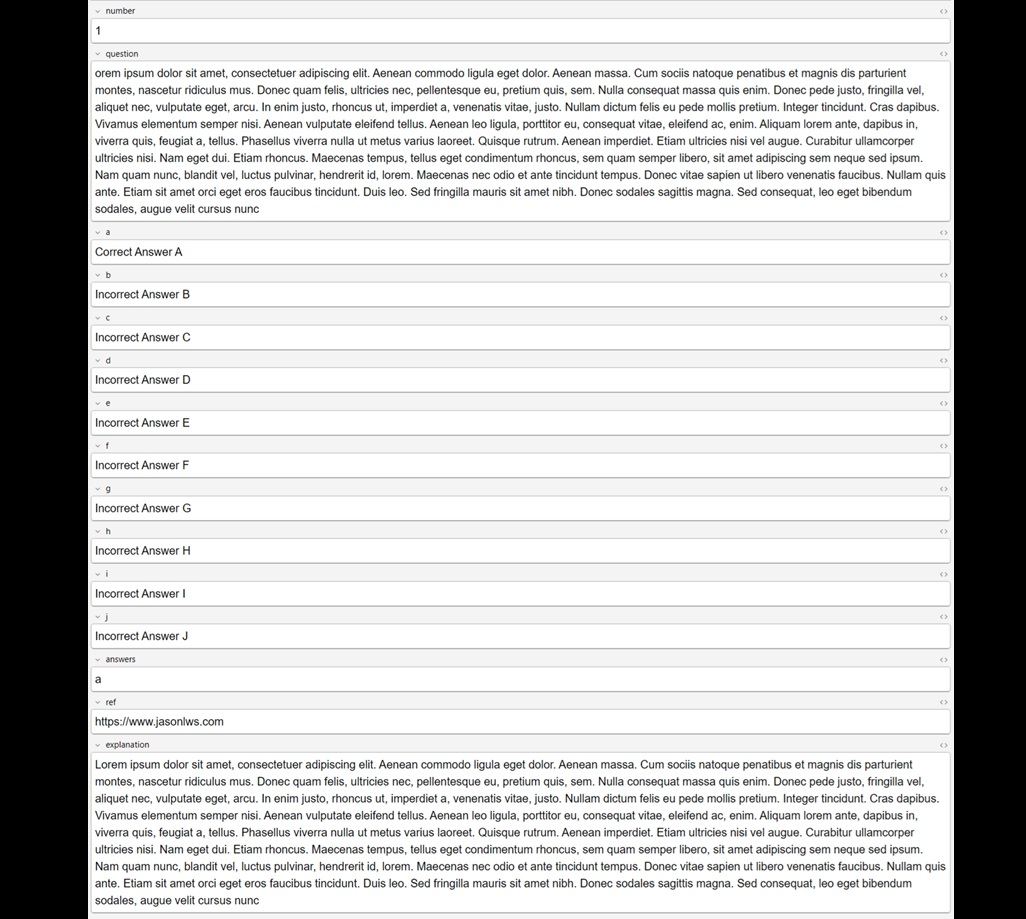
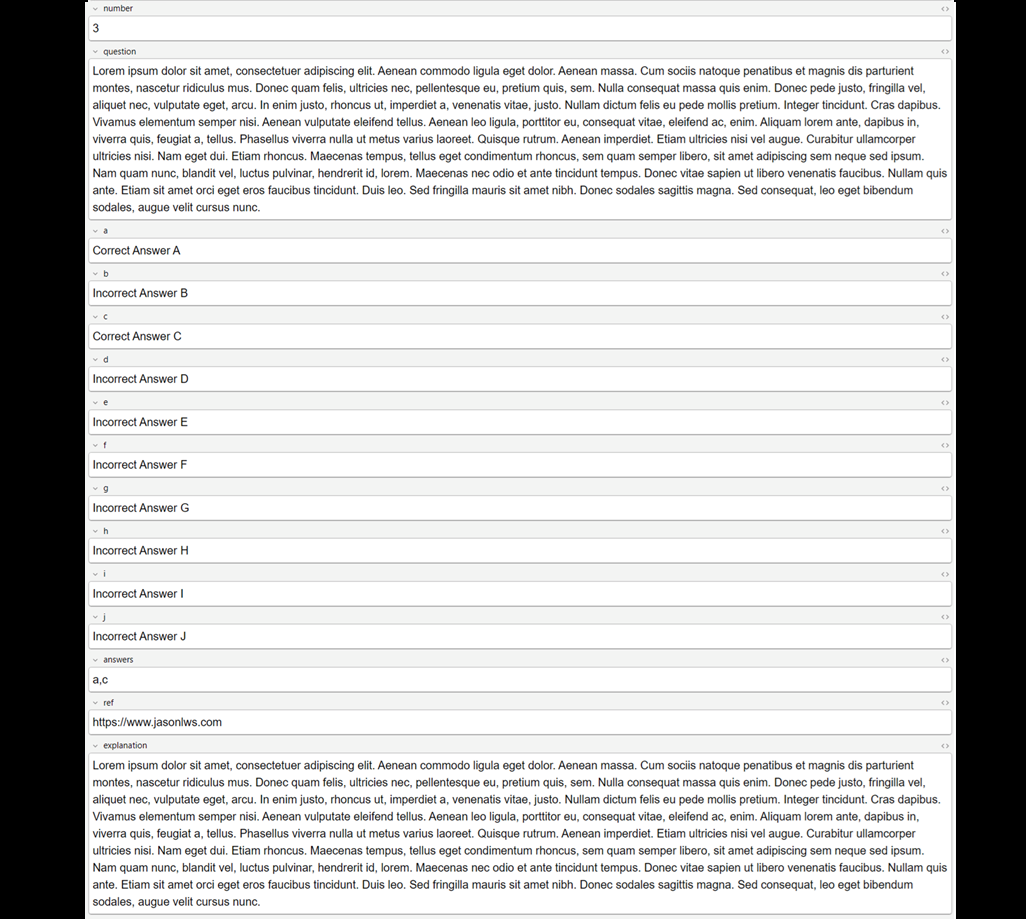
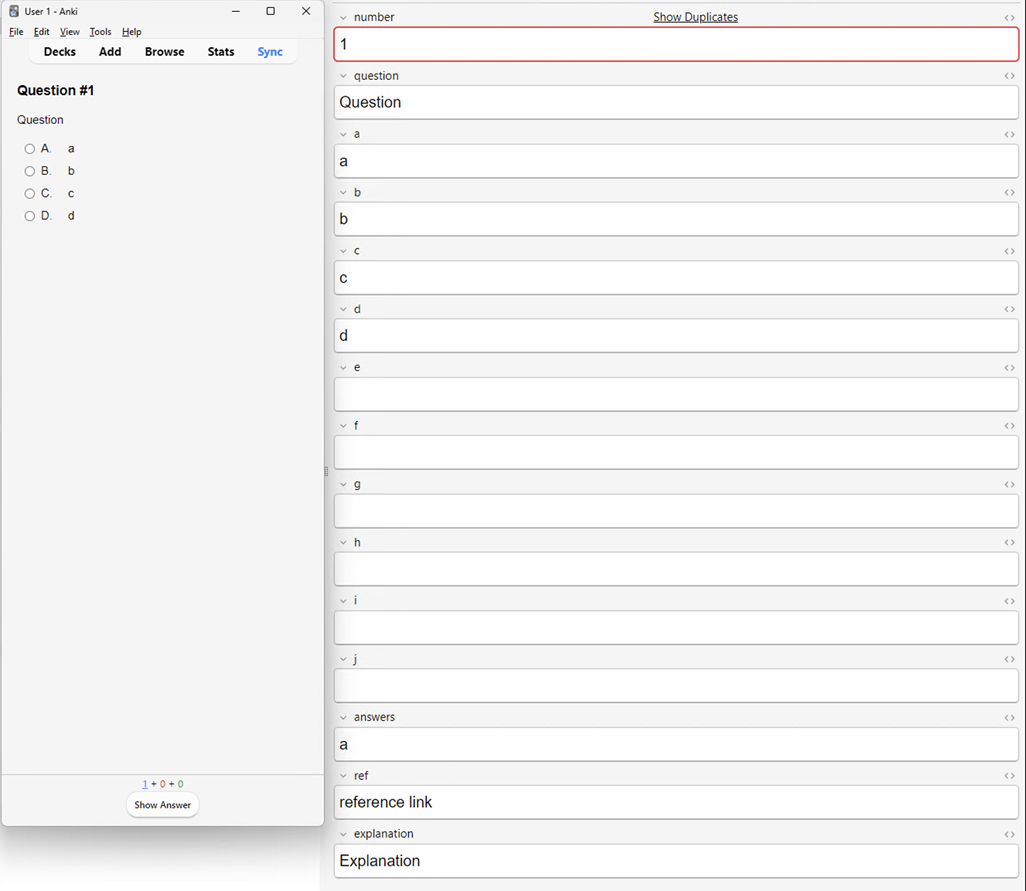
Radio Format Checkbox Format Shuffle Enabled Fields number: Question Number question: Question a, b, c, d, e, f, g, h, i, j: The list of answers answers: Correct answers (Delimiter: commas(,)) - More than one answers show as Checkbox format, otherwise, Radio format ref: Reference explanation: Explanation Box Example - Radio Format Example - Checkbox Format Example - Limit The Number of Choice You may leave the answer field empty to hide the choice. Configuration How?
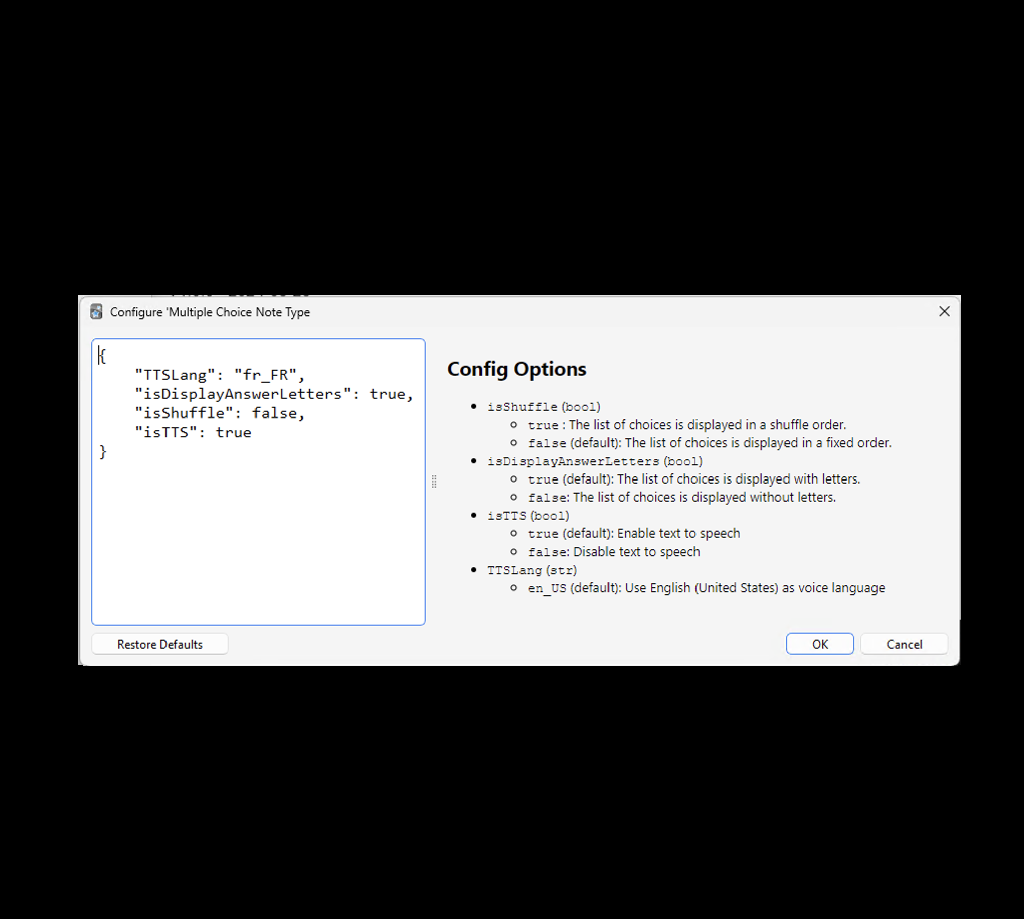
Tools -> Add-ons -> Select “Multiple Choice Note Type” -> Config
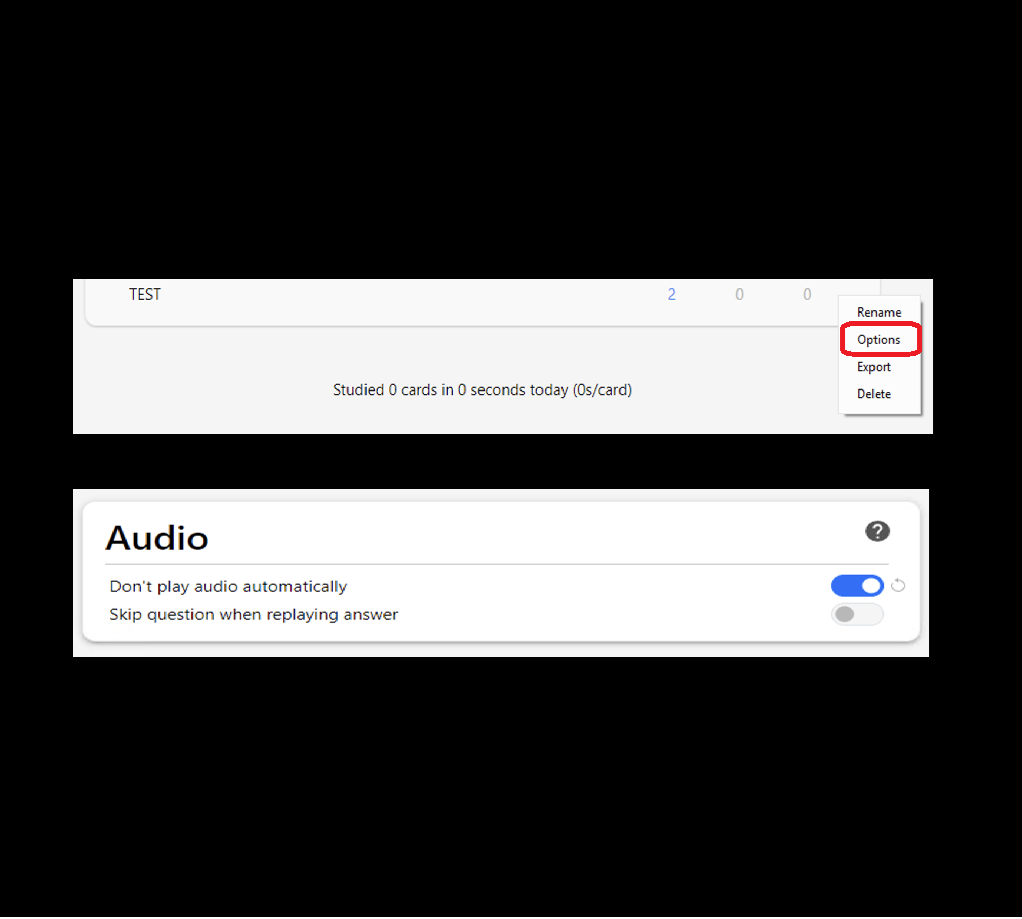
Change the order of the list of answers. Default - The list of choices is displayed in a fixed order. ( Chnage isShuffle value to false ) The list of choices is displayed in a shuffle order. ( Chnage isShuffle value to true ) Change the display of letters of answers. Default - The list of choices is displayed with letters. ( Chnage isDisplayAnswerLetters value to true ) The list of choices is displayed without letters. ( Chnage isDisplayAnswerLetters value to false ) Enable / Disable text to speech. Default - Enable text to speech. ( Chnage isTTS value to true ) Disable text to speech. ( Chnage isTTS value to false ) Change voice language of text to speech. Default - Use English (United States) as voice language. ( Chnage TTSLang value to en_US ) Language Code Example: https://learn.microsoft.com/en-us/linkedin/shared/references/reference-tables/language-codes How to set “Don’t play audio automatically” In the deck options, Enable Don’t play audio automatically under Audio section. Changelog
V1.0.0 - 2024-08-28
First Release of Multiple Choice Note Type
V1.0.1 - 2024-09-11
Bugfix - Only one radio button allow select
V1.0.2 - 2025-02-13
Enhance - Change the display of letters of answers
V1.0.3 - 2025-02-26
Enhance - Allow to enable / disable text to speech Enhance - Allow to change voice language Author
Jason Leung (jasonlws)
CREDITS AND LICENSE
License File
Source Code
The source code of is available on GitHub.
Bug Reports
Please report any issues via issue tracker on GitHub!
Screenshots
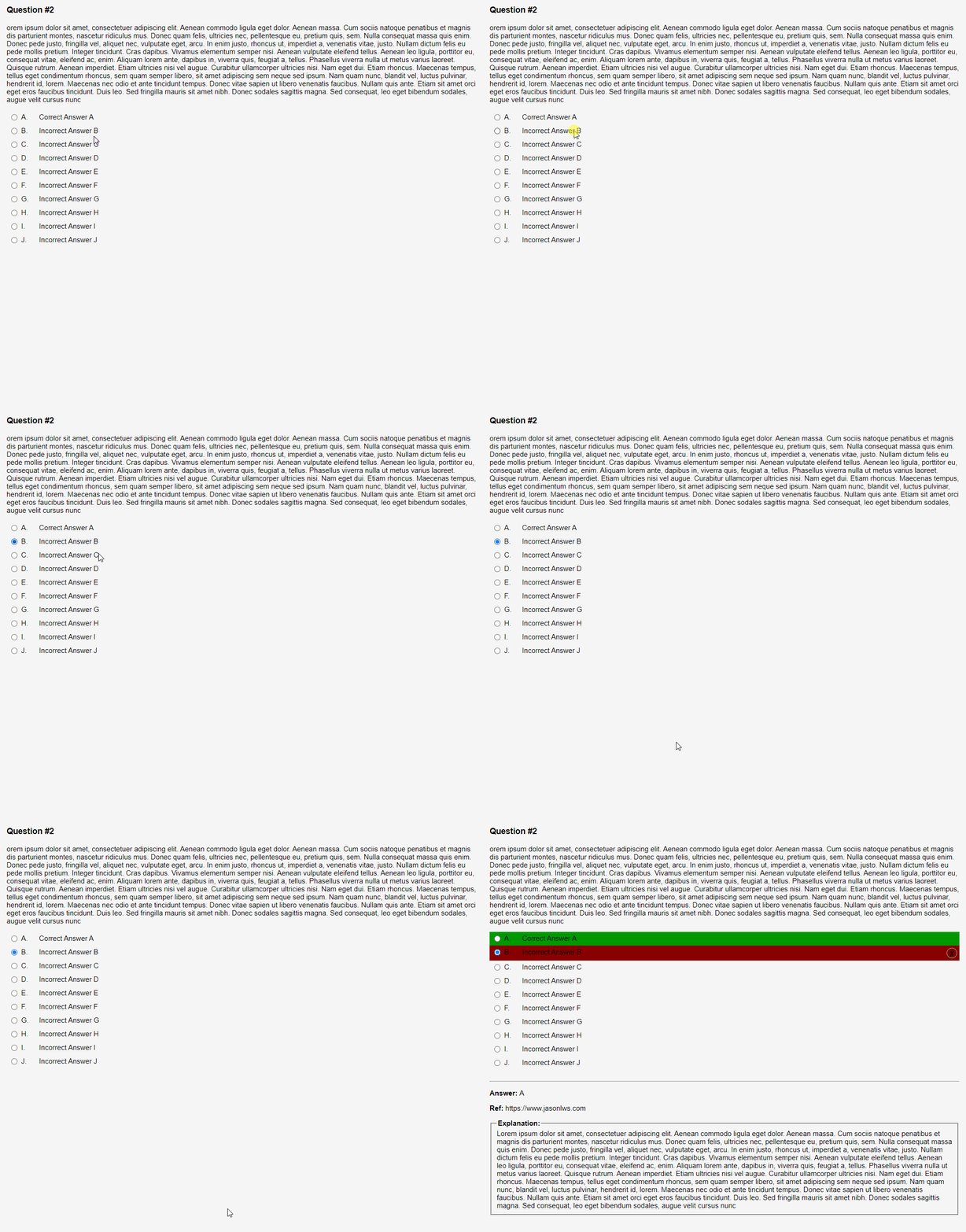
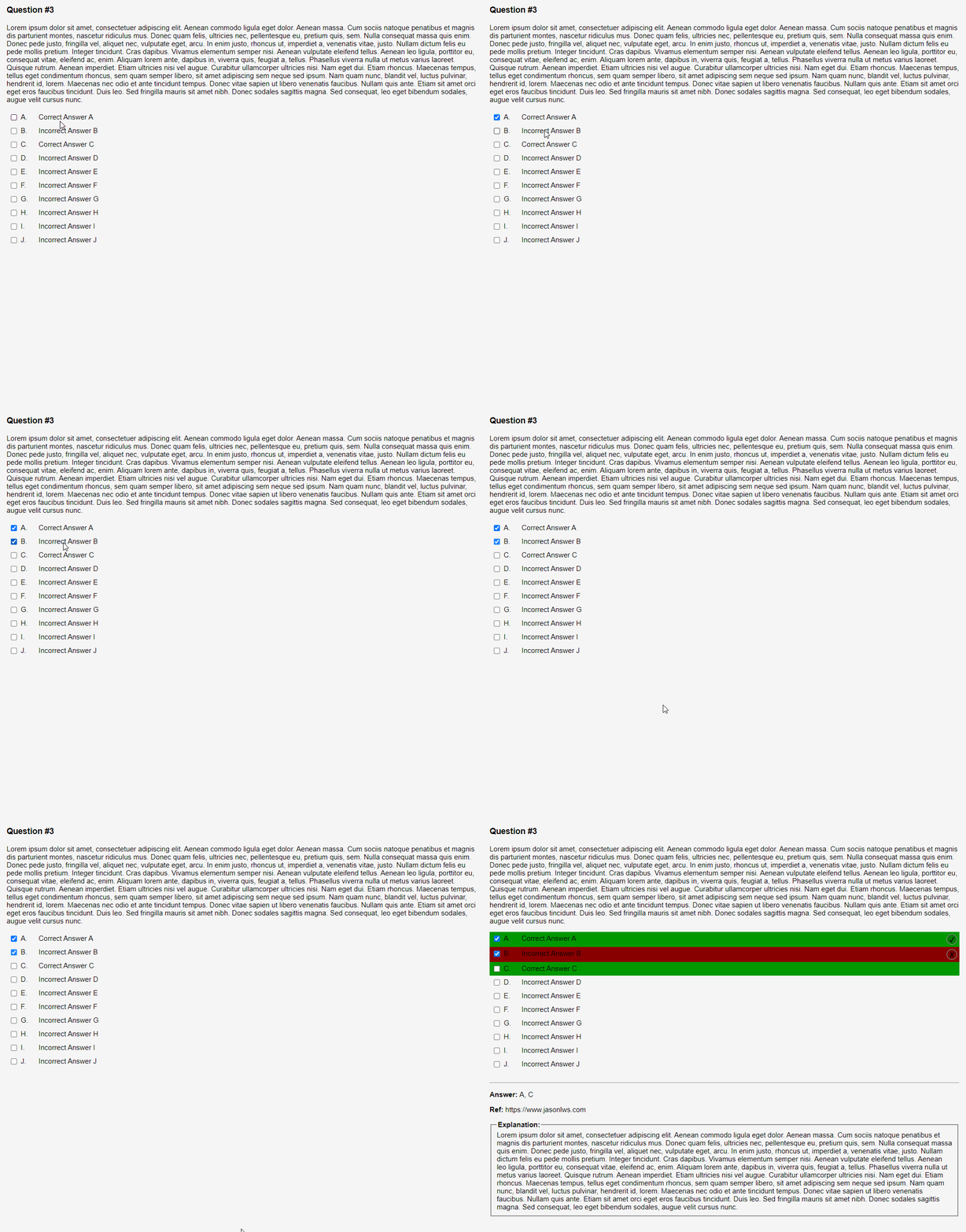
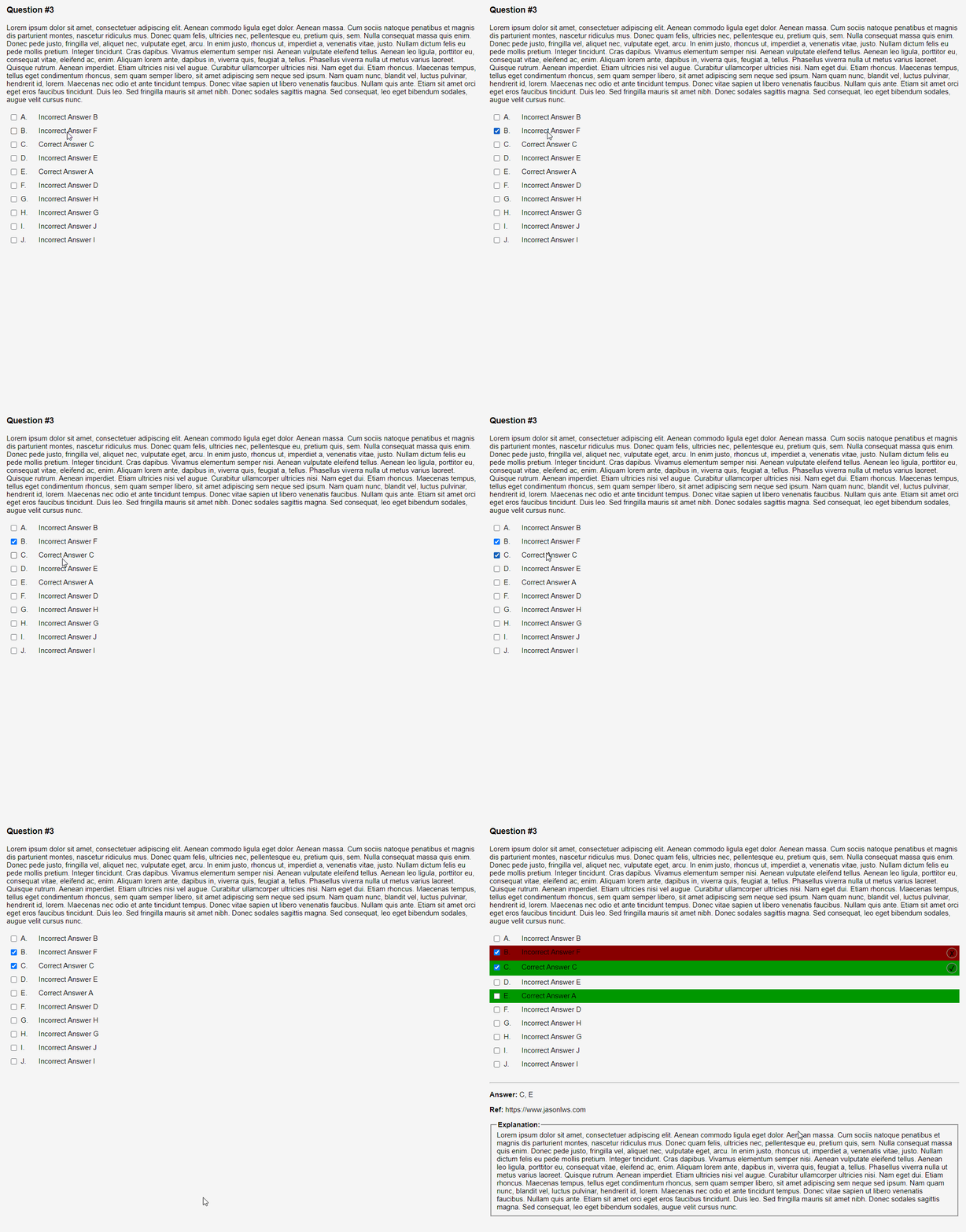
Liên kết hỗ trợ
Reviews (23)
👍 2026-01-20
Thanks ! A question, how to make checkbox a lot bigger ?
👍 2026-01-02
awesome!
👍 2025-10-03
great, but hopefully there will be an option to place all choices in one go (perhaps separated by a line break to distinguish choices), so making the cards would be much more efficient
👍 2025-07-31
very very useful; works perfectly
👍 2025-06-01
love this!!
👍 2025-05-03
ANSWER LINE DOESNT WORK. I CHOOSE AN ANSWER AND IT CLAIMS ALL IS INCORRECT DESPITE ME FILLING IN THE LINE Comment from author Thank you for your feedback. Can you share more information to issue tracker on GitHub for me to fix the issue?
👍 2025-04-12
Top, the best card !!!
👍 2025-03-24
Gostei, mais intuitivo que outros. Comment from author Ficamos felizes em saber disso! 😊
👍 2025-02-26
cant disable TTS Comment from author Thank you for your feedback. Let me add it into the configuration to allow enable / disable TTS on next release.
Please update to latest version. Now, you can disable Text to Speech in config. Thank you.
👍 2025-02-17
add on works perfectly (W10) Easy to enter data No prior knowledge required Comment from author before post was edited Thank you so much for your support.
👍 2025-02-16
Hey, so first of all thank you so much for this it’s exactly what i wanted ! But also is there a way to
-
Change the languages of audio ? My cards are in french but the audio that reads is in english and i’d like to switch it to french if possible (i’m new to Anki)
-
How to turn off the audio ?
Comment from author Thank you for your feedback.
- Please update to latest version. Now, you can disable Text to Speech and change the voice language in config. For French, the language code is
👍 2025-02-13
It looks awesome! But hasn’t been updated to new Anki version :( Comment from author Thank you so much for your support and understanding. I apologize for the delayed response. The issue has already been fixed.
👍 2025-01-27
10x; how import bulk from Text file ?
👍 2025-01-26
Not compatible with newest Anki version 24.11? Comment from author Thank you so much for your support and understanding. I apologize for the delayed response. The issue has already been fixed.
👍 2025-01-03
Works great. The Shuffle will work after changing the config, and copy the Note Type. You can also change the “false” to “true” in the existing Note Type. if (false) shuffle(answerJson);
if there is another way, i would be happy to hear about it Comment from author Thank you so much for your support. For the shuffle function, go to “Tools” > “Add-ons” and click on the “Multiple Choice Note Type” add-on. Then, click the “Config” button. You can edit the “isShuffle” variable. Please restart th
👍 2024-11-16
Works well. I like how easy it is to be able to select multiple answer choices. If you want to change the formatting or personalize the note type, don’t forget to rename it (or suspend/delete the addon first). Comment from author Thank you so much for your support.
👍 2024-11-12
Very helpful! I used to schedule reviews for tricky questions on an excel spreadsheet but now I can do that on anki! Just a quick request: Can i add LaTex (or mathjax) support on the options fields? Or maybe you could implement this in the future? Thank you!
👍 2024-11-09
Absolutely brilliant work, thank you so much ! Comment from author Thank you so much for your support.
👍 2024-10-29
it is the best , consistent and work well thank you Comment from author Thank you so much for your support.
👍 2024-10-02
Good day, is it possible to remove the letters(A. B. C.) beside the choices? or make a tutorial/instructions on how to do it personally. Thank you in advance. Comment from author Thank you for your feedback. Yes, it is possible. Let me add it into the configuration to allow disable the letters. I will include this update in upcoming release.
Added new config variable (isDisplayAnswerLetters) to control the display of letters. Thank you very much.
👍 2024-09-26
十分的好用,如果可能的话,希望添加中文适配 Comment from author 多謝多謝。添加中文适配意思是否把當中的字眼改為中文,例如ABC -> 甲乙丙 , Explanation -> 說明, 是這樣嗎?
👍 2024-09-15
Great! One question, though — why make ‘question number’ a mandatory field? I’m asking because if someone wants to mix the MCT card with other flashcards in a deck, numbering might not be relevant or make much sense. Comment from author Thank you very much. Yup, you are right. I will include this update in upcoming release. In the meantime, please allow for duplicates first.
👍 2024-09-11
nice. works ok. How can I disable some choices when I create a card? i need only 5.
sry. My English is bad I would like to have 5 options in edit mode. I tried to delete it in the code and I couldn’t Comment from author Thank you very much. You just leave the choices empty when inserting a card, then the choices will be hidden.
I just update the description. You may take a look on the screen shot in the “Example - Limit The Number of Choice” section.
