Pindu (Chinese), Anki Add-on, v1.12.1
Pindu Add-On Page
Pindu Demo on Youtube
Introduction
Note: This version only supports studying Mandarin Chinese (中文), using either 简体字 or 繁体字. Other languages are not yet supported. Sign up for updates at https://www.readpindu.com/ to be alerted when other languages are supported.
You will need an OpenAI and/or OpenRouter API key for text generation, and an OpenAI and/or Azure API key for text-to-speech.
Pindu extends Anki’s spaced repetition system with an extensive reading engine and a reader interface that help you build reading comprehension and vocabulary. “Build text from your Anki collection, then get credit for reading it.” Instead of reviewing isolated vocabulary cards, you read text that is calibrated to your level and is engineered to contain the Anki-managed words that you care about. This approach makes vocabulary review more engaging, and it also builds real fluency via reading comprehension. You can swap back and forth between Anki’s normal system and Pindu’s system at any time; they are complementary and work together to help you acquire language faster.
Quick Start Installation Open Anki and go to Tools > Add-ons > Get Add-ons Paste in the Pindu code: 600135790 Restart Anki Some Media
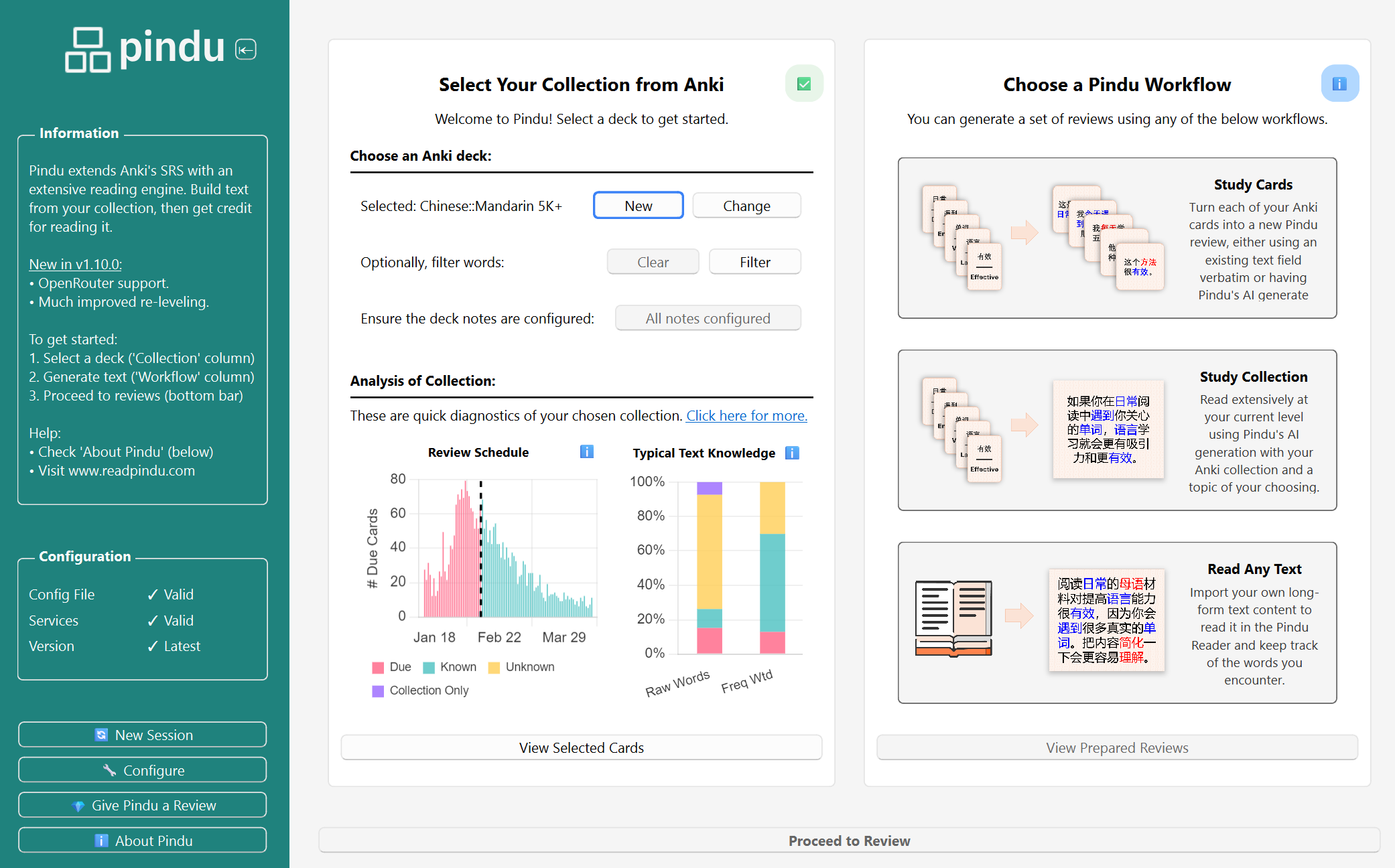
The Prepare phase: configuring a bulk text review.
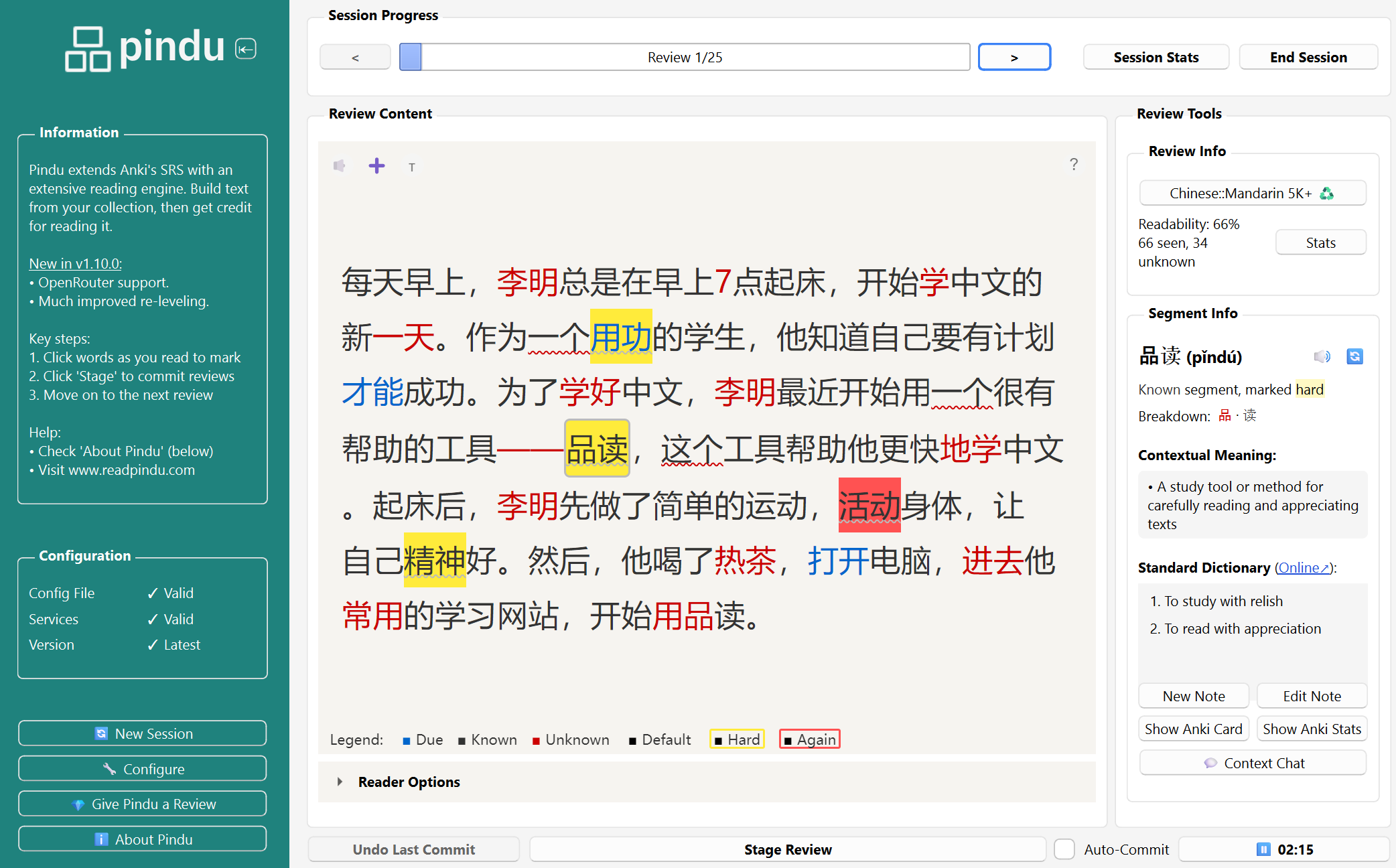
The Review phase: reading and marking words.
First Launch
Access Pindu in three ways:
From Tools menu: Tools > Pindu > Launch From Anki’s main screen: Click “Launch Pindu” from the bottom bar From the deck overview: Click “Pindu (Express)” for a quick generation with your configured method Basic Configuration
There is some basic configuration to begin using Pindu:
Configure Pindu to recognize your Anki notes. a. Launch the “Configure” dialog from Pindu’s sidebar and go to the “Anki Note Type Mapping” tab. b. Select your existing Anki note type from the “Unconfigured” list on the left. c. Use the dropdown menus to map the fields from your Anki note type to the standard Pindu fields. Only the ‘Hanzi’ mapping is required. d. Click “Add/Update Pindu Configuration”. The note type should move to the “Configured” list on the right. Save the configuration and exit. (Optional) Add API keys to make use of AI features like generation, translation, and TTS. a. Launch the “Configure” dialog from Pindu’s sidebar and go to the “Services and Accounts” tab. b. Add API keys for your accounts (OpenAI and/or OpenRouter for text generation; OpenAI and/or Azure for speech), and choose models for the services. Language Support
Pindu is built to support Chinese only. Although it may be possible to run other languages through the workflows, they are not yet supported.
Screenshots
Reviews (3)
👍 2026-02-28
Edit: thanks for the update, now it works :-) It would be great, but i can’t get it activated in version 25.02.7 I deactivated all other add-ons and restarted. Comment from author before post was edited Thank you for reporting this! It’s fixed now in the latest v1.12.1 if you update. (Problem was that older Anki versions are running an older python version.)
👍 2026-02-08
Wonderful app! Thank you! Progress had been increased significintly
👍 2025-11-15
Thank u!! Thank u!! Thaaank u!! I know that it would be a long road ahead with a few iterations and fixes here and there, but loving it already!! 😍
It makes my brain hurt, puting all the review words in a single text 🤯 - but exactly that is what make it so powerful for learning!
A button to “pause” the session and continue in other moment would be greatly appreciated (for example, saving the generated text and such and closing the review window, allowing to use Anki just normally and go back l
